

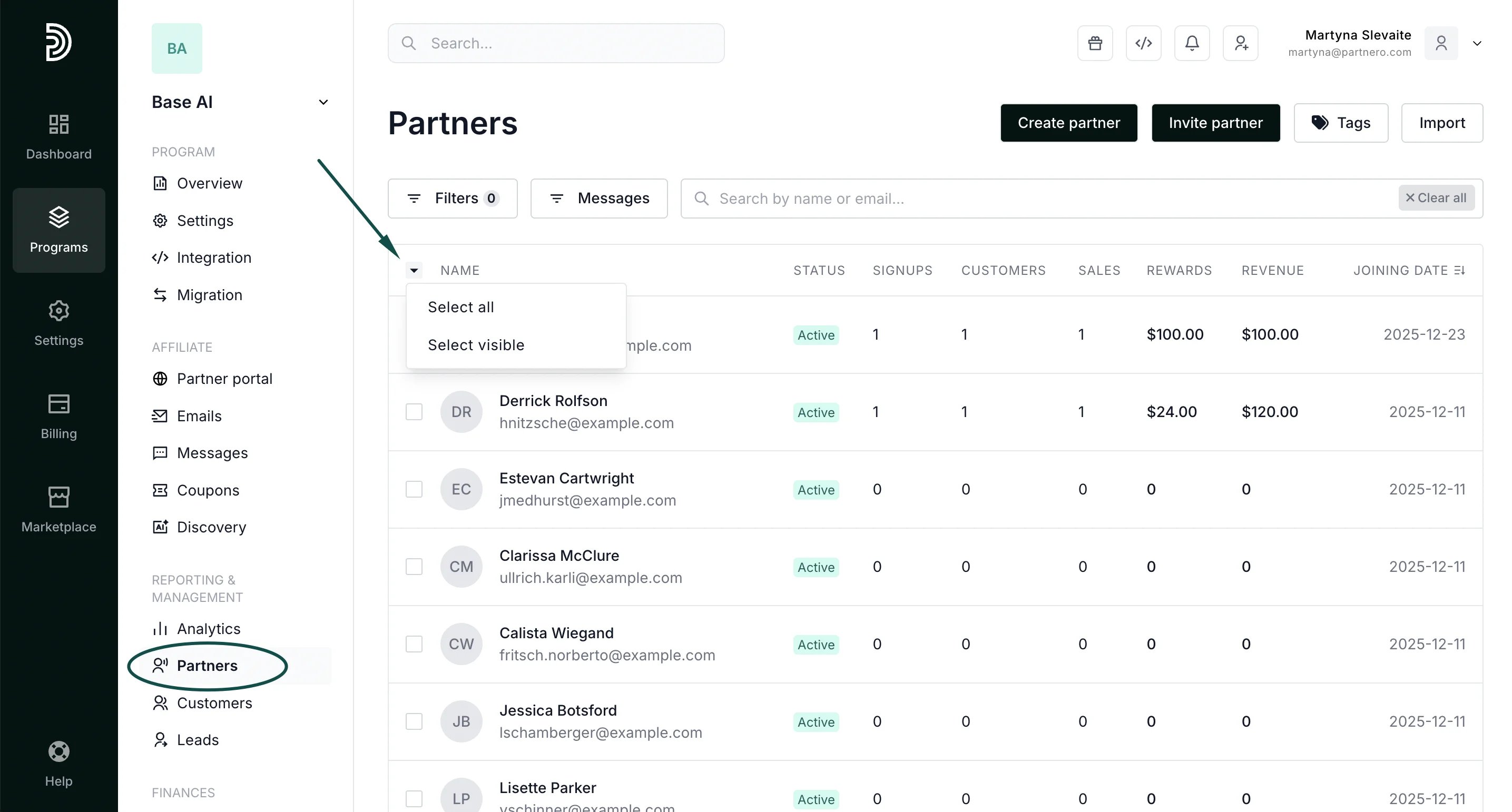
- In your affiliate program, go to Partners under Reporting & Management.
- Select the partners you’d like to export. You can also click to Select All or Select Visible:
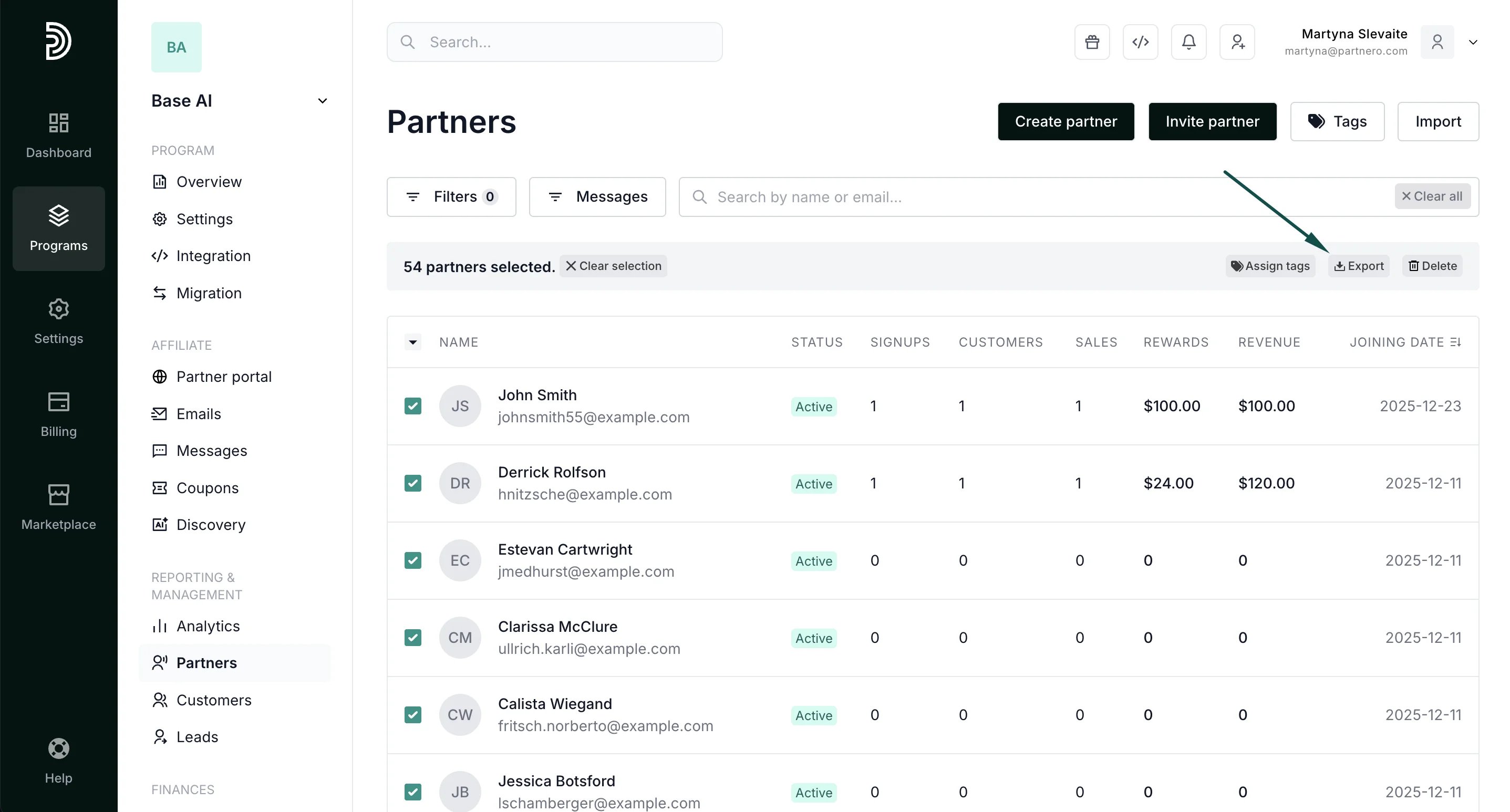
- Click to export, once the selection is made:
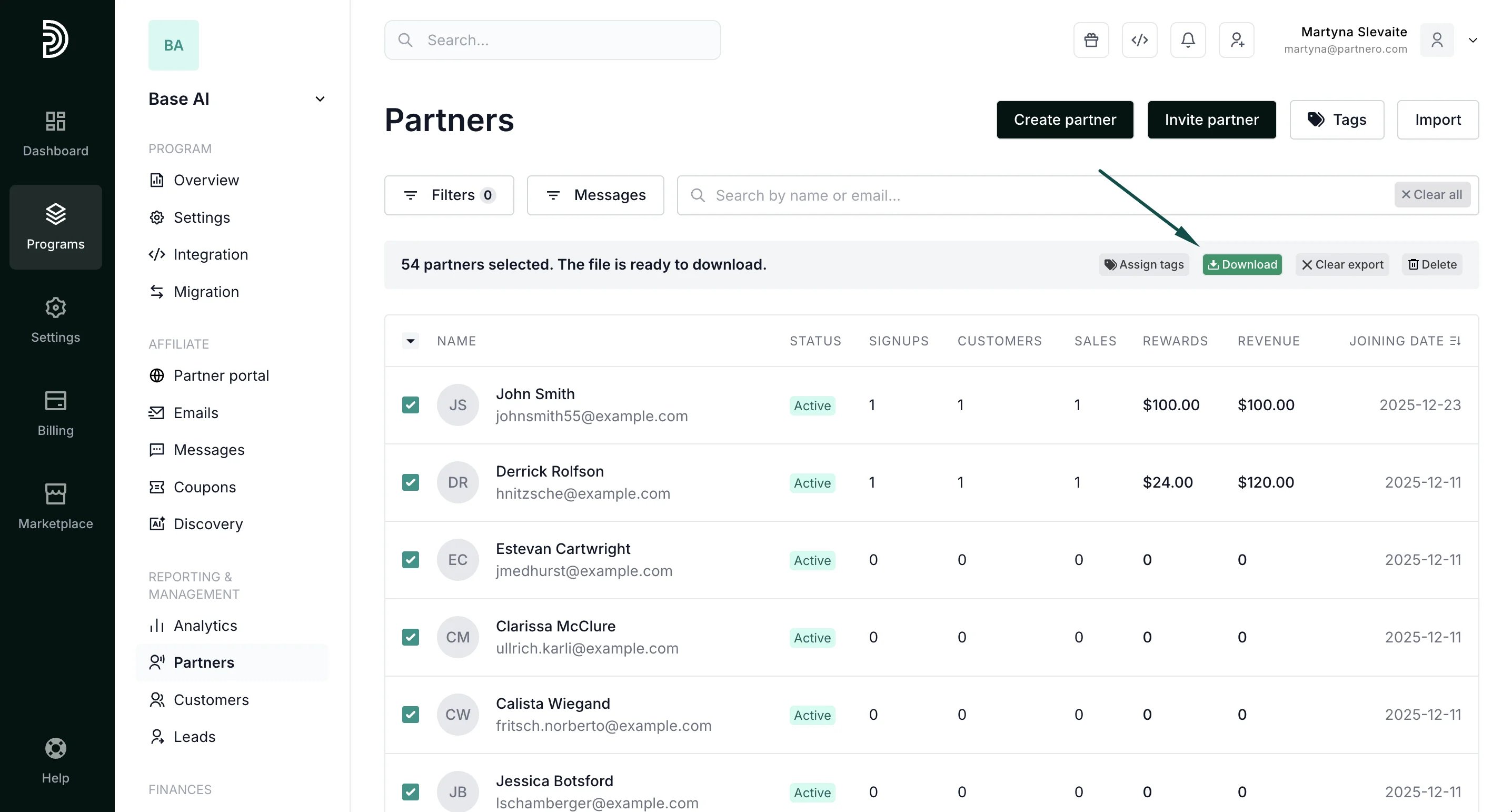
- You’ll see an export progress bar and the option to download the list once it’s finished:
Partner management
How to export partners
To export partners:
Was this page helpful?