

How to connect your Gmail account To connect your Gmail account:
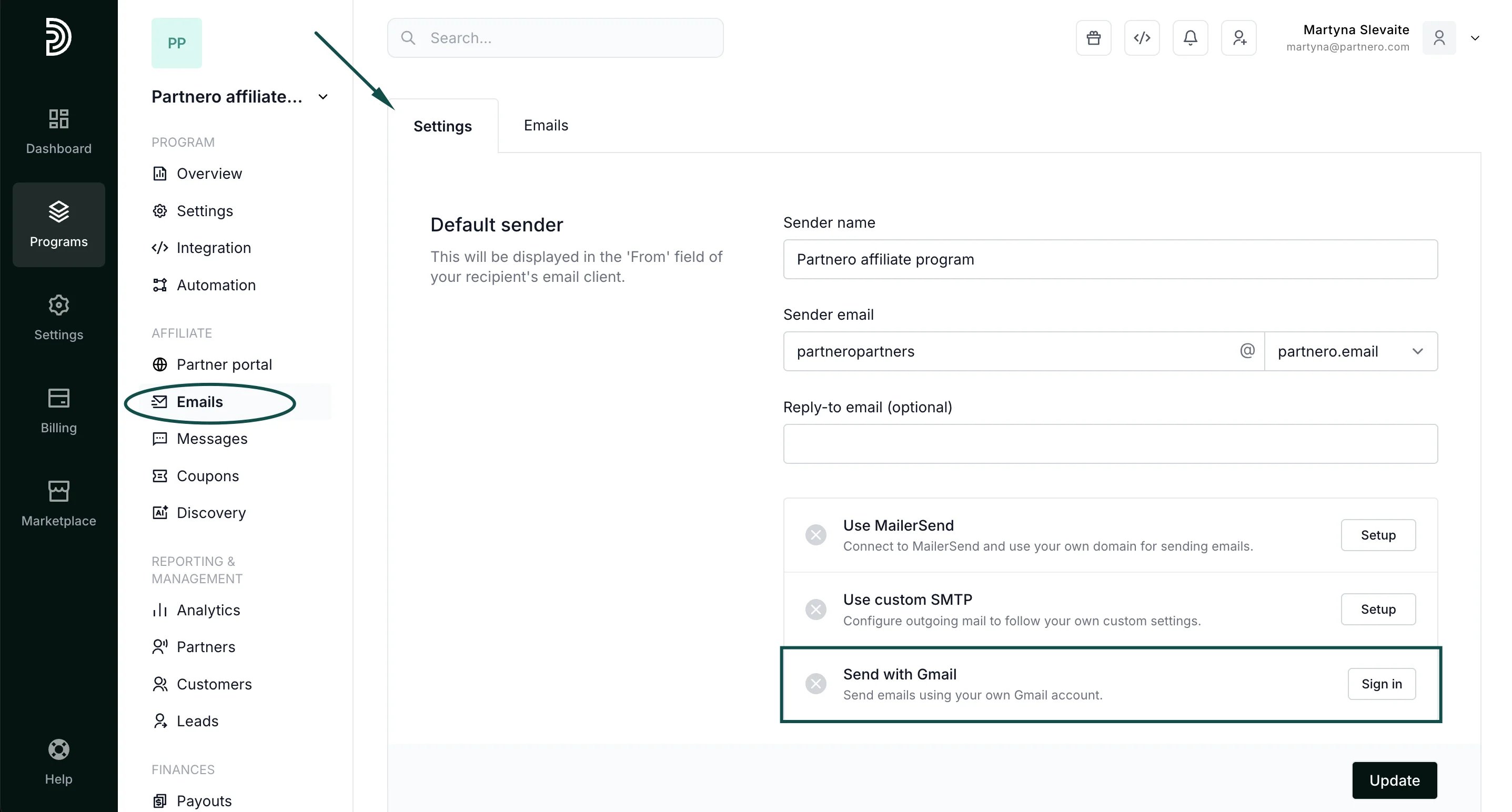
- In your program, go to Emails under Affiliate.
- In the Settings tab, click Sign in next to Send with Gmail:
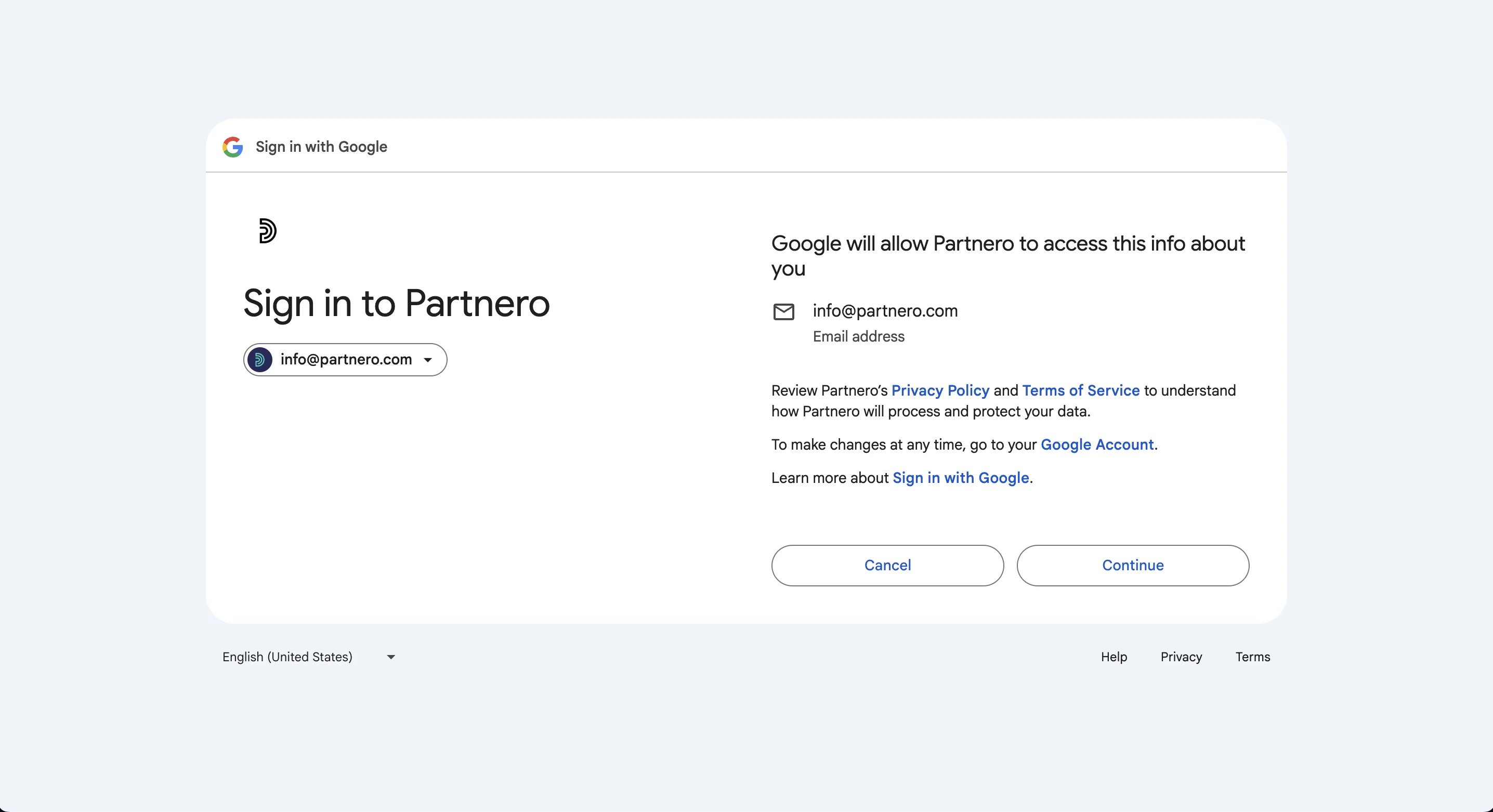
- Click Continue to sign in and choose the Gmail account you’d like to connect.
- Click Continue and Allow in the following screens.
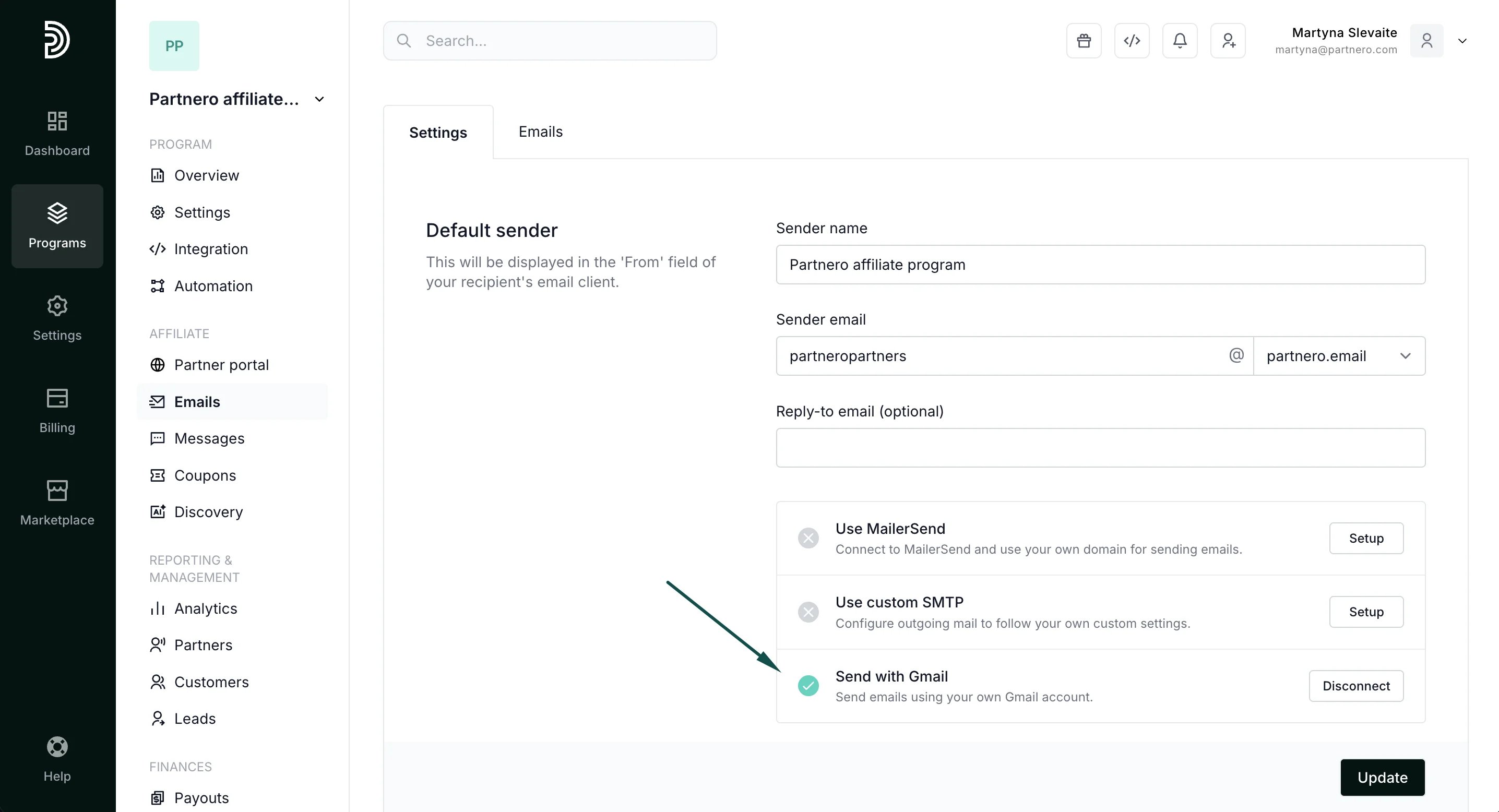
- You will then be returned to your Partnero account, and the Send with Gmail option will have a green checkmark:
- The last step is to select the newly connected domain under Sender domain > Gmail domains:
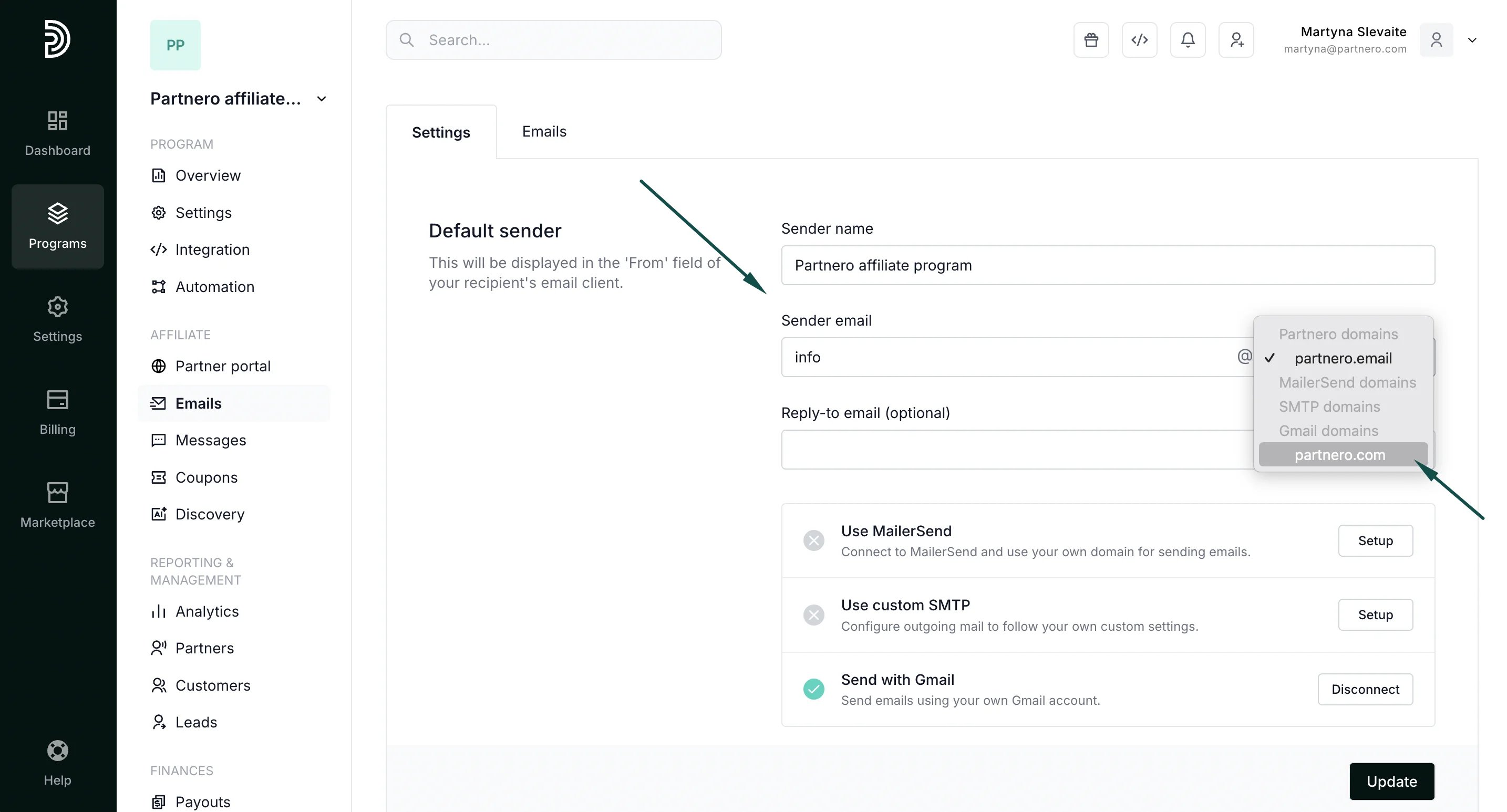
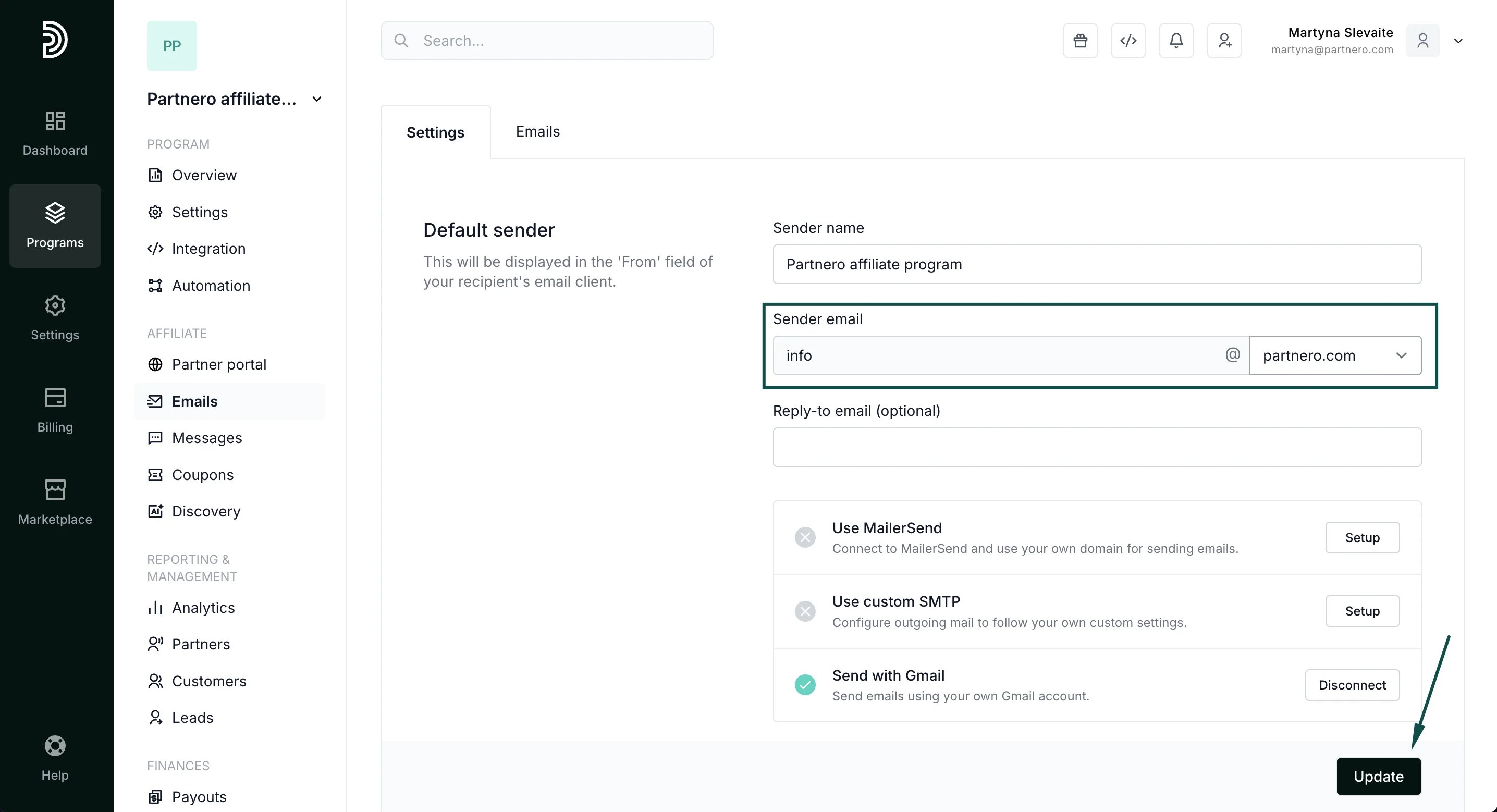
- Click Update to save your changes.