

How it works
The Has no purchases for X days trigger runs a daily check on your customer records. If a customer has not made a purchase within the number of days you configure, Partnero automatically deletes that customer record from your program.How to set it up
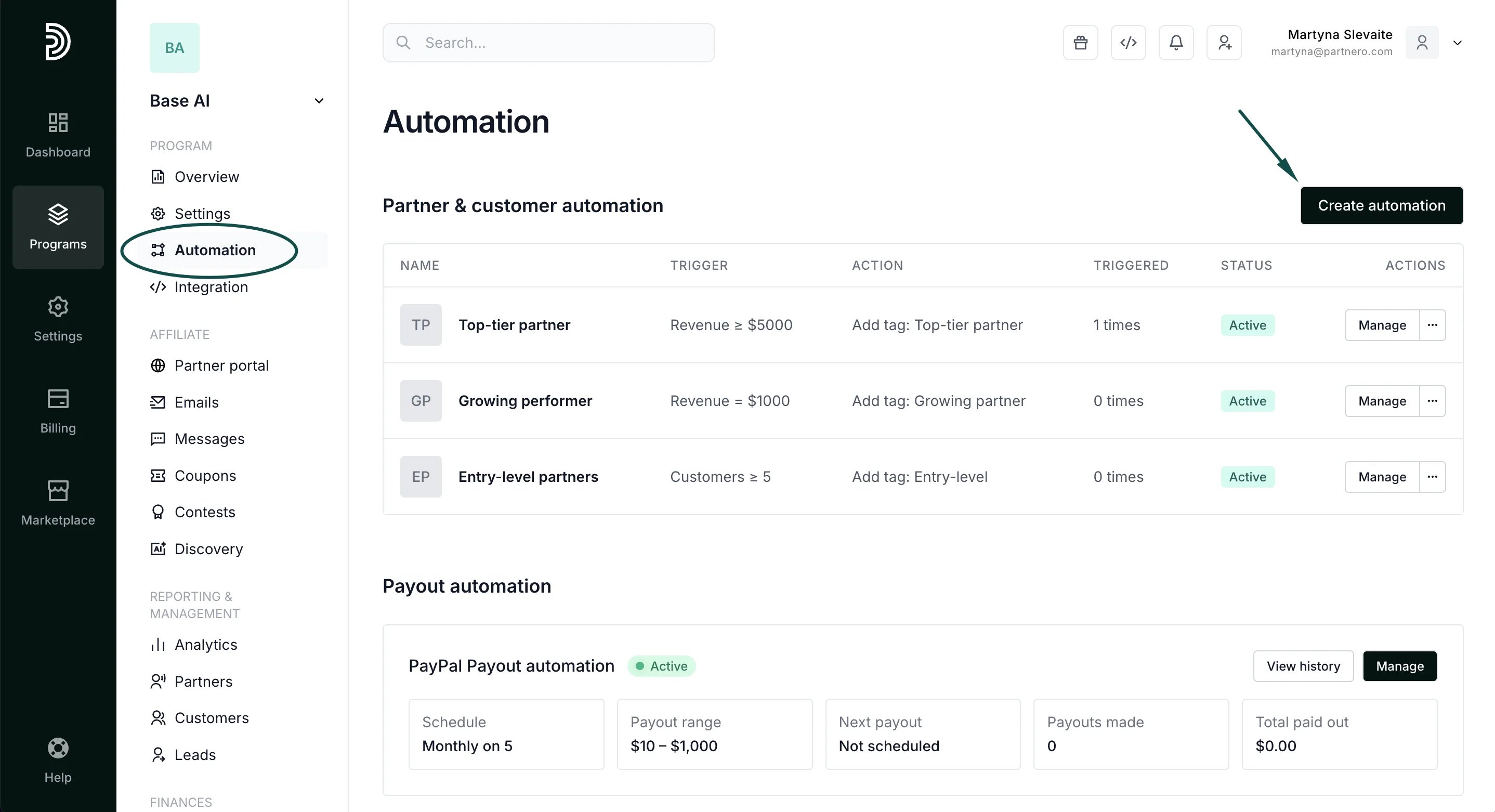
- In your program, navigate to Automation under Program.
- Click Create automation:
- Give the automation a name, for example, Delete inactive customers.
- Configure the automation:
For → Customer
When → Has no purchases for X days
Enter the number of days.
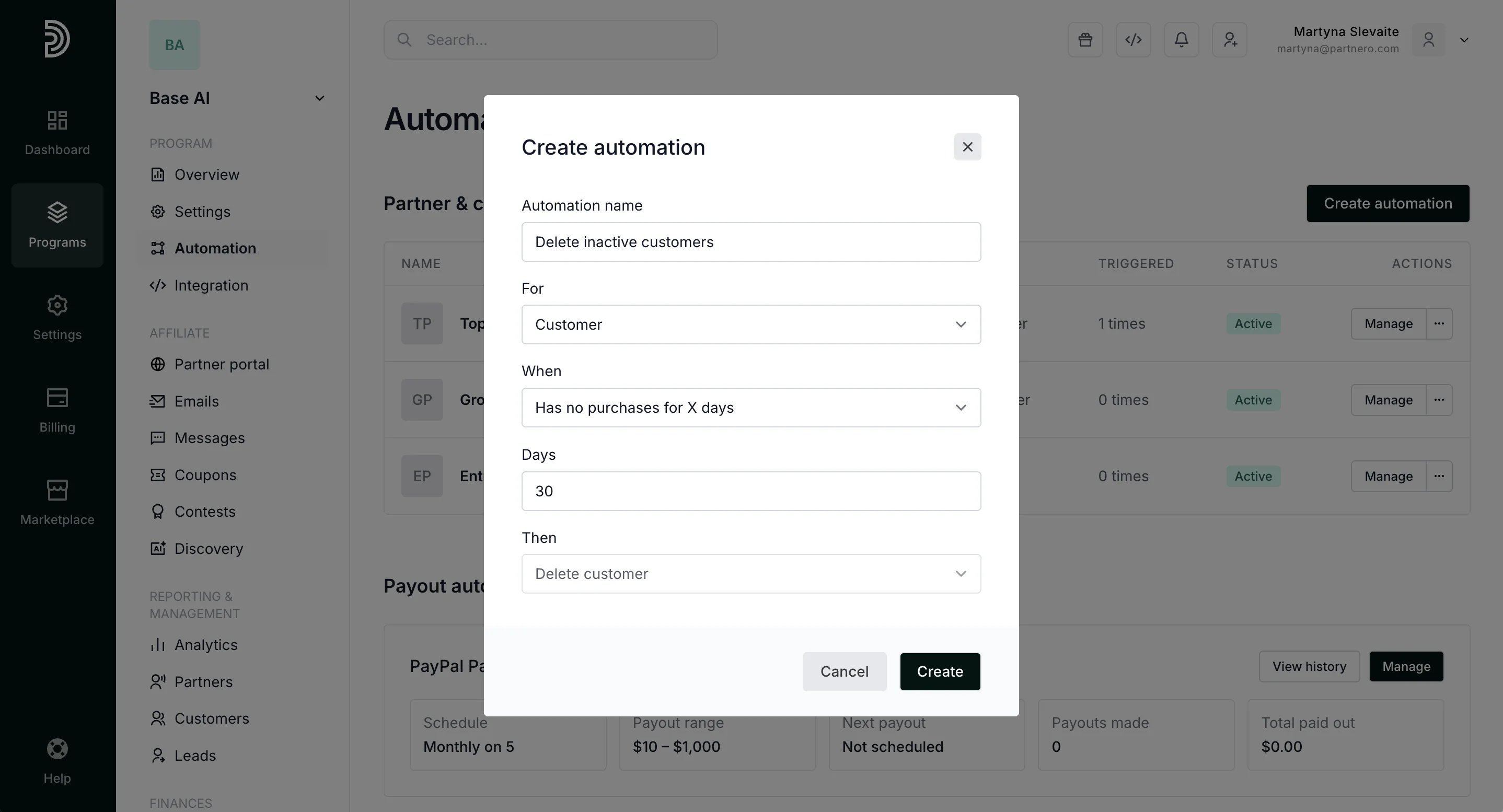
- Click Create.