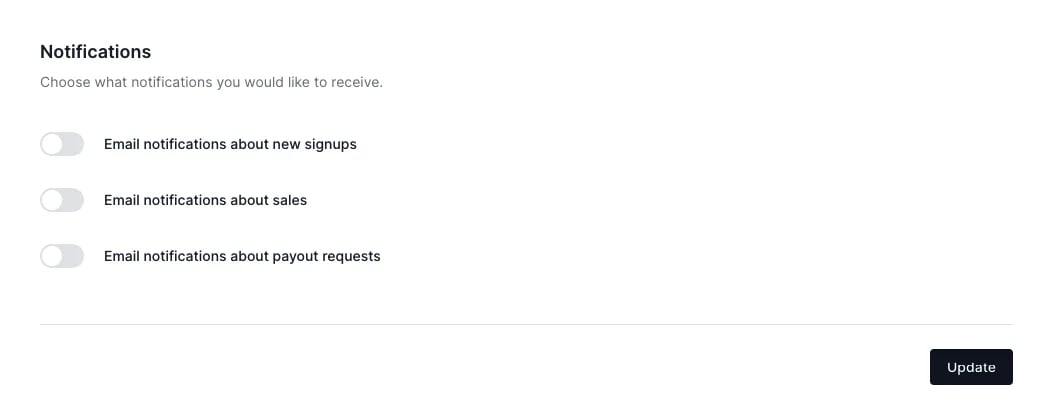
Program email types
There are two types of emails sent to your partners:- Transactional: these emails are non-promotional and contain important updates about account activity. Transactional emails are triggered by specific events and can’t be disabled. These emails include authentication, partner management, payout events, and similar.
- Notifications (marketing): these emails are non-essential and are not sent by default. You can enable such emails through Program settings. If you do enable email notifications, each partner will still have to agree to receive them.
Transactional emails
Transactional emails are split into five different categories.Authentication
Password reset and login-related emails sent to partners.Partner management
Emails related to partner invitations and approval status.Payouts
Emails about payout requests and their status updatesReferral updates
Updates sent to partners about changes to their referrals.Program Leads
Emails sent when leads are submitted, approved, or rejected.Notification emails
These are optional notifications for partners about new signups, sales, and payouts.How to enable notification (marketing) emails
To enable marketing emails:- Go to Partner portal under Affiliate:
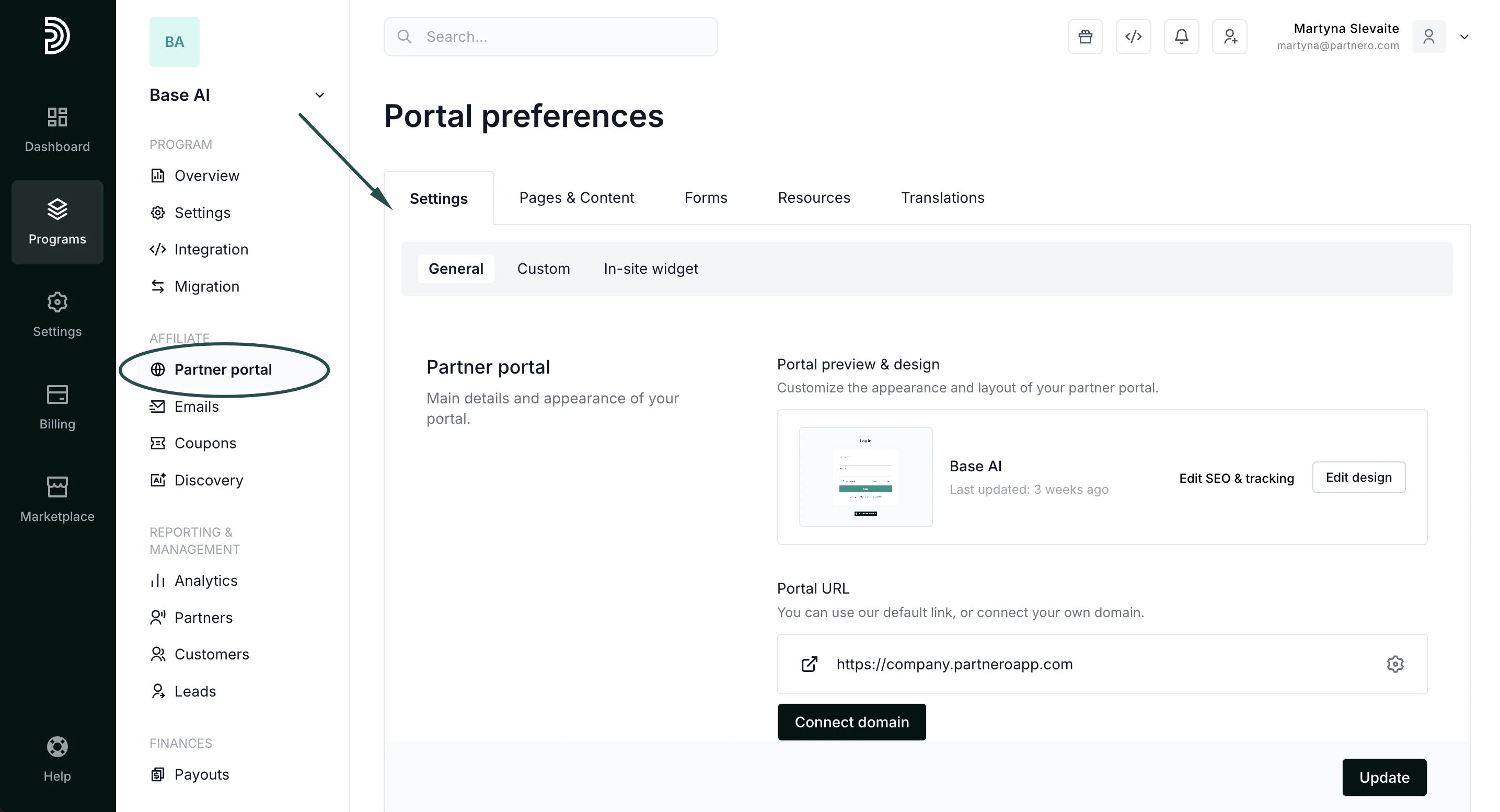
- Scroll down to Portal features.
- Toggle “Enable email notifications for partners”:
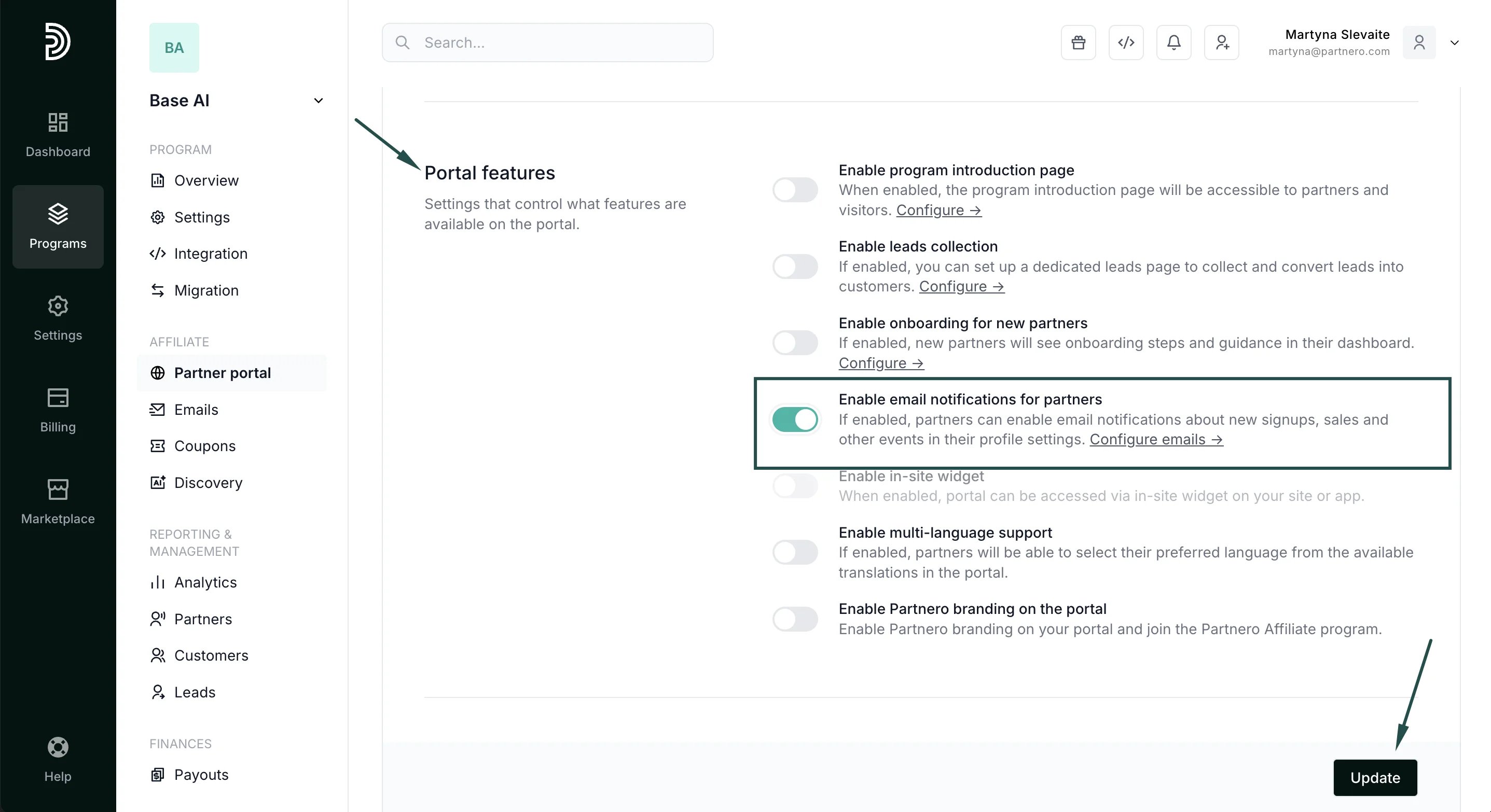
- Click Update.