

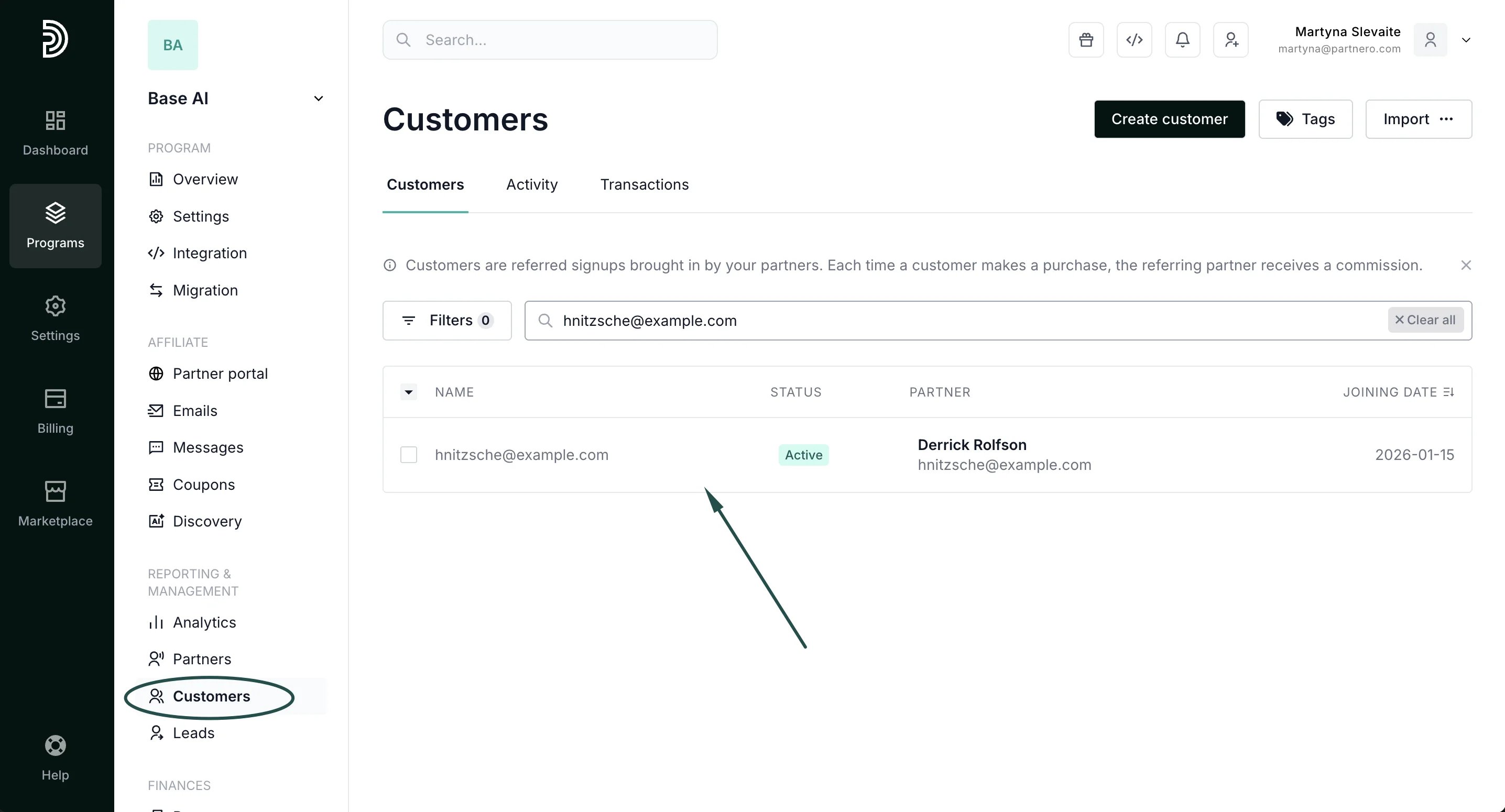
- Go to Customers and find the customer using their name or email:
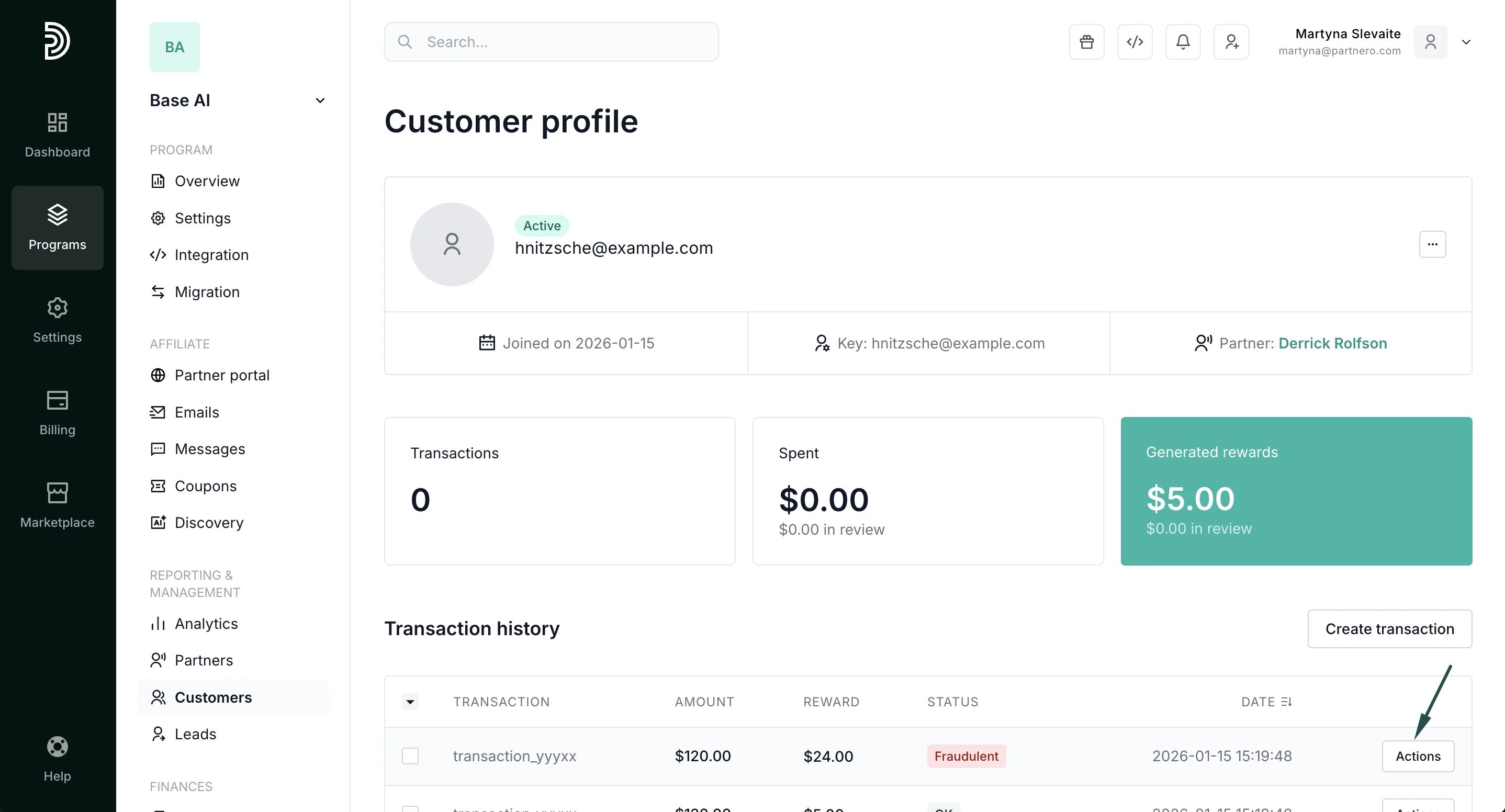
- Click to view their profile and scroll down to Transaction history. Click Actions next to the fraudulent transaction:
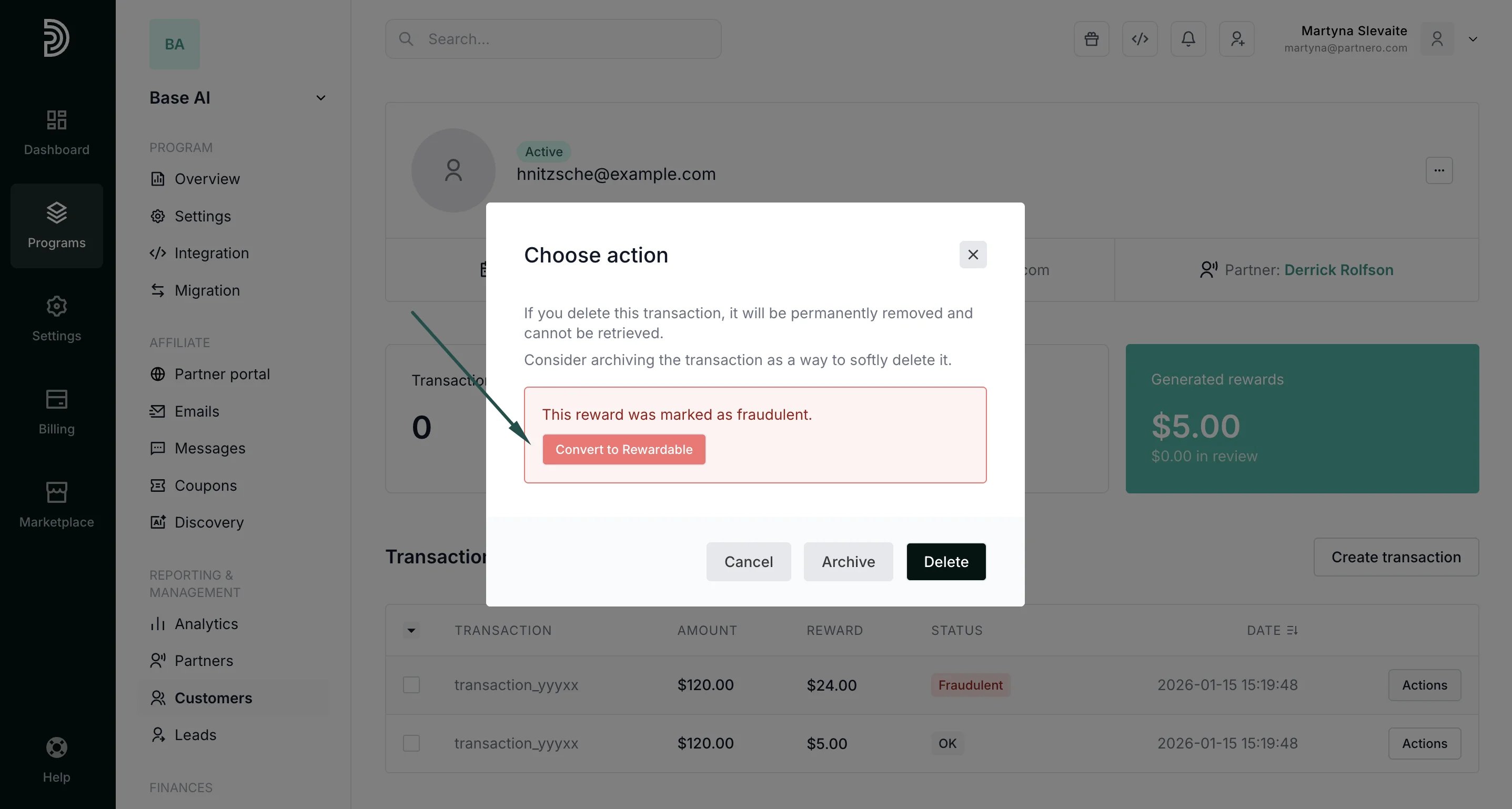
- Click Convert to rewardable:
Coupons, gift cards and store credit
While a reward is marked fraudulent, Partnero doesn’t issue any external reward for it: no coupon, Shopify gift card or Shopify store credit. When you convert the transaction to rewardable, the reward gets back the status it had before it was flagged. If that status is payable, the held-back coupon, gift card or store credit is issued at that point. Rewards that were flagged as fraudulent before this behaviour was introduced already had their coupon, gift card or store credit issued. Converting them pays the reward without issuing it again.If the refer-a-friend reward uses Reward after a number of purchases with an upper limit (for example, a one-time reward for purchase #2), a later purchase may have taken the slot while this one was flagged. In that case the converted reward is marked Expired (Outside the commission period) and isn’t paid. Read more.