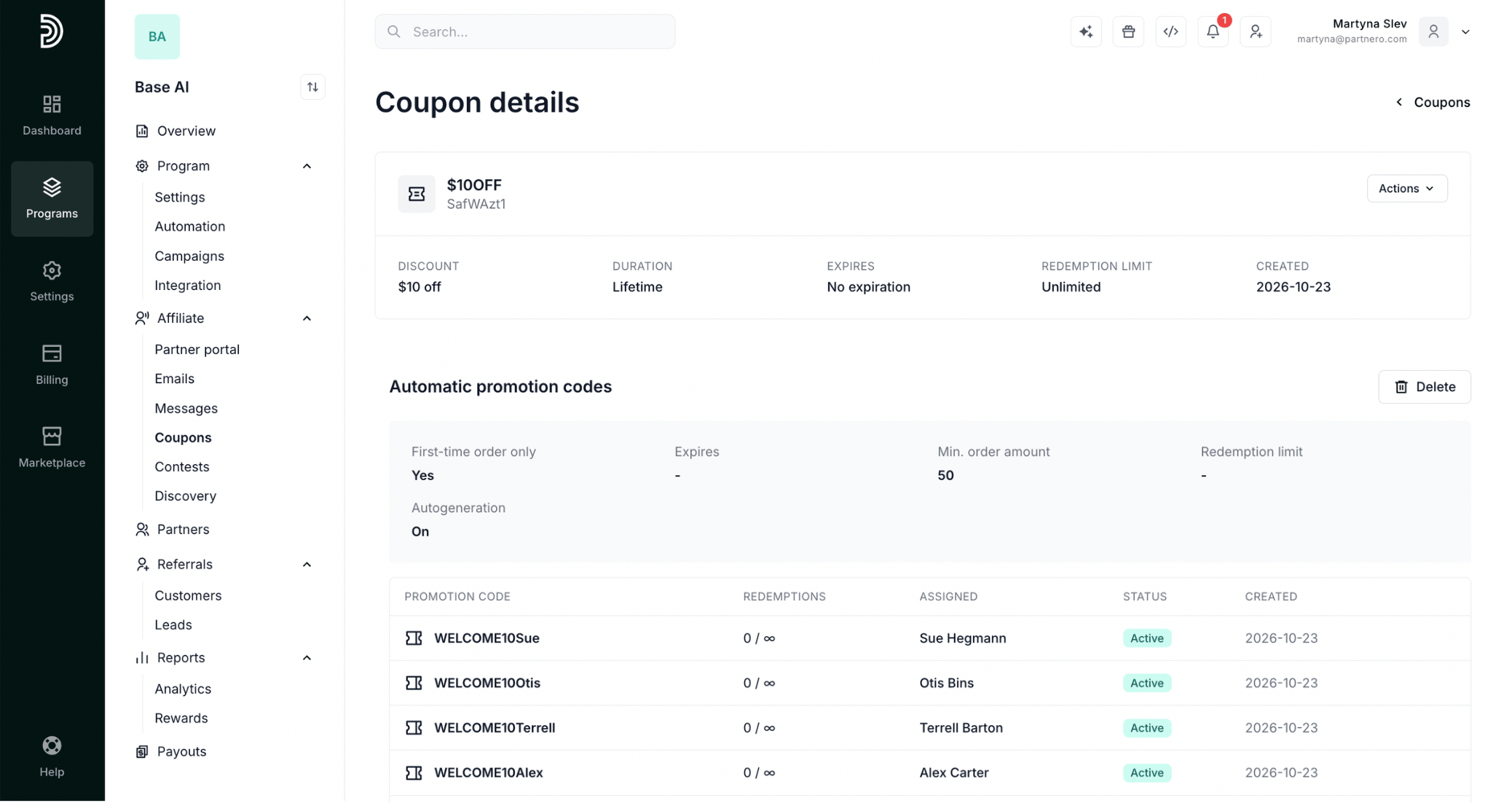
What are promotion codes?
Promotion codes are alphanumeric codes that give customers a discount or incentive, and they can be personalized for specific partners or customers. In Partnero, promotion codes are created under a coupon, and each coupon can hold multiple promotion codes.Promotion code tracking
To track promotion codes, Partnero needs an integration with your billing or store platform. You can use any of these:- Integrate Stripe and create Stripe coupons;
- Integrate Shopify and create Shopify coupons;
- Integrate Paddle Billing and create Paddle coupons;
- Use the WooCommerce Coupons integration;
- Or create an API integration for coupon tracking.
Create manual promotion codes
Manual promotion codes let you control who can use a code and under what conditions, including eligible partners or customers, first-time orders, minimum order value, expiration date, and redemption limits.-
Go to Coupons and click Create coupon:
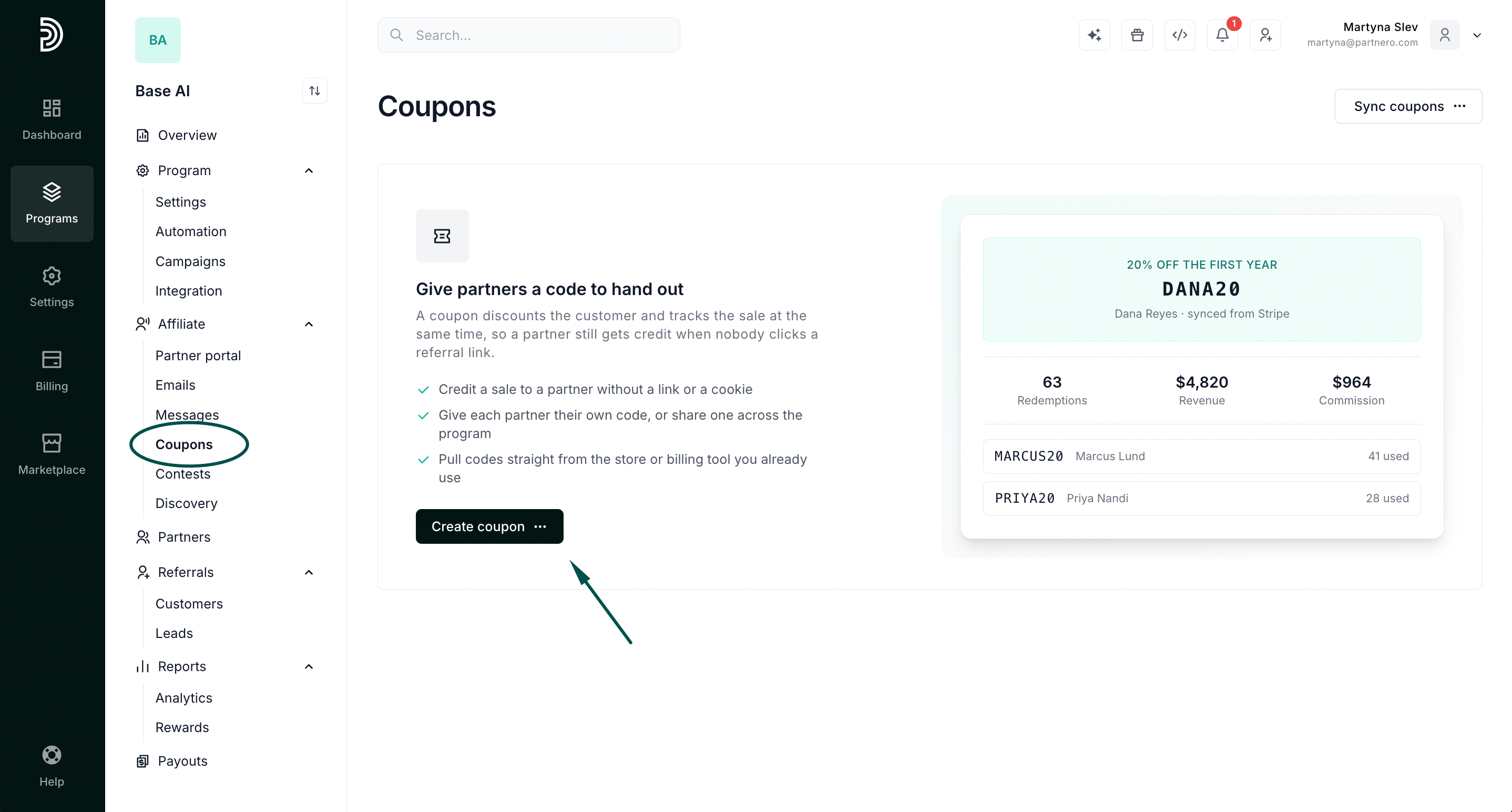
-
Create a new coupon using the integration you set up in the previous section. In the Promotion codes section, click Manual promotion code:\
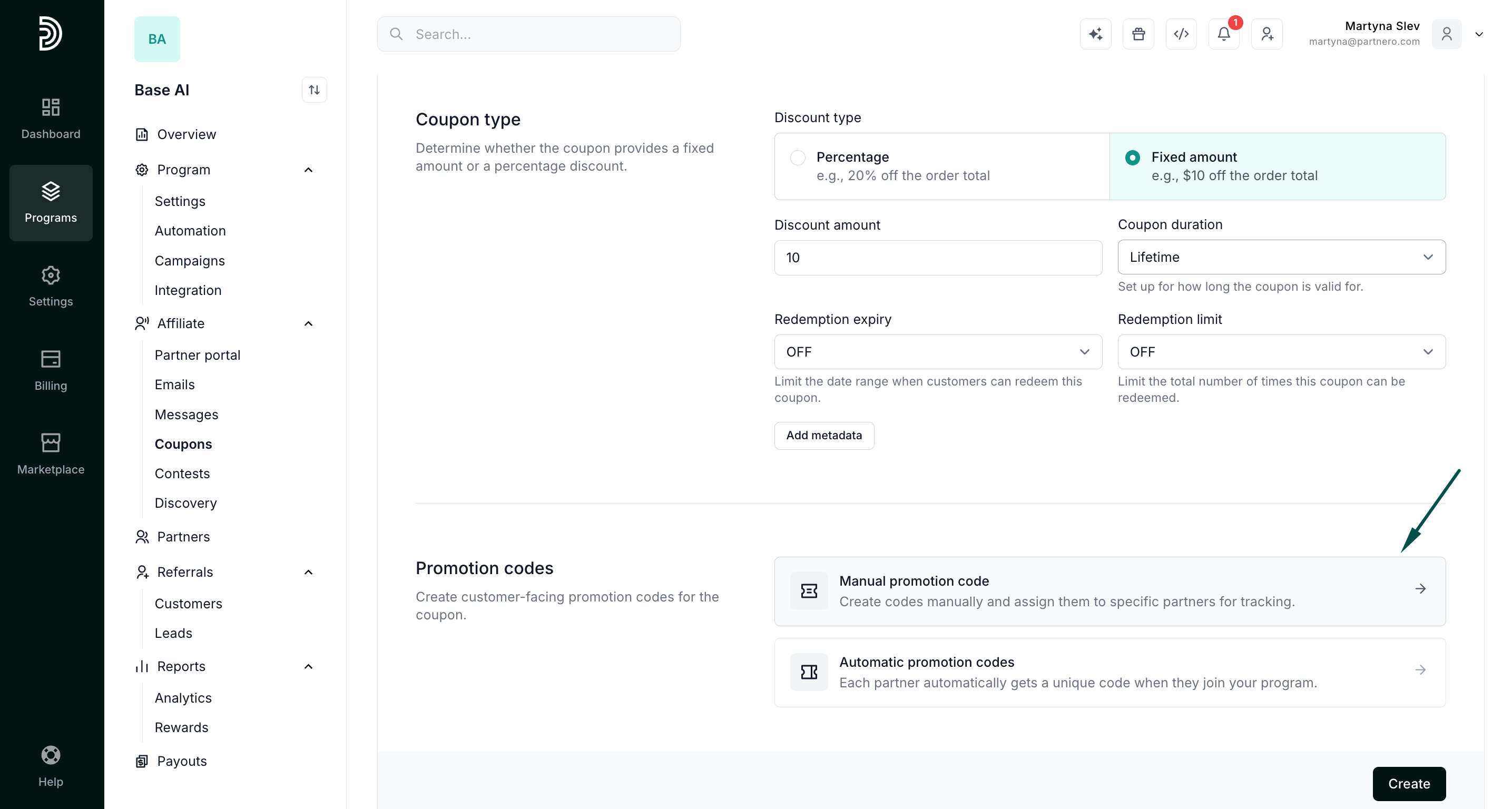
-
Adjust the settings below. A promotion code inherits the discount, duration, and redemption limits of its coupon, and these settings let you customize it further:
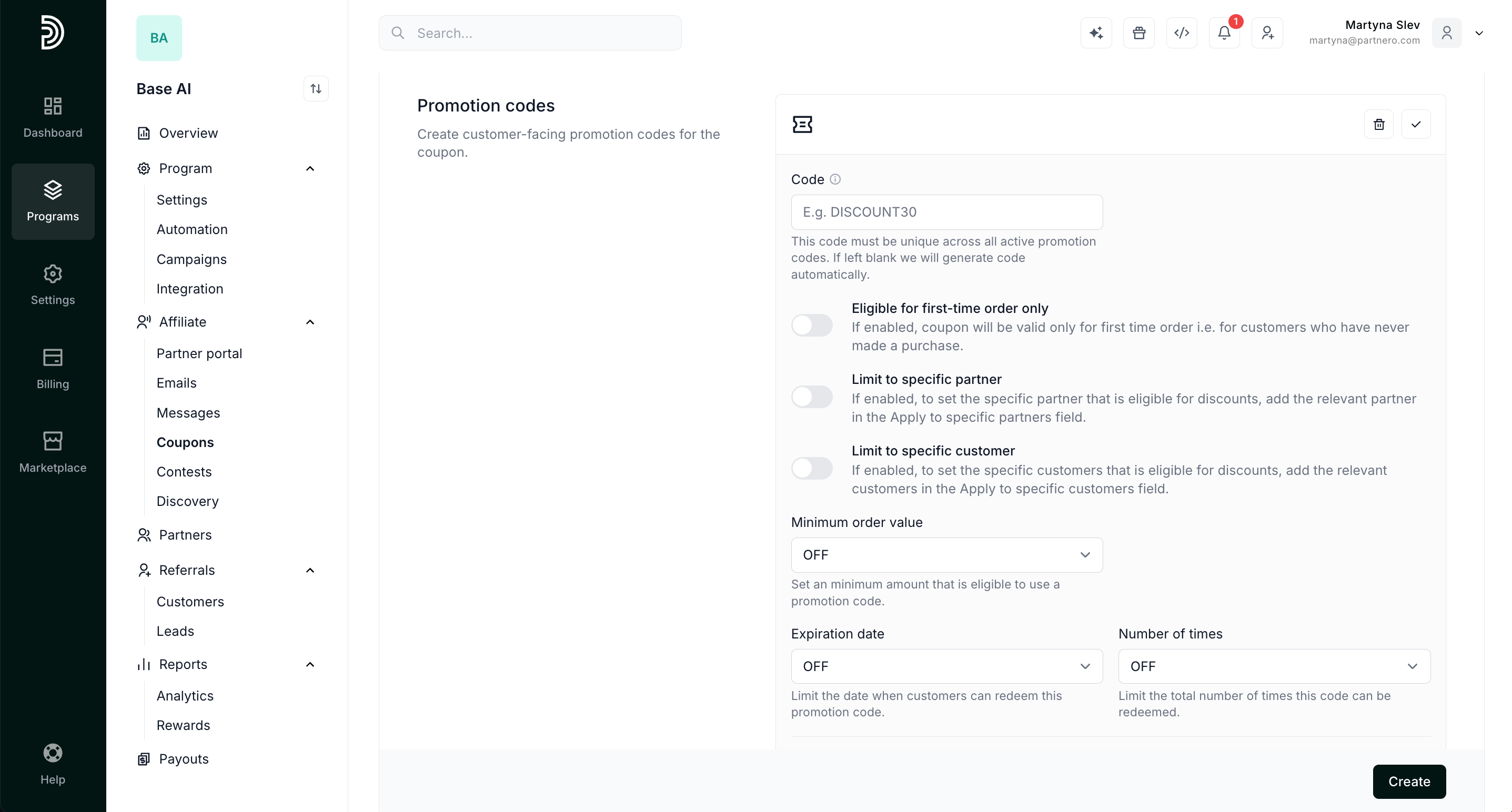
Eligible for first-time orders only: Limits the code to first-time customers. Limit to specific partner: Assigns the code to one or more partners. For example, you can create a code with an influencer’s name that only they can use.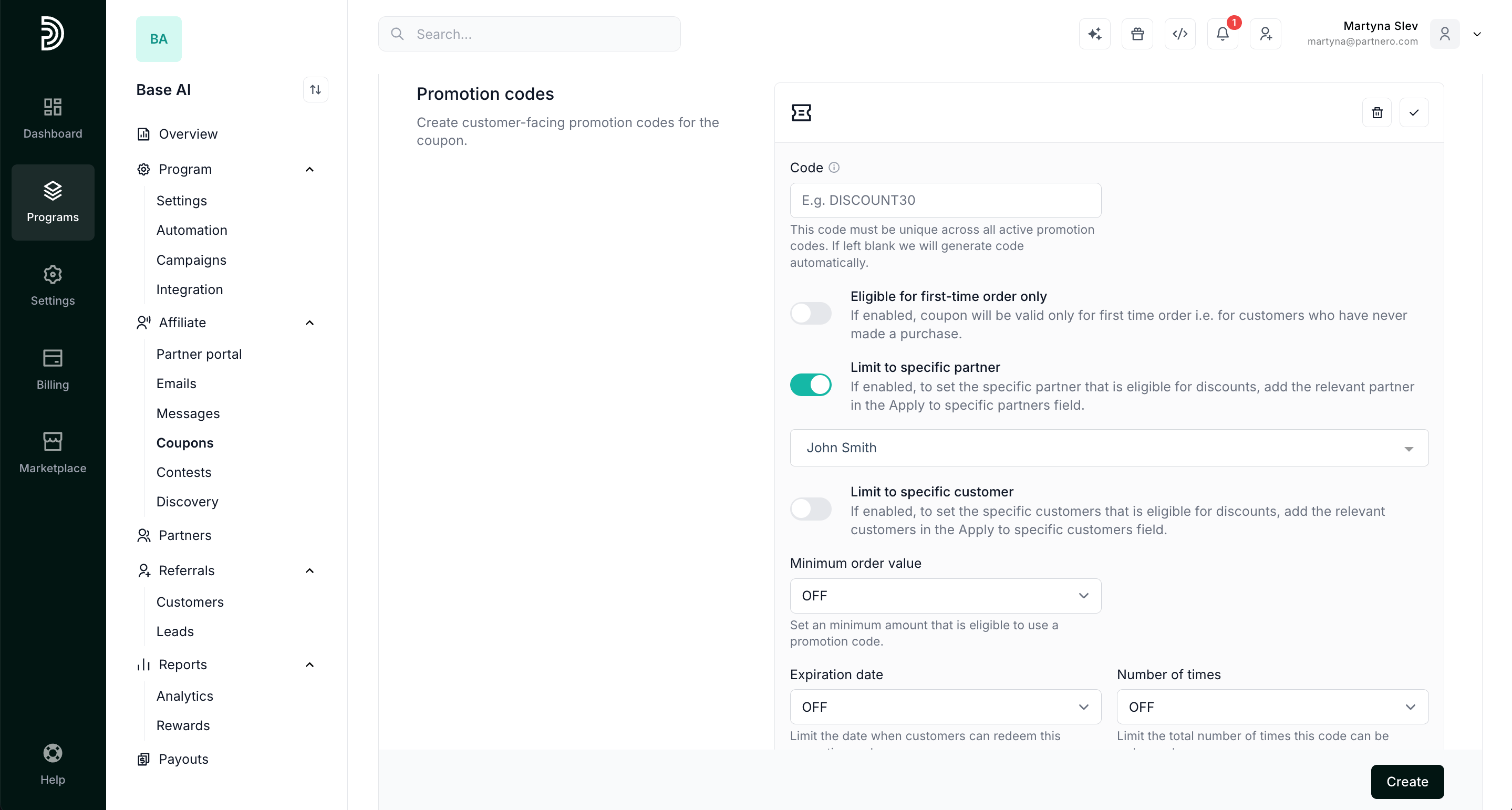
- Click Create.
Create auto-generated promotion codes
Auto-generated promotion codes give every partner their own code without manual setup. Existing partners receive a code when you create the setting, and new partners receive one when they complete registration.- Create a coupon or open an existing one.
- Click Automatic promotion codes.
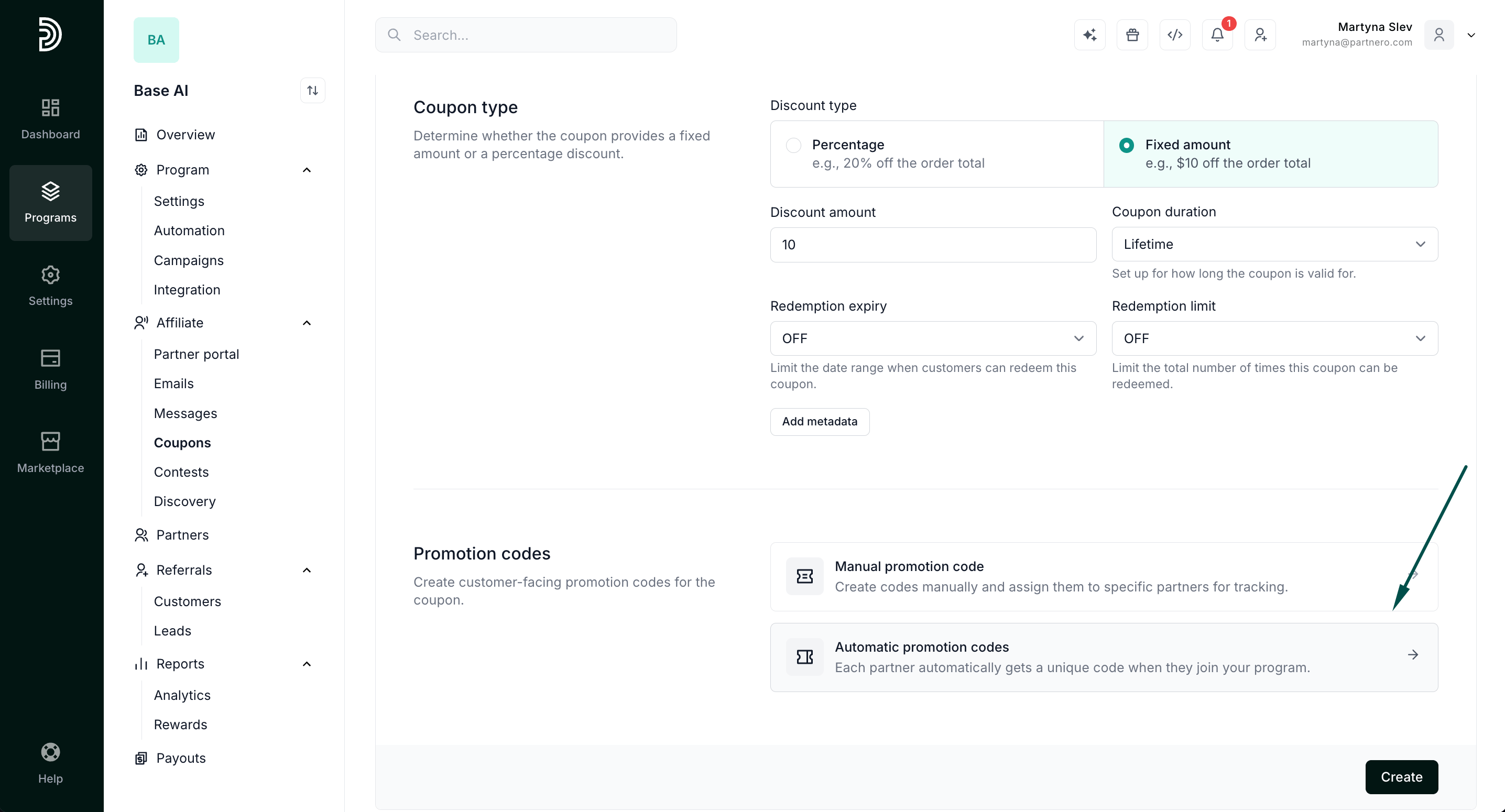
- In the pop-up, choose how the codes look. You can enter a prefix or generate codes from partner details such as the partner’s name and the discount.
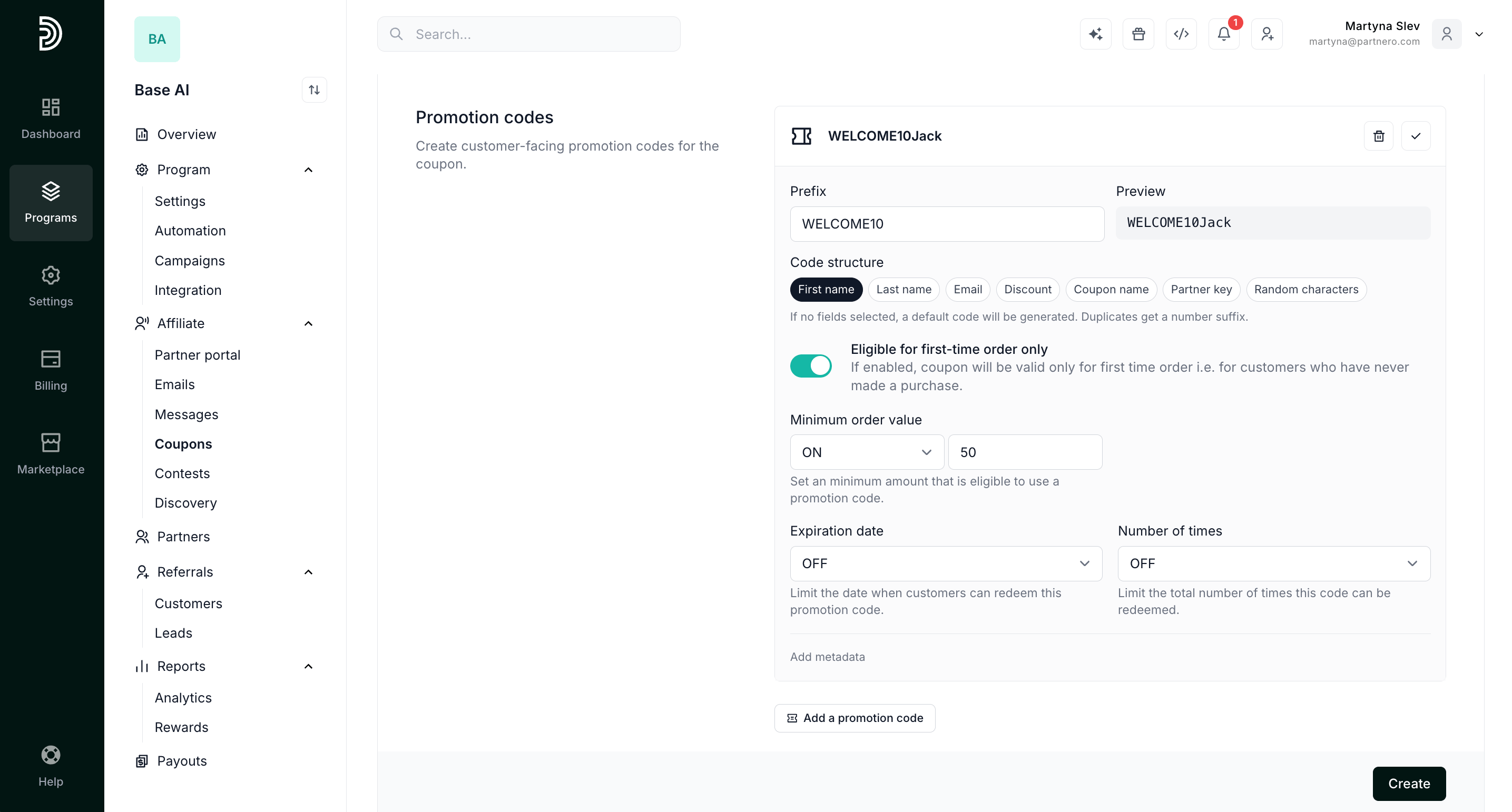
- Optionally, add a minimum order value, expiration date, and redemption limit.
- Click Create. Partnero generates a code for each existing partner based on your settings.