

Collecting marketing permissions during signup
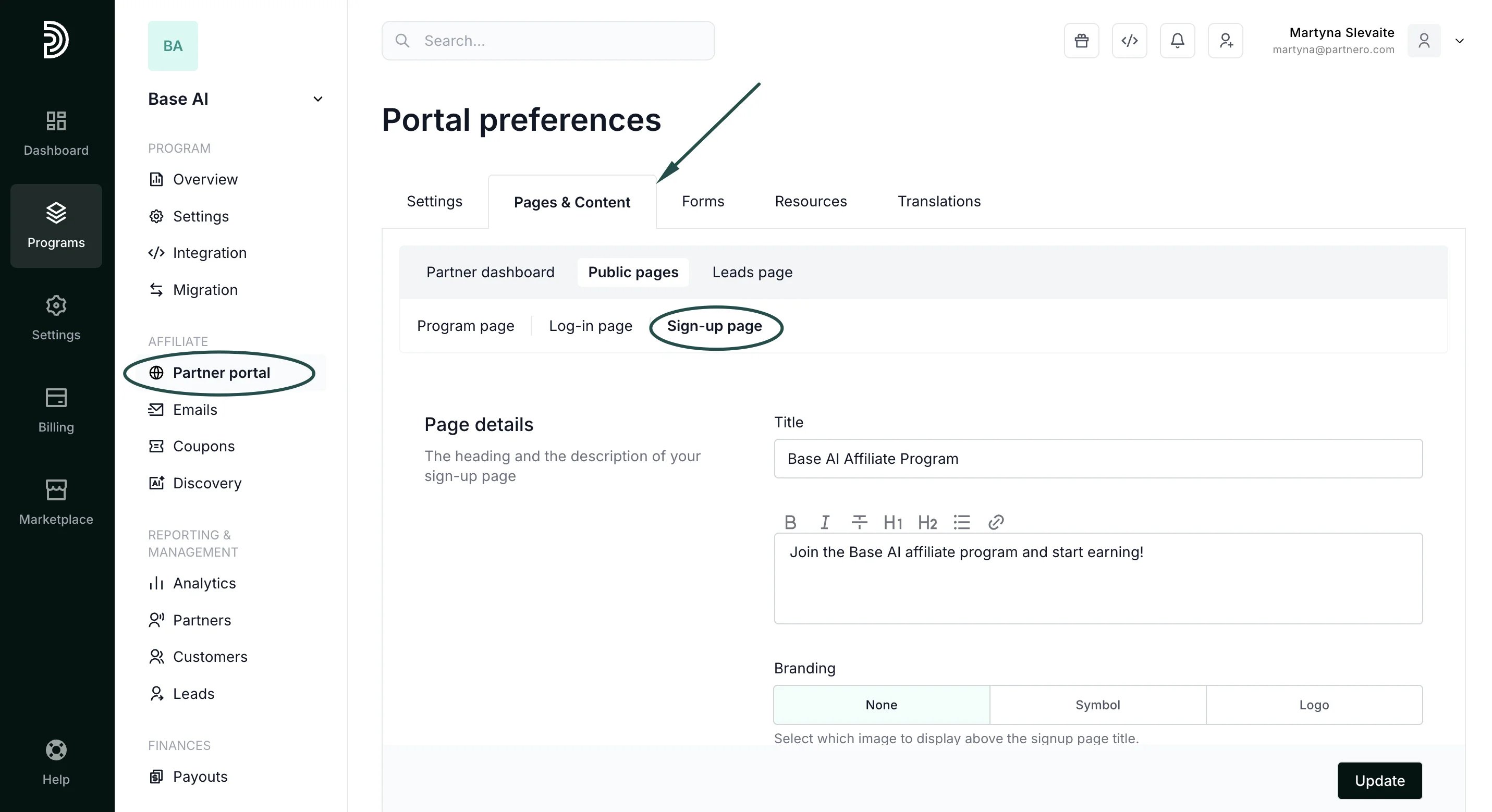
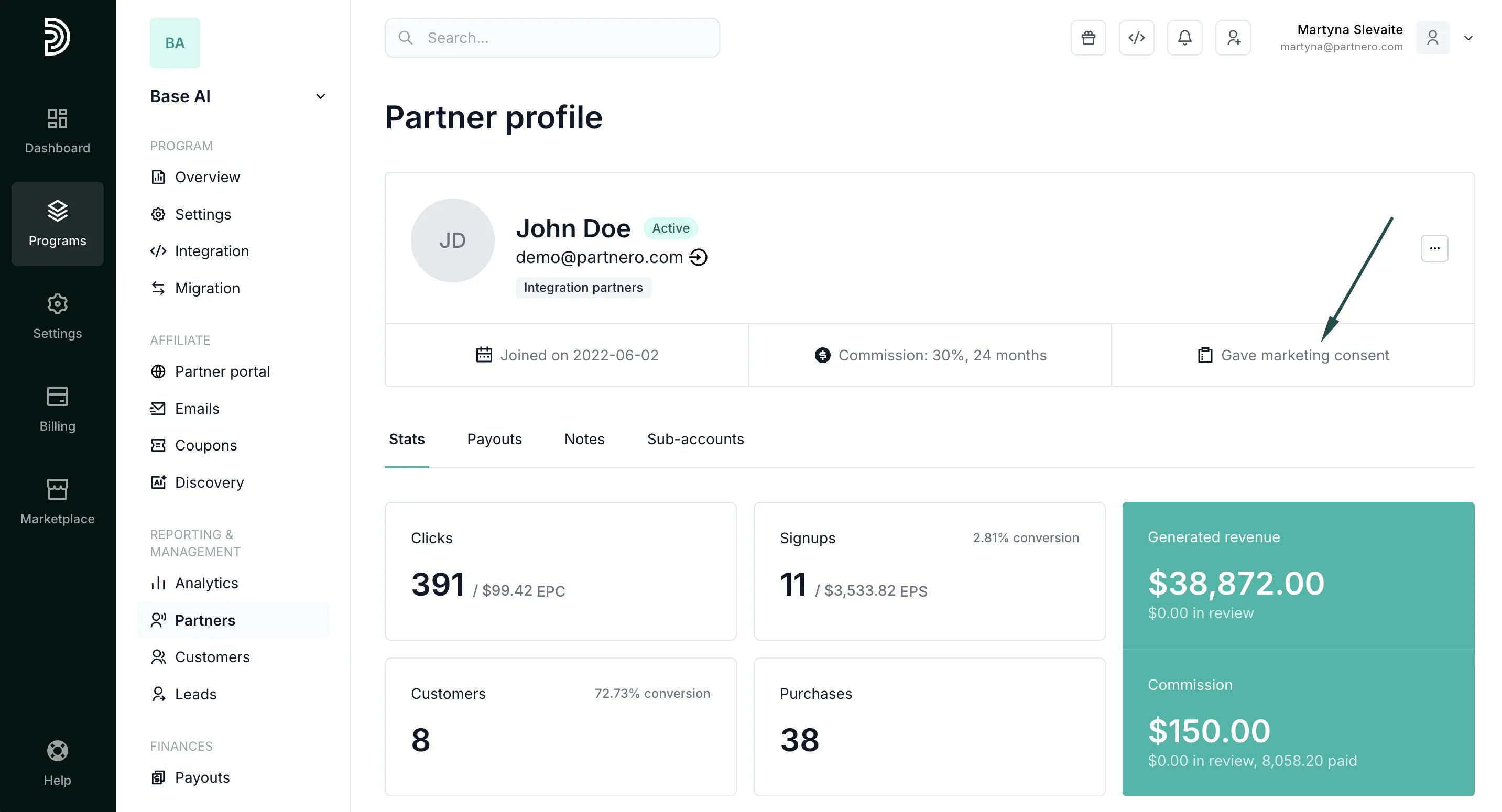
To collect marketing permissions during signup:- In your affiliate program, go to Partner portal under Affiliate.
- Switch to the Pages & Content tab → Public pages →:
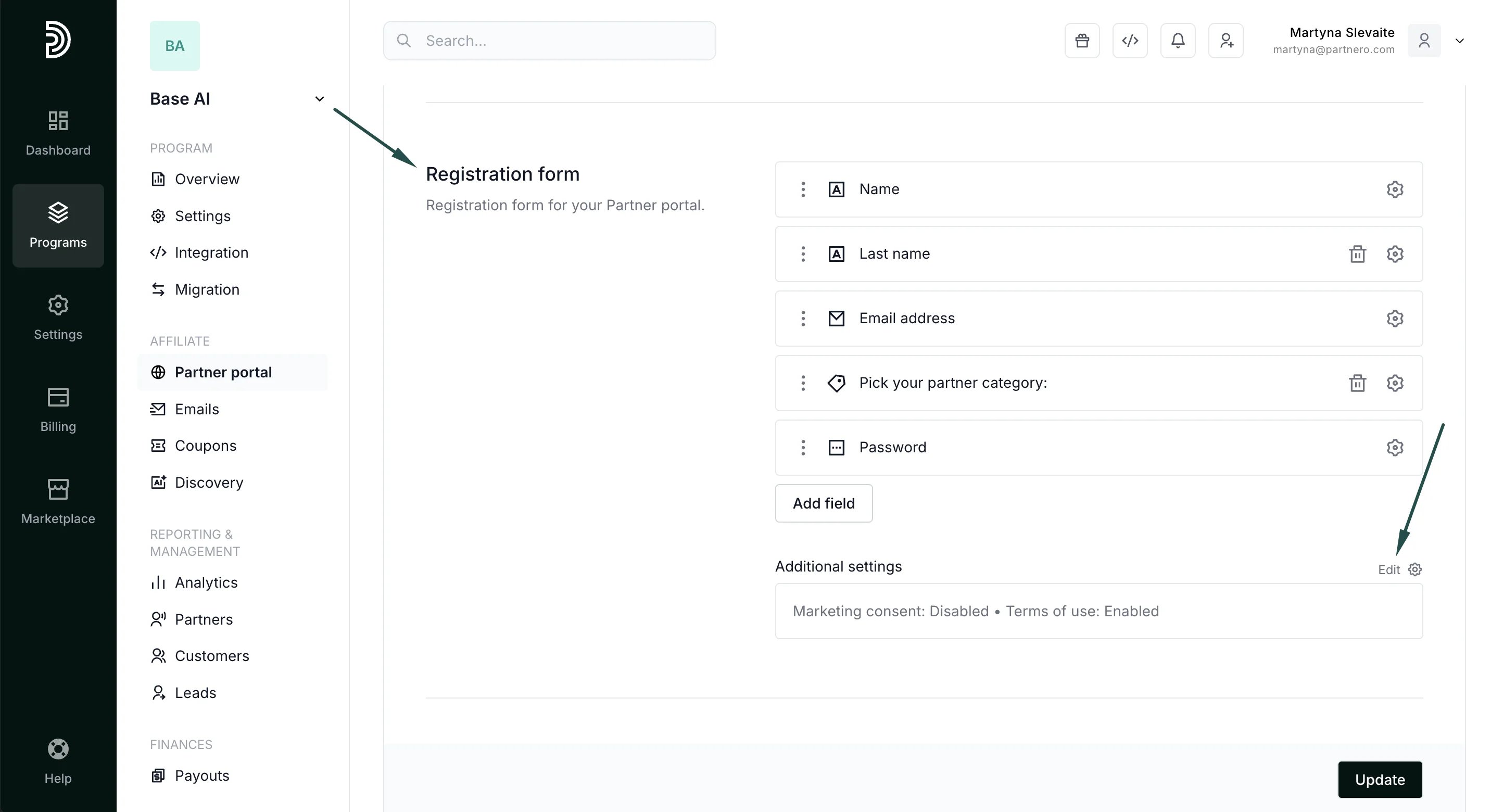
- Scroll to the Registration form section and click Edit next to Additional settings:
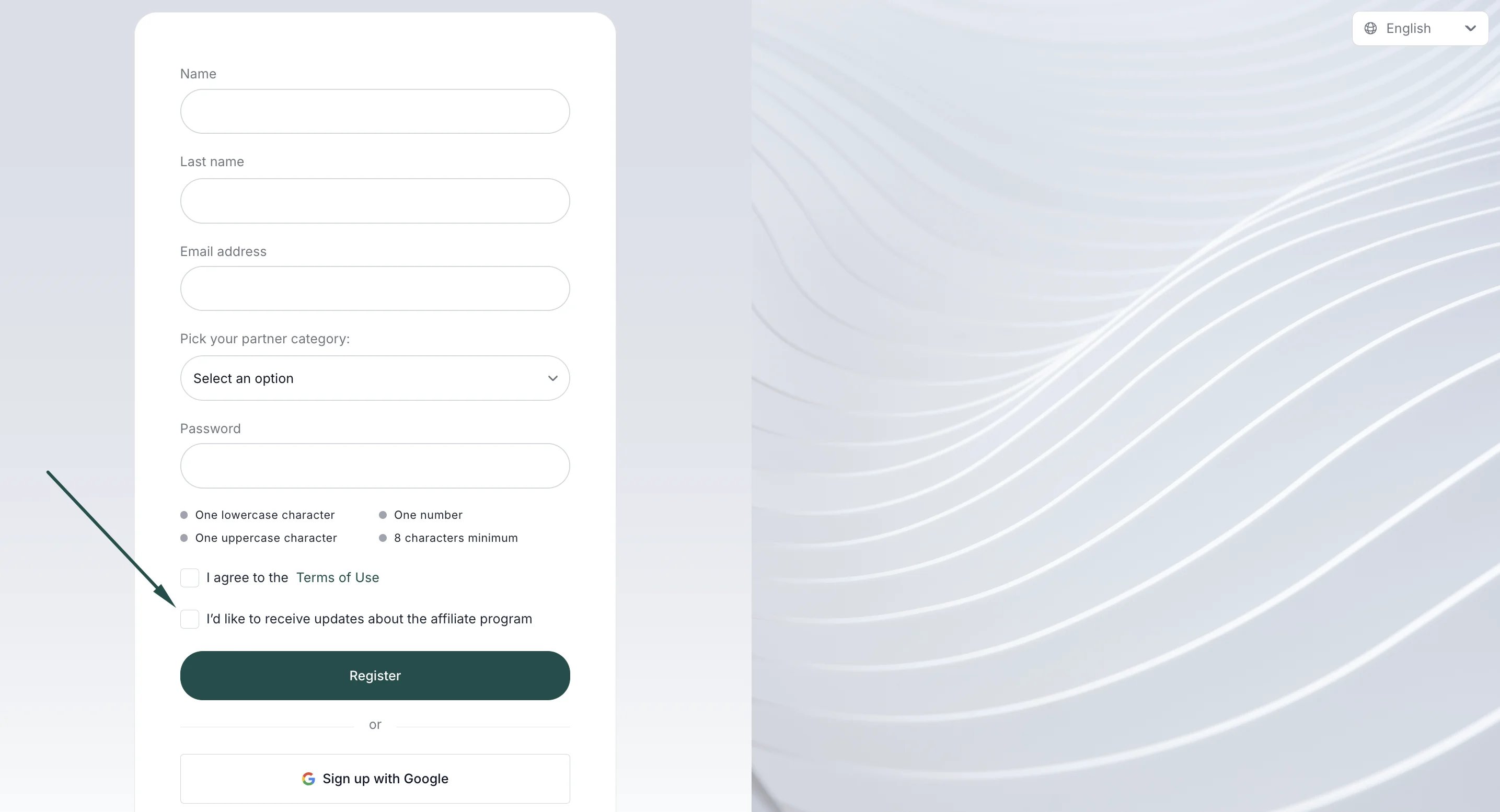
- In the Marketing consent field, enter the desired text, e.g. “I’d like to receive updates about the affiliate program”:
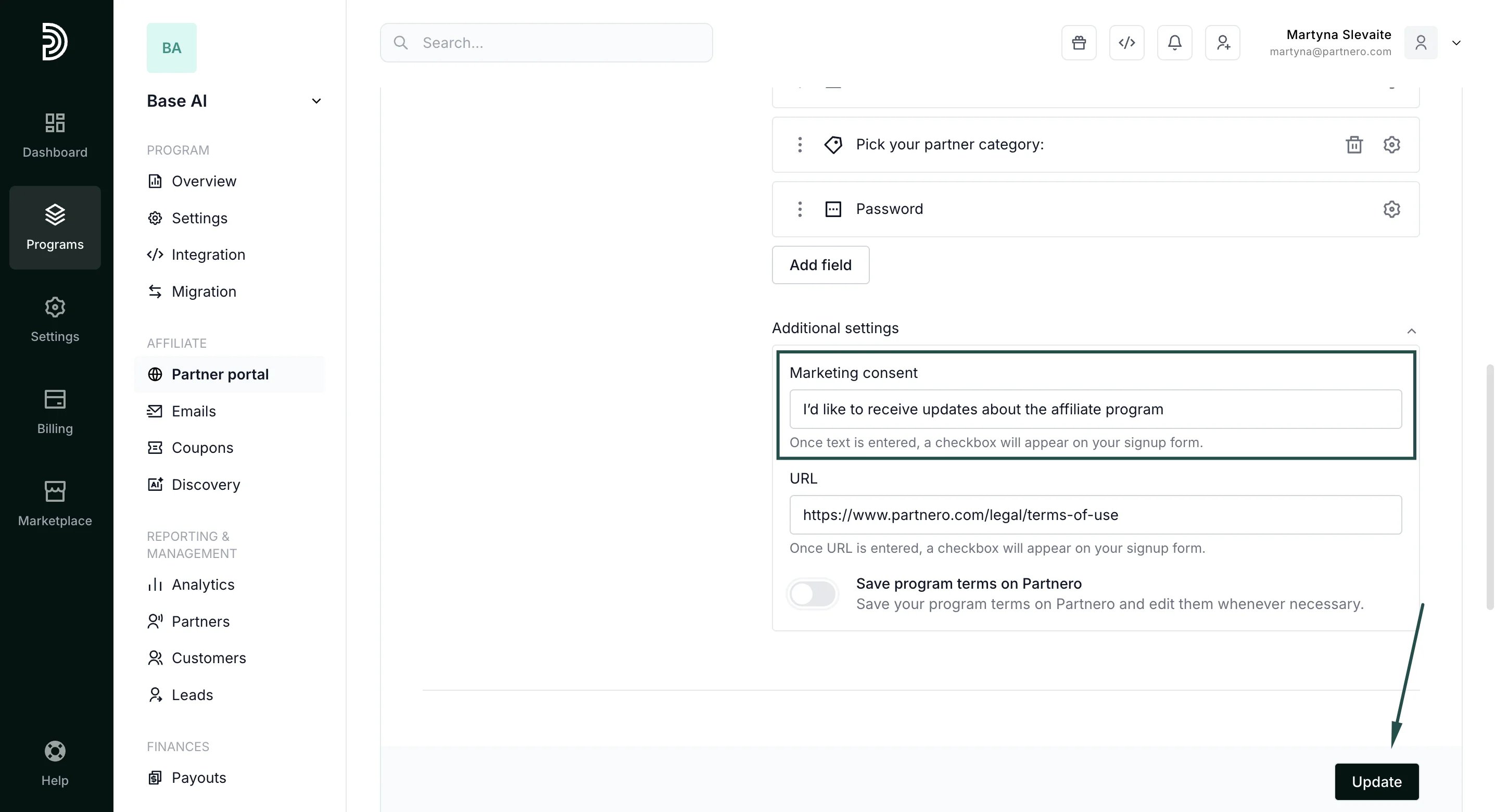
- Click Update.
Collecting marketing permissions from existing partners
If an existing partner wants to start receiving newsletters, they can:- Log in to the Partner portal.
- Navigate to My Profile.
- Toggle Accept marketing:
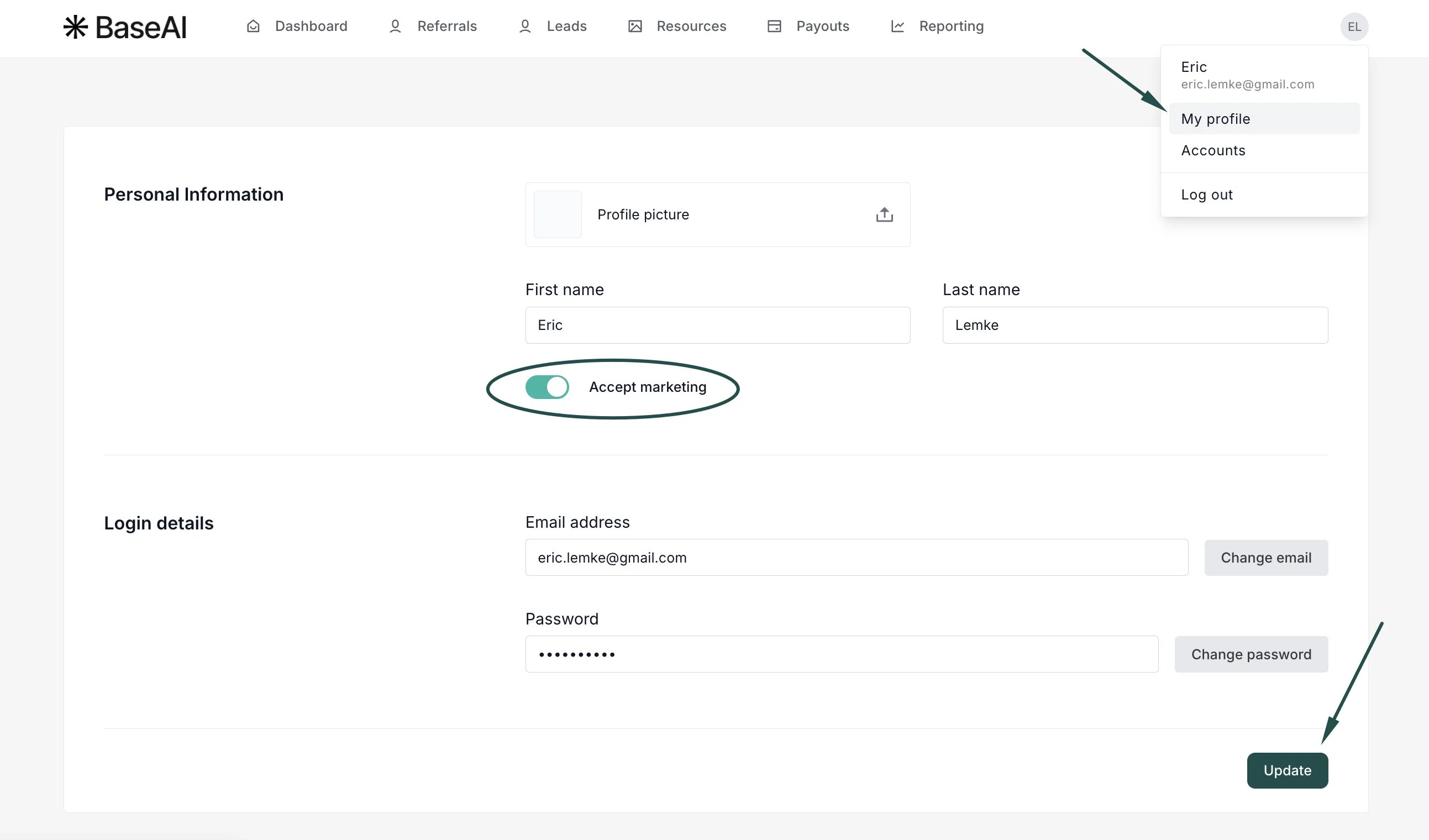
- Click Update.