

To enable PayPal Mass Payments on your PayPal account:
- Log in to your PayPal Business account.
- Click on Developer at the top right corner of the page to access PayPal Developer Website.
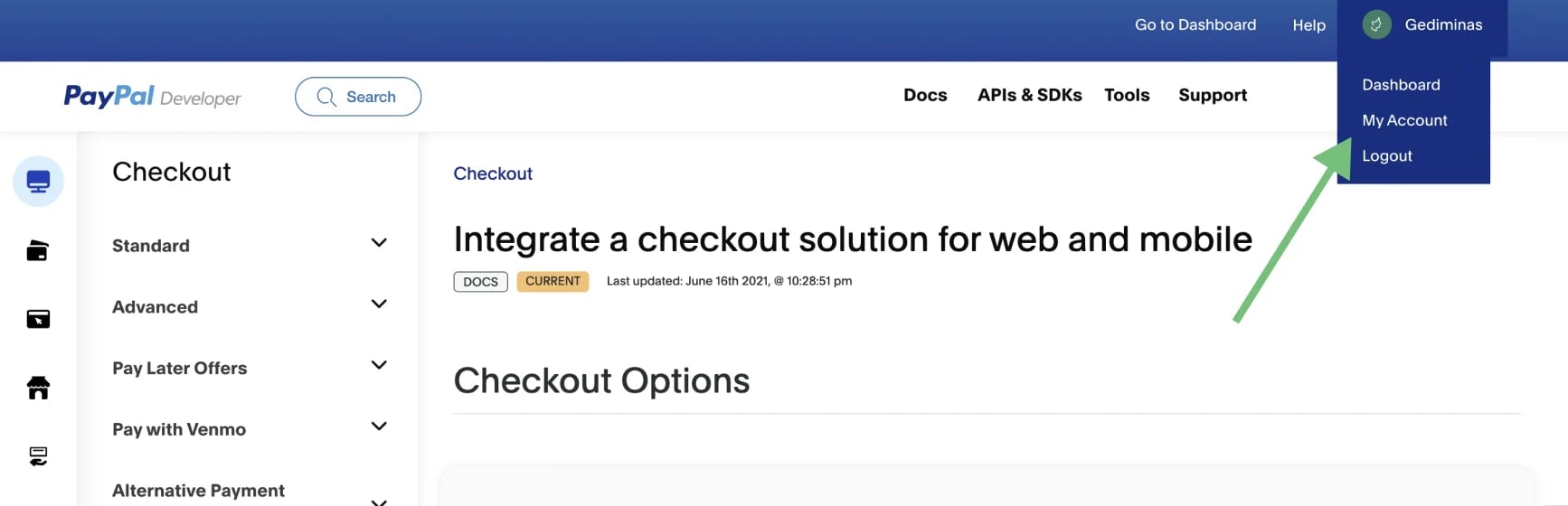
- Click on My Account in the top right corner:
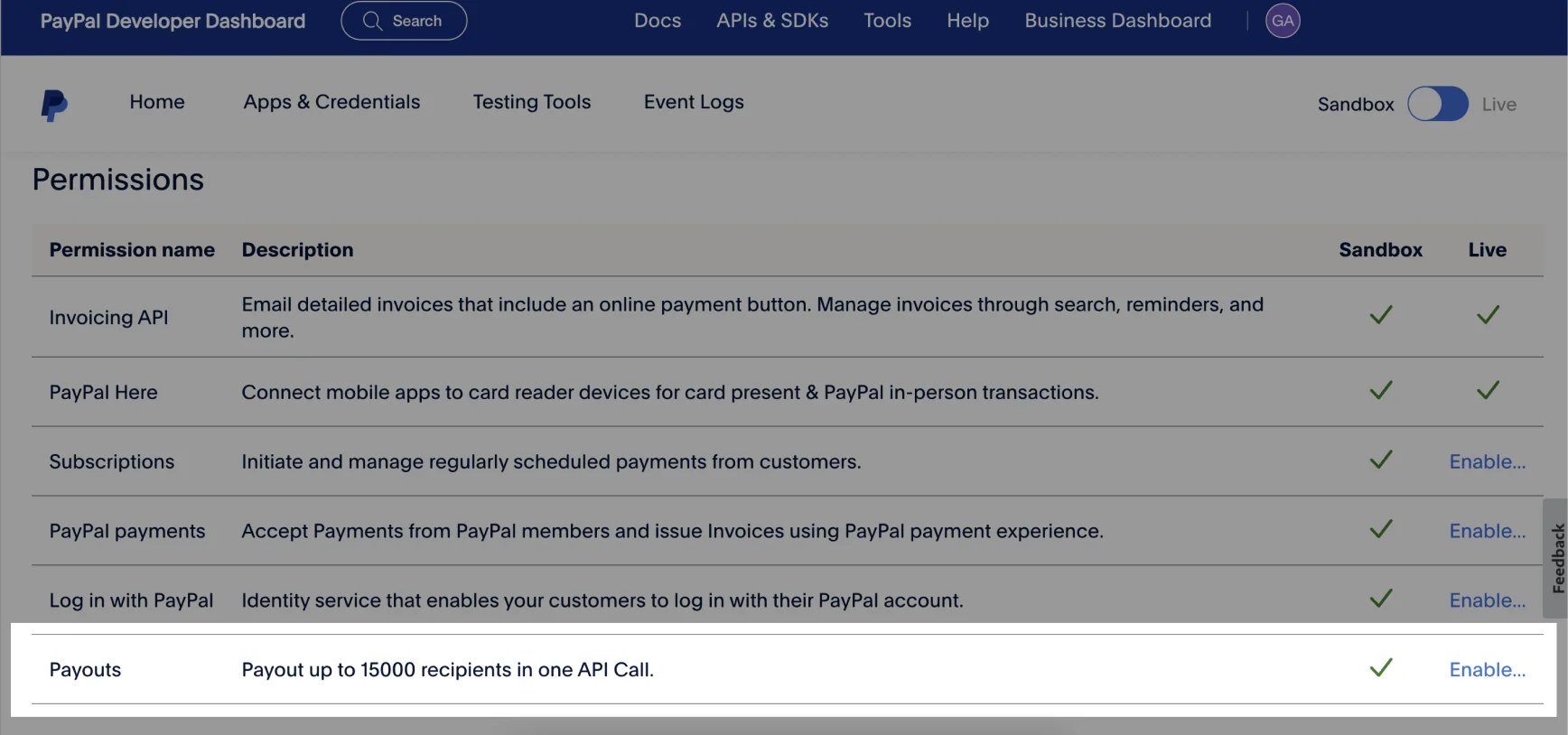
- Look for the Payouts option and click Enable:
- Fill out the application form. The application may take a few days for PayPal to process. The status will change to “Submitted” and then to a green checkmark once the application is approved.
- pay your affiliates by using the Mass Pay file, or
- integrate PayPal Mass Pay with Partnero to process the payments directly from your Partnero account. Read more about it here.