Automatic dynamic coupon sync is available for Stripe, Shopify, and WooCommerce.
How to set up a Dynamic coupon reward
-
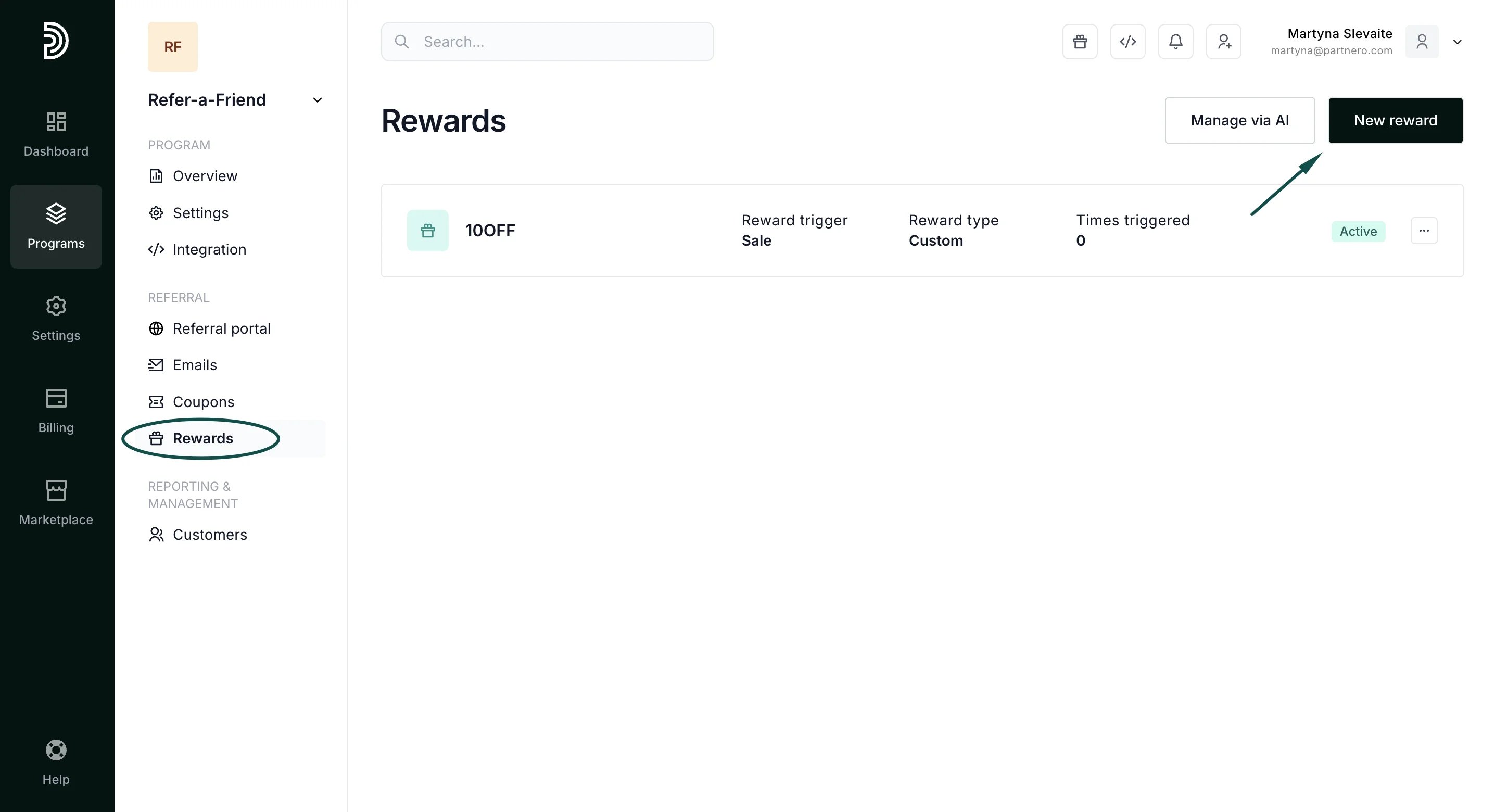
Open your refer-a-friend program and go to Rewards under Referral. Click New Reward:
-
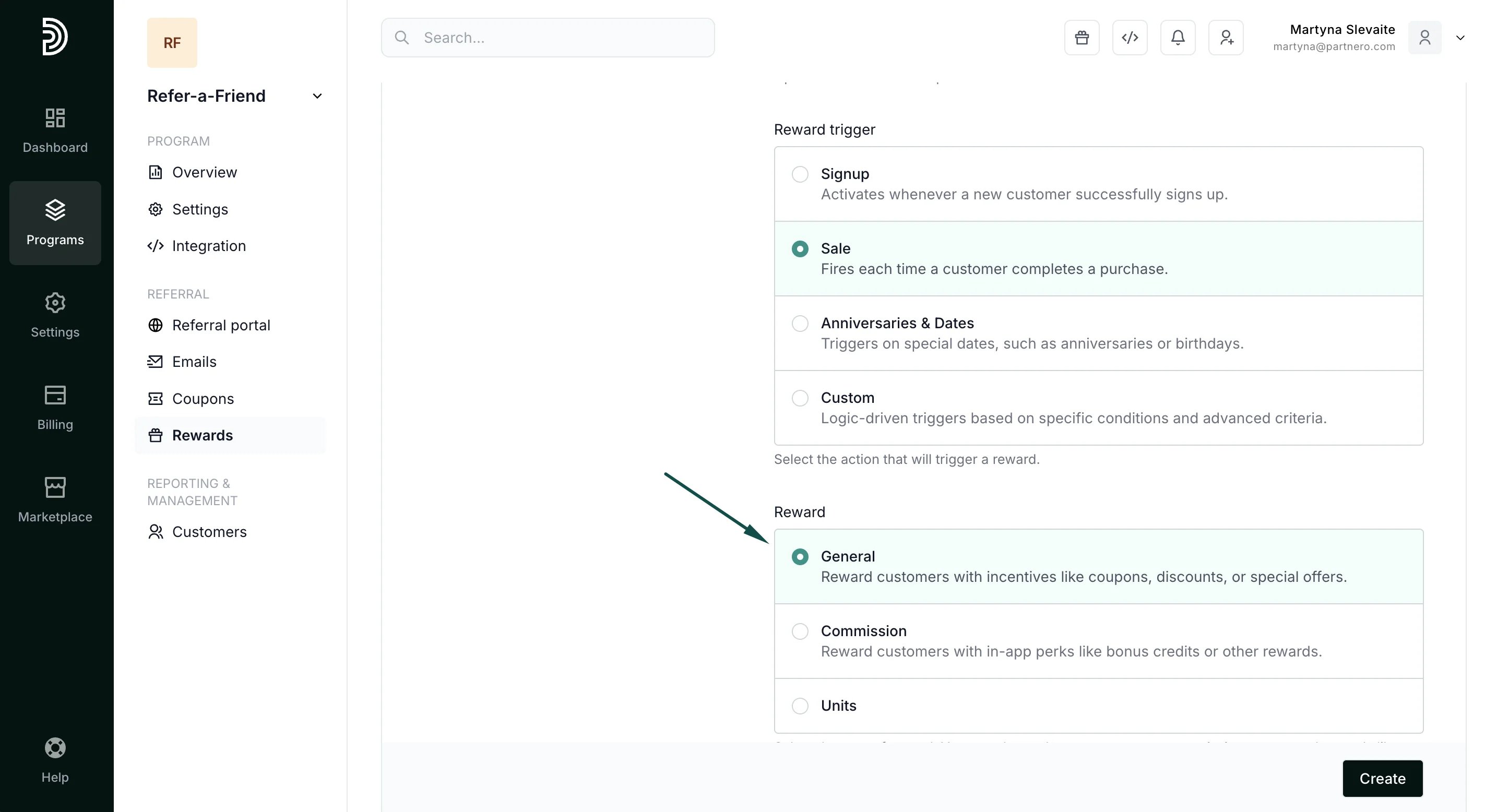
Name your reward and select a trigger - in this example, we’ve selected Sale. Under Reward, select General:
- Configure reward settings, such as reward recurrence and review period. You can read more about reward settings here.
-
Both the referring and referred customers will have the option to receive a Dynamic coupon:
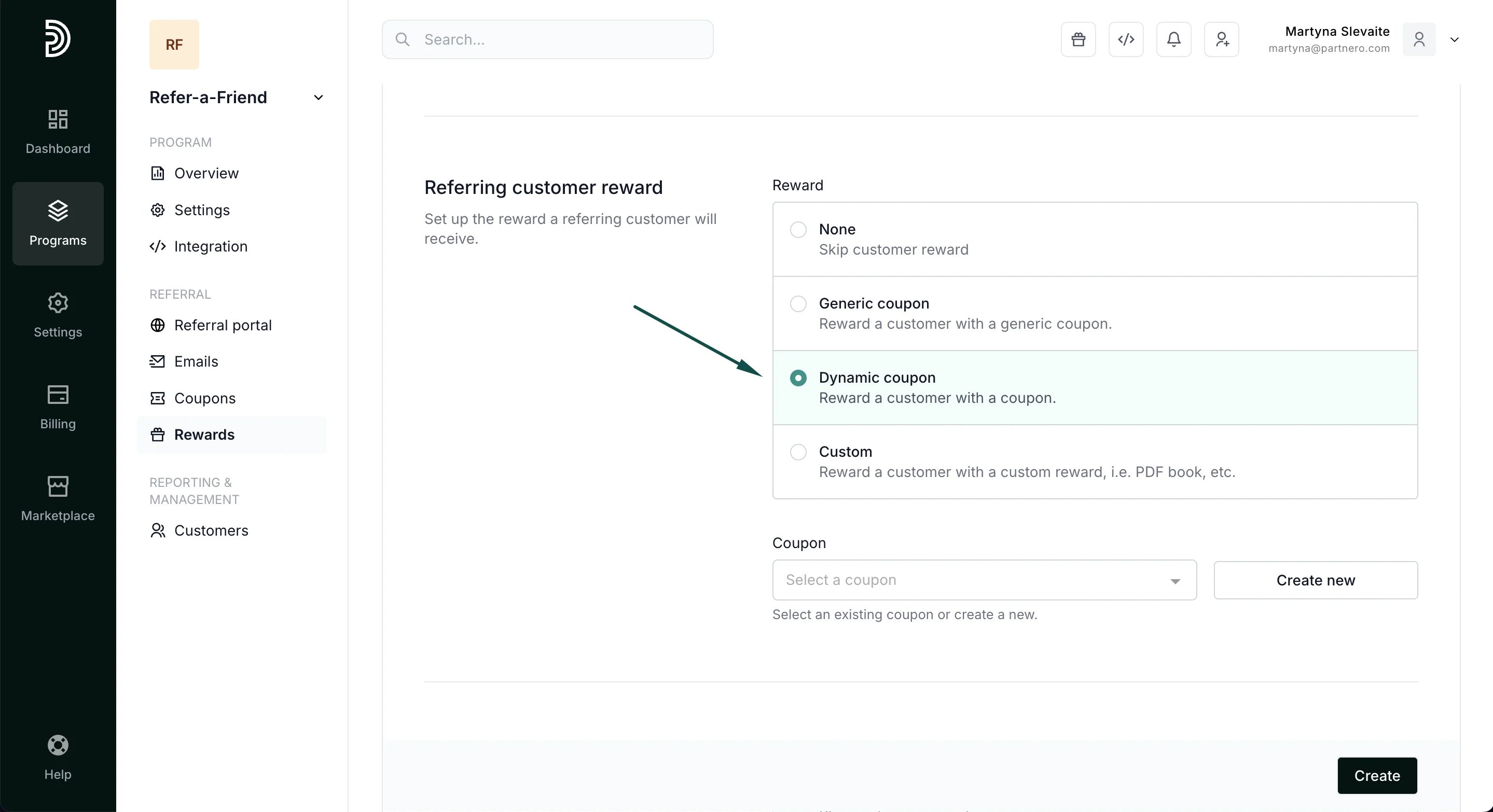
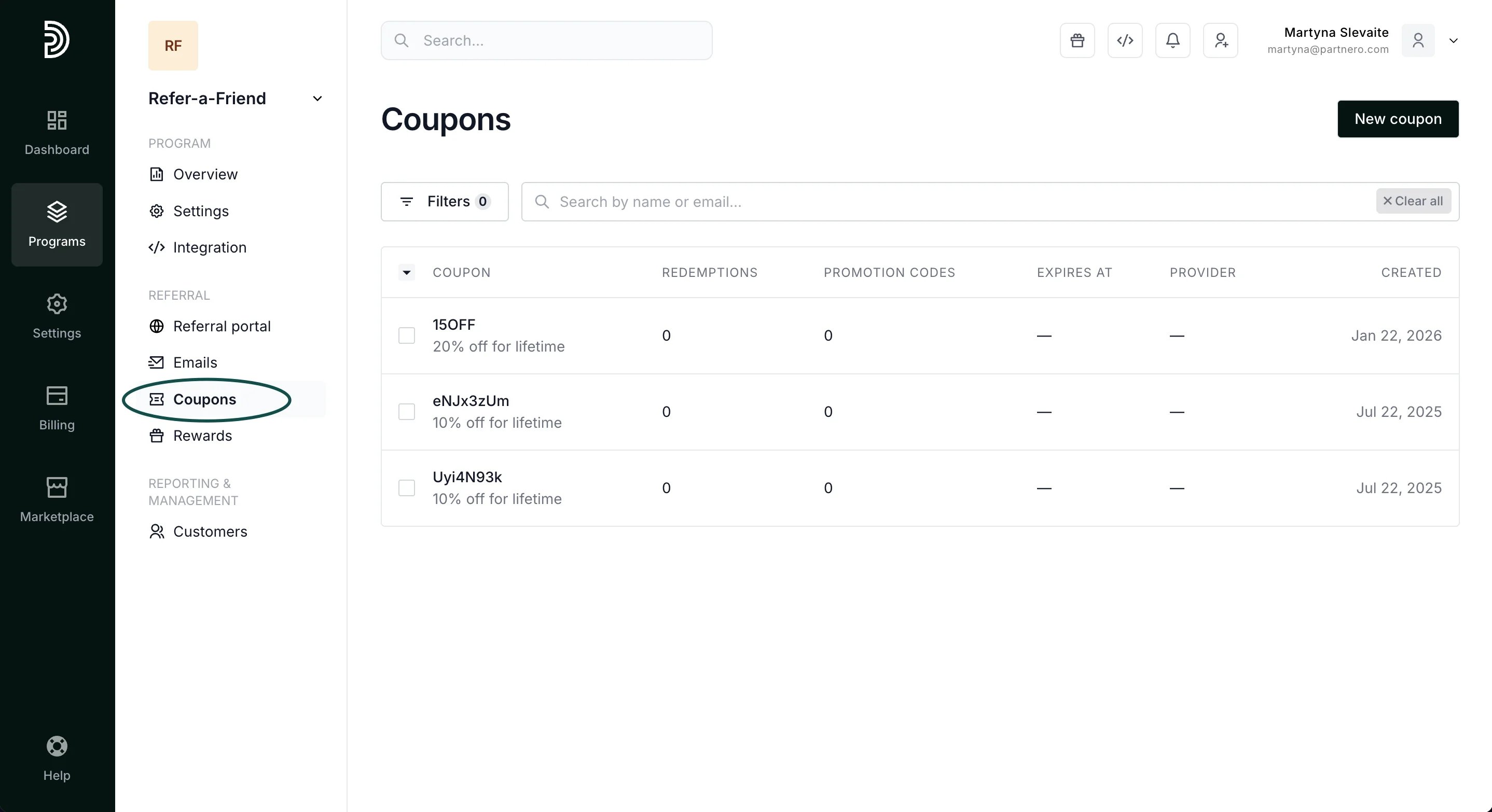
- If you have already created coupons under the Referral > Coupons, you can search and select them. One coupon can be used for one reward (for both the customer and the referral). If you already have a coupon linked to a different reward, it will not appear here when you search. If you do not have any coupons, click Create new.
- You will be presented with a modal to set up the coupon details. Fill out the information and click Create coupon. We’ll go through all the settings below.
Coupon settings and promotion codes
When creating a new coupon, you can define how it can be used. One coupon can have many promotion codes (customer-facing codes). First, you’ll have to set up the main details of the coupon: Coupon provider - if you’ve connected Stripe, WooCommerce Coupons, or Shopify to your program, you’ll see these options listed. If you use a different payment provider, you’ll only have the In-app option. Stripe, WooCommerce Coupons, and Shopify coupons are synced automatically. Coupon name - an external name that will be shown to your customers.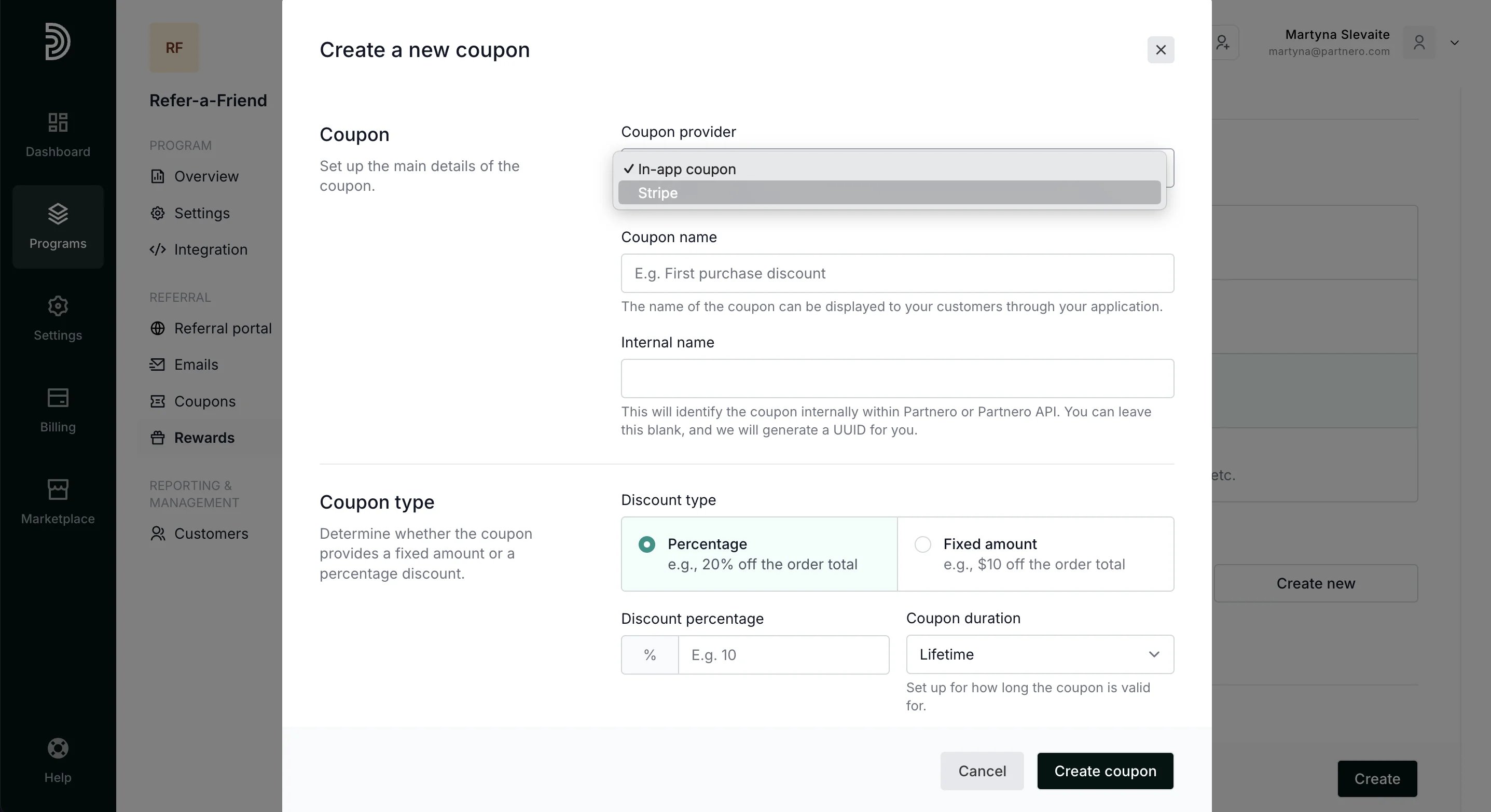
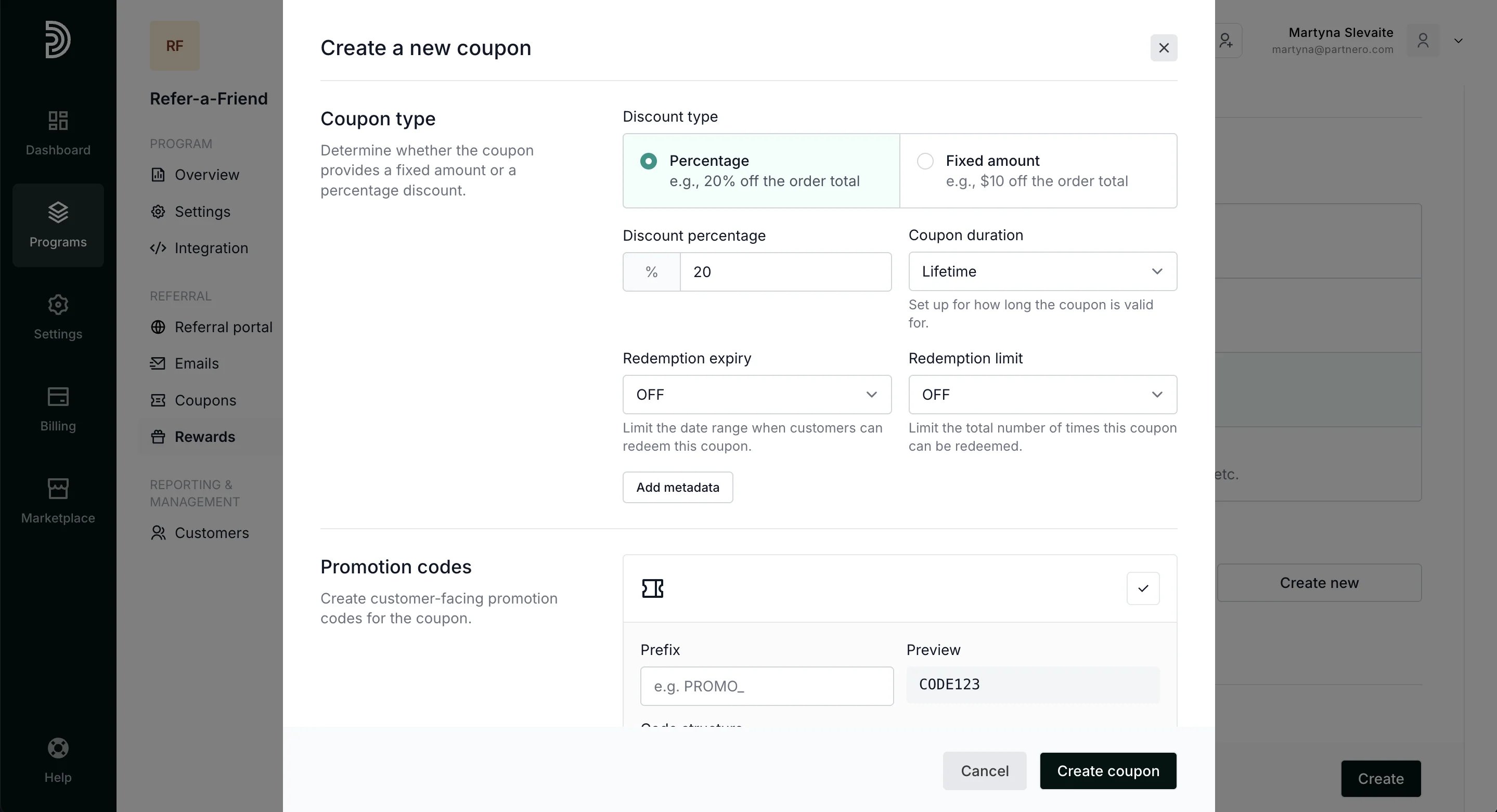
- Coupon duration: the period during which the coupon is valid.
- Redemption expiry: limit the date range when customers can redeem this coupon.
- Redemption limit: limit the total number of times the coupon can be redeemed.
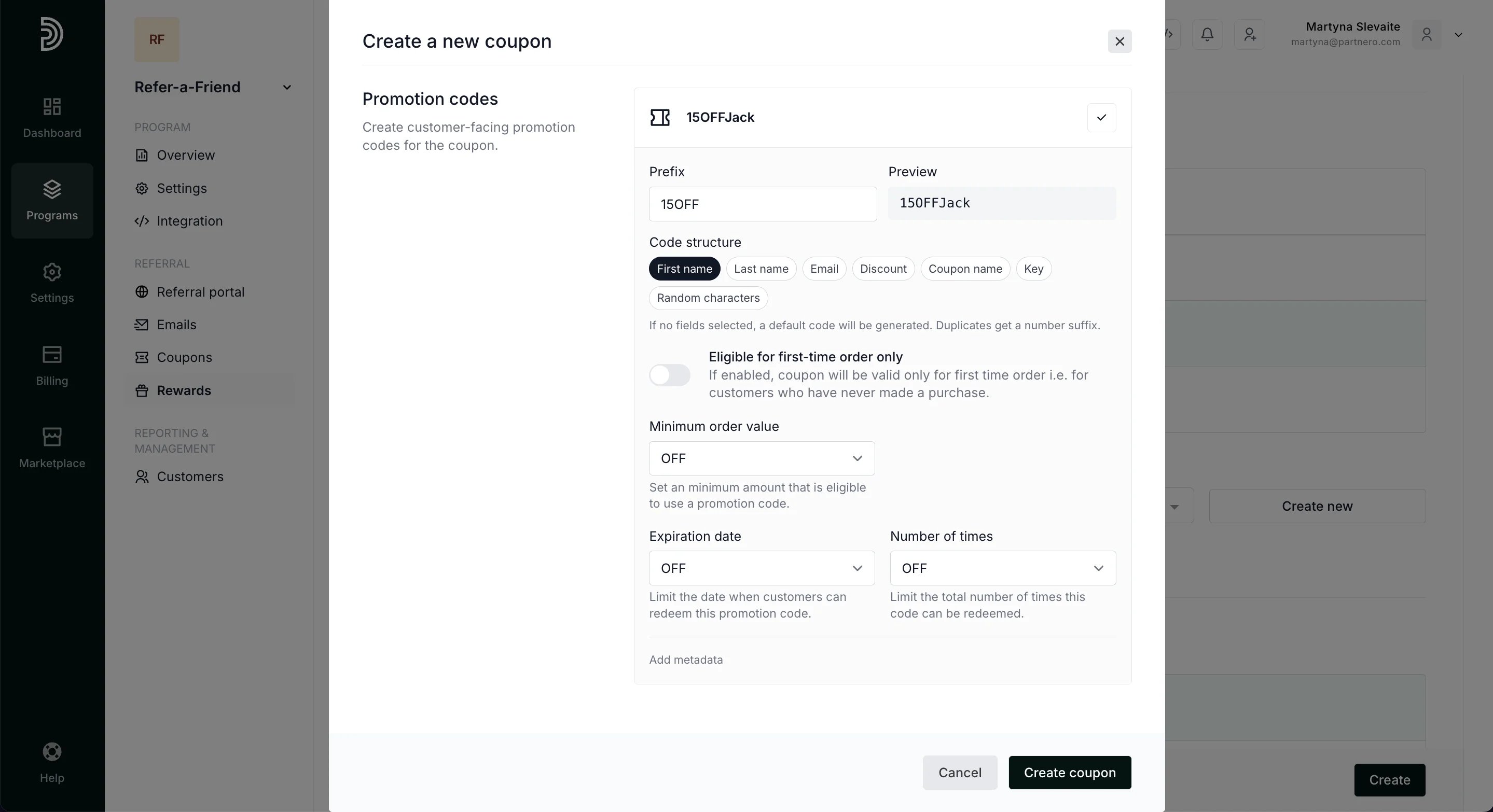
- Minimum order value: Set a minimum spend amount required to use a promo code.
- Expiration date: limit the date when customers can redeem the promo code.
- Number of times: limit how many times this promotion code can be used.
Coupon management
Once the coupon is created, it will also be available under Referral > Coupons: