

- Open your program and select Settings under Program.
- Switch to the Notifications tab.
- Toggle Weekly program activity notification and enter the email address you’d like to receive the emails to. You can enter multiple email addresses, separated by commas.
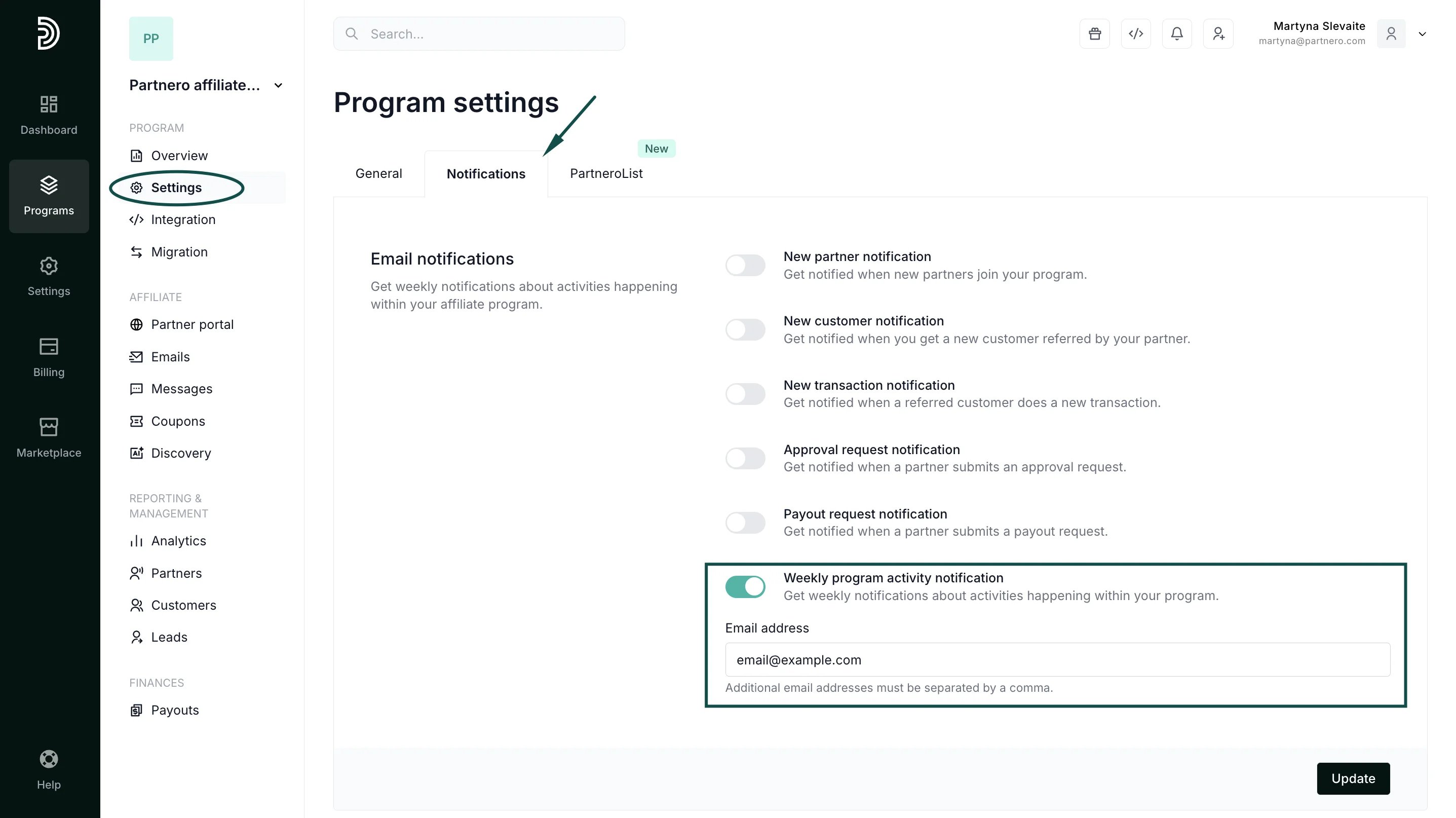
- Click Update to save your changes.
Program emails
Weekly program activity notification emails
For affiliate and referral programs, you can enable weekly notification emails to be sent to your inbox. The emails will include key program metrics, such as revenue, rewards, and new partners.
The emails can be enabled or disabled for each program individually.
To enable email notifications:
Was this page helpful?