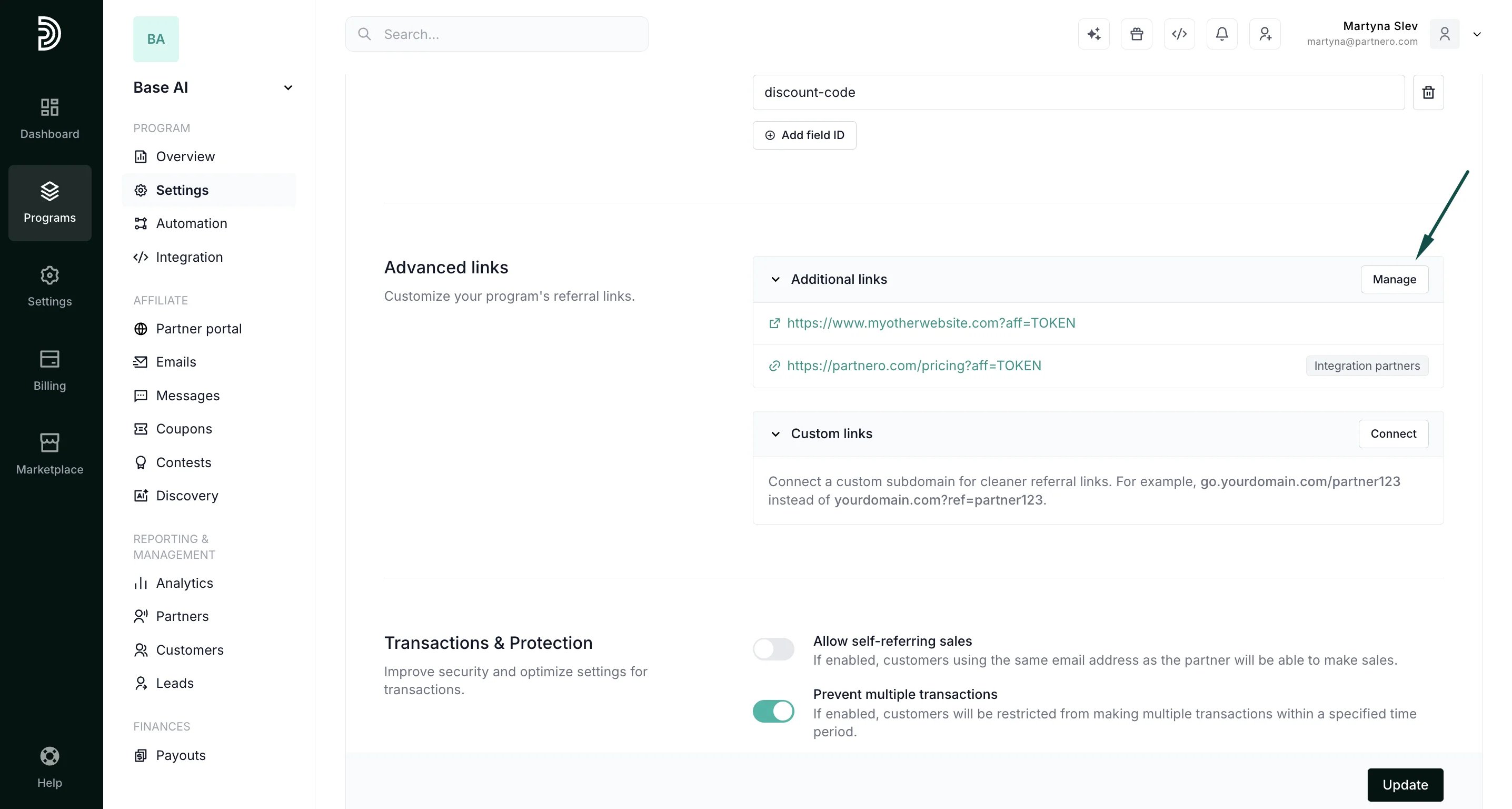
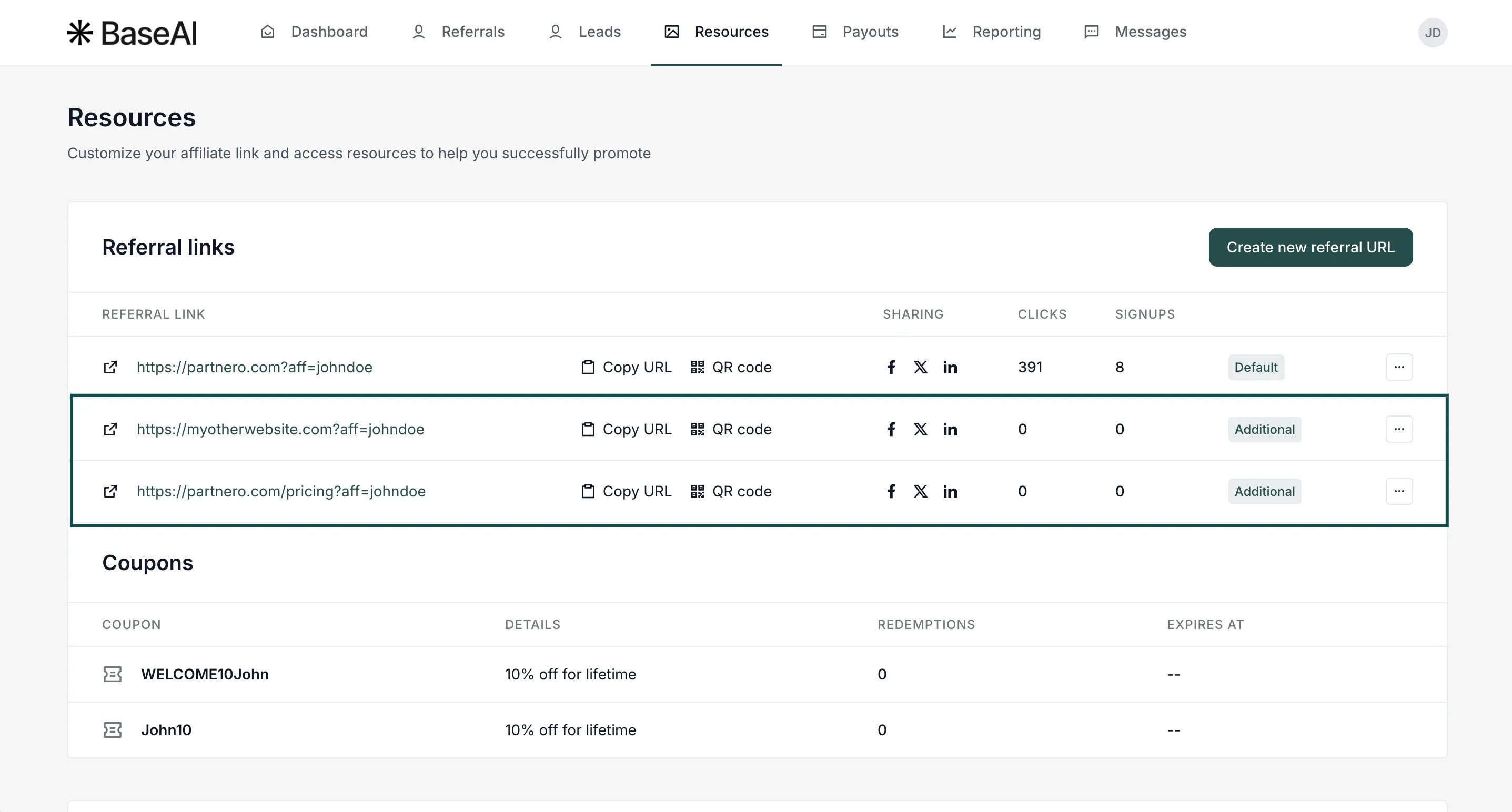
What are advanced links?
Advanced links let you create more flexible, powerful affiliate tracking by generating referral URLs not just for your homepage but also for specific pages on your site or even on external domains. With this feature, partners automatically receive unique links for each connected destination, helping you better track performance across campaigns and content sourcesHow to set up advanced links
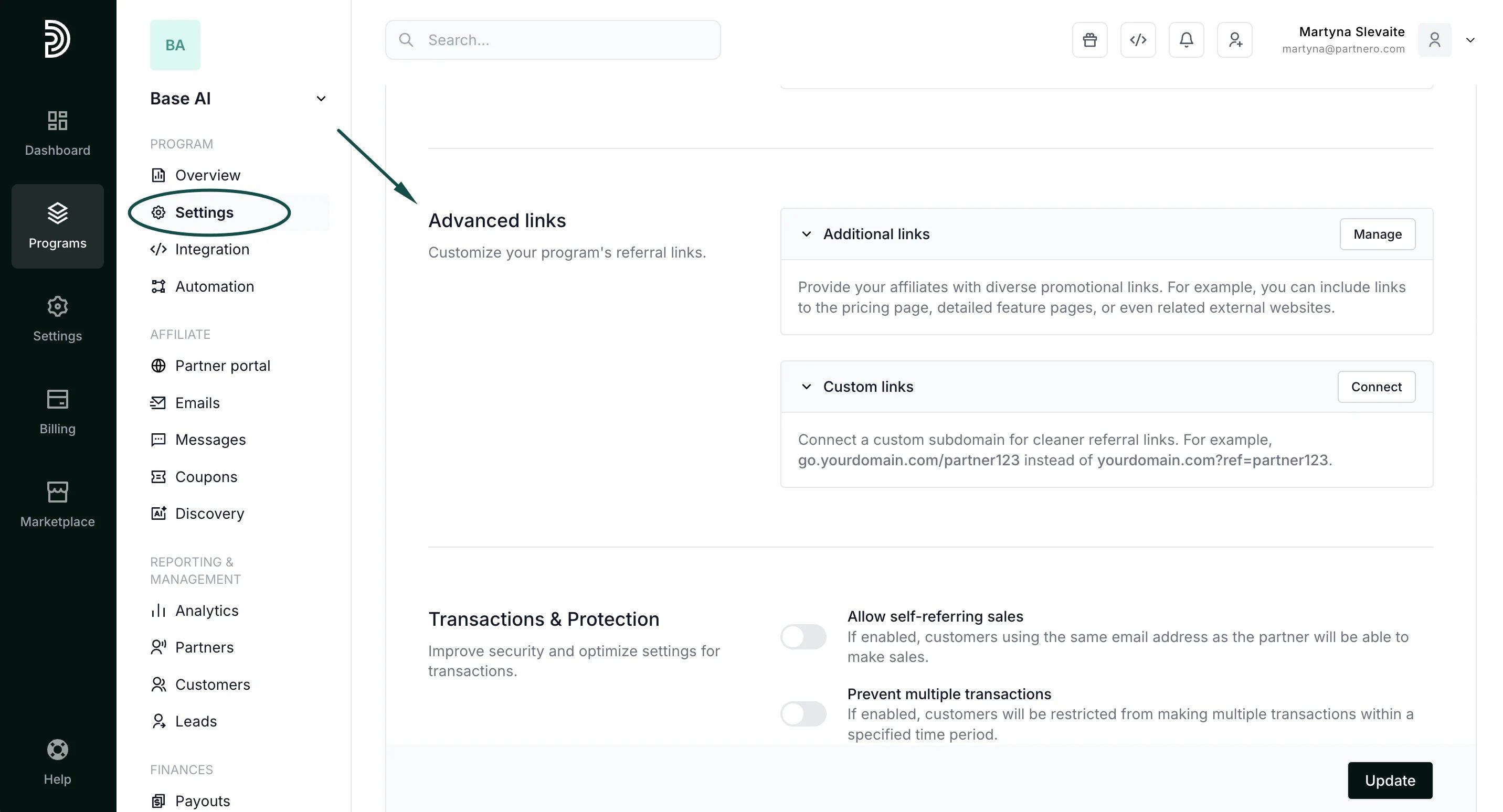
- In your affiliate program, go to Settings under Program. Scroll down to the Advanced links section:
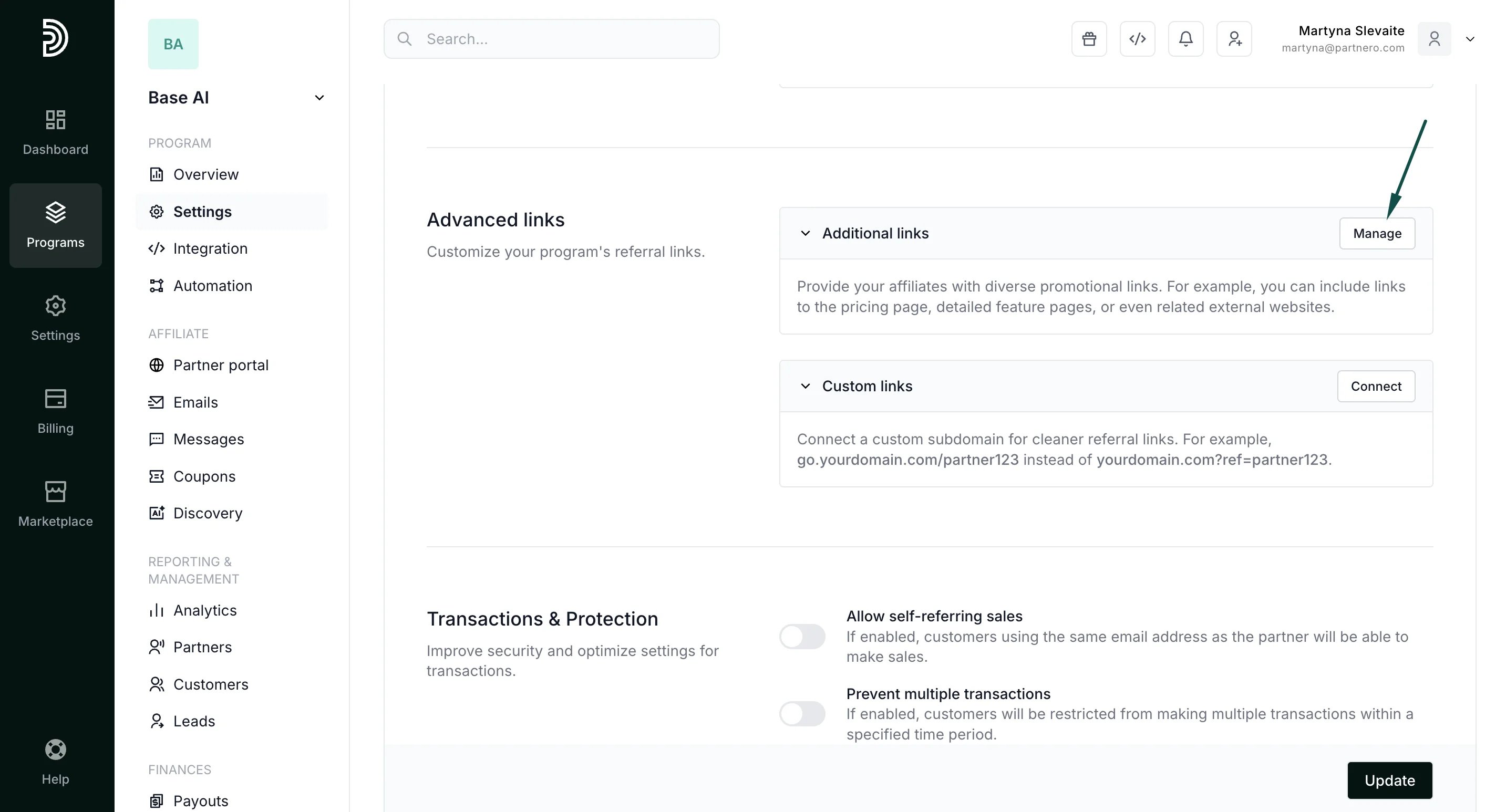
- Click Manage next to Additional links:
To connect various pages from your main website:
Under Multiple links, enter the URL of the page you’d like your referral links to point to and click Save: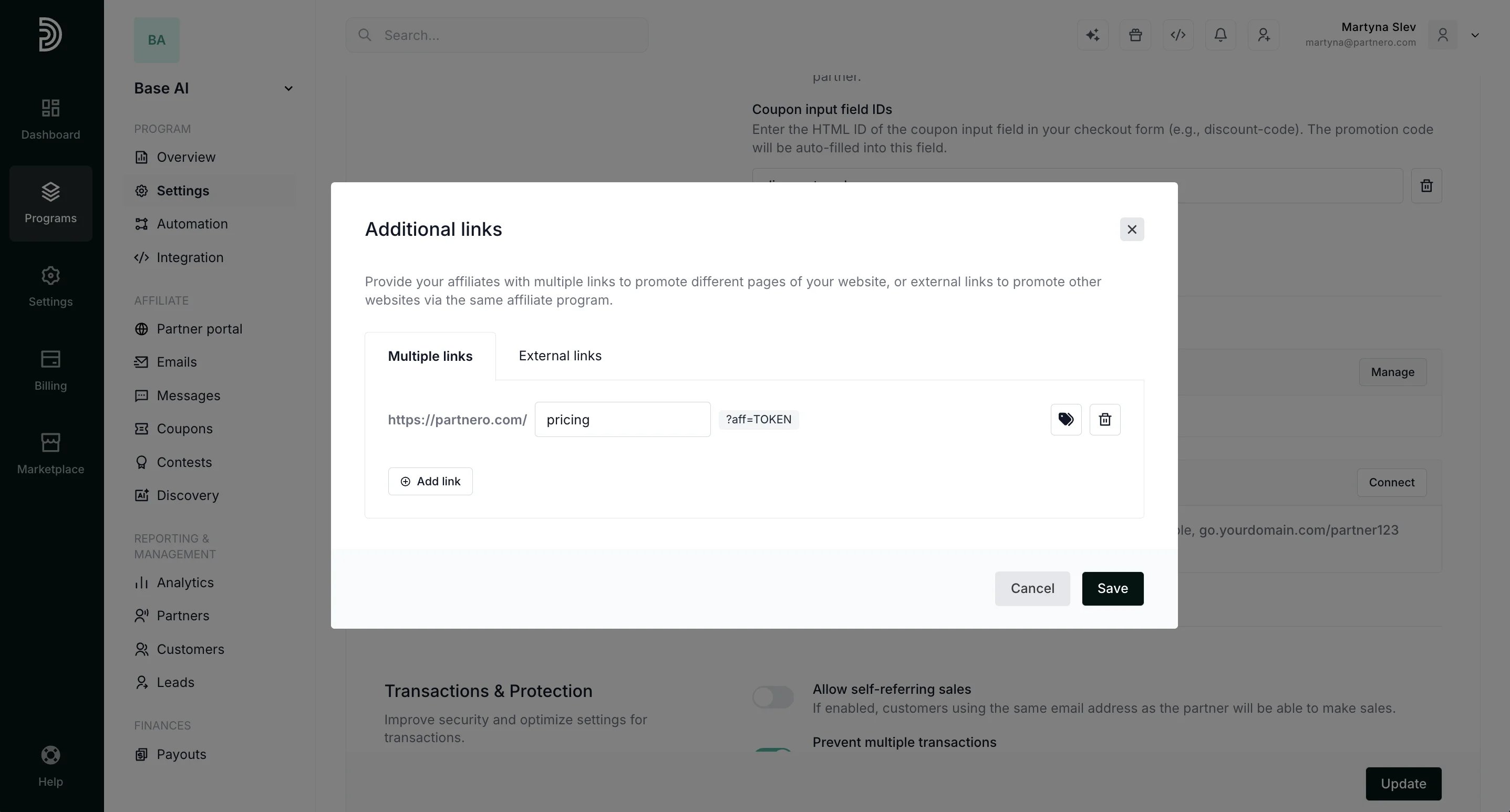
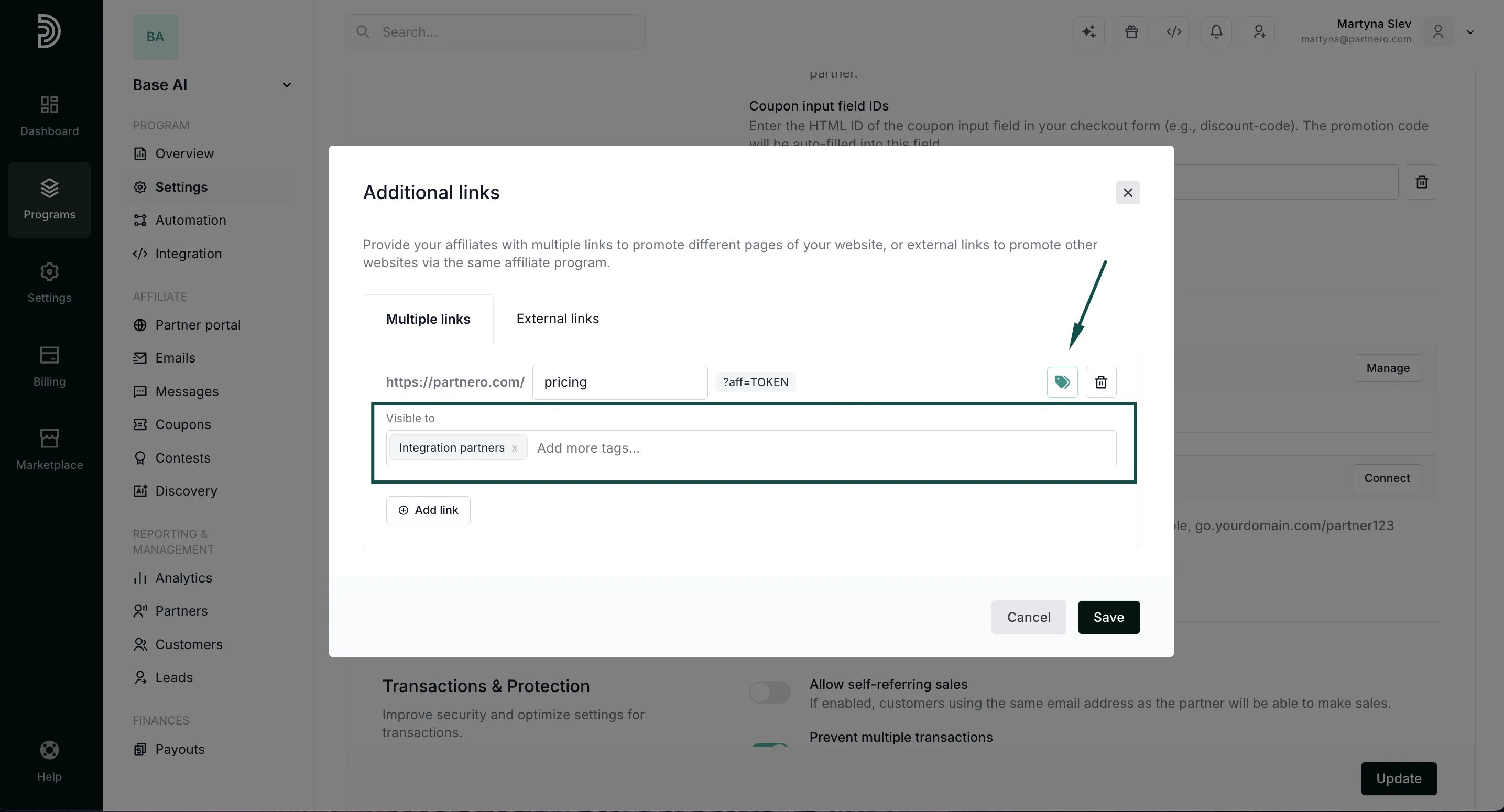
To add other domains:
Under External links, enter the URL of the website you’d like to connect and click Save: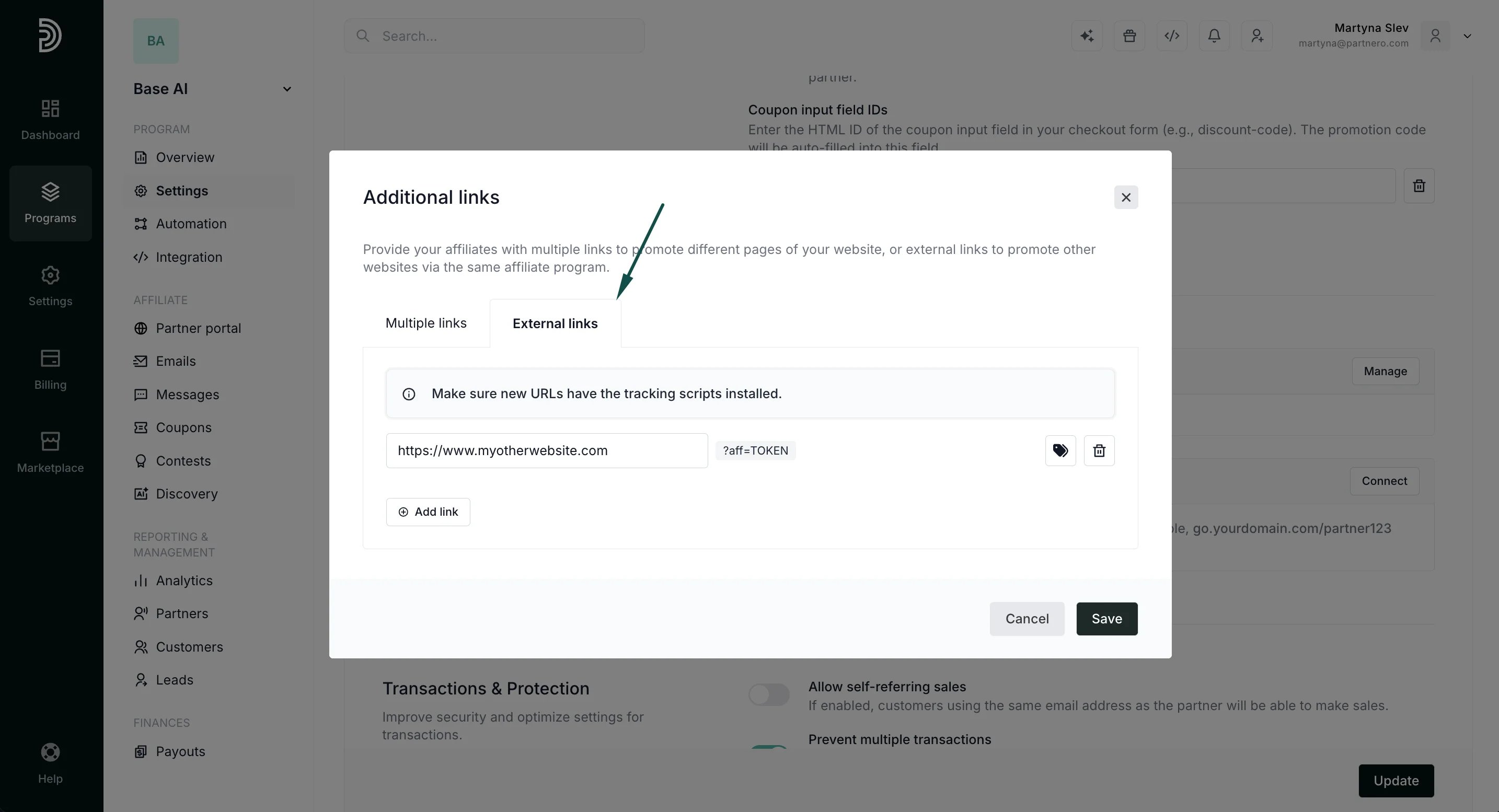
⚠️ Important: External websites must also contain the PartneroJS tracking script in order for us to be able to track visits. The tracking script can be found under Program > Integration and must be inserted before the closing </head> tag in the HTML code of any external websites connected here. If you’d like to also track signups and sales on external websites, the full integration needs to be done. Read more.
Accessing advanced links
Once links have been added, you’ll be able to see and manage them under program Settings → Advanced links: