

Allow a specific partner to create customers manually
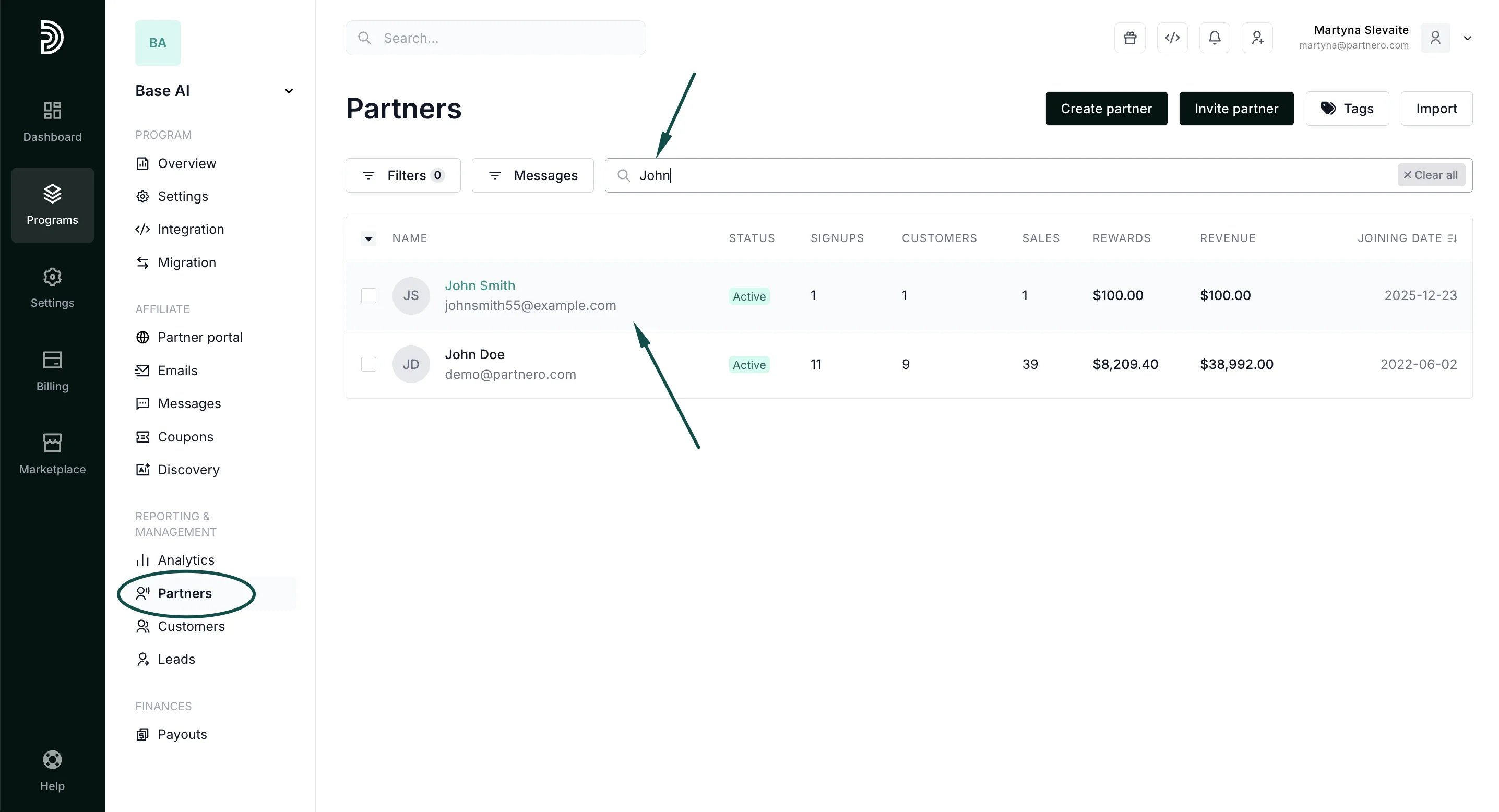
Here’s how you can enable this setting:- Find the partner in your partner list using their name or email:
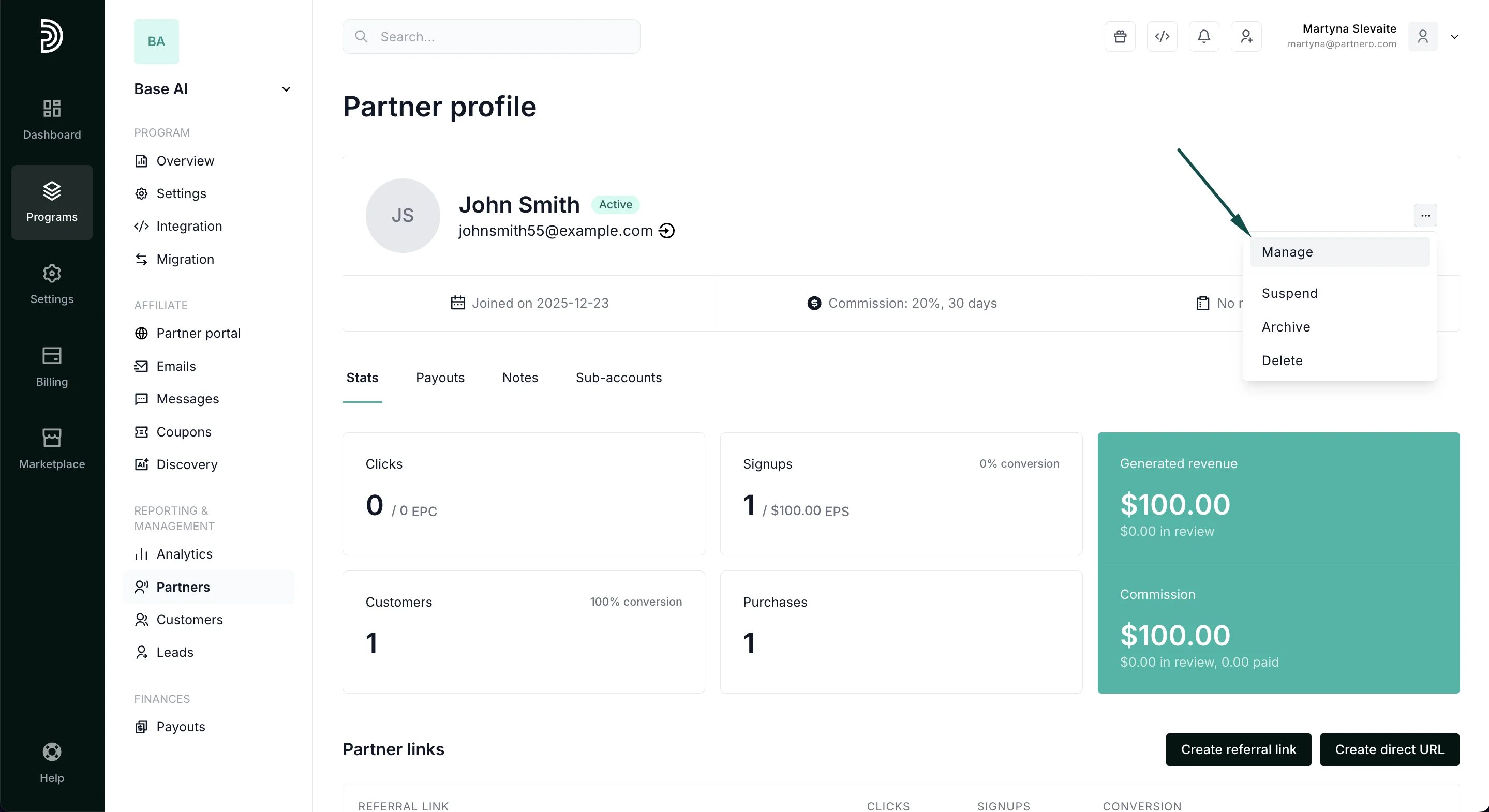
- Open their profile. Click on the three dots in the top right corner and click Manage:
- In the modal, toggle the option to Allow creating customers from portal:
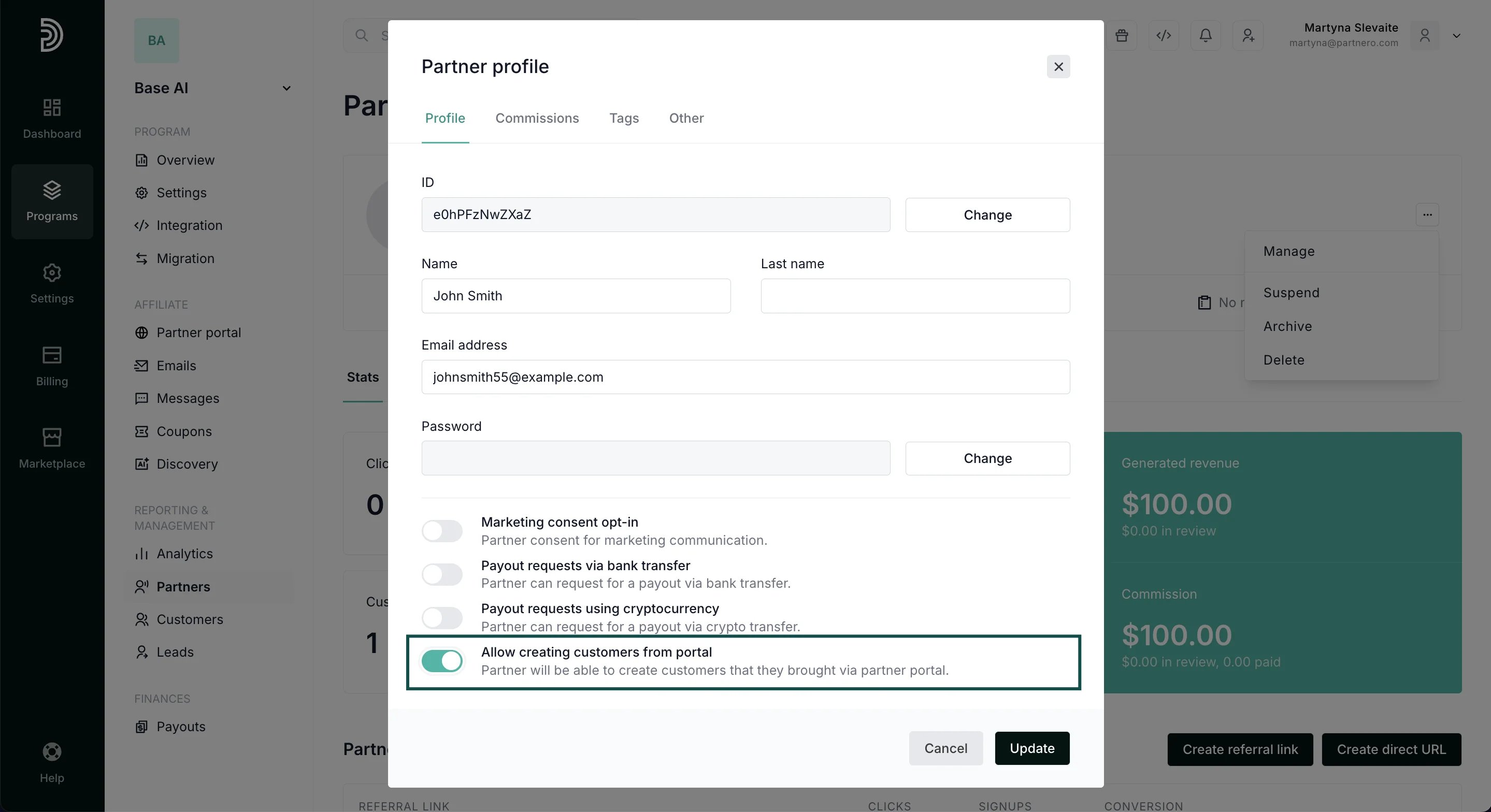
- Click Update.
Partner portal changes
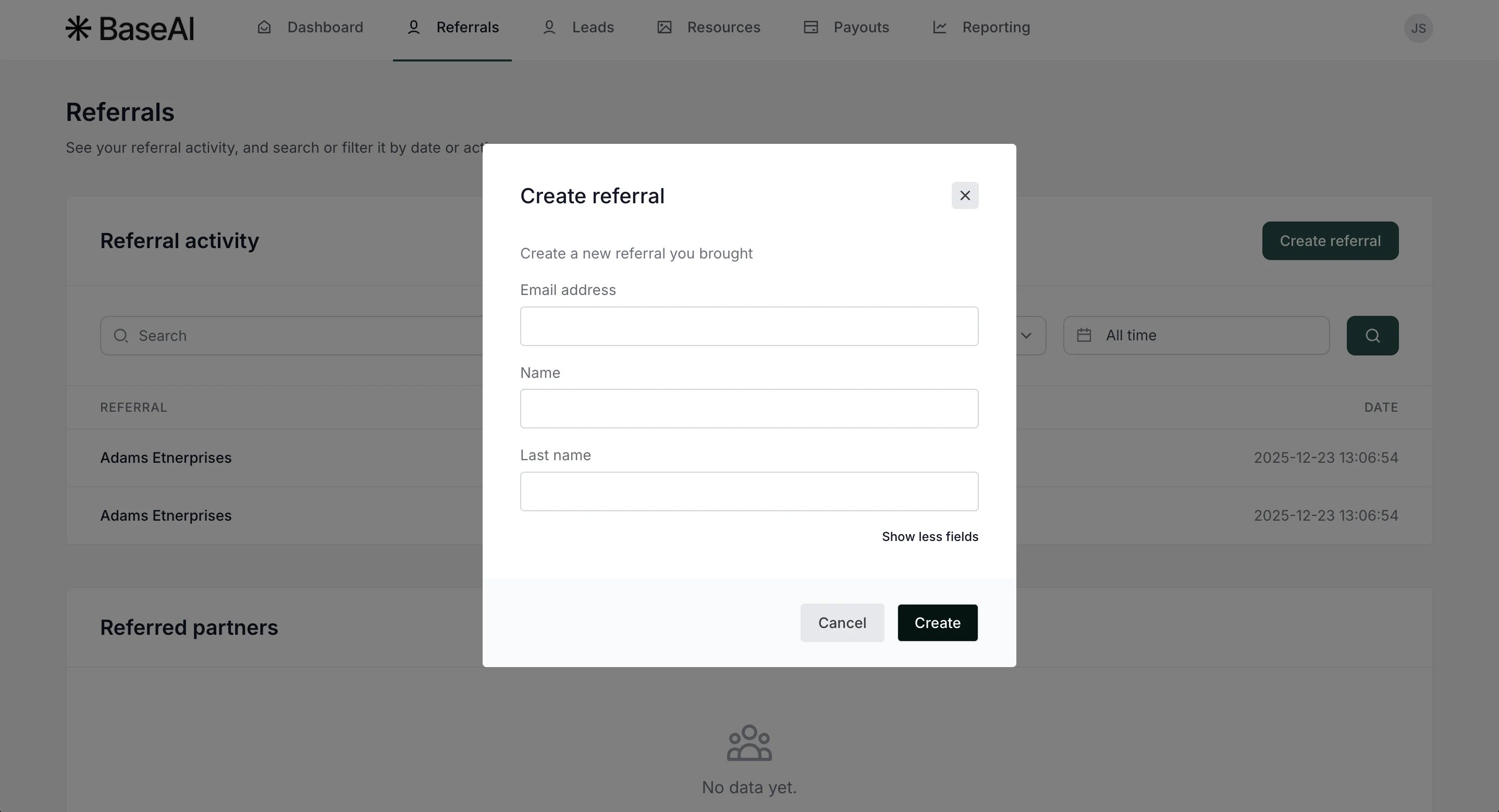
Once the setting is enabled, your partner will have the option to Create referral in the partner portal, the Referrals tab: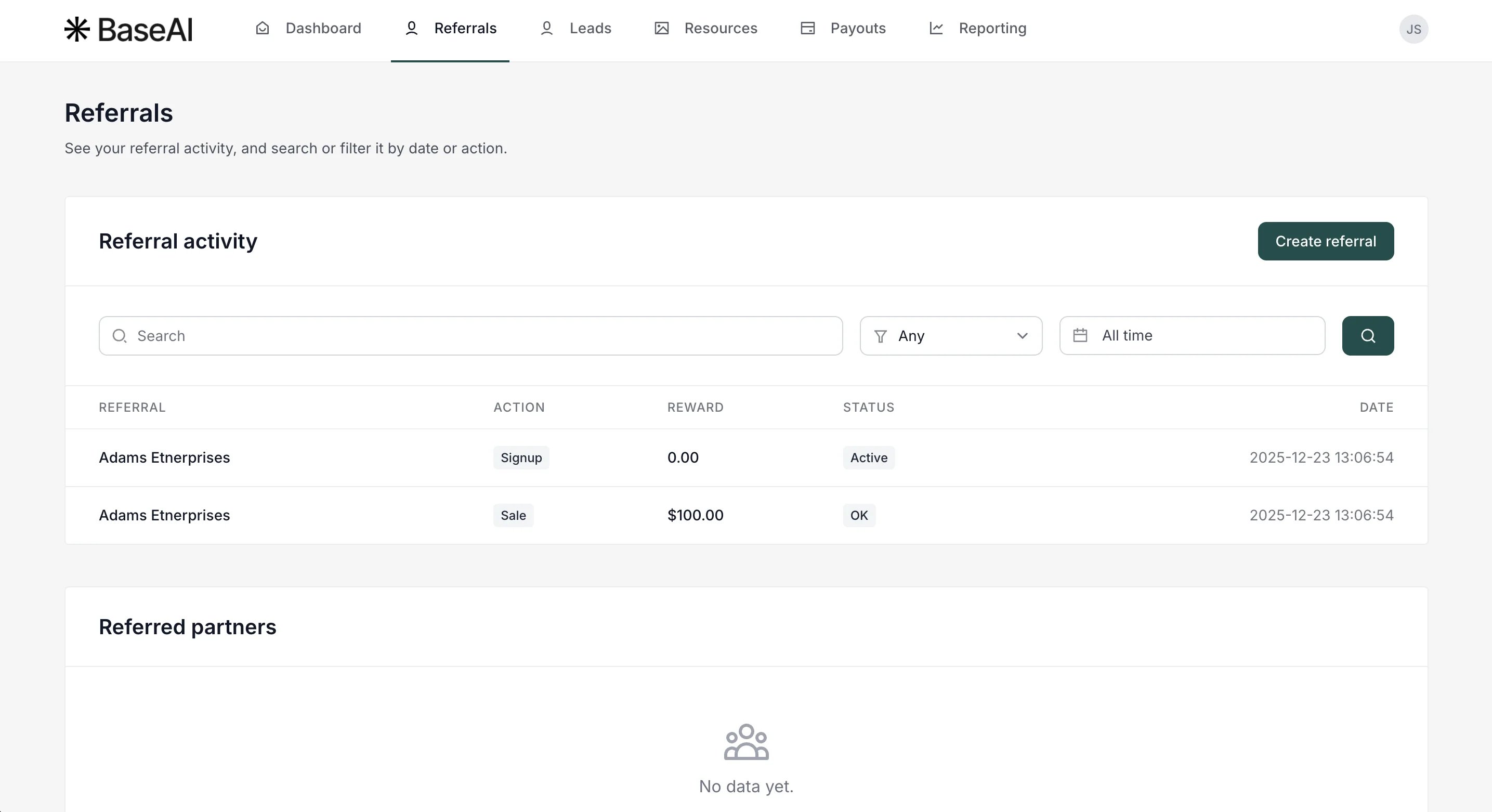
Enable the the program-level setting
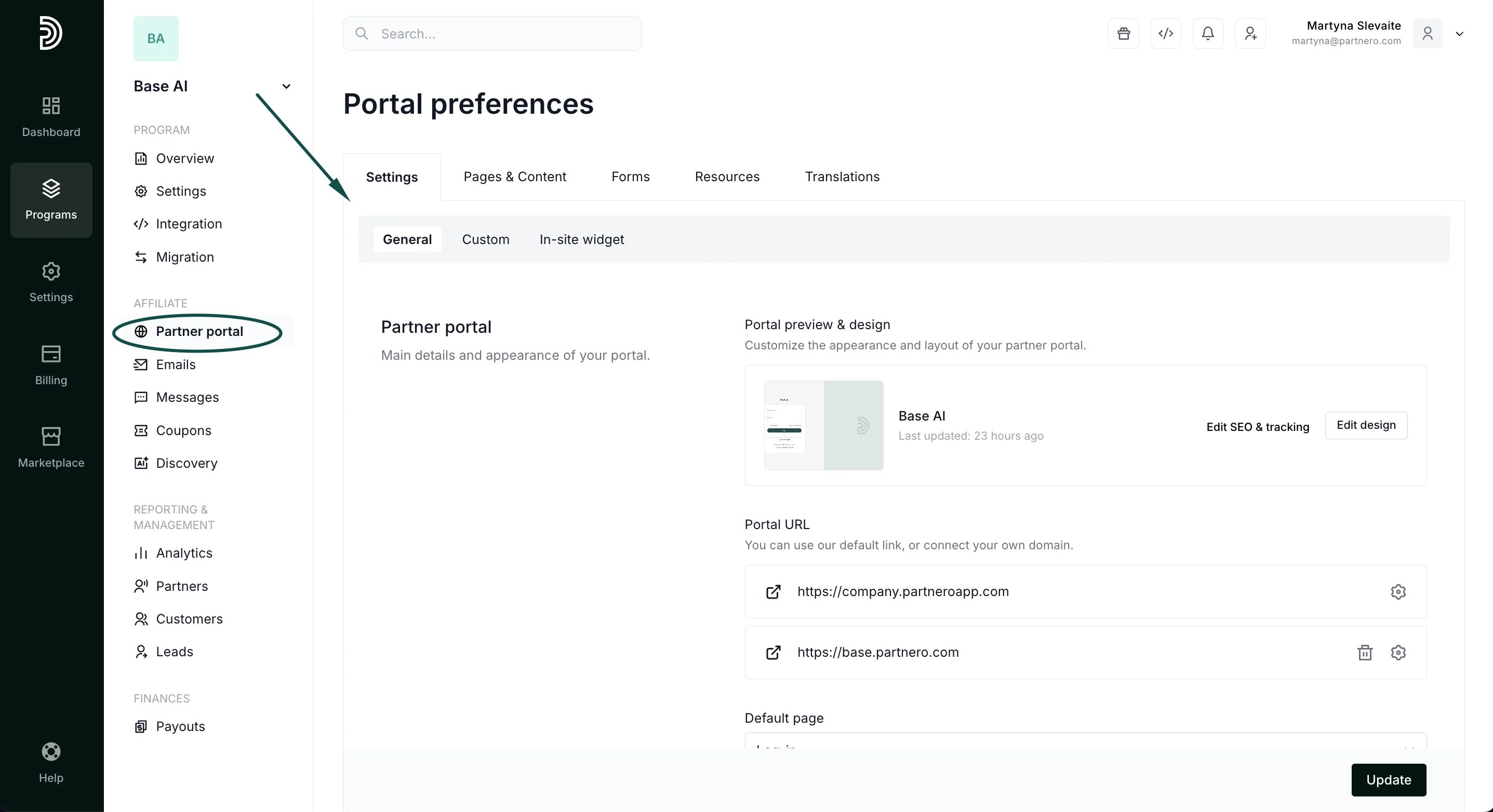
If you wish to allow all partners to create customers manually:- Go to Partner portal under Affiliate. You’ll land on the Settings tab, the General section:
- Scroll down to the Partner permissions section and toggle the option to Enable partners to create customers:
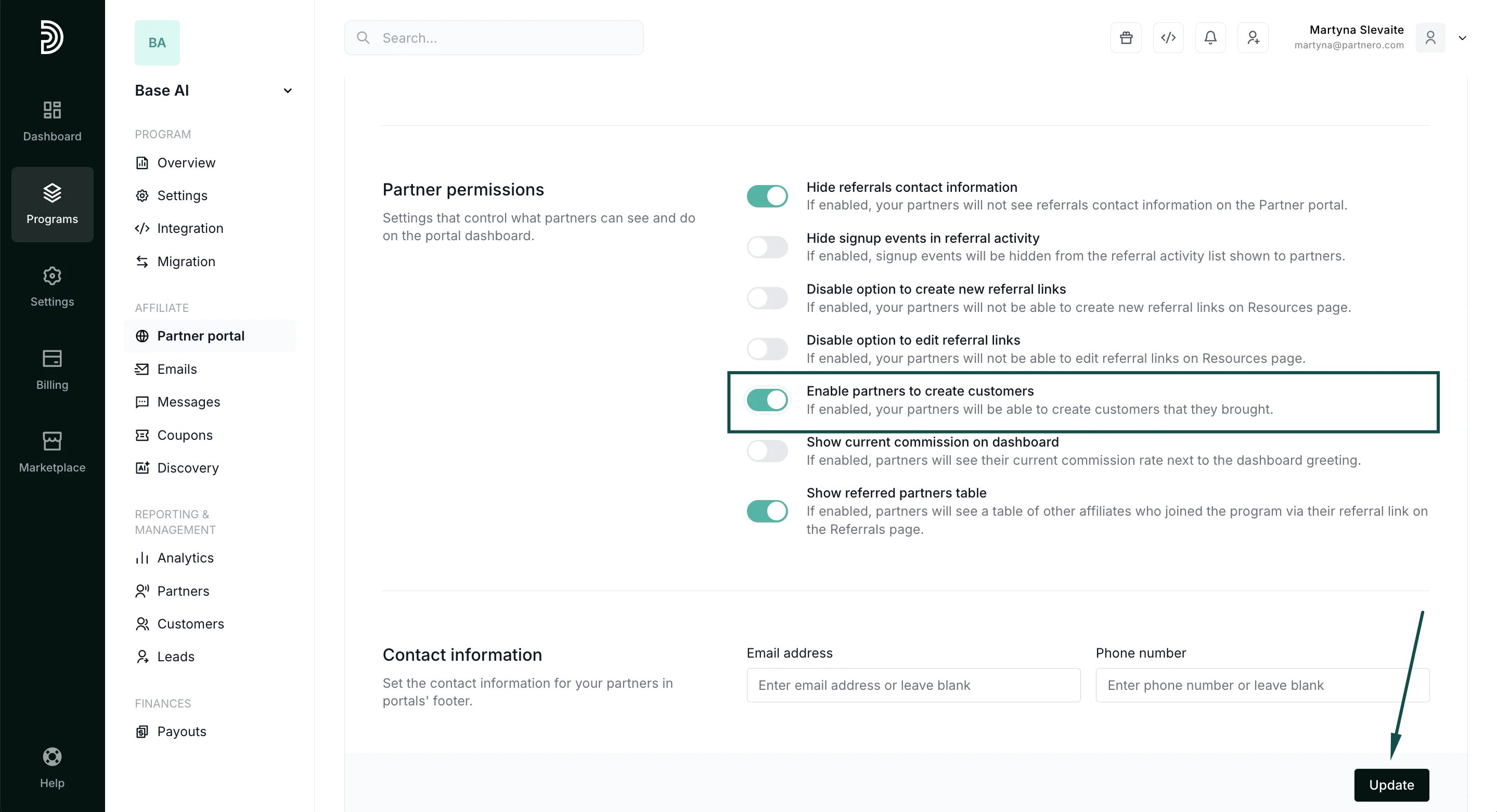
- Click Update to save your changes.