

Plans and how to pay
Partnero offers three plans: Starter, Partner, and Enterprise. You can compare the features between these plans on the Pricing page. The paid plans are offered on a monthly or annual subscription basis. Each plan includes a specific range of programs and other features available. Additional user seats can be added to any plan for $29/mo per user. Prices don’t include VAT or other taxes of any kind (where applicable). For monthly plans, you can pay with a credit or debit card. They will automatically renew every 30 days until you cancel.How to add billing details
To add your billing information:- Log in to Partnero.
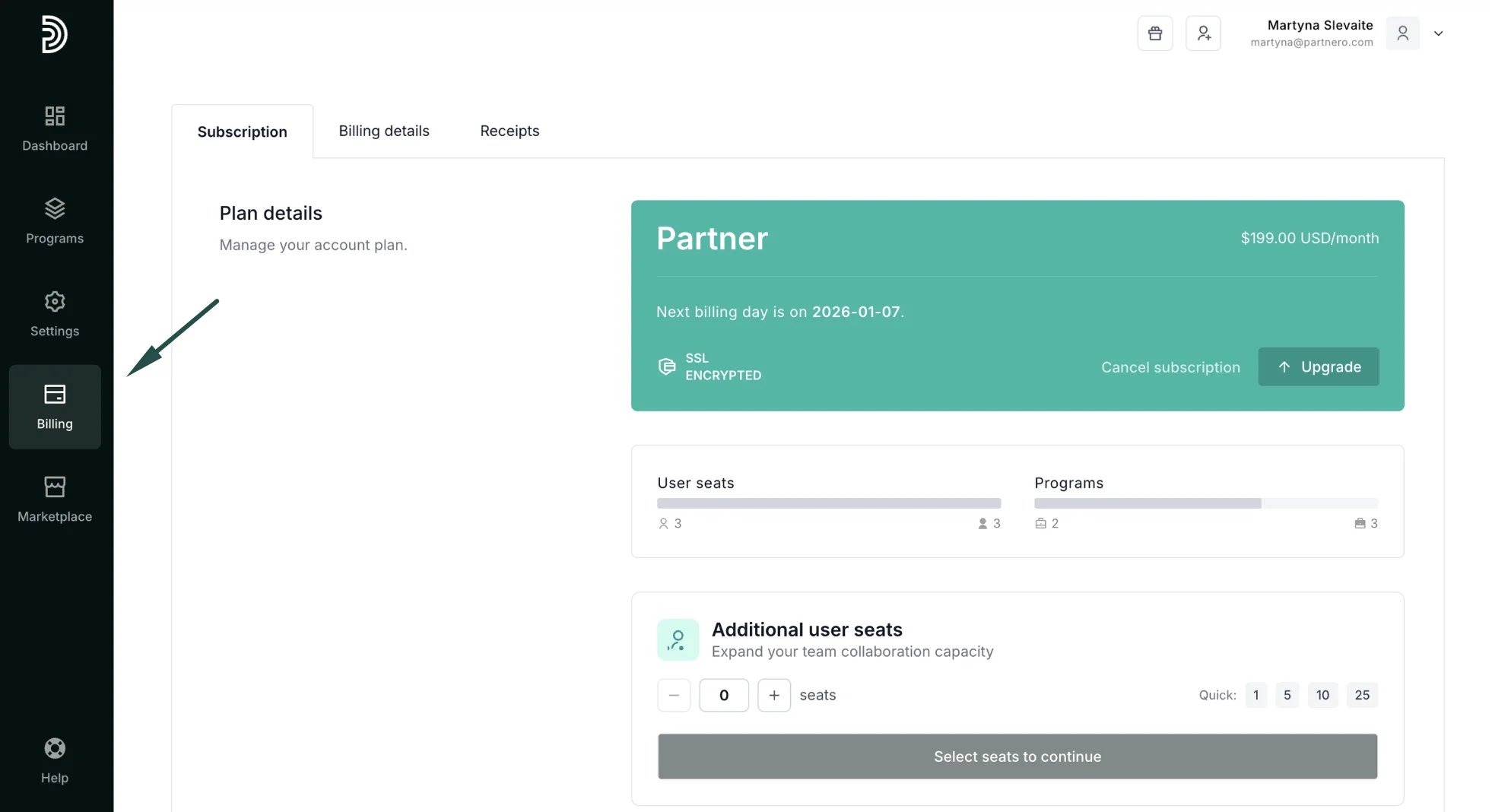
- Click on Billing on the left sidebar.
- Switch to the Billing details tab:
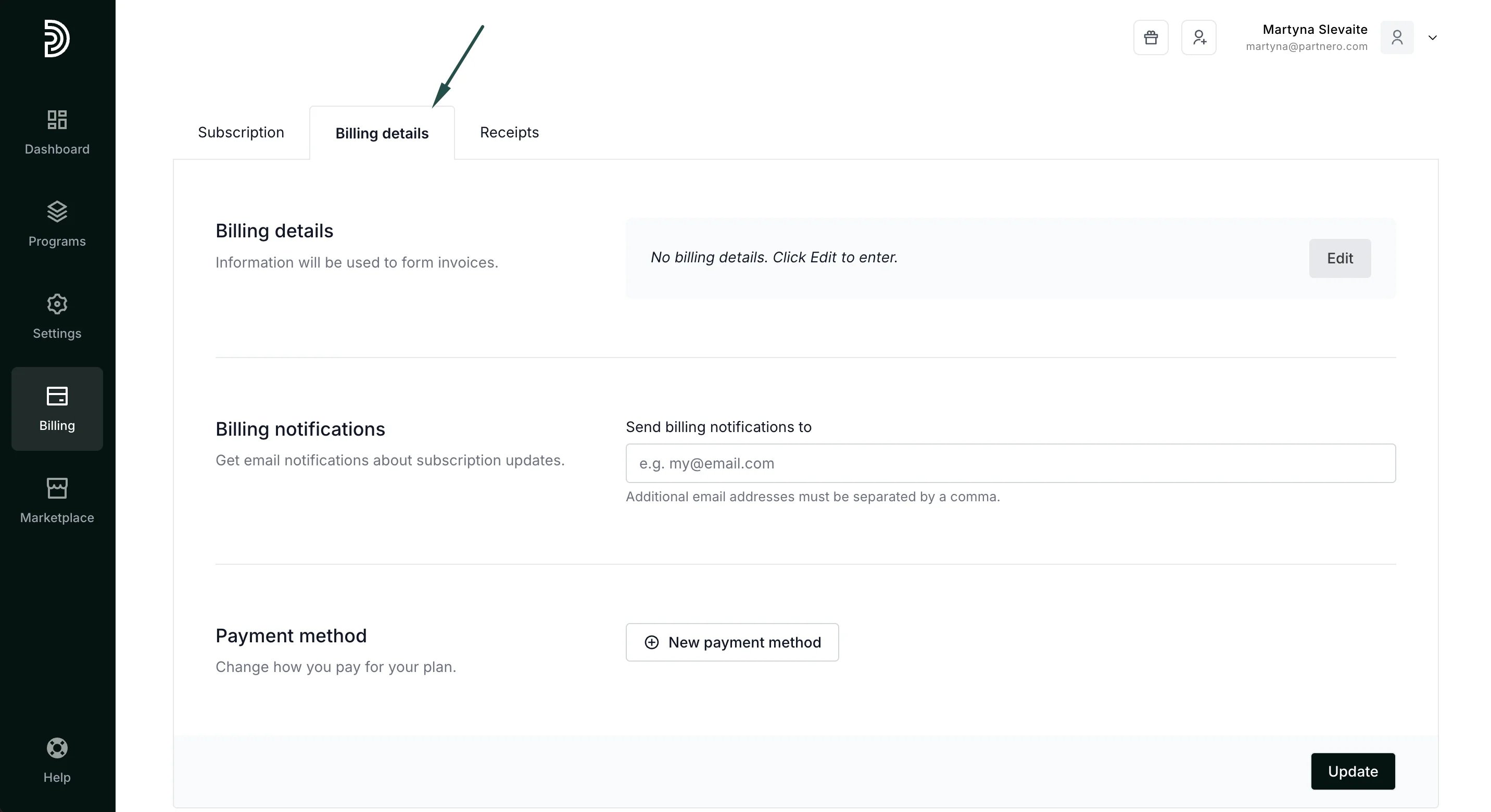
- Billing details: add information that we will use to form invoices, such as your name, company name, and address.
- Billing notifications: add an email address where you’d like to receive subscription update notifications (optional).
- Payment method: add your card information.
How to buy or upgrade your plan
- In your Partnero account, click on Billing on the left sidebar.
- In the Subscription tab, select one of the available plans (for first-time subscription) or click Upgrade.
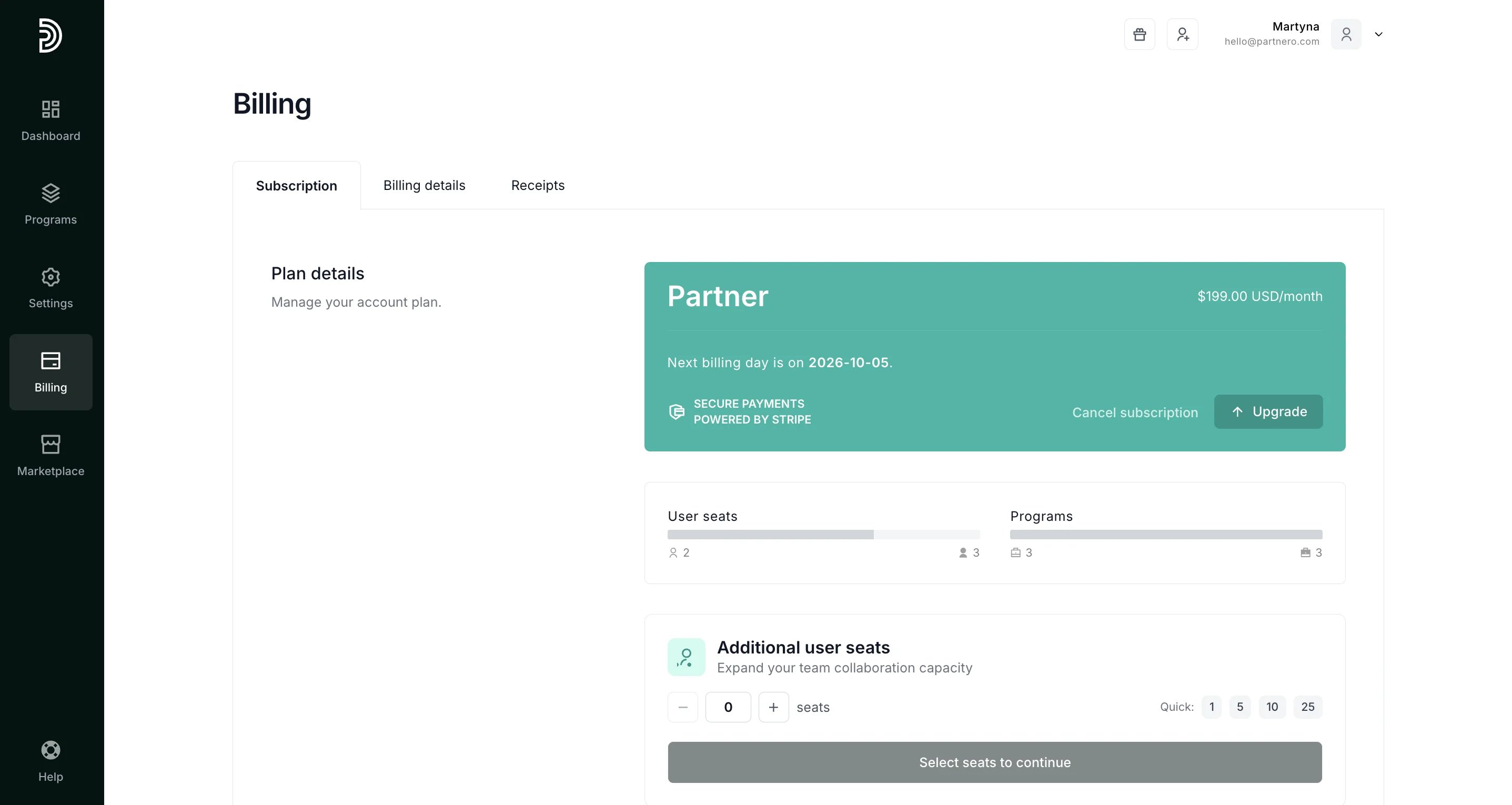
- Select the plan that best suits your needs.
- Click Purchase. Note: If you haven’t added your billing details and payment method yet, you can do so at this step.
- Click Purchase again.
What happens if you upgrade an existing plan before the expiration date
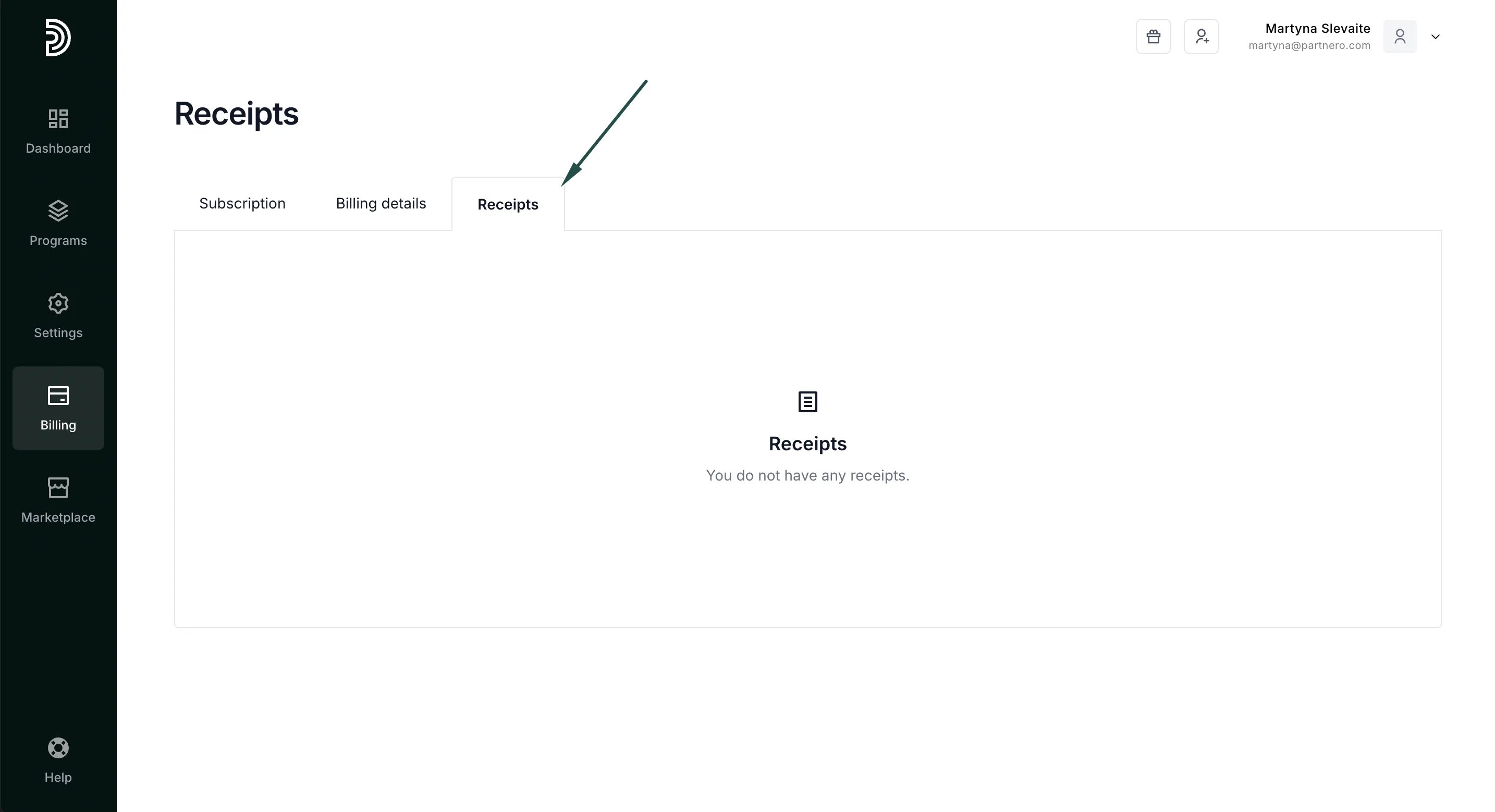
You don’t lose any money when you upgrade to a new plan before the expiration date of your current plan. We calculate the unused time/money from your current plan and subtract it from the full price of the new plan. The expiration date of the plan is also updated according to the amount of time purchased.Where to find billing receipts You can find and download all your billing receipts in the Billing section, Receipts tab:
How to cancel a plan
When you cancel your plan, you will keep your current plan until it expires, but you will not be automatically charged for the next month. Since monthly plans renew automatically every 30 days, they can be canceled at any time. When downgrading, your original plan will complete the current billing cycle, and the new (lower) plan will start at the next billing cycle. To cancel a monthly plan:- Log in to Partnero.
- Click on Billing on the left sidebar.
- Click Cancel subscription.