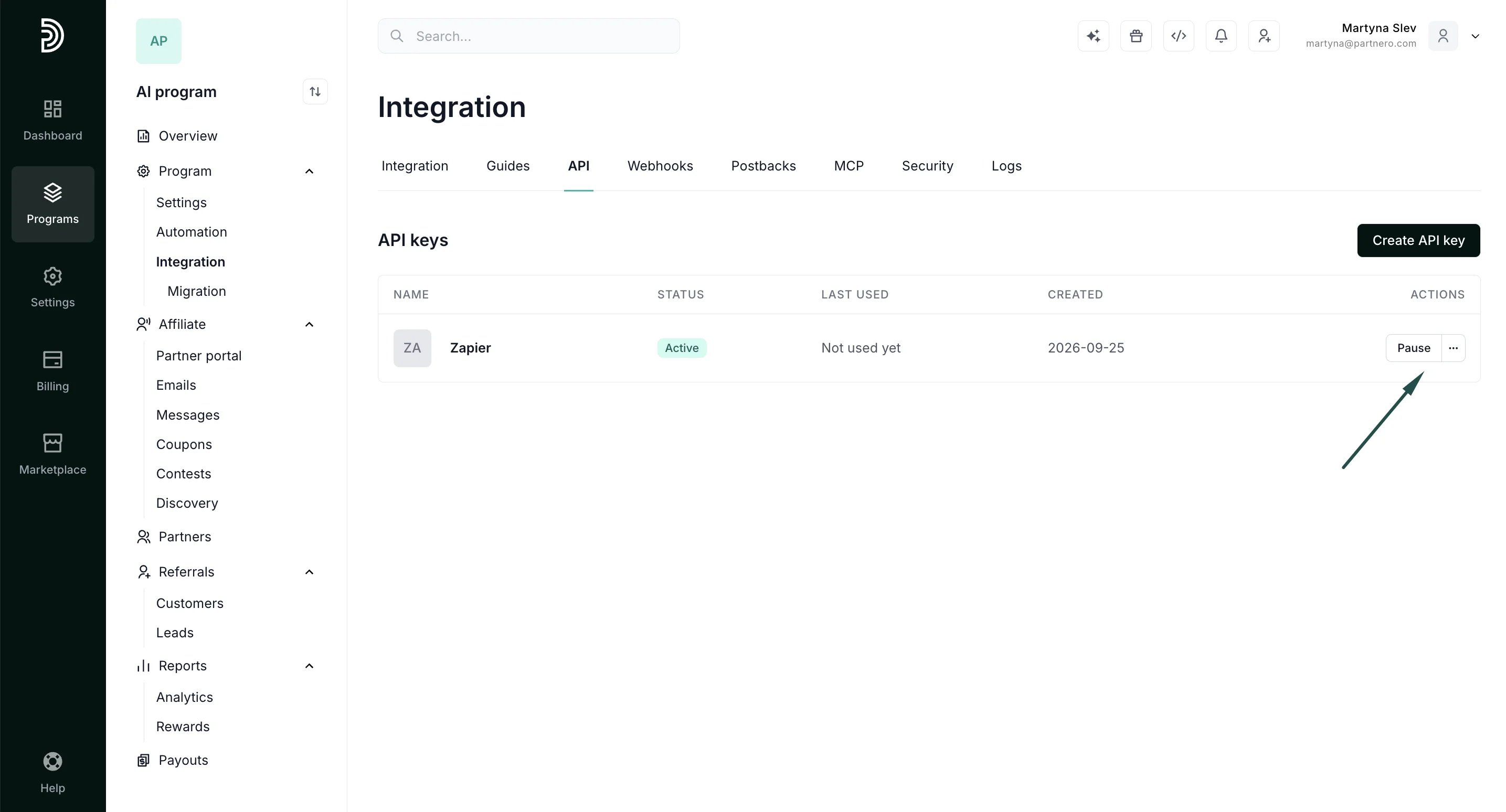
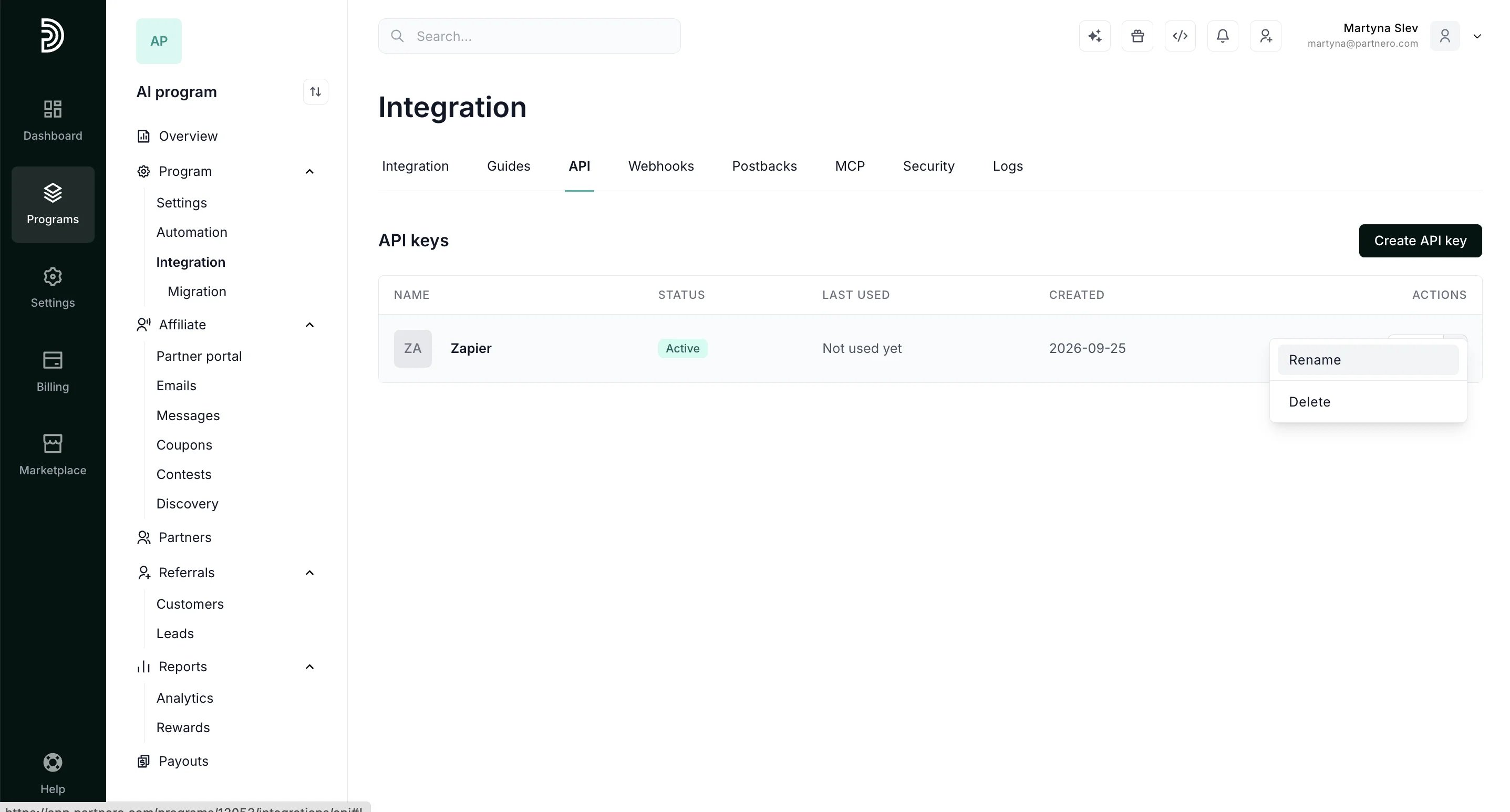
⚠️ You will need to create a new unique API key for every tool you’ll want to integrate with.
To find your Partnero account API key (Generate API token):
- Log in to Partnero.
- Open the program you’d like to work with.
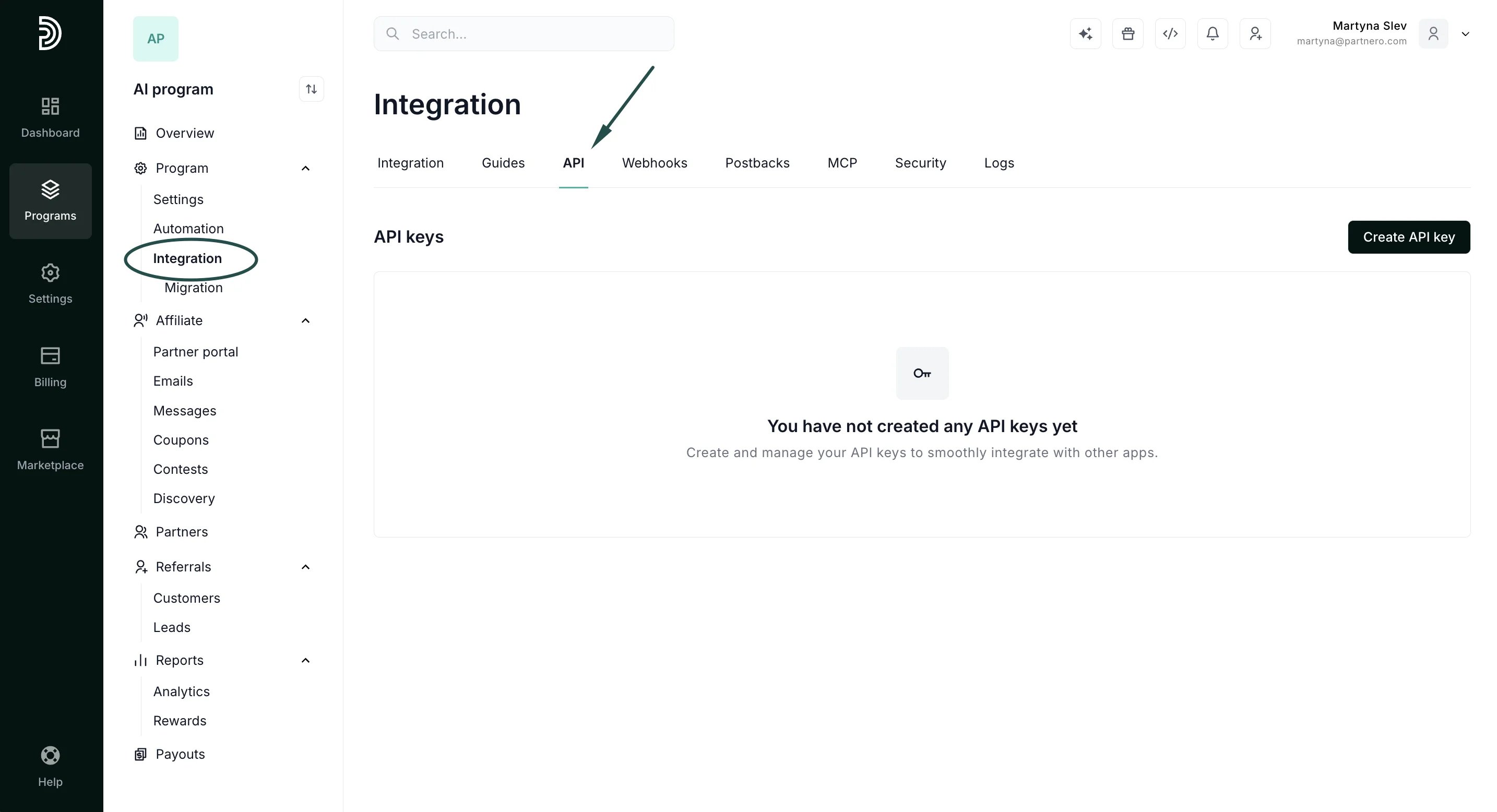
- Navigate to Integration under Programs section and switch to the API tab:
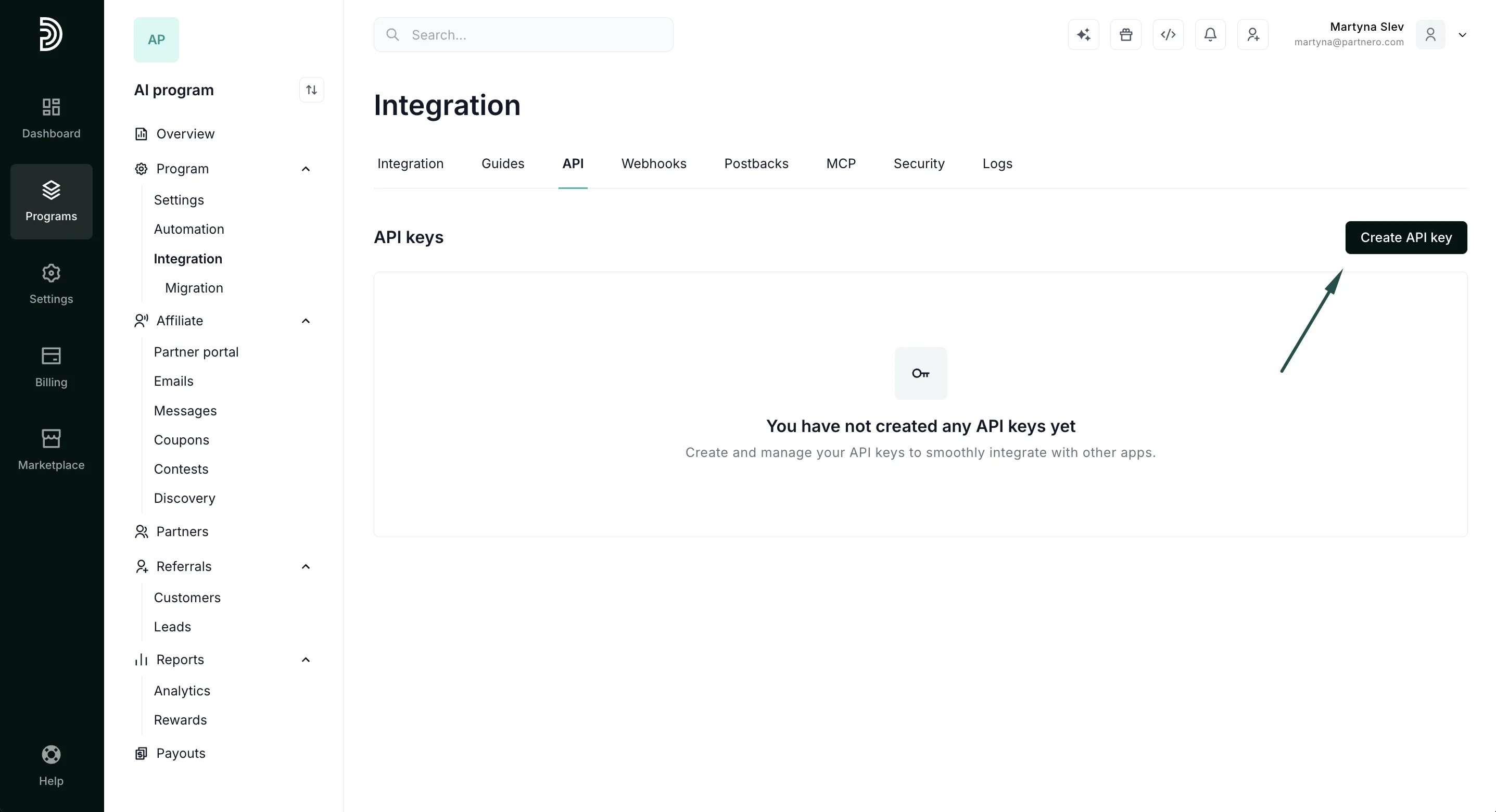
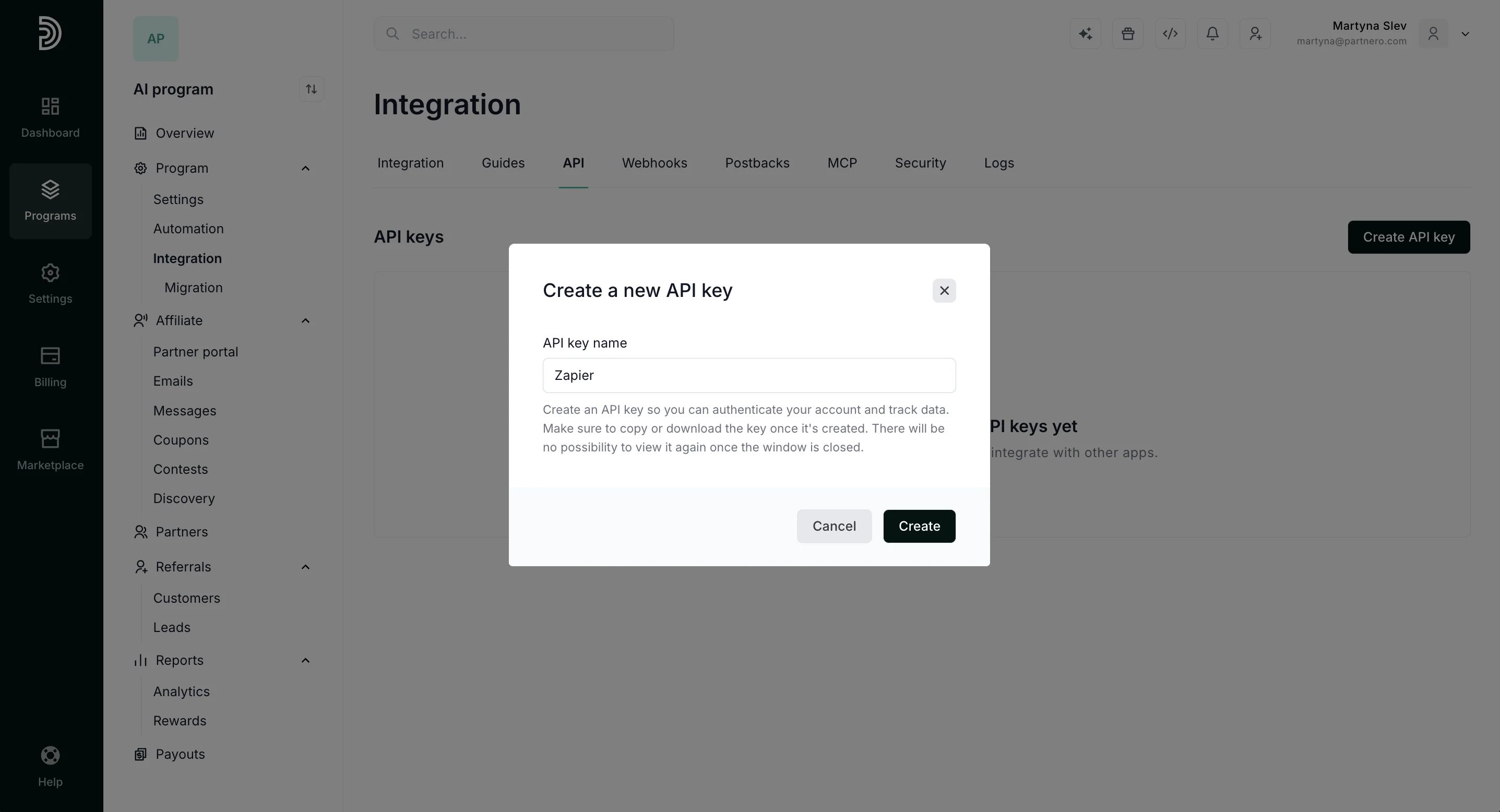
- To generate a new key, click Create API key:
- Name your key so you can easily identify it (for example: Zapier) and click Create:
- Copy or download your API key to save it.
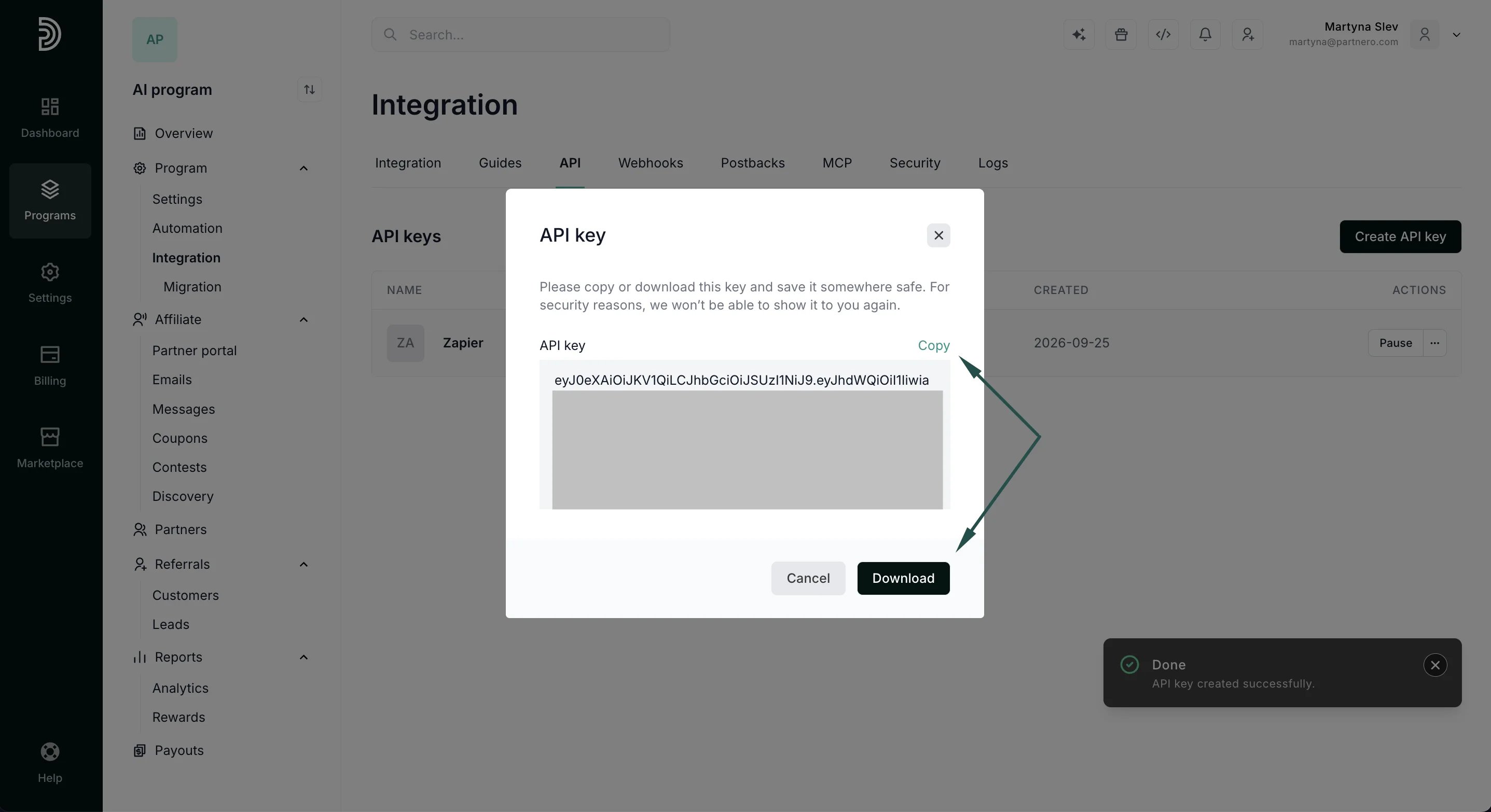
⚠️ Important: For security reasons an API key will only be shown once, when it’s created. Make sure to download a copy before you close out the API modal if you’ll need to access it in the future.If at any point you need to pause, rename, or delete an API key, you can do so by using the options on the right-hand side: