How to sync existing Stripe coupons
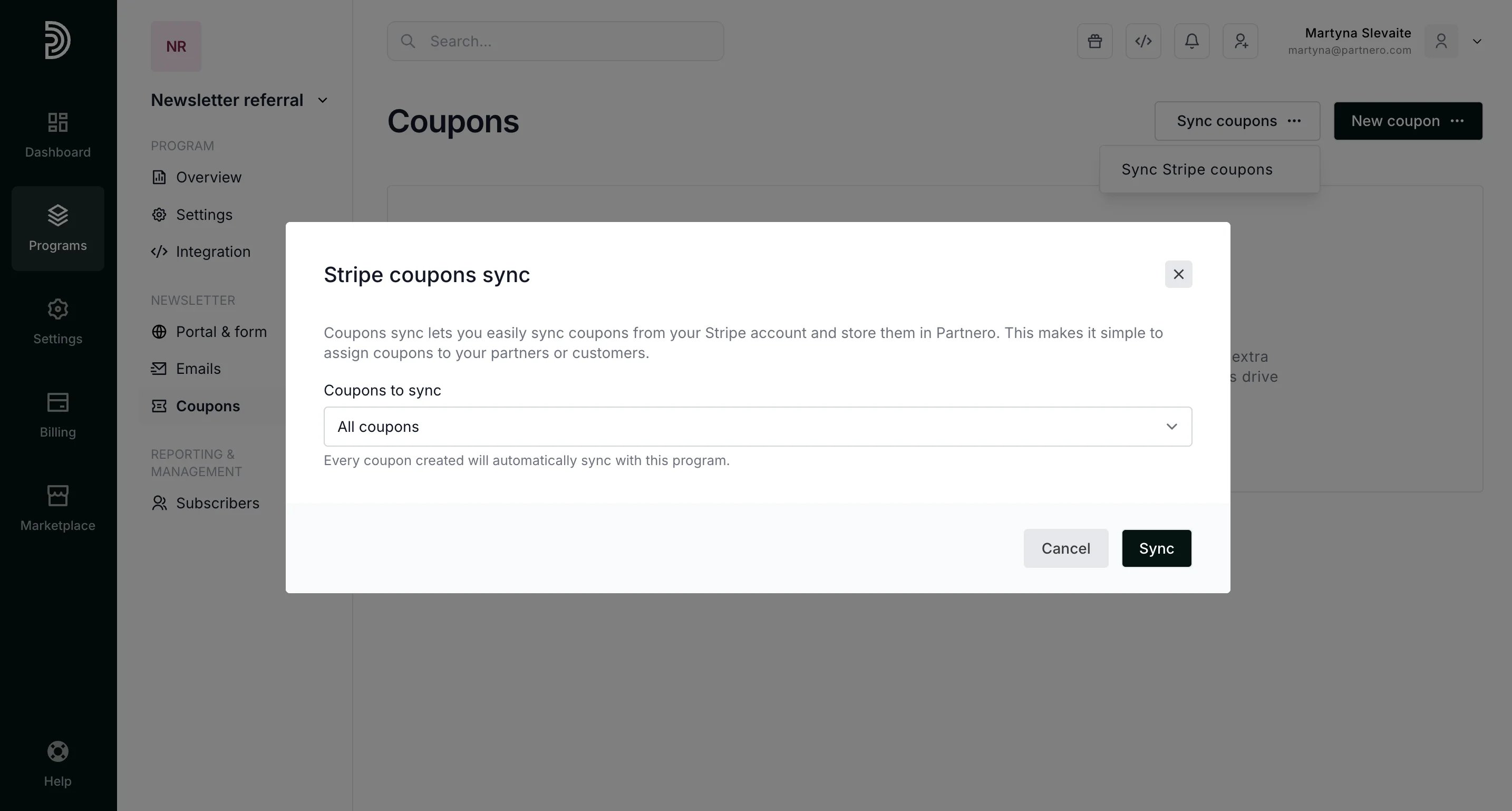
If you already have coupons set up on Stripe that you would like to use, go to Coupons and click to Sync Stripe coupons: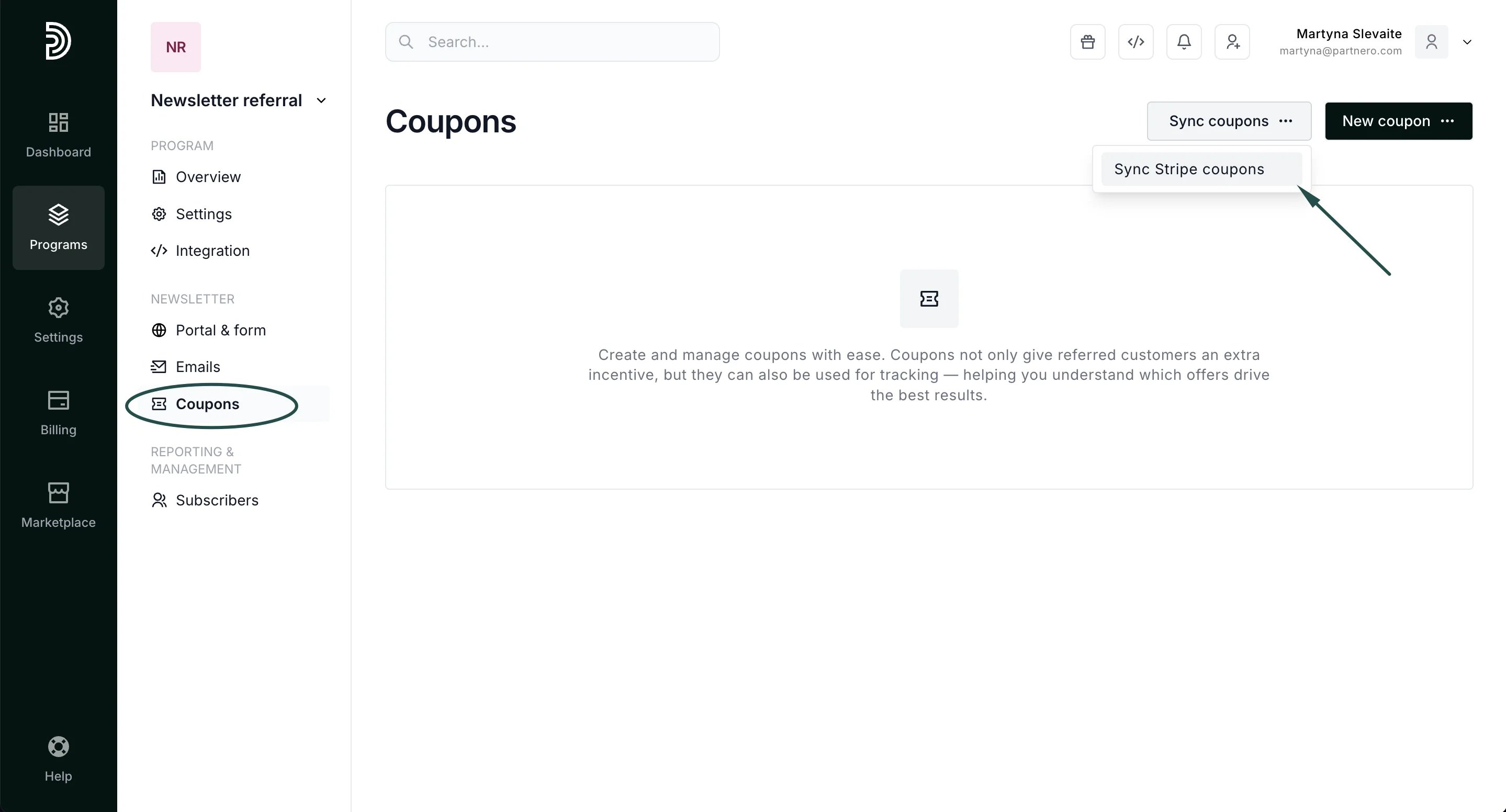
How to send subscribers Stripe coupons as rewards
The next step is to set up the reward.-
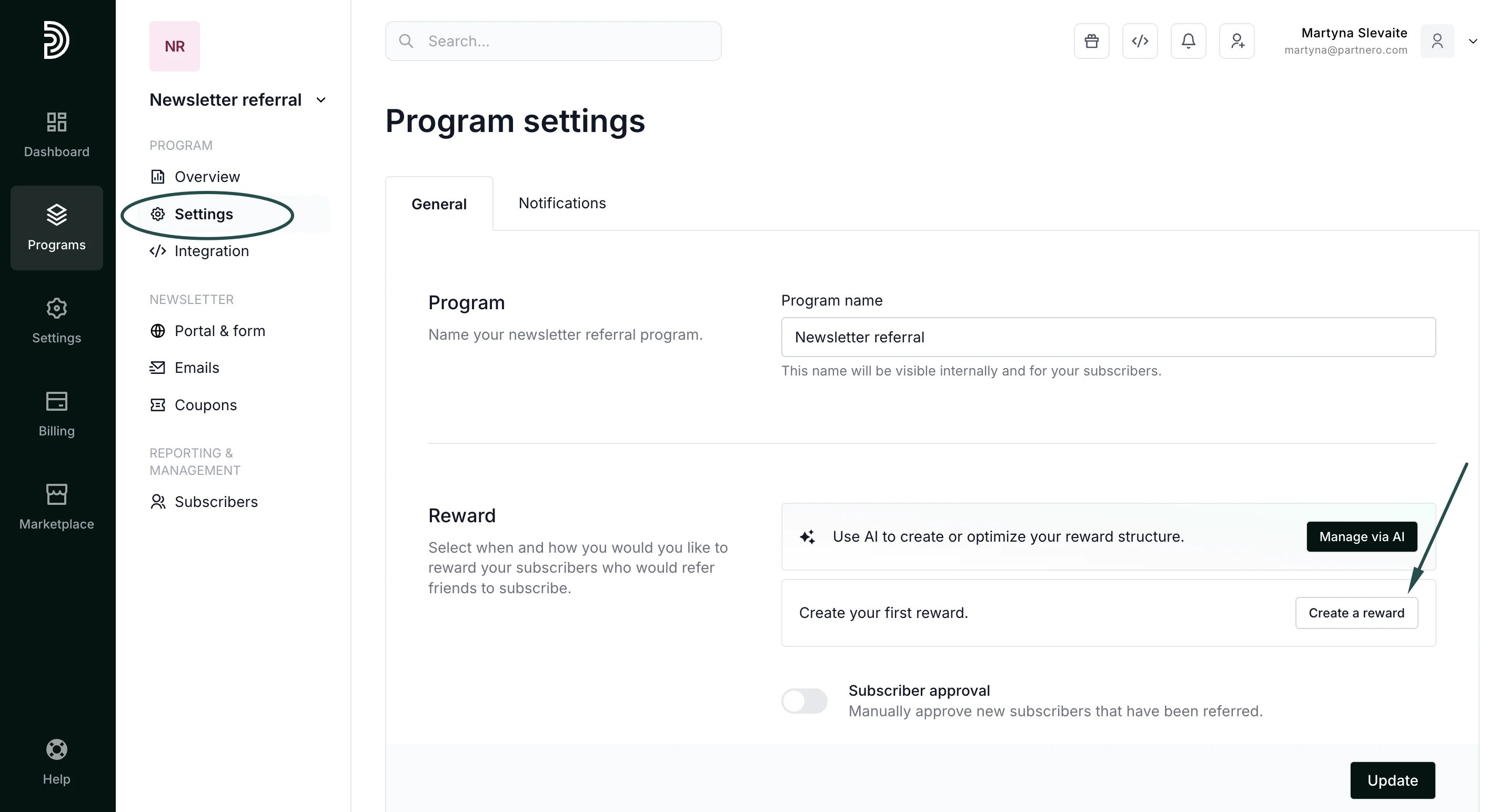
Go to Settings under Program and click Create a reward in the Rewards section:
-
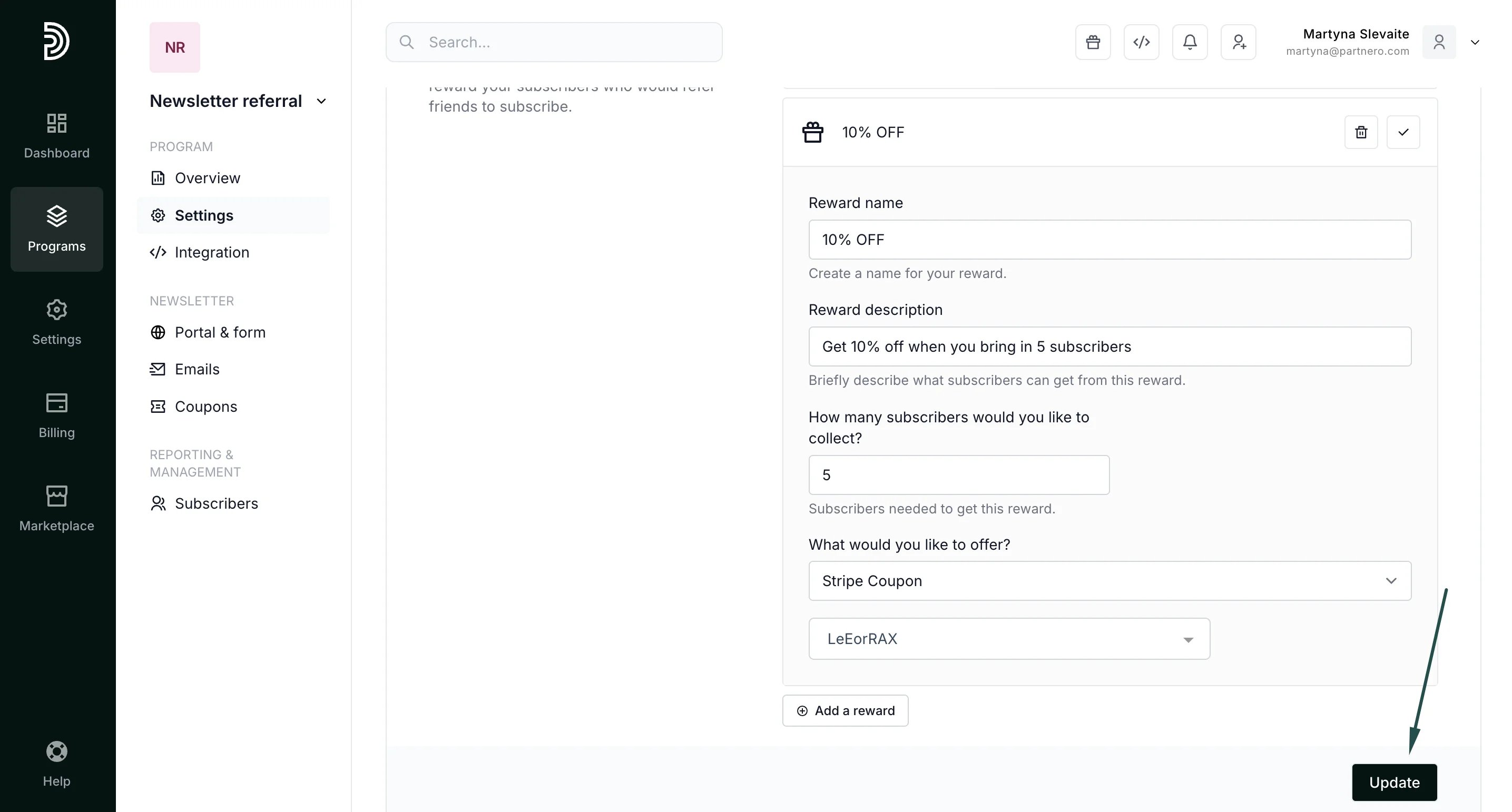
Enter the reward name and description. Under “What would you like to offer?” select Stripe Coupon:
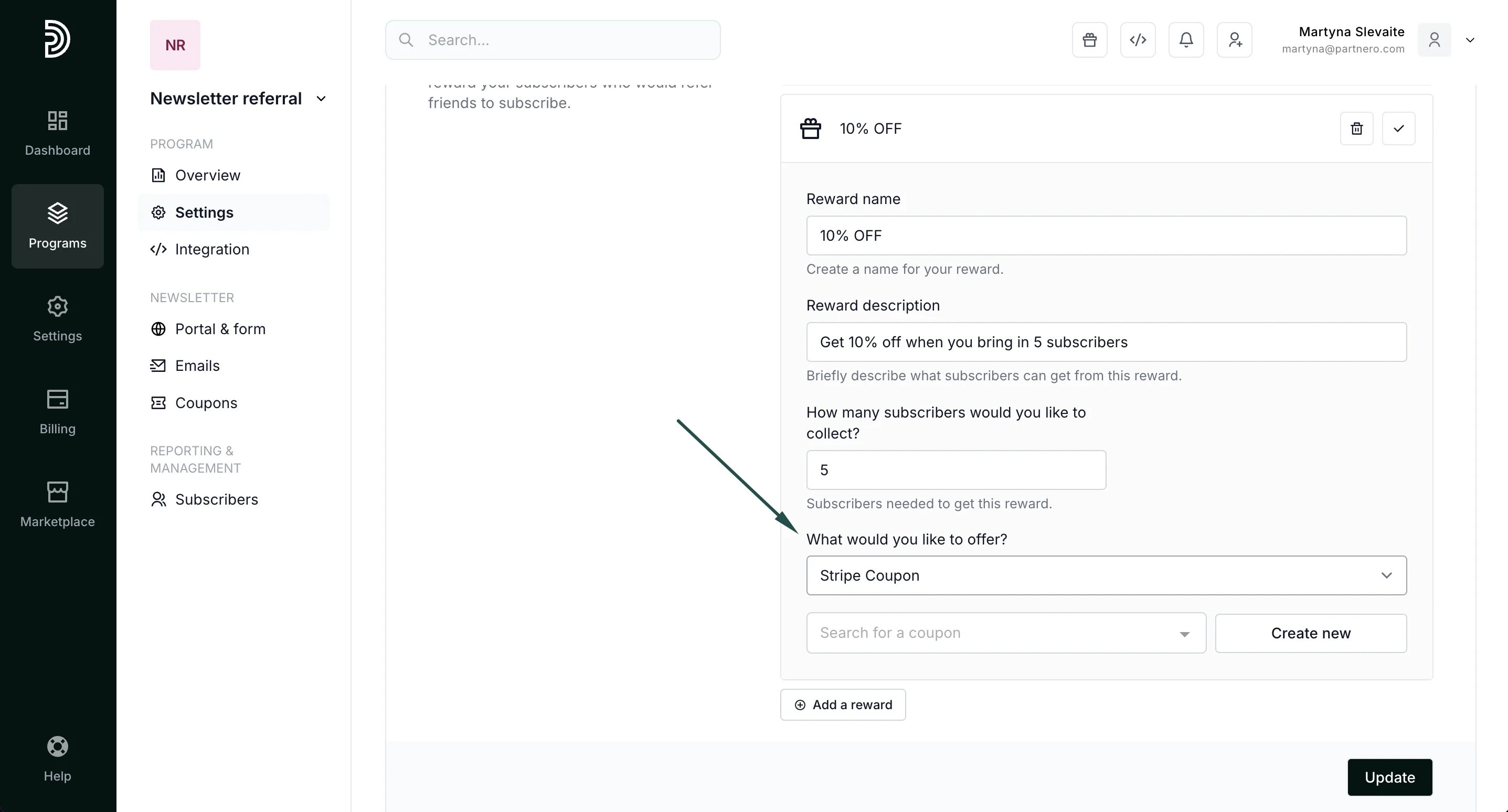
-
Here, you can search and select synced coupons or create new coupons. If you’d like to create new coupons, click on Create new and fill out the modal:
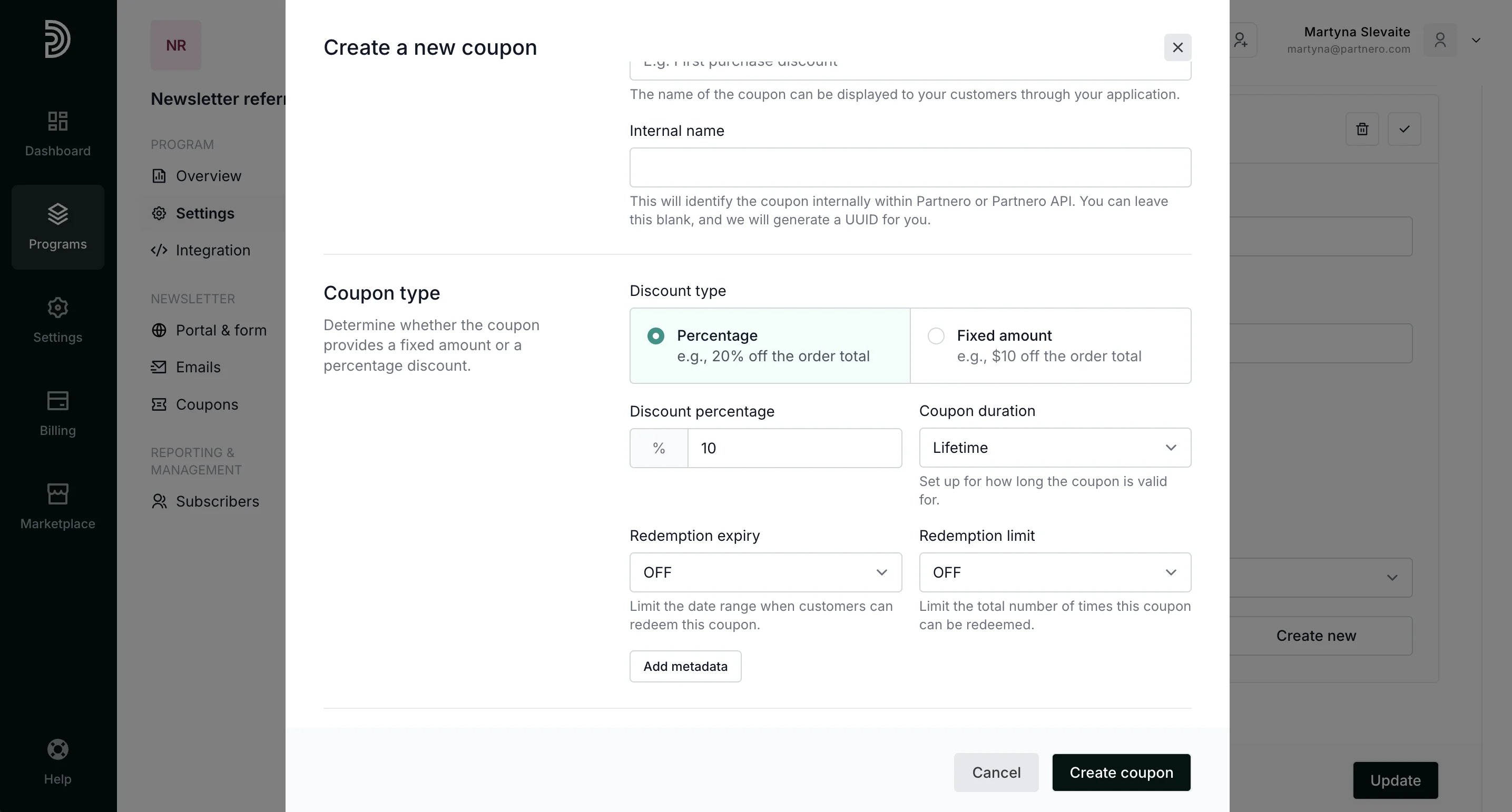
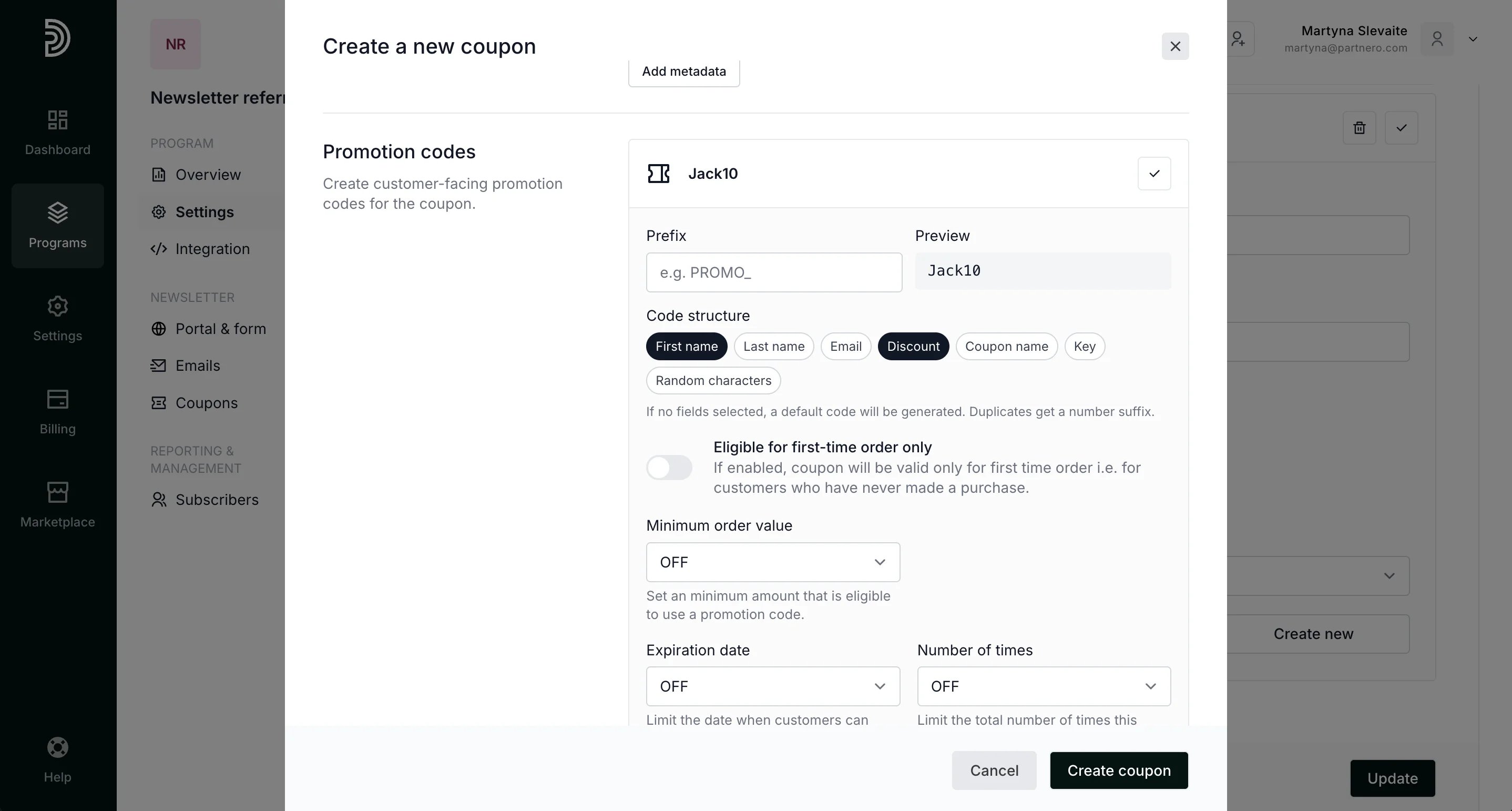
- Once you’re satisfied with the settings, click Create coupon. The coupon will be created on Partnero and automatically synced with Stripe.
-
Click Update to save your reward.