

What are Paddle coupons in Partnero?
Coupons are discounts that partners can share with their audience, such as a percentage off or a fixed amount. With the Paddle Billing integration, coupons stay in sync between Paddle and Partnero, so you can manage them in either place and Partnero can track the sales they generate. You can:- Create coupons in Partnero and sync them to Paddle.
- Create coupons in Paddle and sync them to Partnero.
- Sync coupons you already have in Paddle.
Before you start
Connect your Paddle Billing account to Partnero first. Follow the Paddle Billing integration guide.Create coupons in Partnero and sync them to Paddle
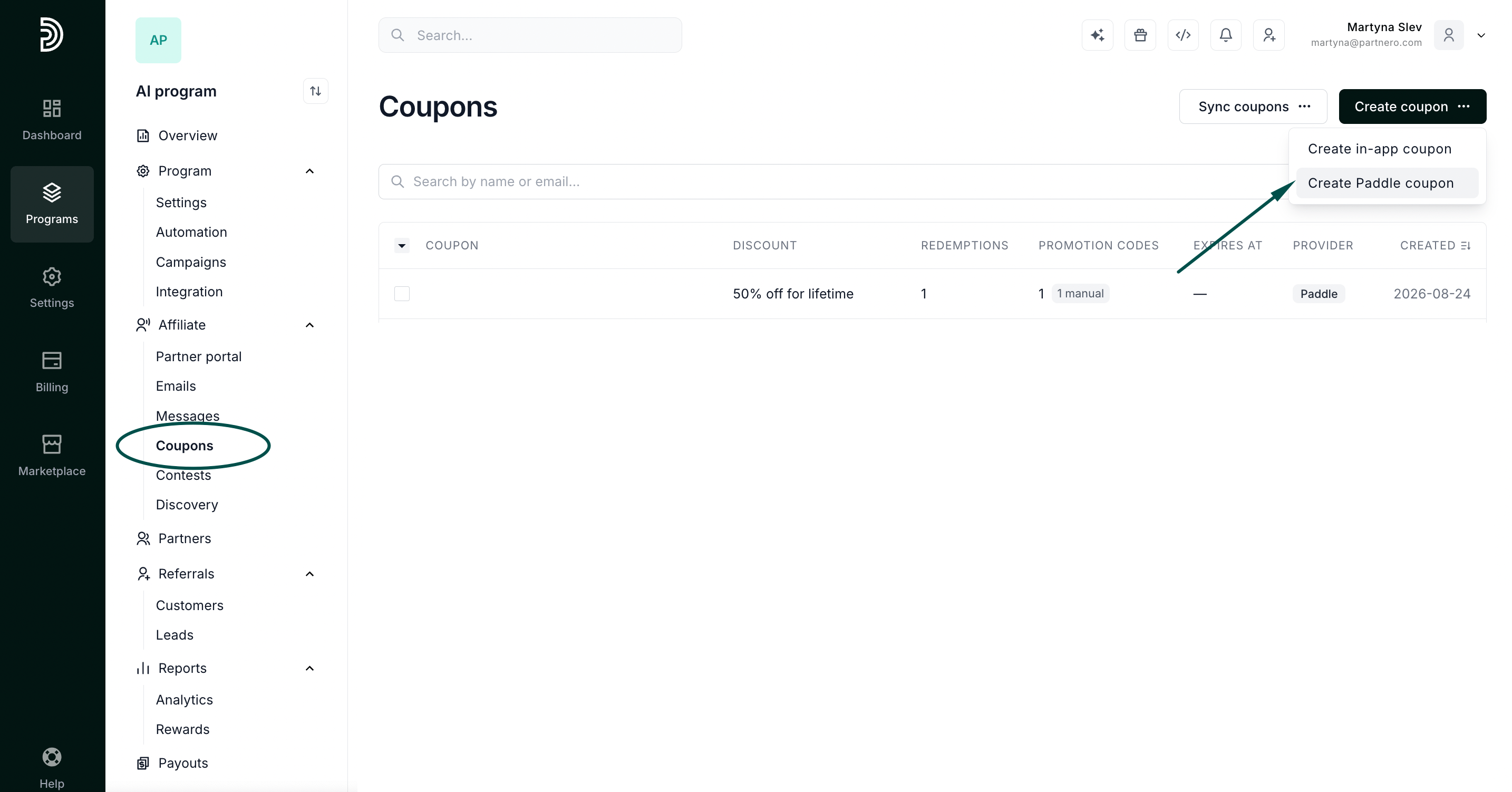
Coupons you create in Partnero are added to your Paddle account automatically.- In your affiliate program, go to Program > Coupons.
- Click Create coupon and select Create Paddle coupon.
- Set up the coupon and click Create.
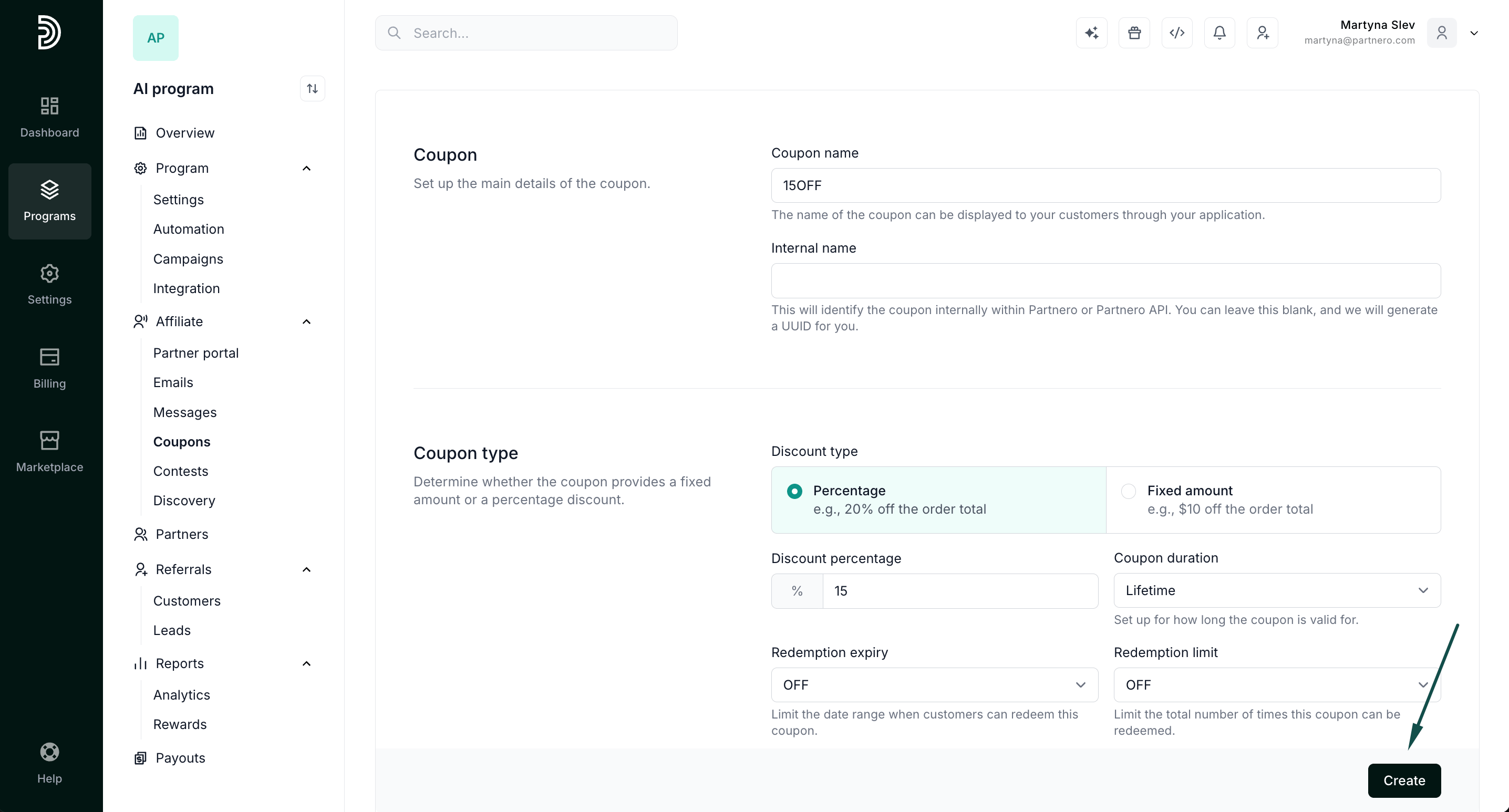
- A notification confirms that the coupon was created in both Partnero and Paddle.
- Open Discounts in Paddle to confirm the new coupon is there.
Sync existing Paddle coupons
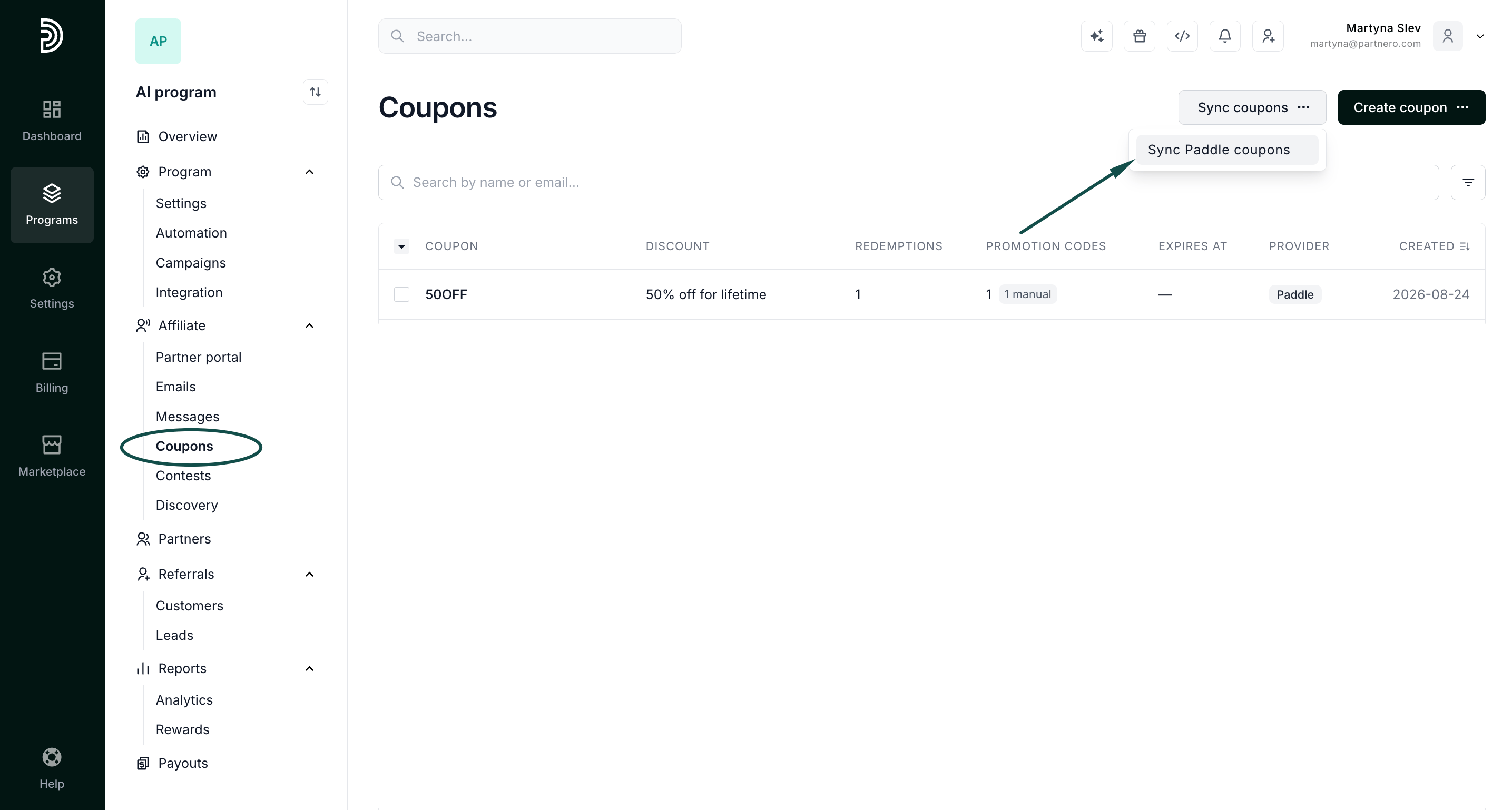
If you already have coupons in Paddle, you can bring them into Partnero.- Go to Program > Coupons.
- Click Sync coupons and select Sync Paddle coupons.
- Choose whether to sync all coupons or only specific ones.\
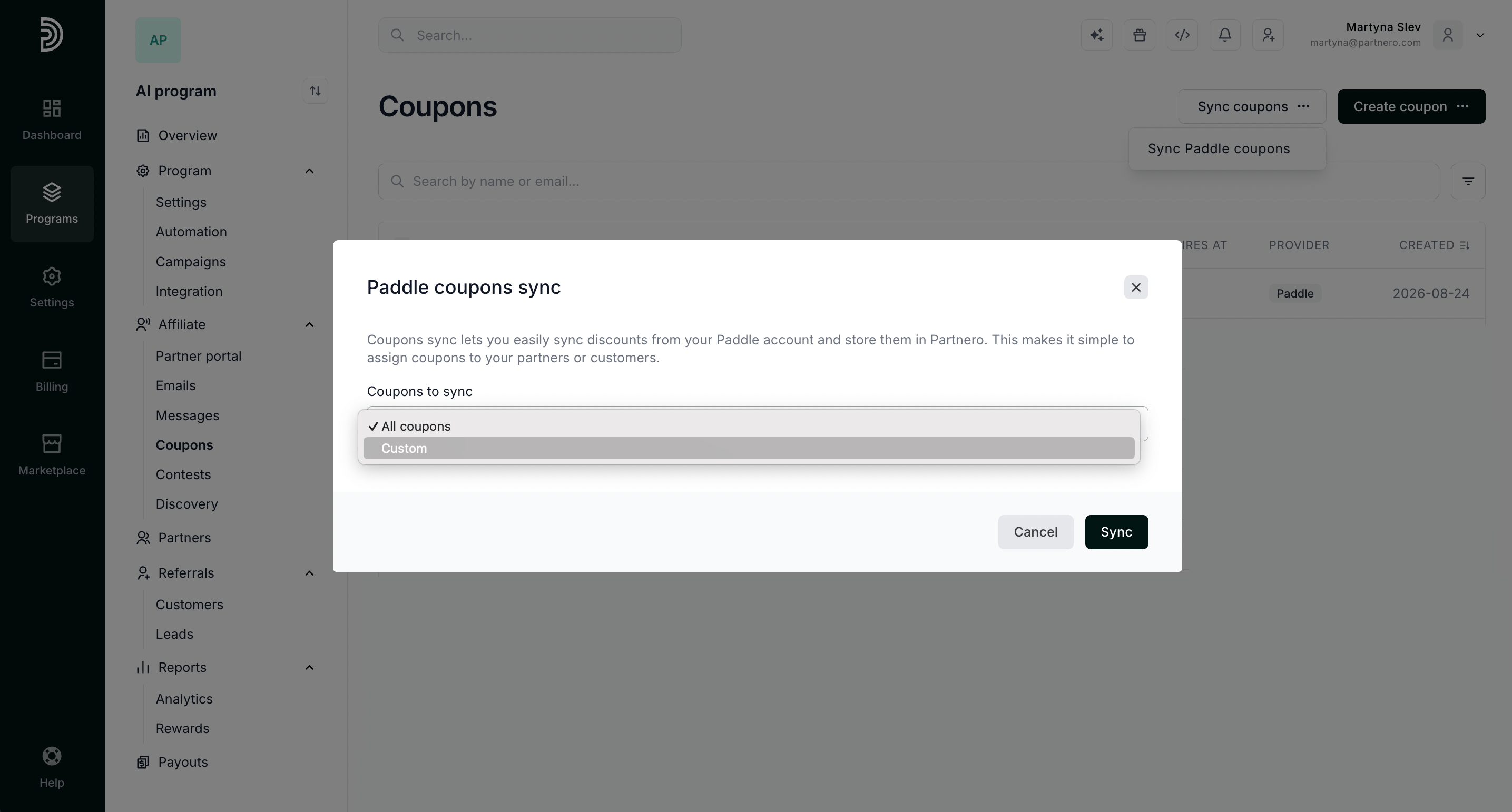
- Click Sync.