

- “Show me my top 10 partners this month”
- “Create a customer for and link them to partner partner_abc”
What is MCP?
The Model Context Protocol is an open standard that enables AI assistants to securely interact with external tools and data sources. The Partnero MCP server exposes your program’s data and actions (partners, customers, transactions, leads, rewards) so the assistant can use them on your behalf. All requests are authenticated with your Partnero API key, so the assistant only accesses data your account is allowed to see.What your AI assistant can do
Once connected, your assistant can manage: Partner management- list, search, get partners
- create, update partners
- archive / restore partners
- list, search, create customers
- update customers
- view transactions and stats
- archive / restore customers
- list and retrieve transactions
- create transactions (triggers commissions)
- archive / restore transactions
- list and manage leads
- convert or reject leads
- view rewards
- program overview and settings
How to connect Partnero MCP to your AI assistant
Step 1: Get your API key
- Log in to your Partnero dashboard
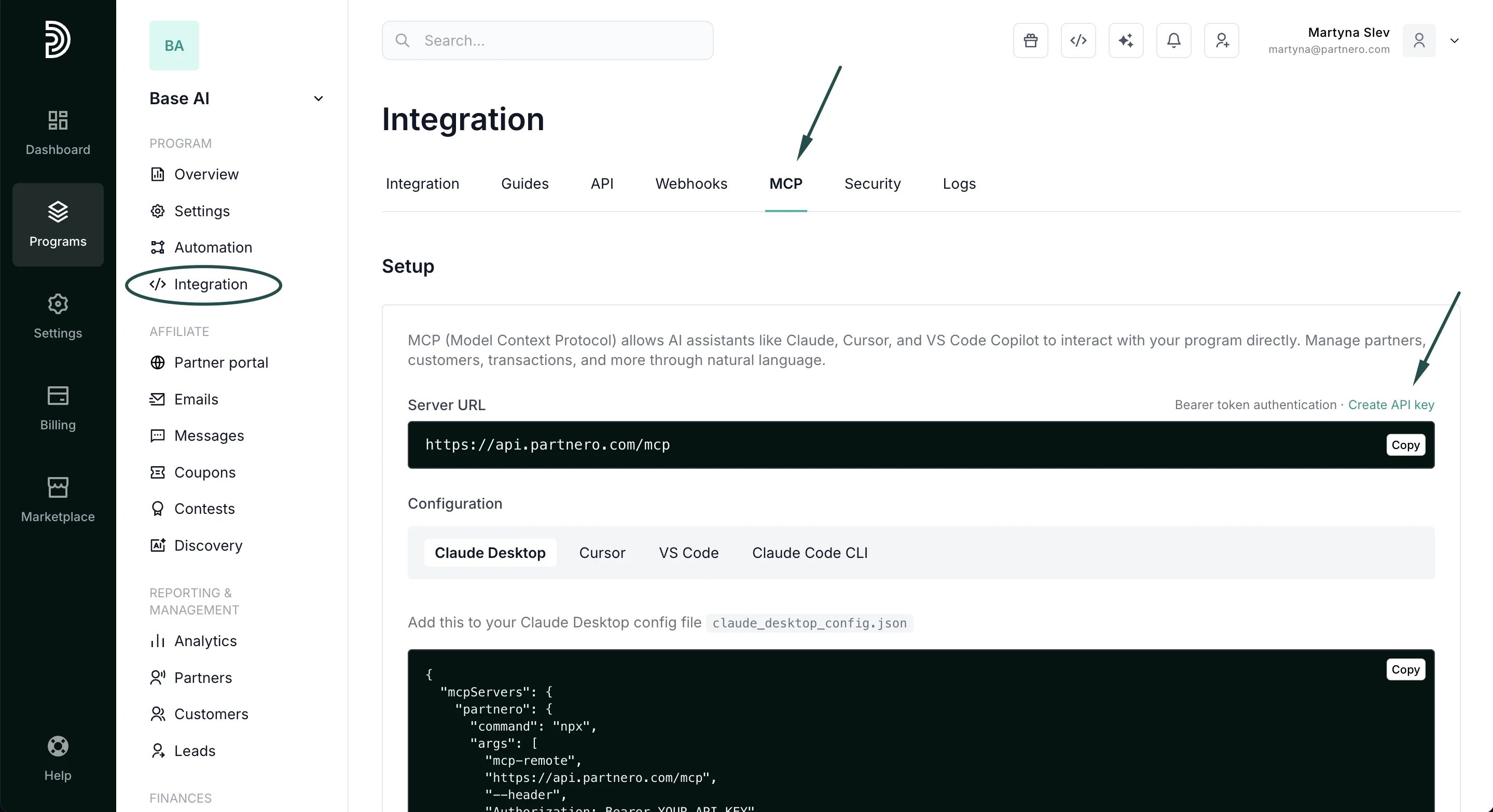
- Go to Integration → MCP (or Settings → API)
- Generate and copy your API key:
Step 2: Connect Partnero MCP to your AI assistant
You can find ready-to-use setup instructions and configuration snippets for each supported AI tool directly in your Partnero dashboard.- Go to Integrations → MCP
- Choose the AI tool you want to connect (Claude Desktop, Cursor, VS Code, or Claude Code CLI)
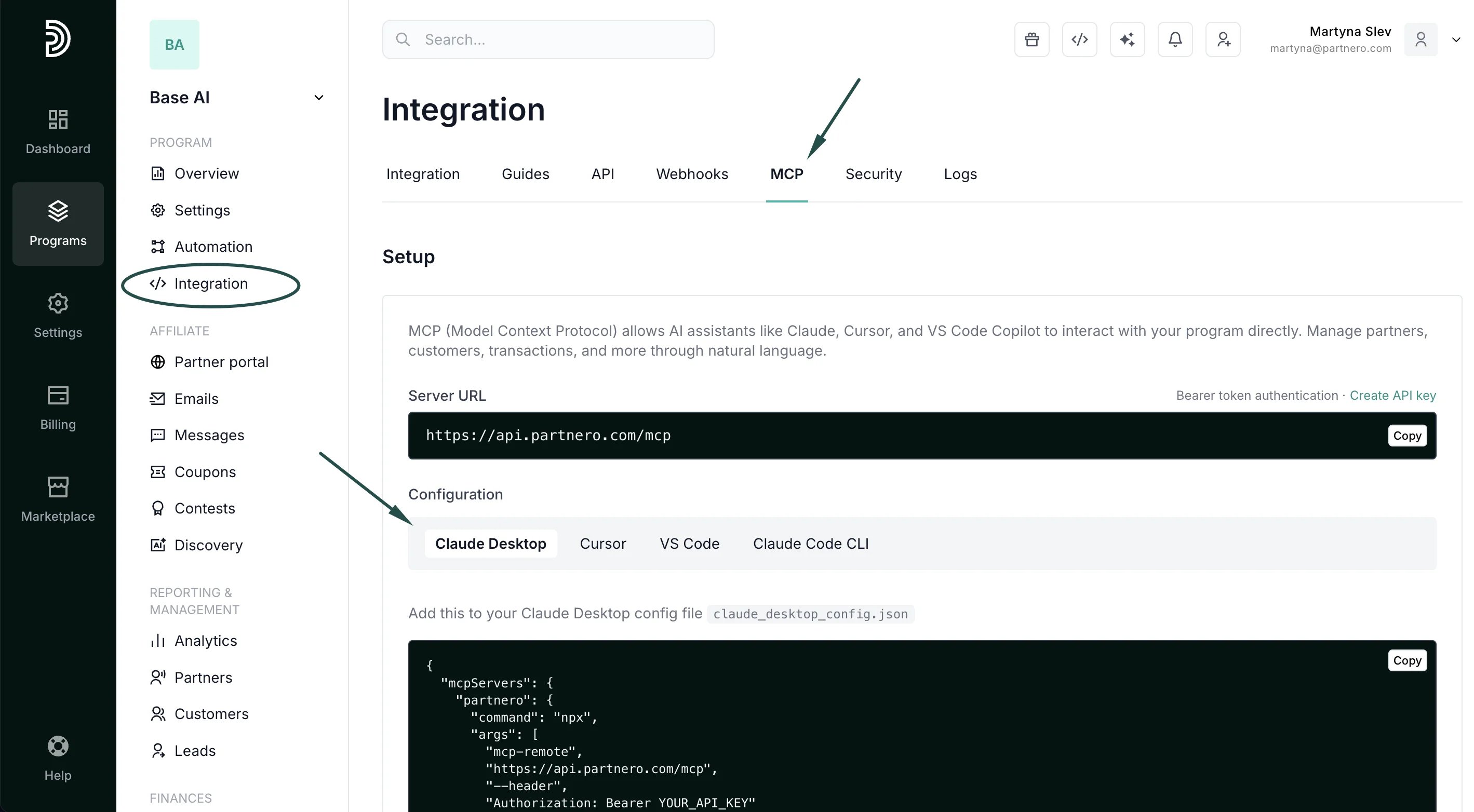
- Copy the configuration instructions shown for that tool:
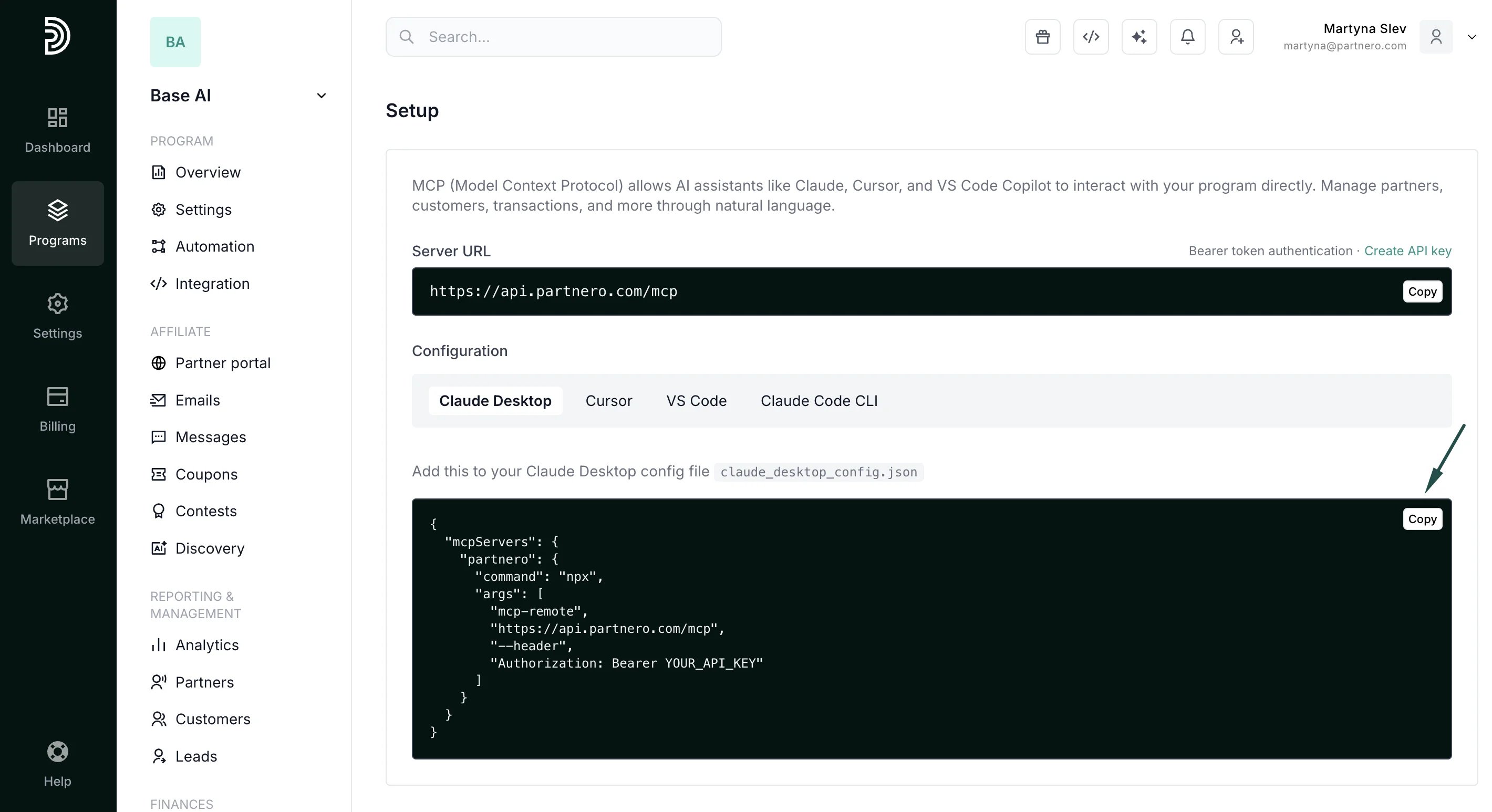
- In the code snippet, find the placeholder Authorization**: Bearer YOUR_API_KEY** and replace
YOUR_API_KEYwith your actual API key generated from your Partnero dashboard. - Paste them into your AI tool’s MCP or integration settings
- Restart your AI tool if needed.
Example prompts
You can ask:- Show me my top 10 partners by performance
- How many customers were referred this month?
- Create a new partner with email [email protected]
- Get transaction history for customer cust_123
- What’s the total pending commission amount?
- Search for partners named John
- Create a customer for and link to partner partner_abc
- Give me an overview of my program
Rate limits
- Tool calls: 360 requests/minute
- SSE connections: 5 per IP/minute
Troubleshooting
401 Unauthorized- Check API key and Authorization header
- Restart your AI application
- Wait 60 seconds or reduce request frequency
- Ensure Node.js 18+ is installed
- Check
node --version