



- Enable the referral portal for your refer-a-friend program;
- Customize the referral portal and the widget.
How to embed an in-site widget
The widget can be added in three simple steps. All three steps are required for the widget to work.Step 1: Add the PartneroJS snippet
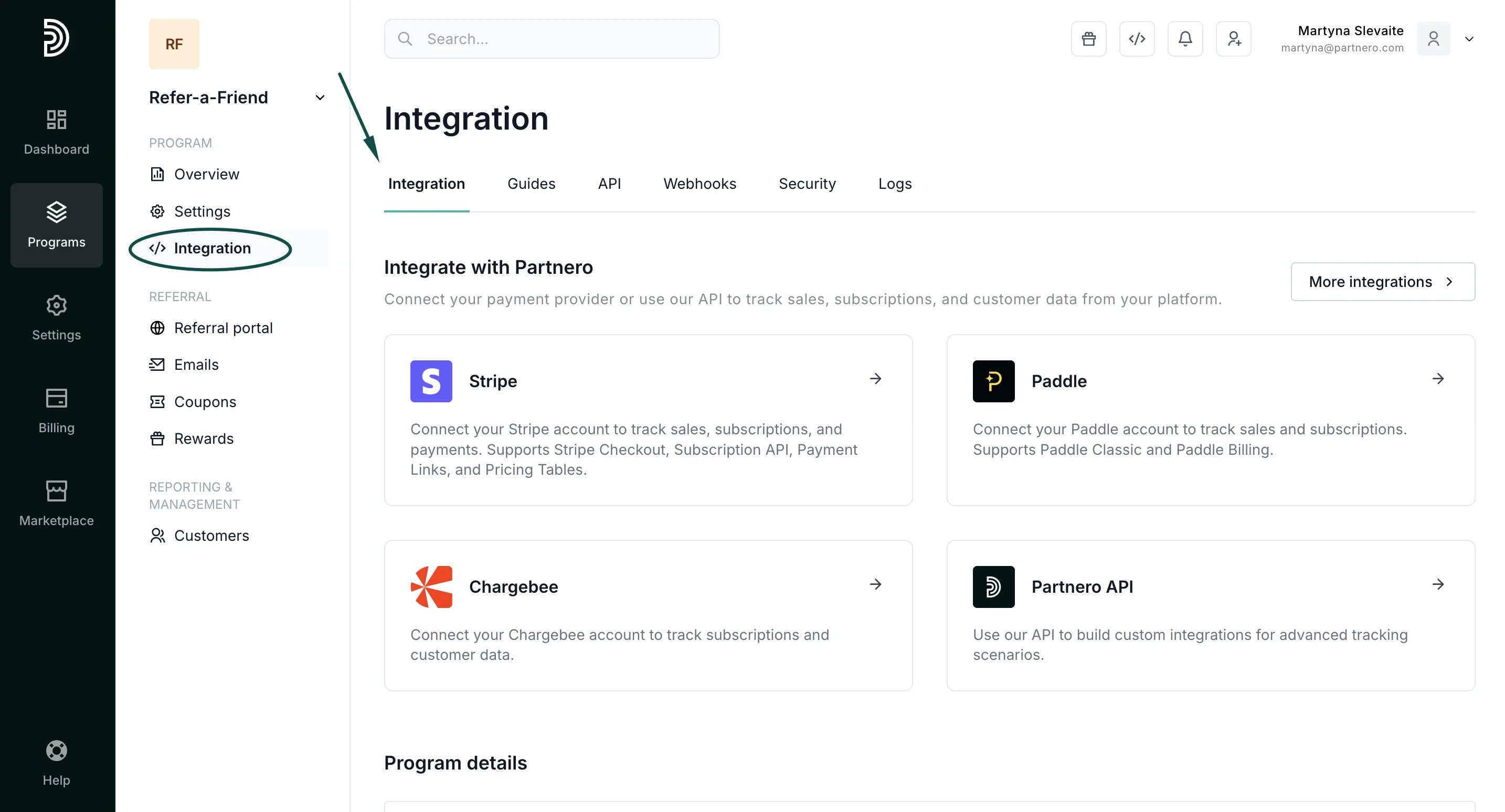
The first step is to insert the PartneroJS snippet before the closing </head> tag in the HTML code of your website.- In your program, go to the Integration section:
- Scroll down to the Program details section and copy the PartneroJS snippet:
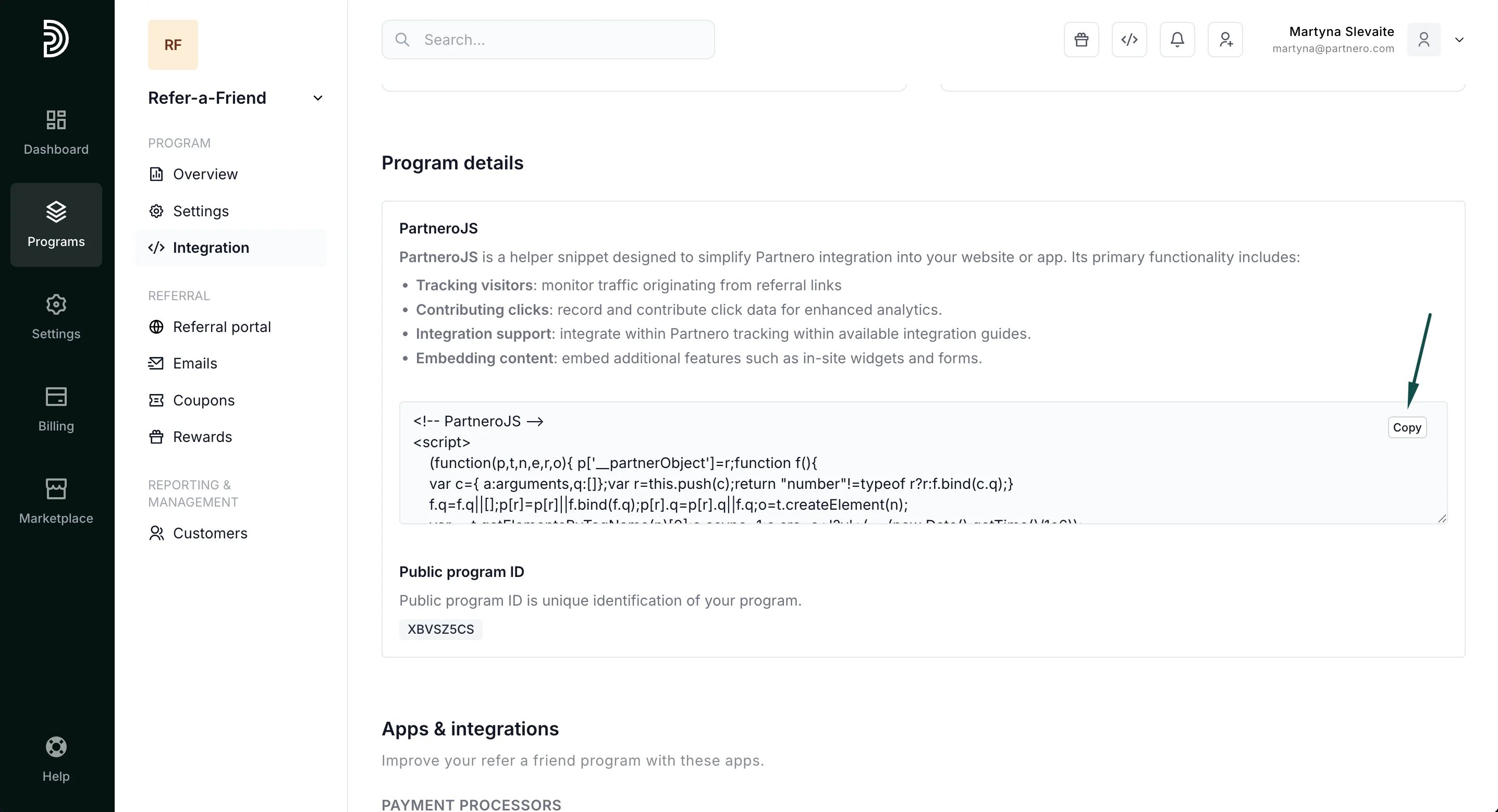
- Paste the script before the closing </head> tag in the HTML code of your website.
Step 2: Connect a referral portal domain
The referral portal must be connected with a subdomain and hosted on your domain to enable the widget.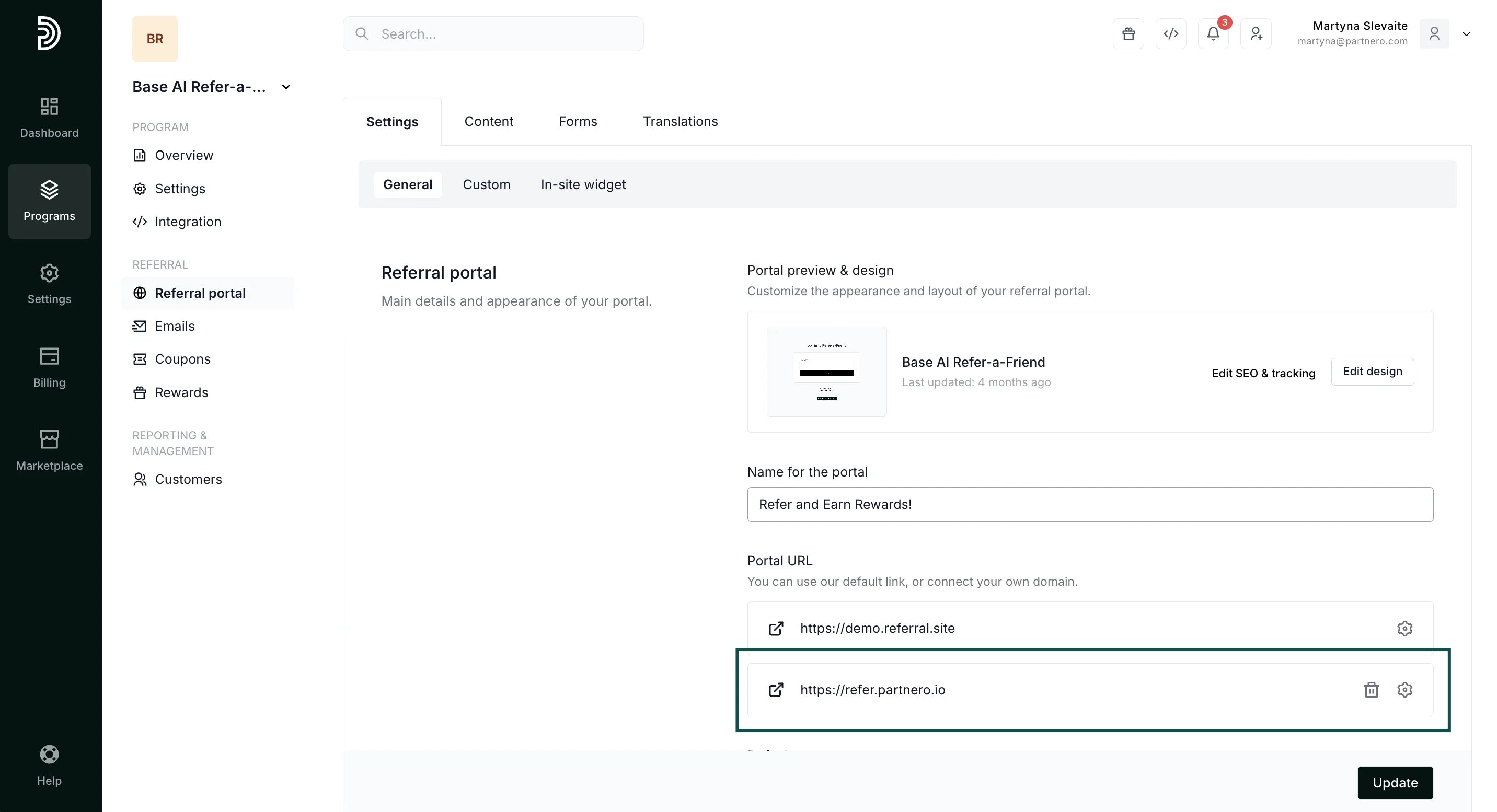
Step 3: Enable the in-site widget
Once you’ve completed the first two steps, the setting to enable the in-site widget will be available.- Go to Referral portal → General tab. Scroll down to Portal features.
- Toggle to Enable in-site widget. You can also list which pages you’d like the widget to appear on:
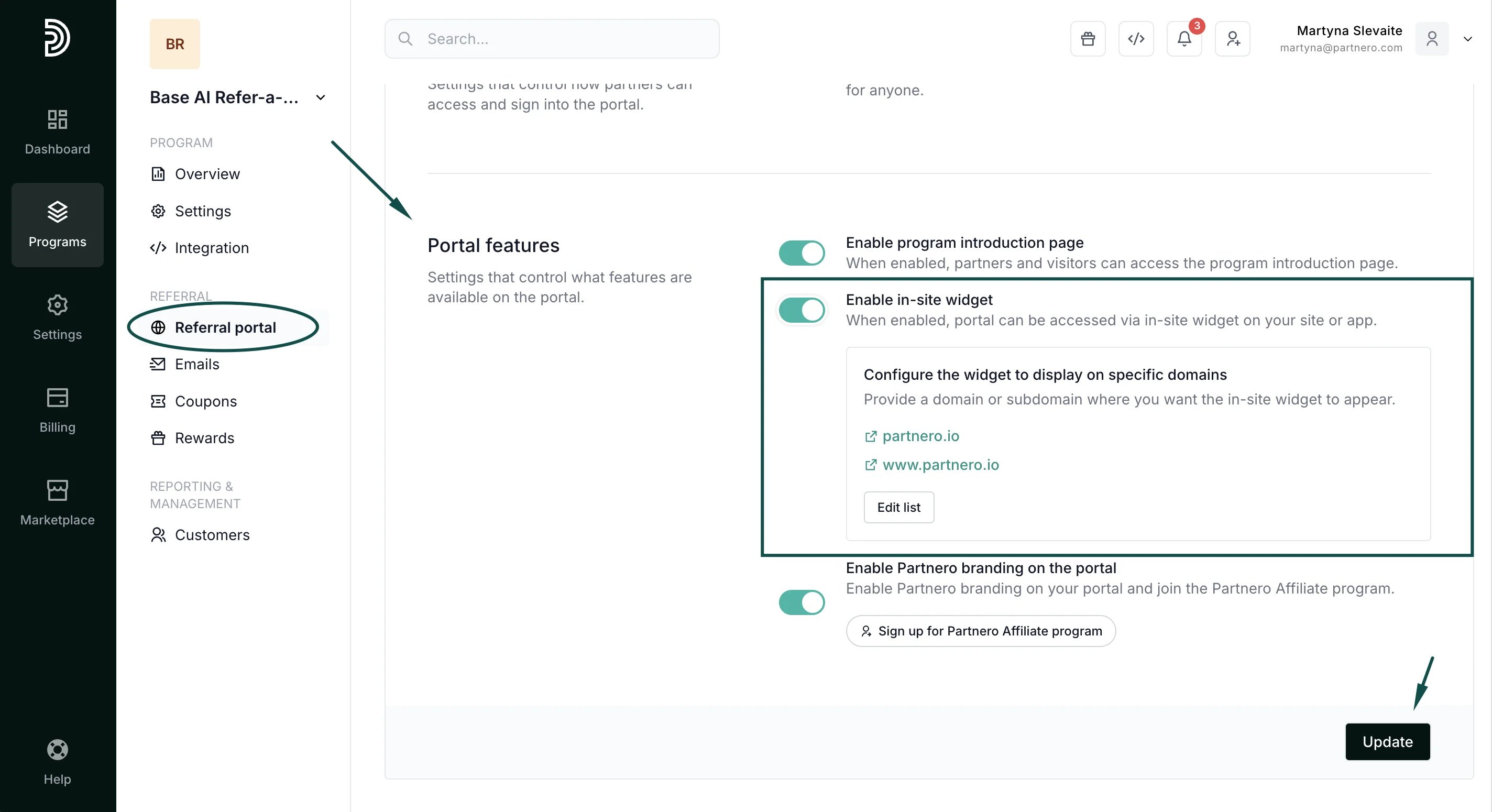
- Click Update to save your changes.