

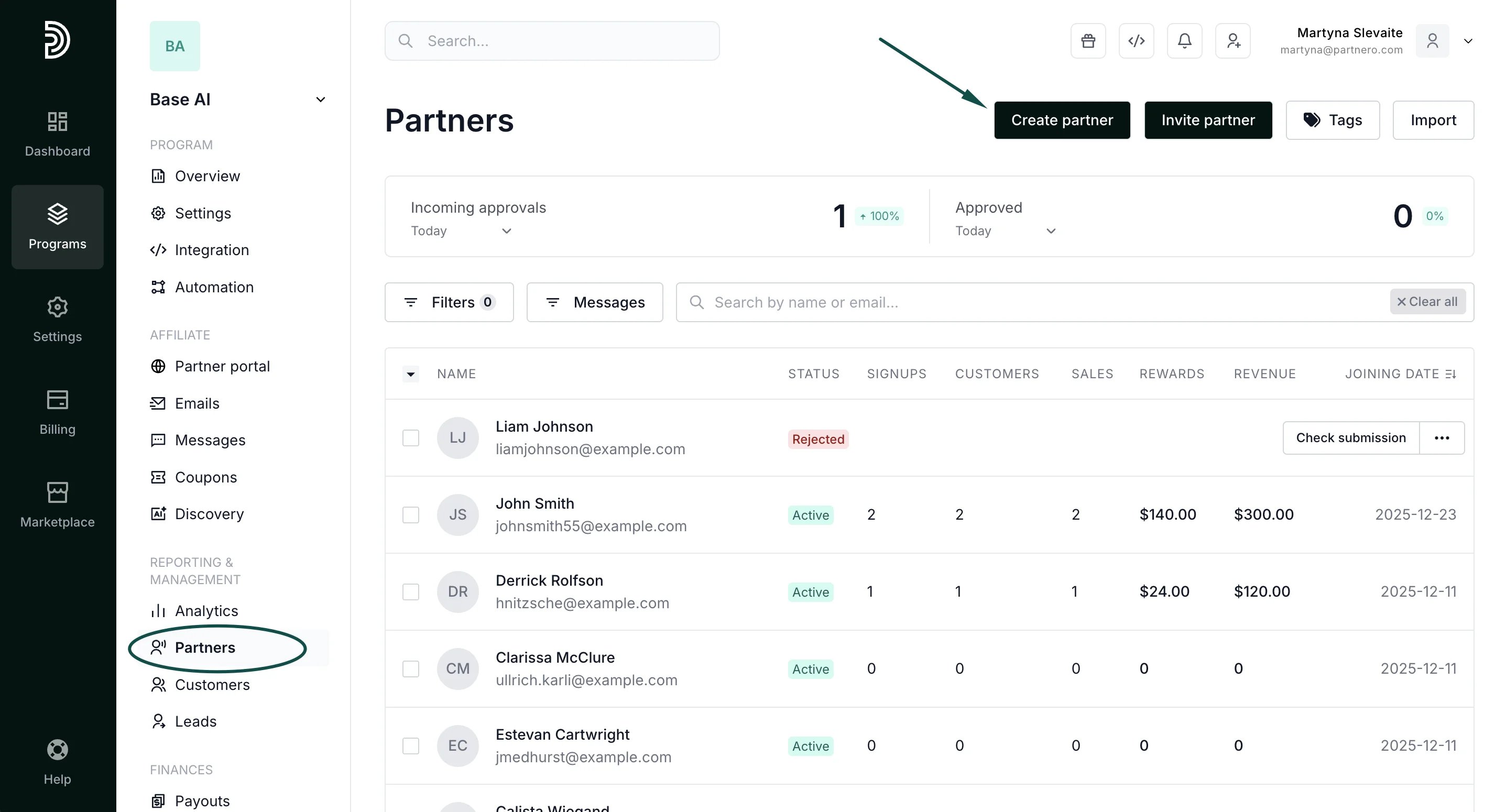
- In your affiliate program, navigate to Partners under Reporting and management.
- Click Create partner in the top right corner:
- Enter the partner’s email address and name (mandatory fields):
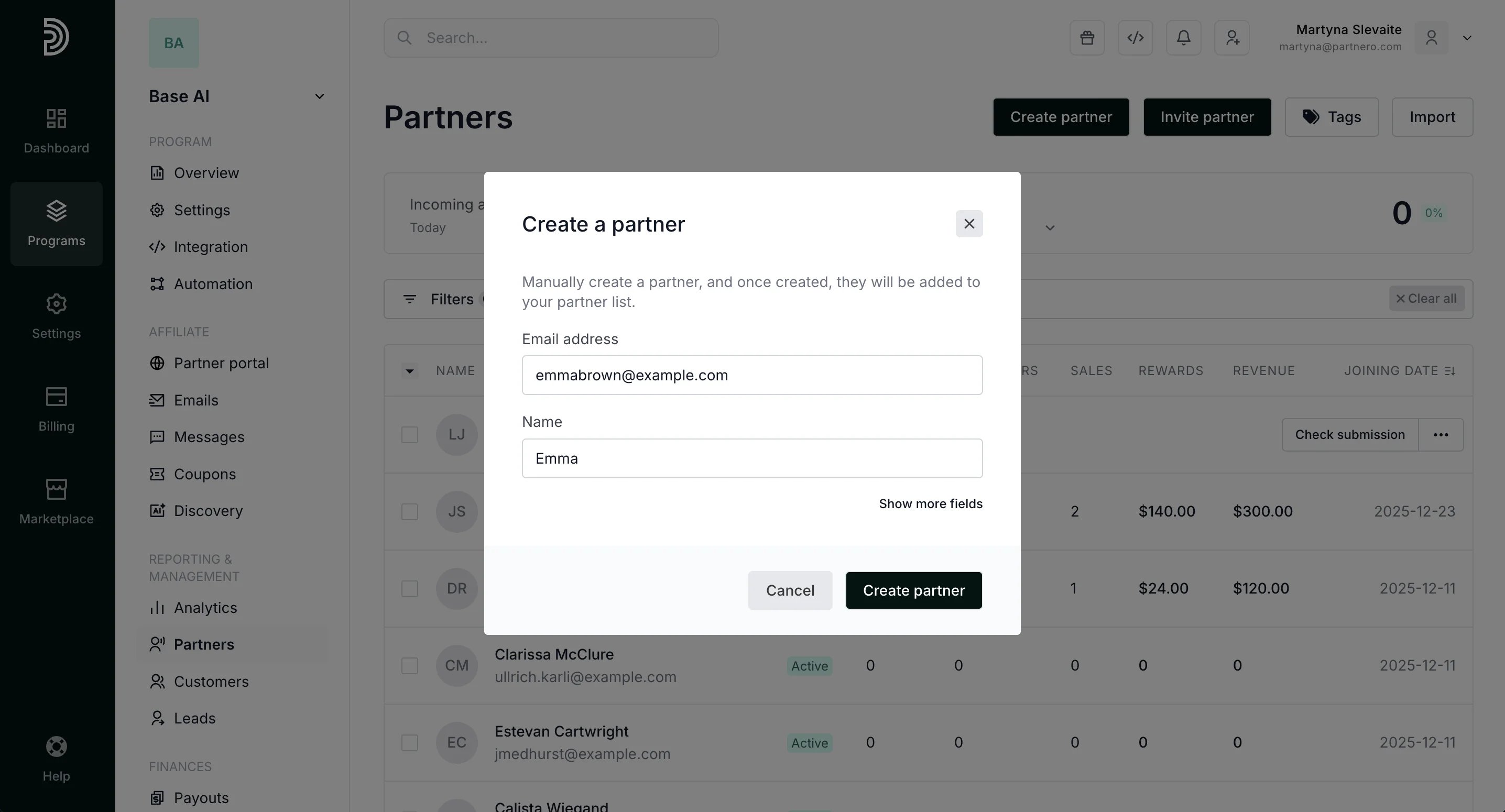
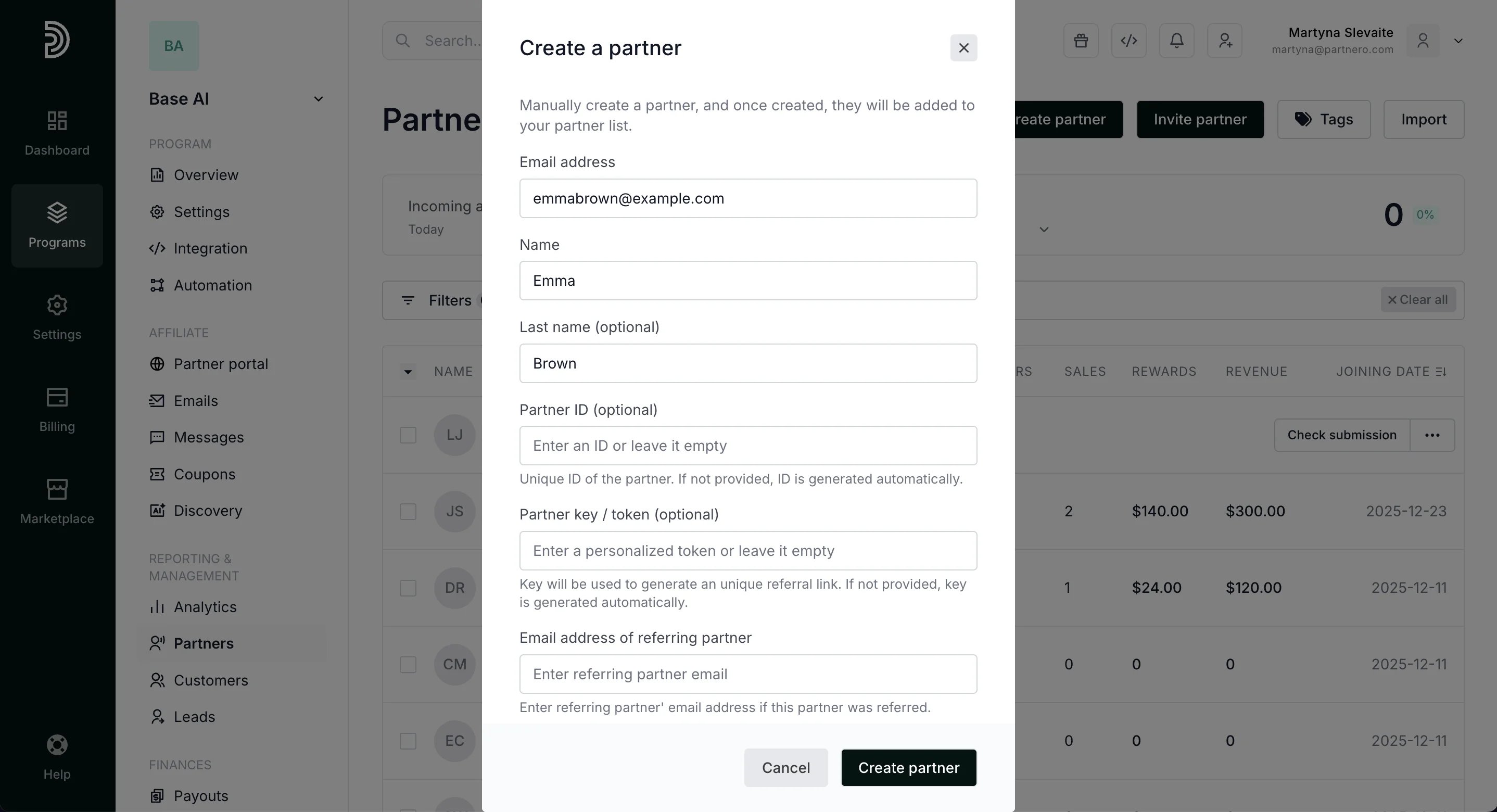
- Click Create partner.
Partner management
How to create a partner
To create a partner manually:
Was this page helpful?