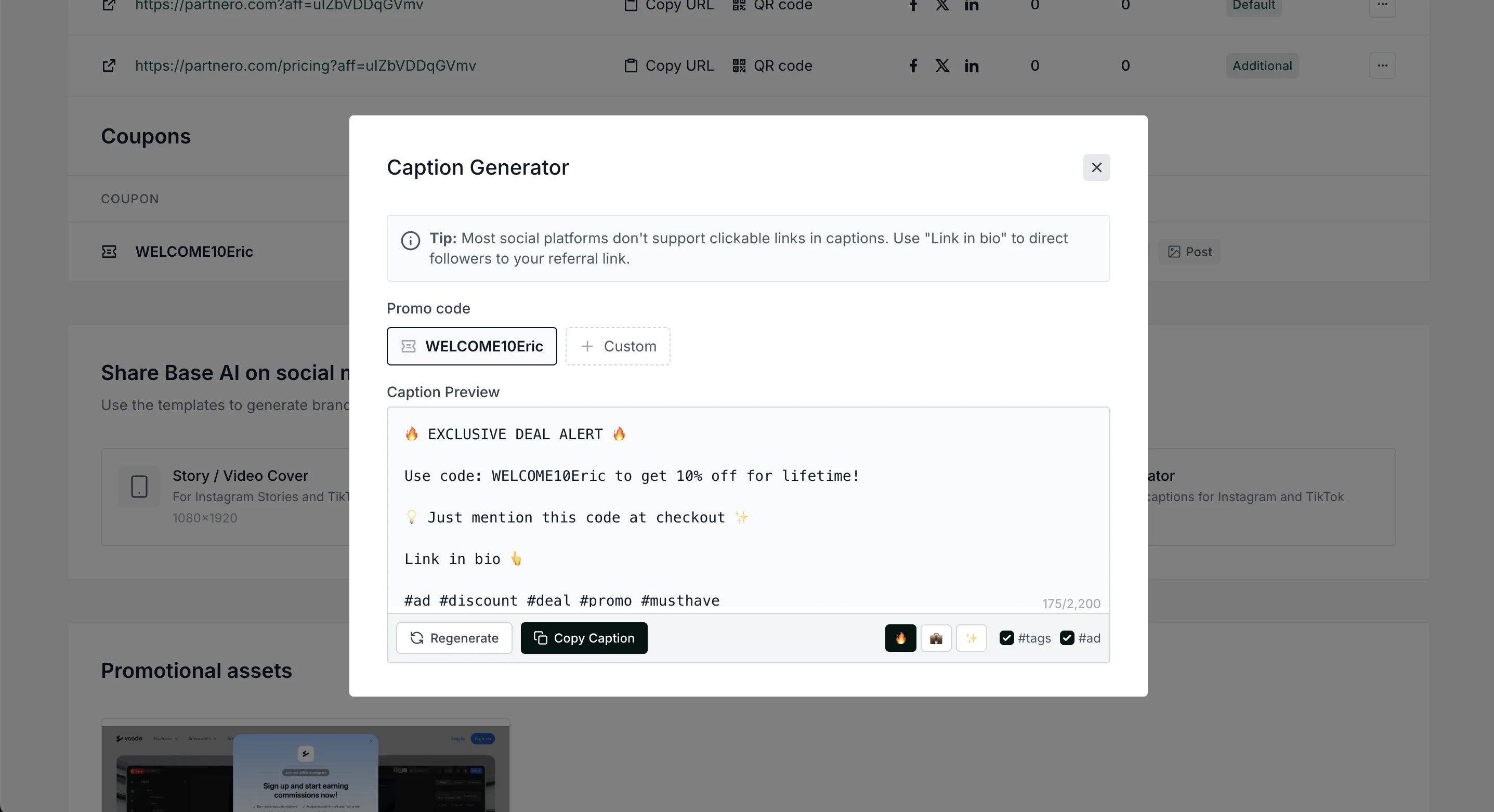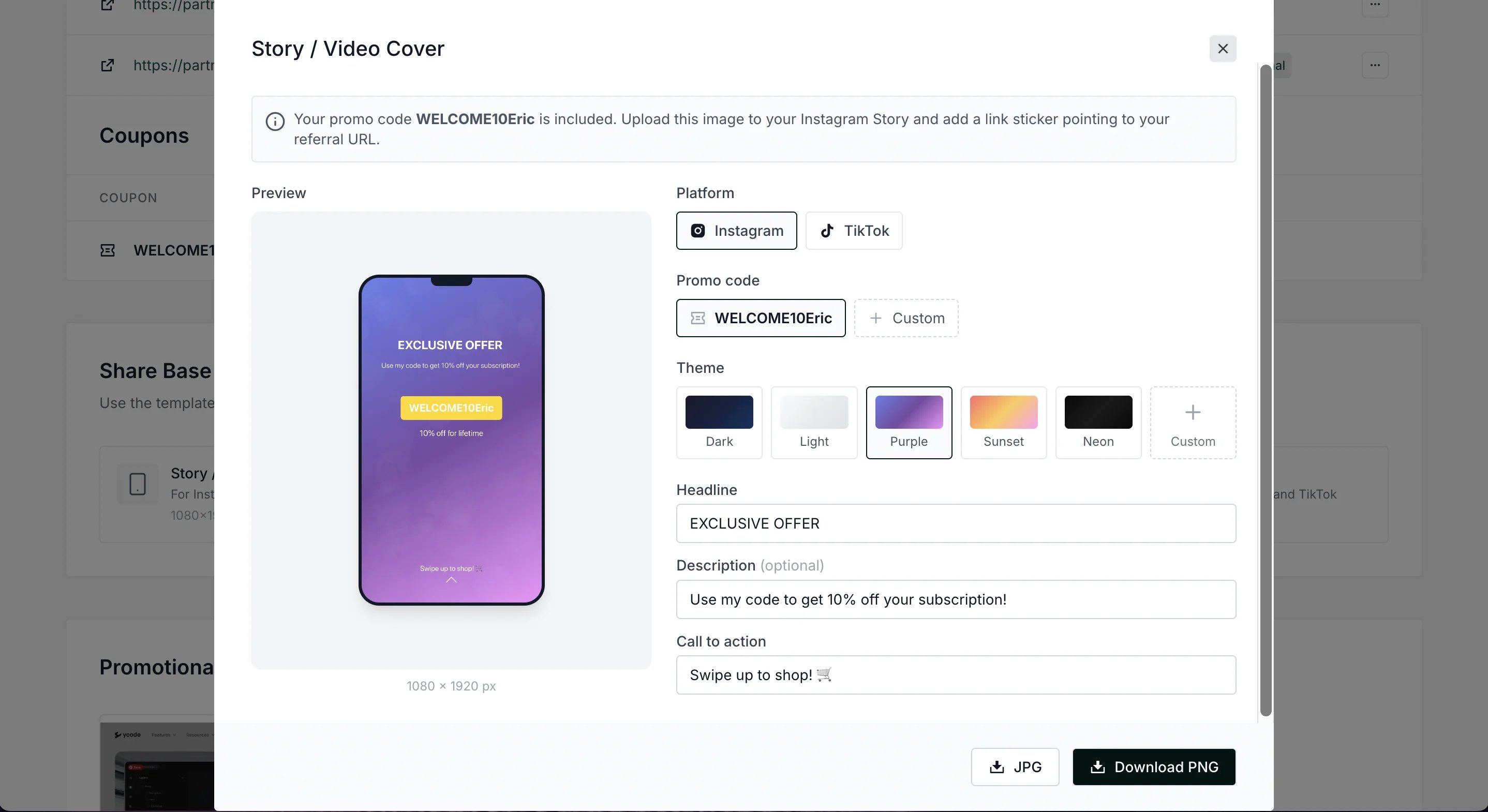
- Story/Video cover templates (1080×1920)
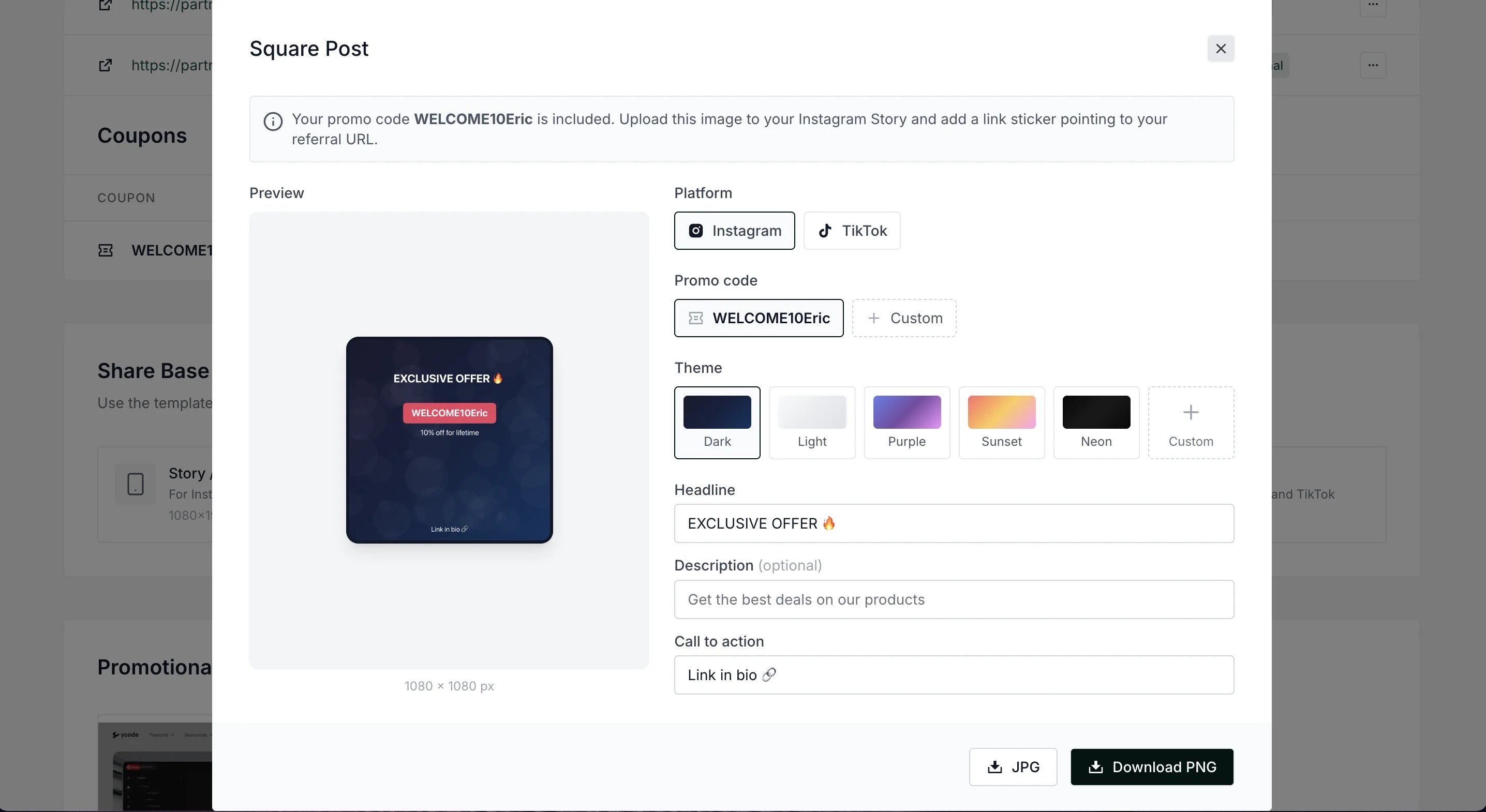
- Square post templates (1080×1080)
- Caption generator with platform-specific hashtags
Add social media templates to partner portal
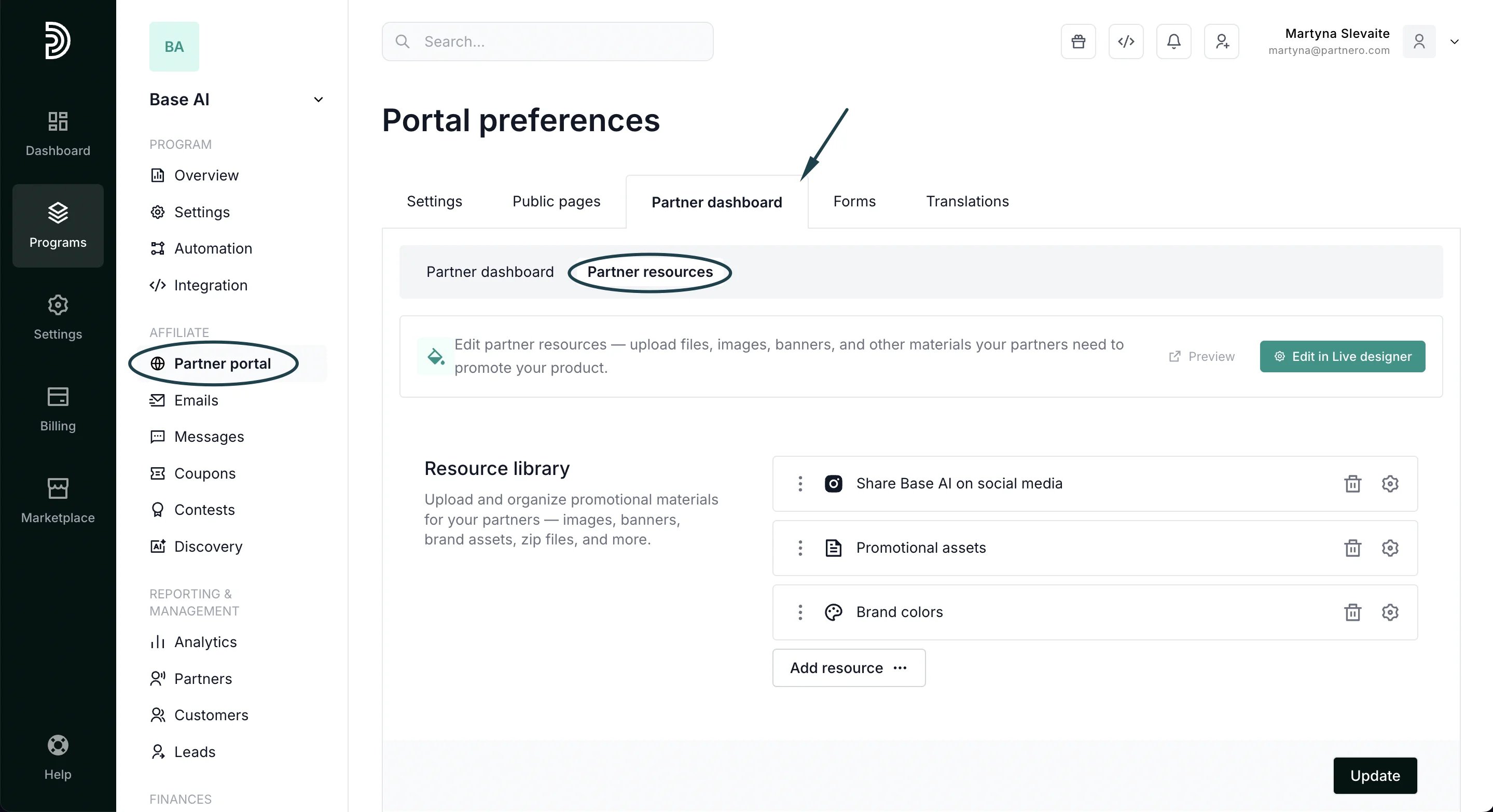
To add social media templates to the affiliates’ partner portal:- Open your program and navigate to Partner portal under Affiliate.
- Select the Partner dashboard tab, Partner resources section:
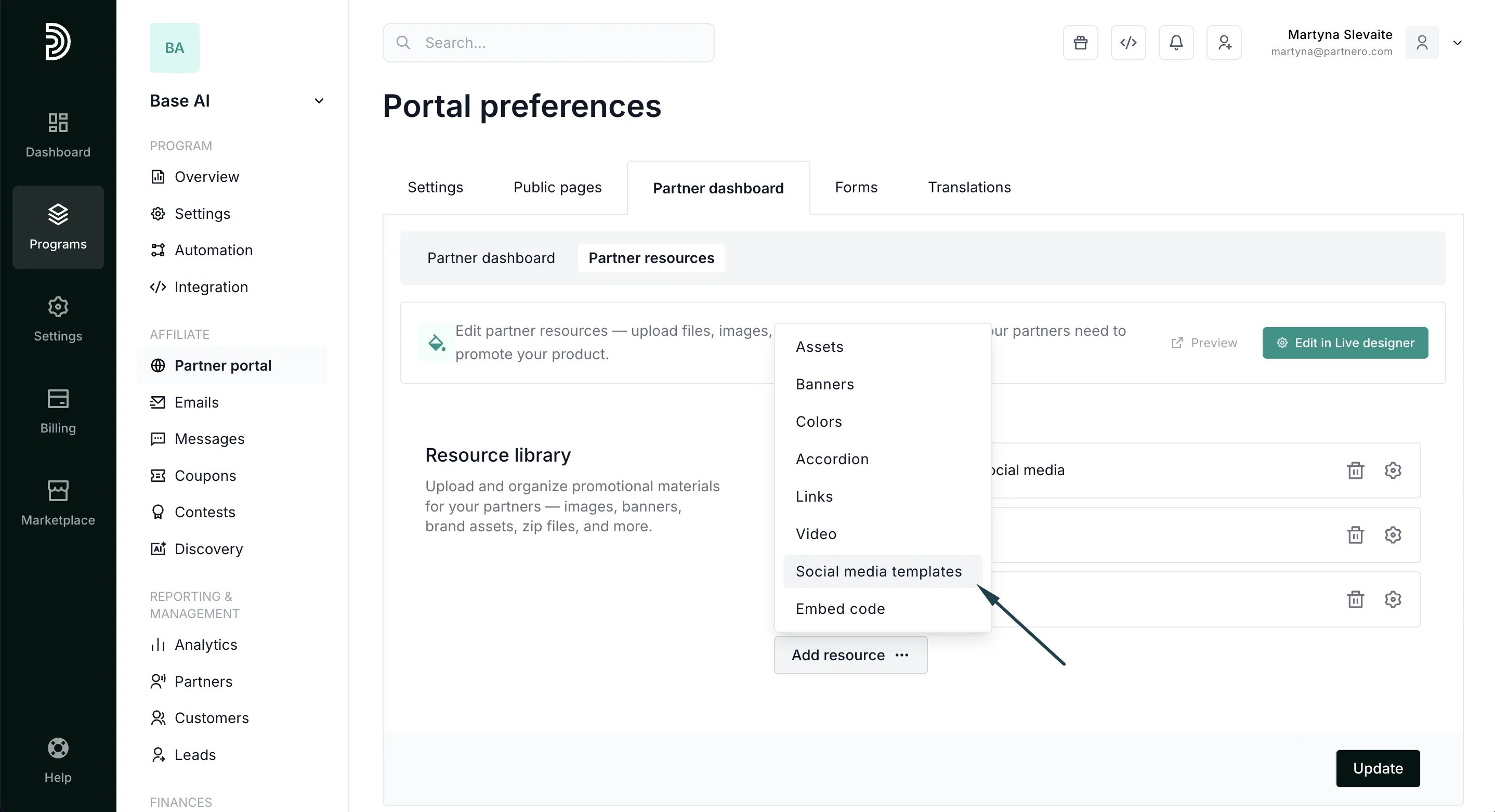
- Click Add resource and select Social media templates:
- Add title and description, and click Update to publish:
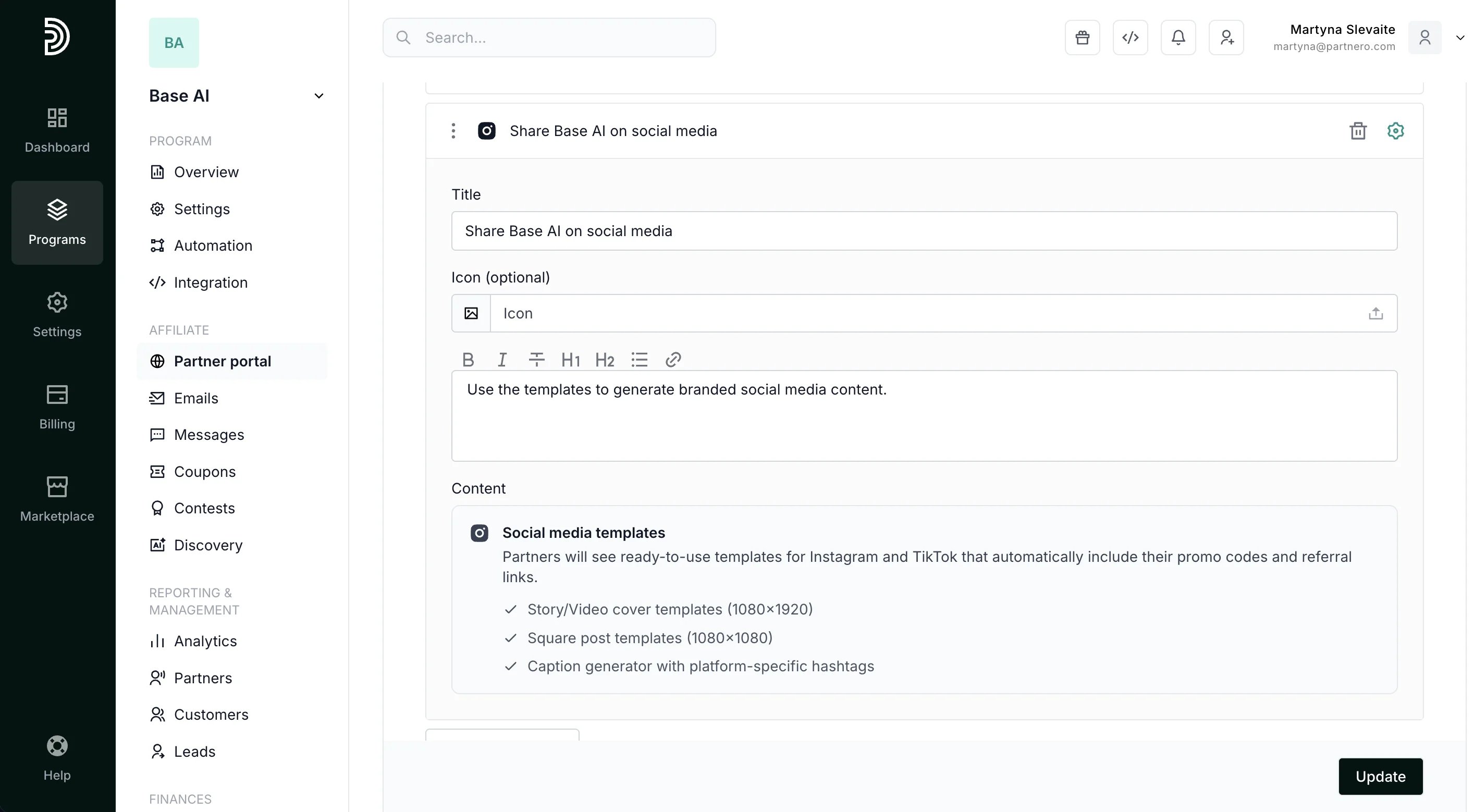
Partner portal view
When added, affiliates will see the templates available in the partner portal’s Resources section: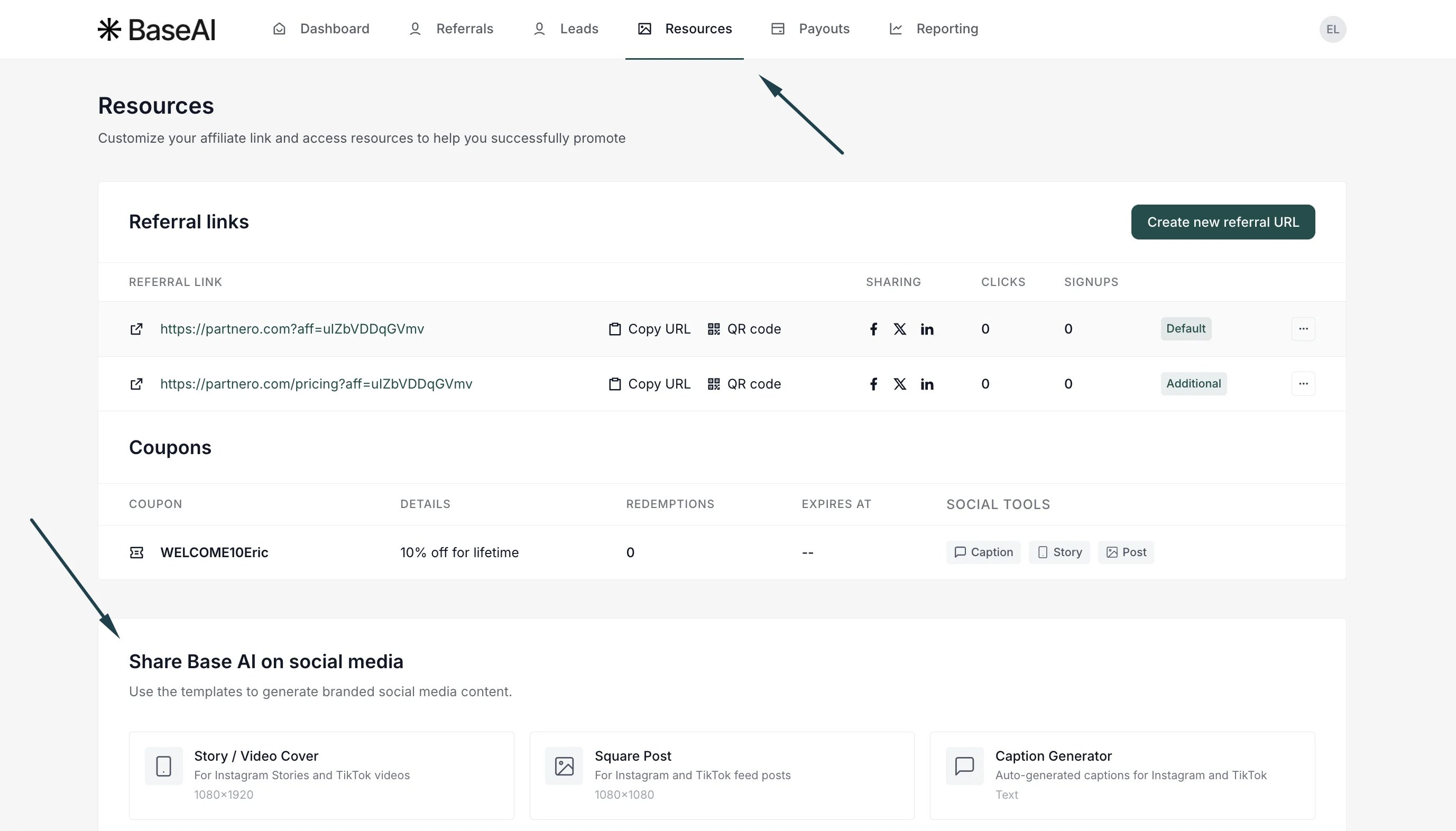
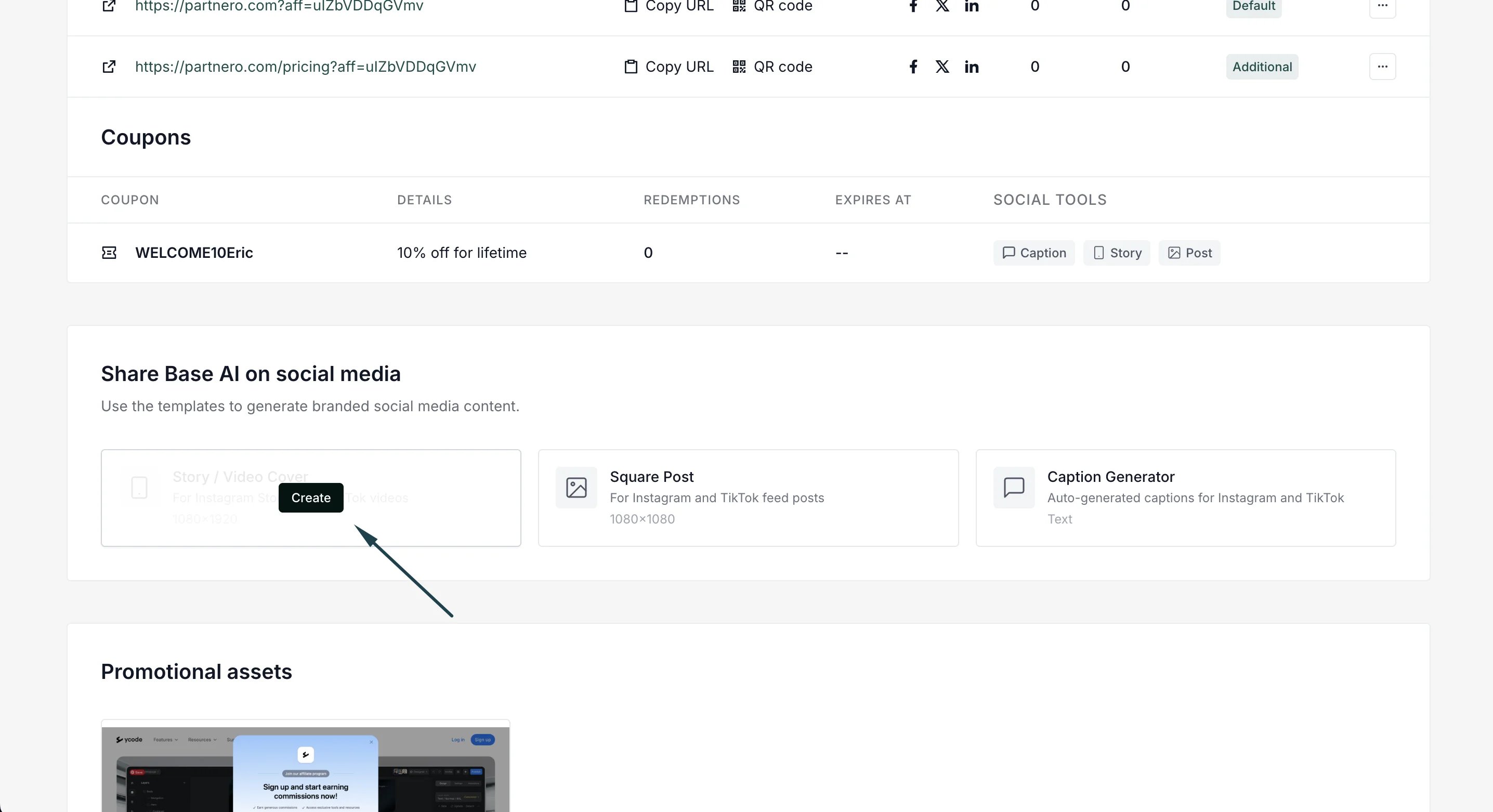
-
Create Story/Video cover templates (1080×1920):
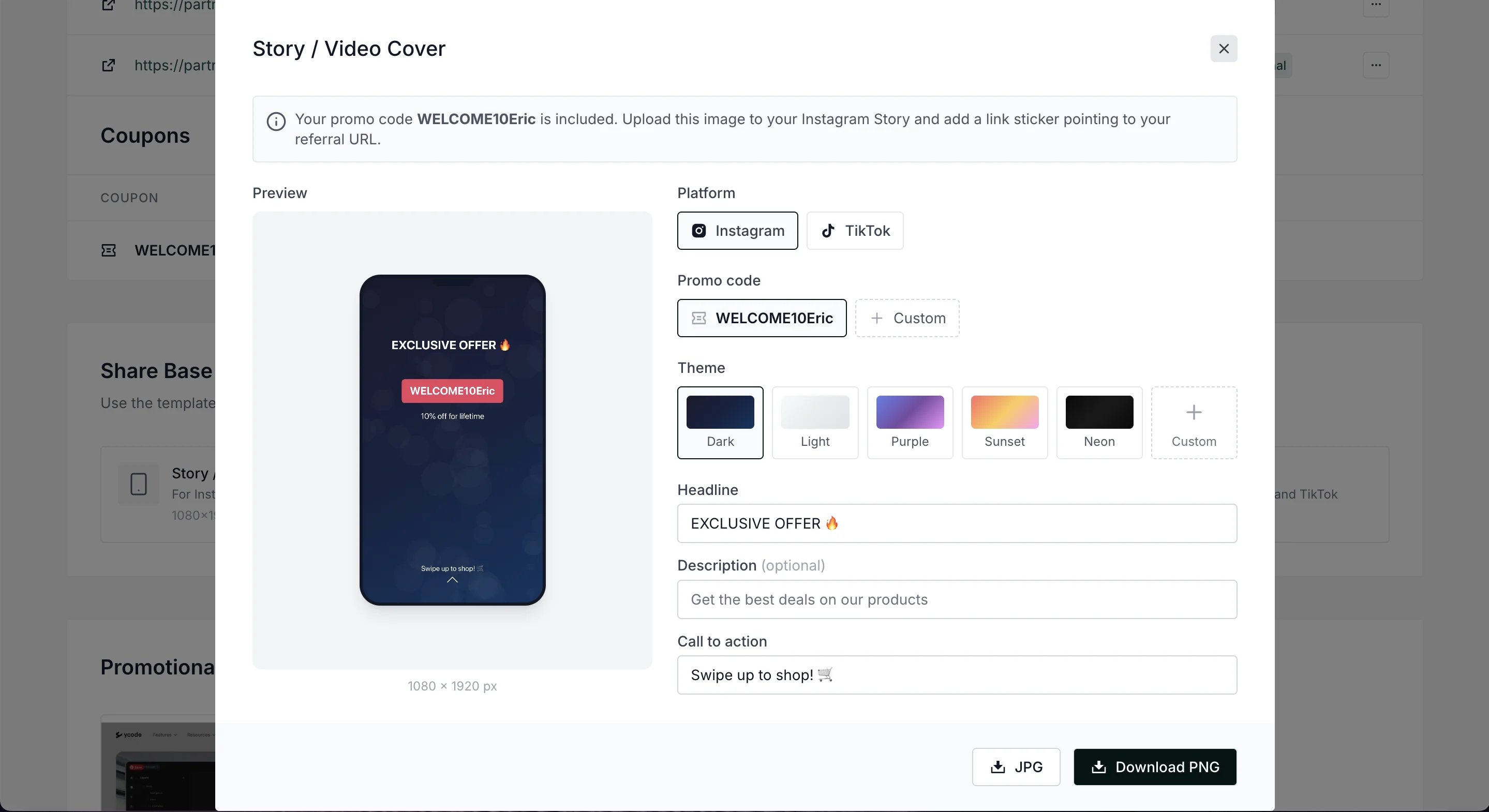
- Switch between Instagram and TikTok
- Include promo codes
- Select from different themes and add custom ones
- Edit headline, description, and CTA
- Download the template in JPG or PNG formats.
-
Create Square post templates (1080×1080)
-
Generate captions: