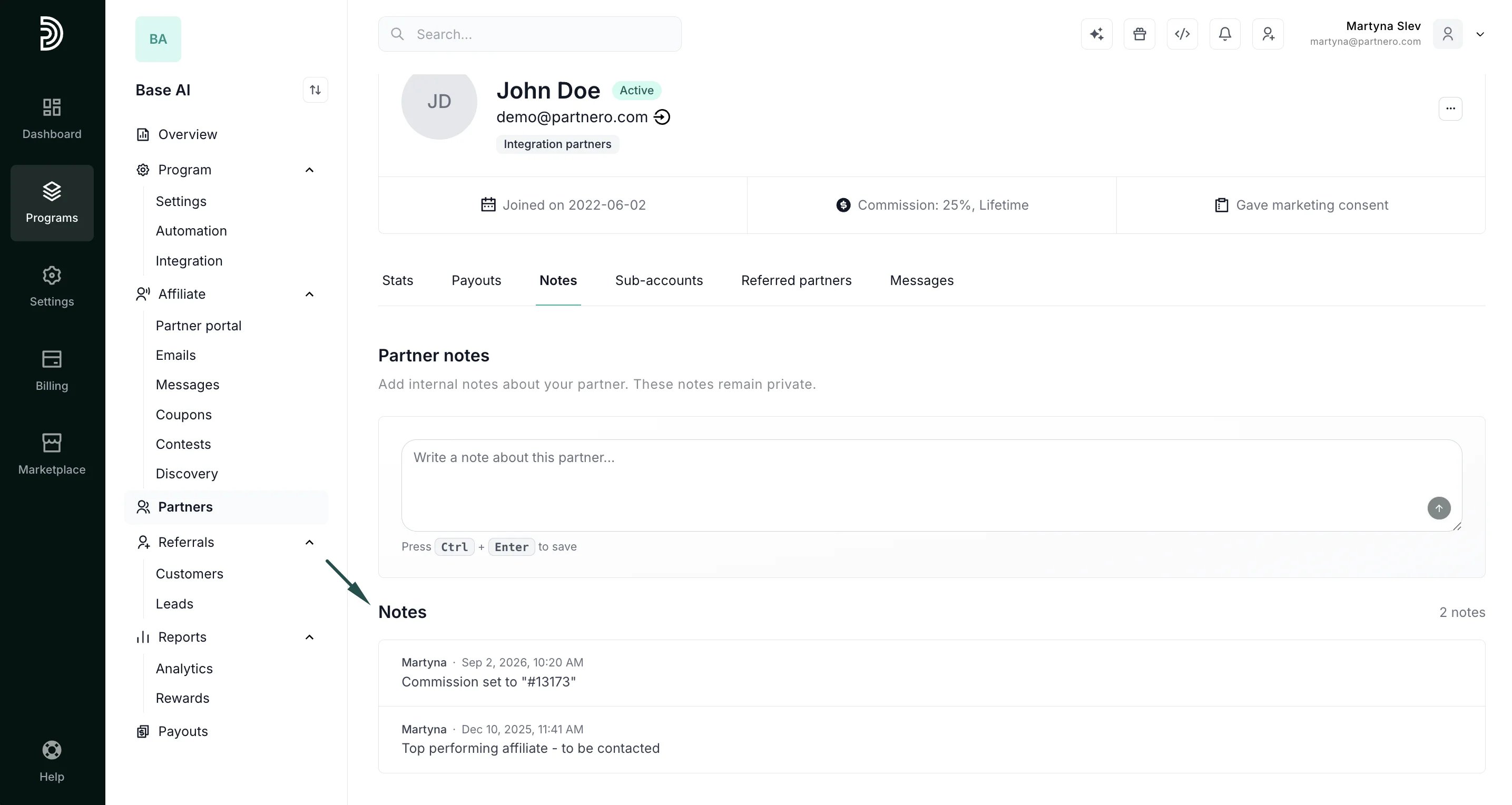
- Manual notes: notes you or your team write directly on a partner’s profile.
- System notes: automatically logged whenever a key partner field changes, giving you a full audit trail without manual tracking. System notes are created for:
- Name, email, status, commission, or manager changes
- Tag assignments and removals
Add or view partner notes
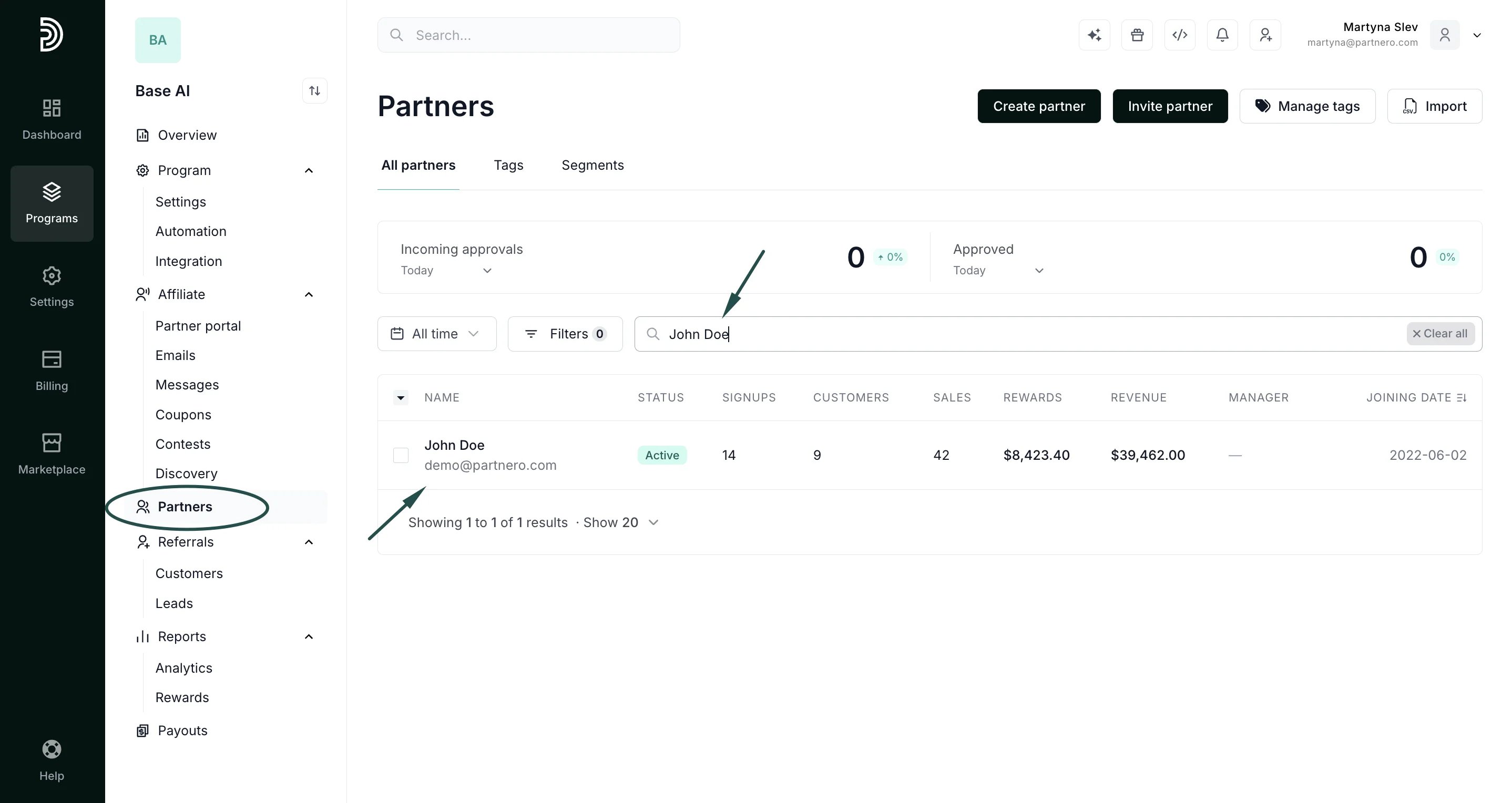
- Navigate to the Partners list.
- Enter the partner’s name or email address in the search field.
- Click on the search result to open up their profile:
- Open the profile and switch to the Notes tab:
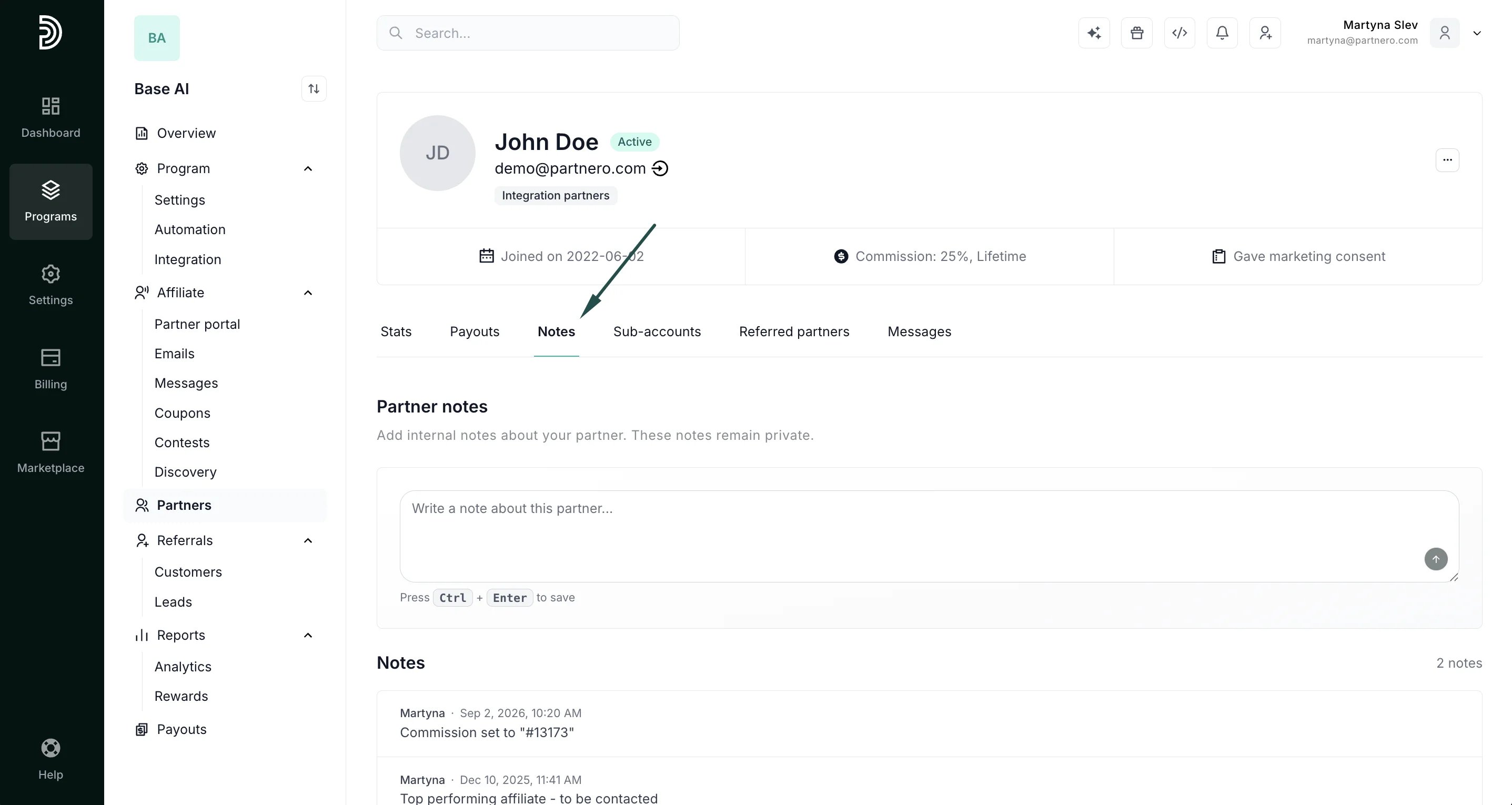
- Type your note and click CTRL+Enter (Windows) or Command+Enter (Mac) to save.
- All notes appear here, manual and system-generated, along with the author and date.