

Add or update payment details
To add your payment information:- Log in to the partner portal (each program has a unique URL).
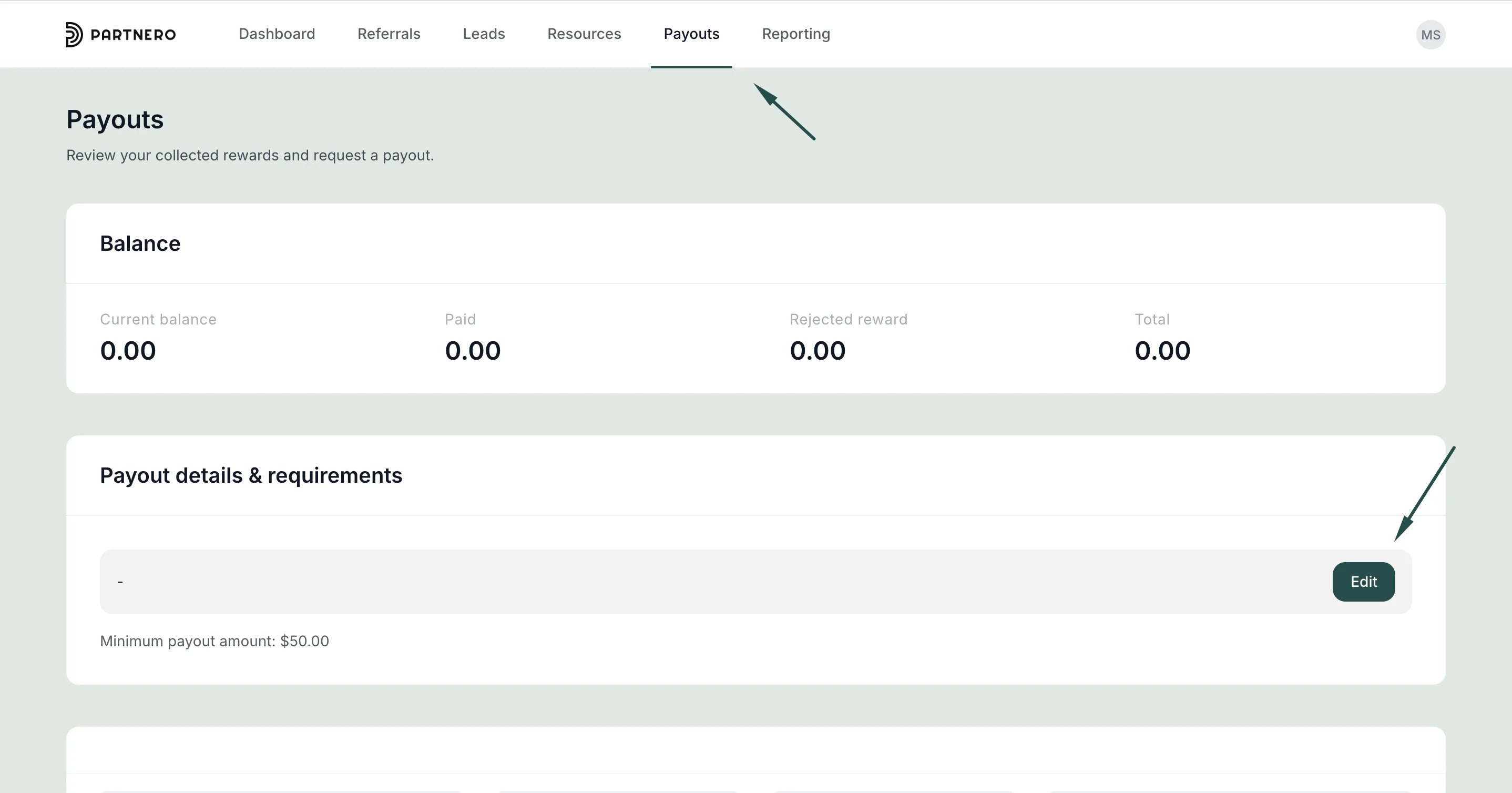
- Go to Payouts and find the Payout details & requirements section.
- Click Edit:
- Enter your payment details:
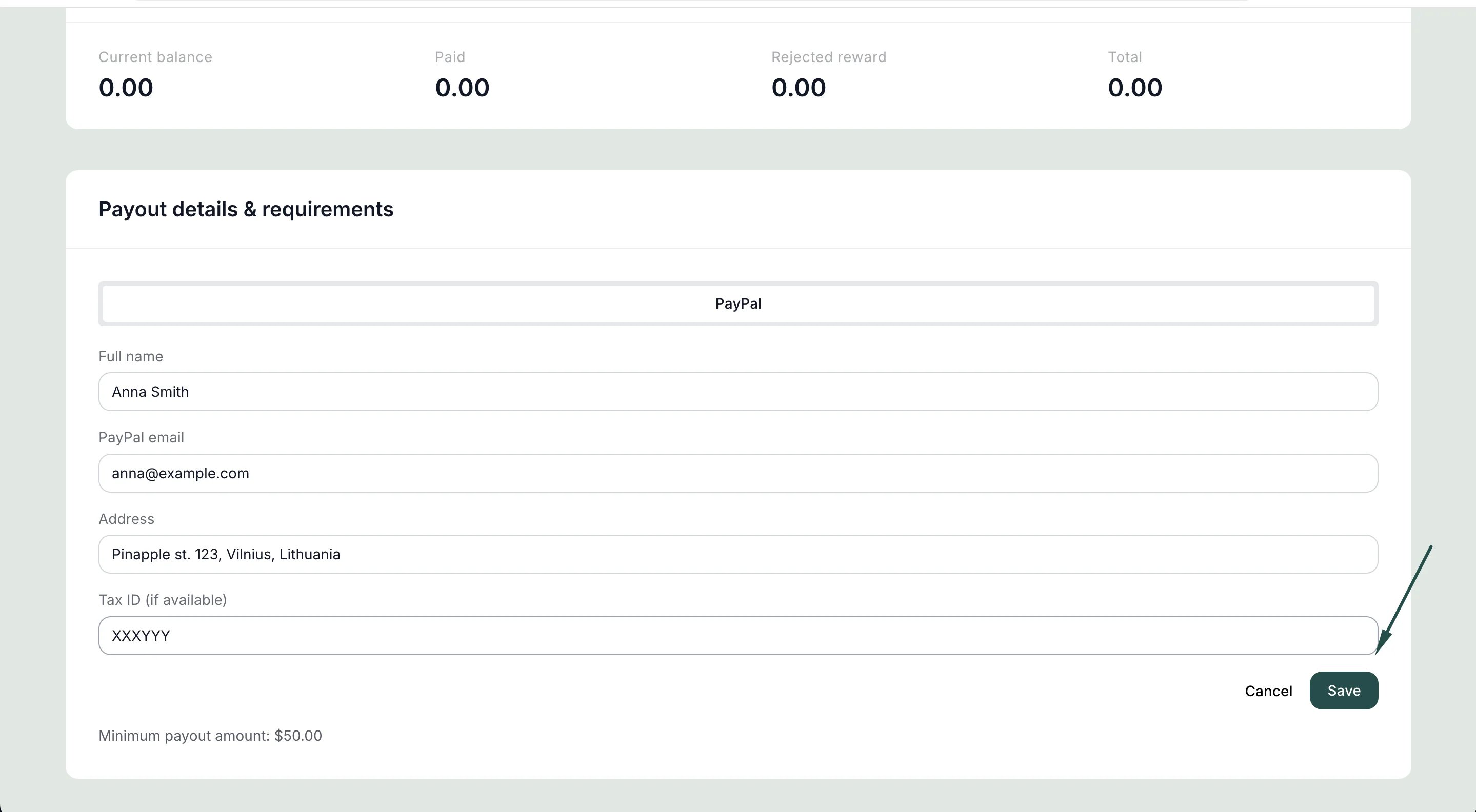
- Click Save.
Update details when requesting a payout
If you haven’t added payment details yet, you can also enter them directly when submitting your first payout request. To update existing details later, use the Payout details & requirements section as described above.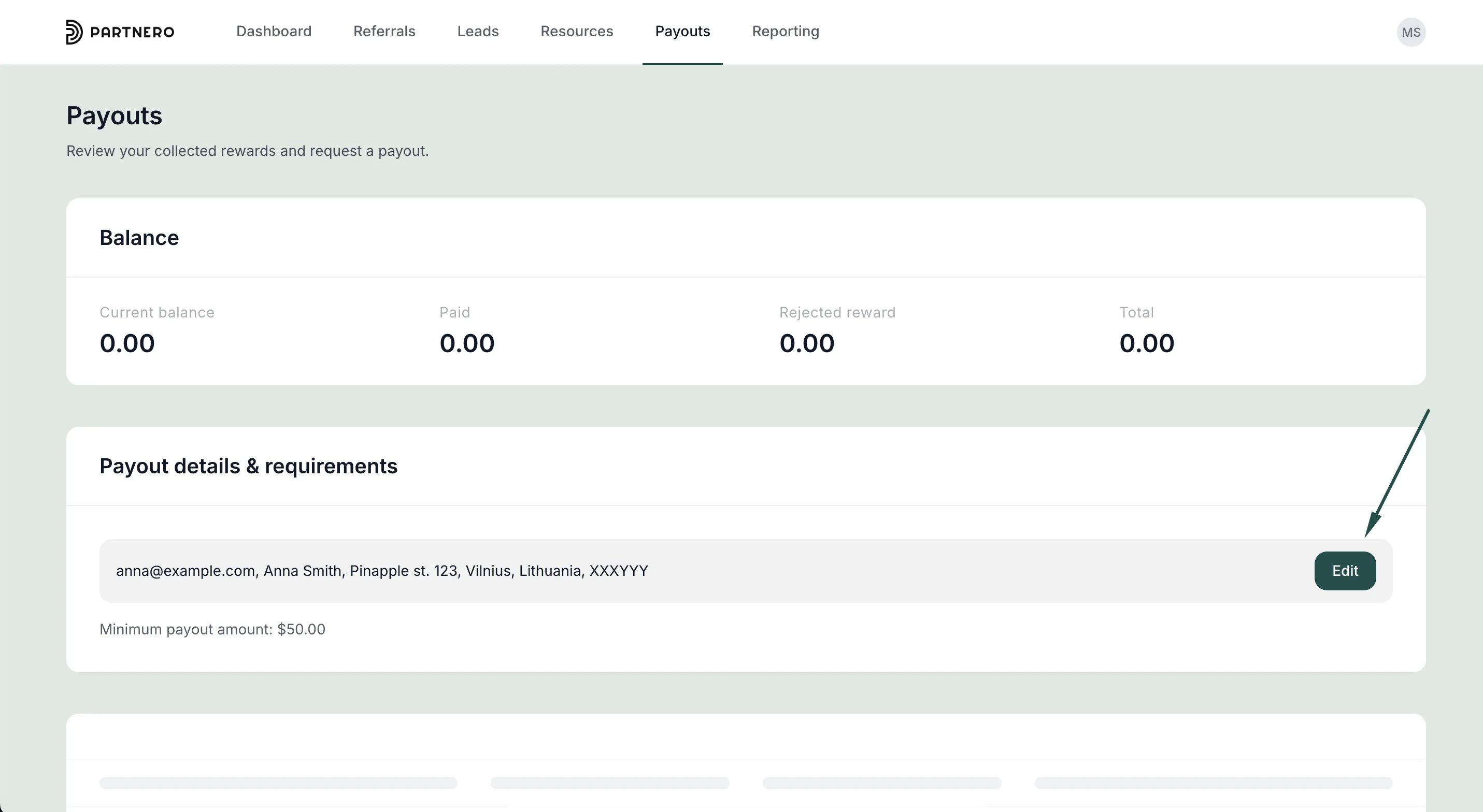
For questions about available payment methods or payout terms, contact the program owner directly.