Mark commissions as paid
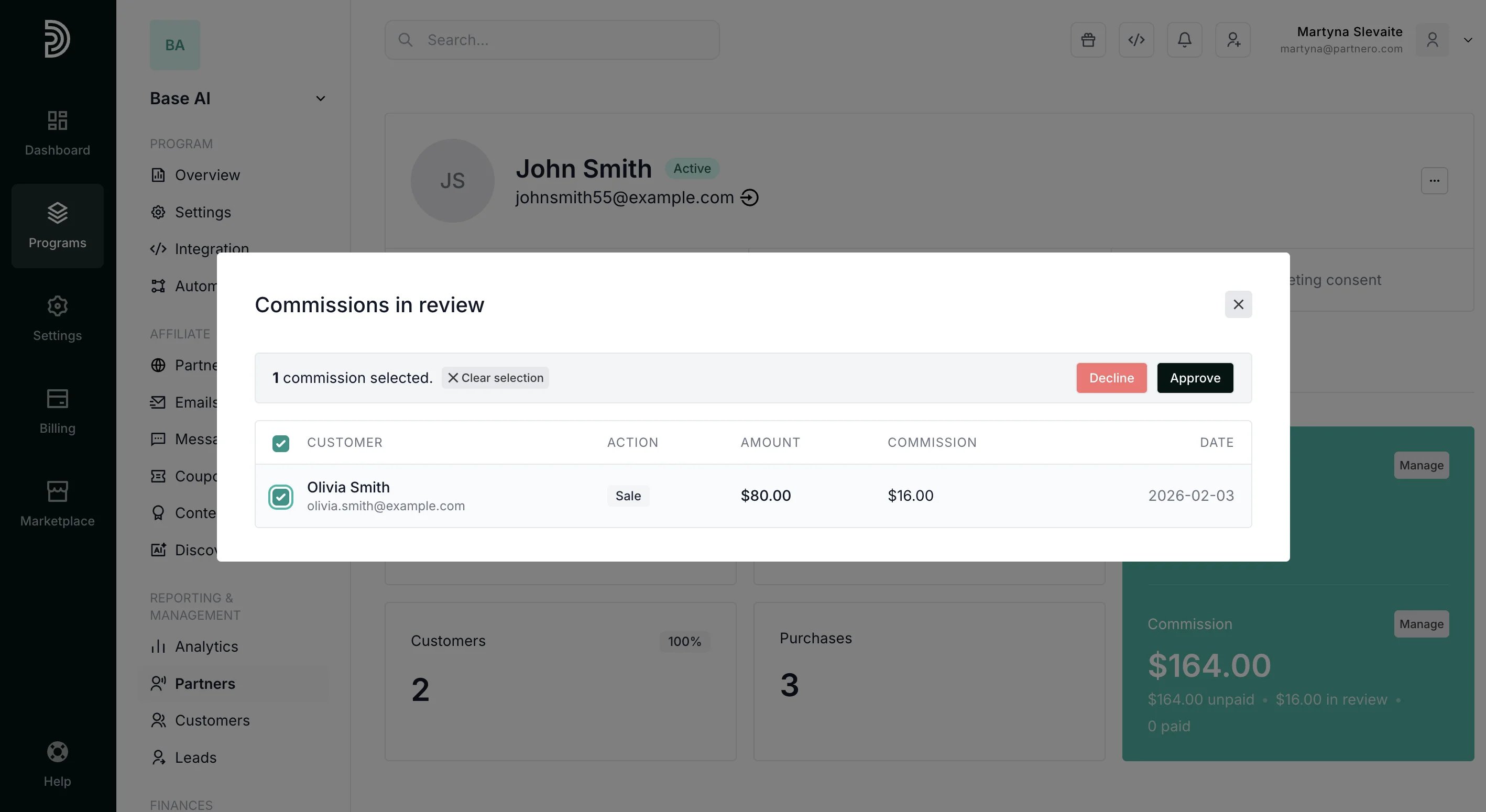
If a partner has unpaid commissions, you’ll see a Manage button next to Commission, where you can mark them as paid. To mark commissions as paid from a partner profile:- Find the partner and open their profile. Click Manage next to the Commission section (only visible if there are upaid commissions):
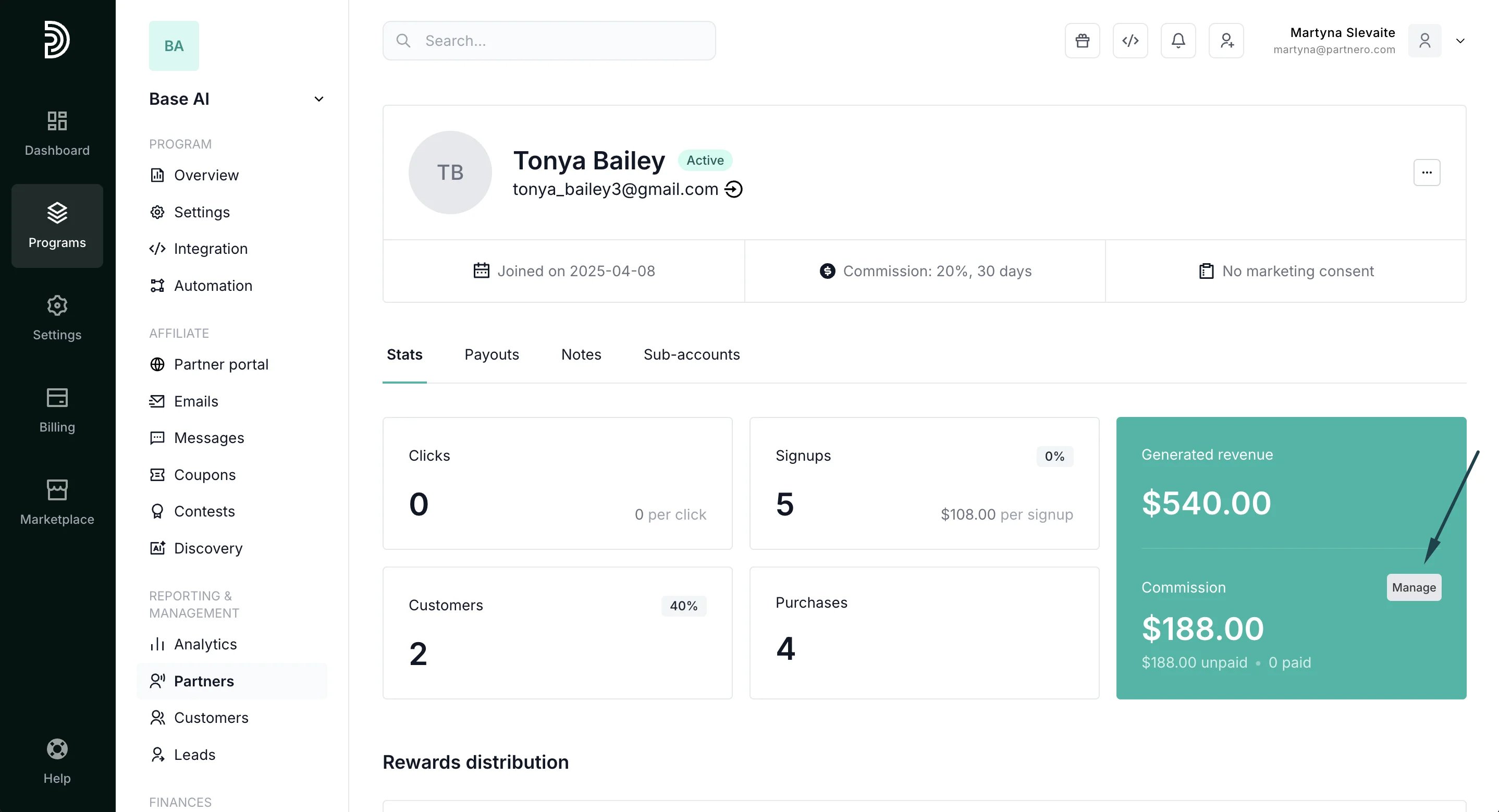
- Click to view all unpaid commission transactions.
- Select one or multiple commissions and click Mark as Paid:
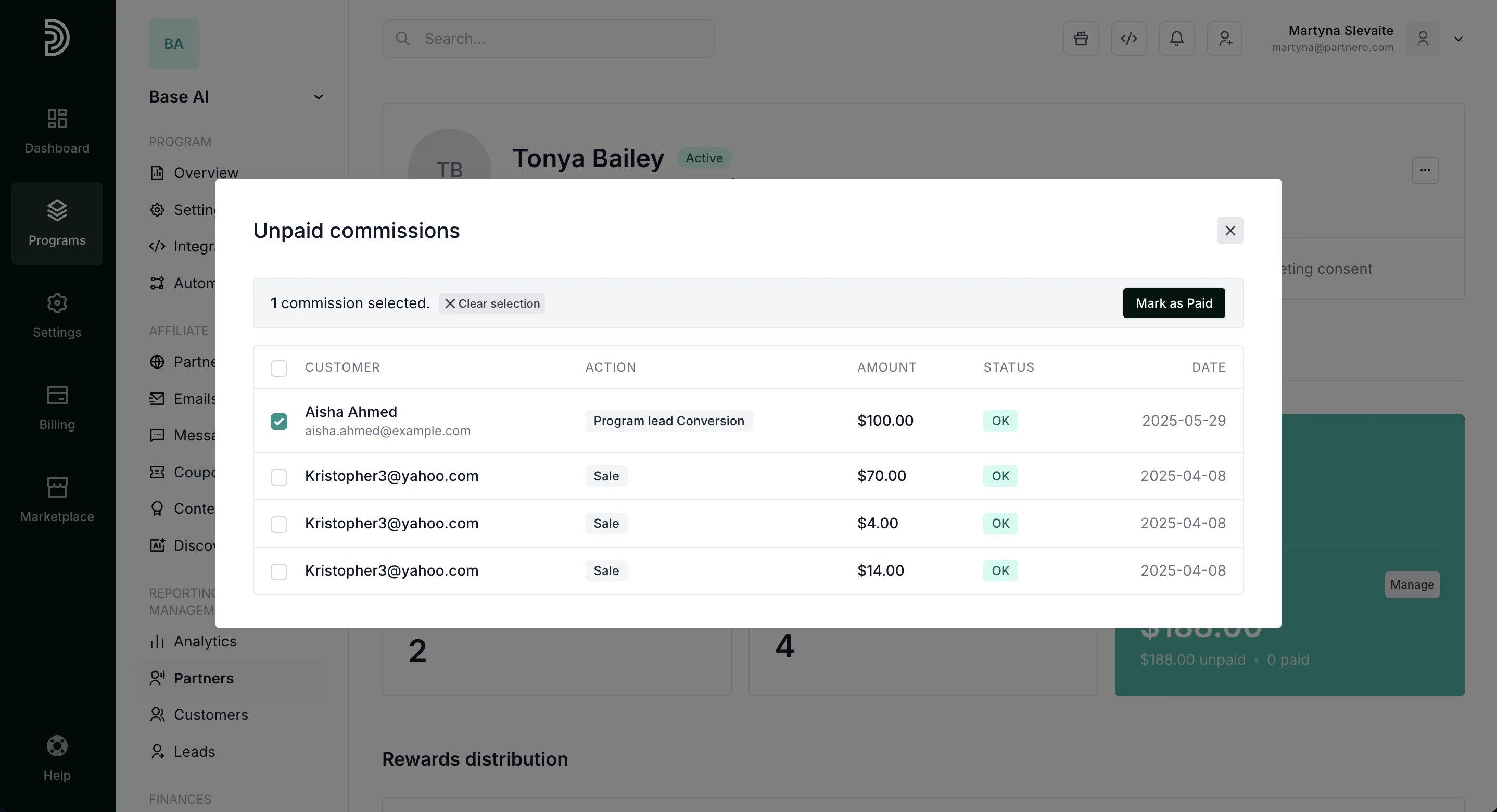
- A payout record is automatically created and visible in the partner’s Payout history:
Approve or decline commissions in review
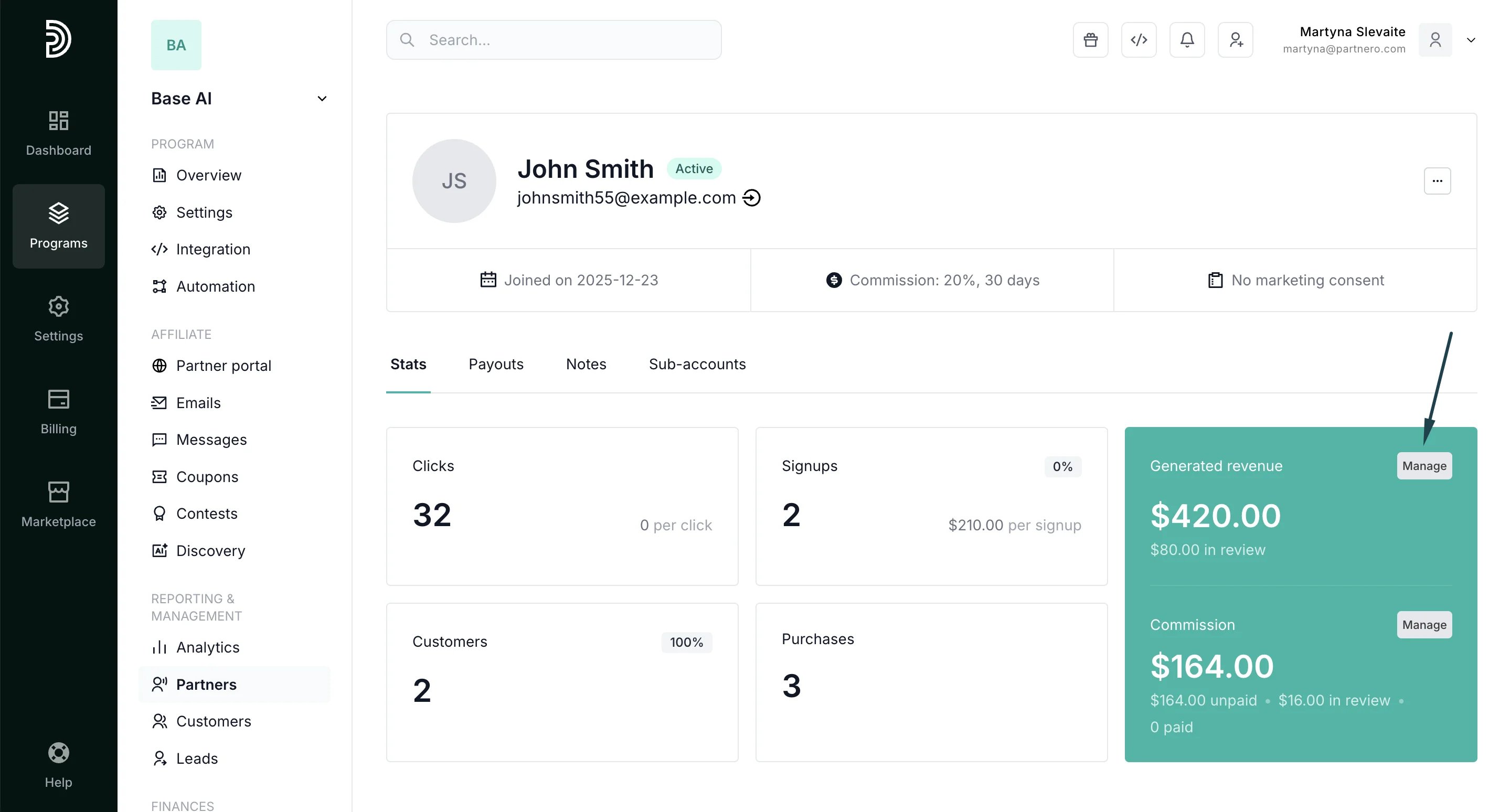
If you have commission review periods enabled, you’ll see a Manage button next to Generated Revenue when there are pending commissions, where you can approve or reject them. To review pending commissions:- Go to Partners and select a partner to view their profile.
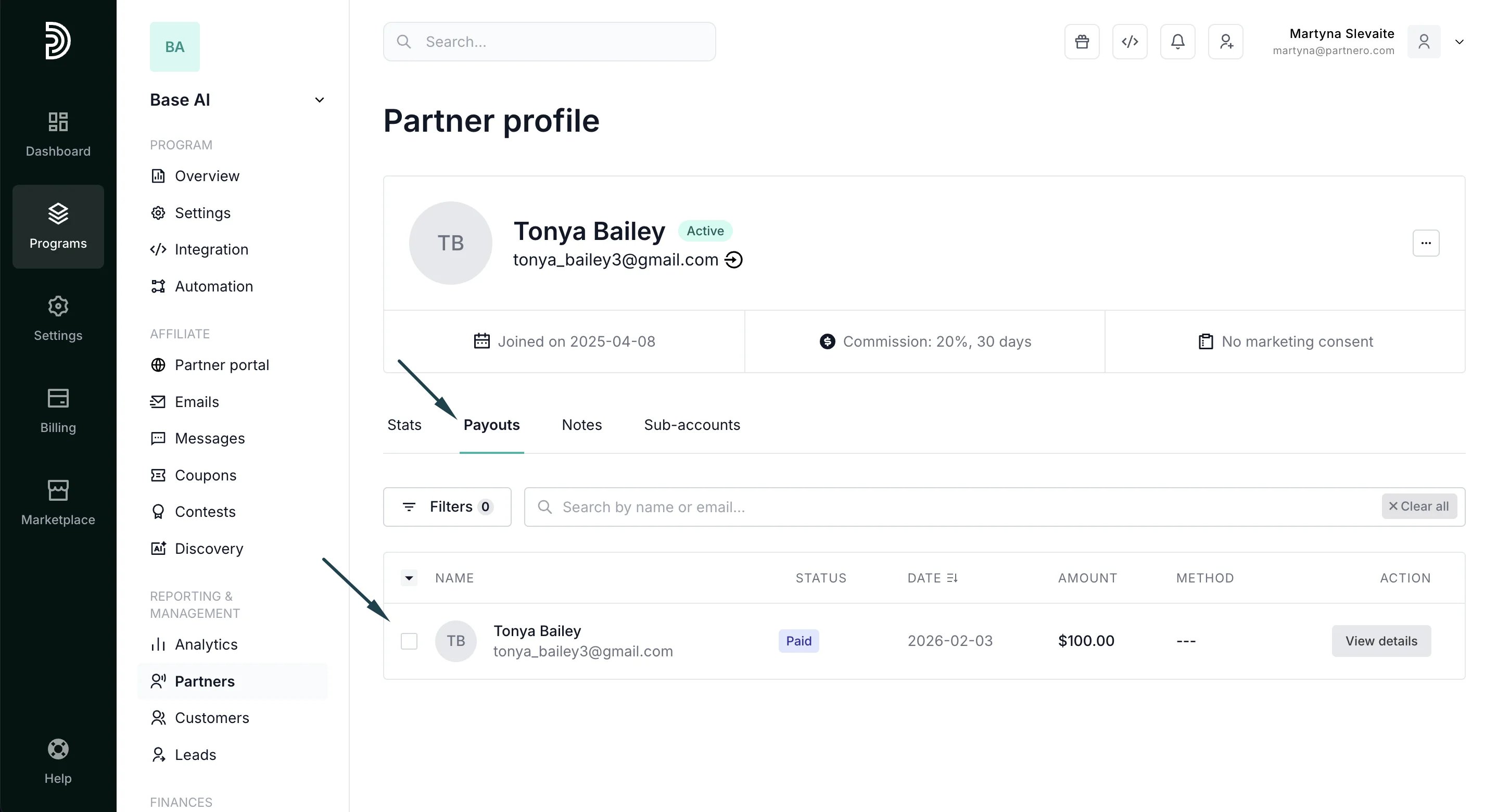
- In the Stats tab, the Generated Revenue section, click Manage (appears when there are commissions in review):
- Select commissions and click Approve or Decline: