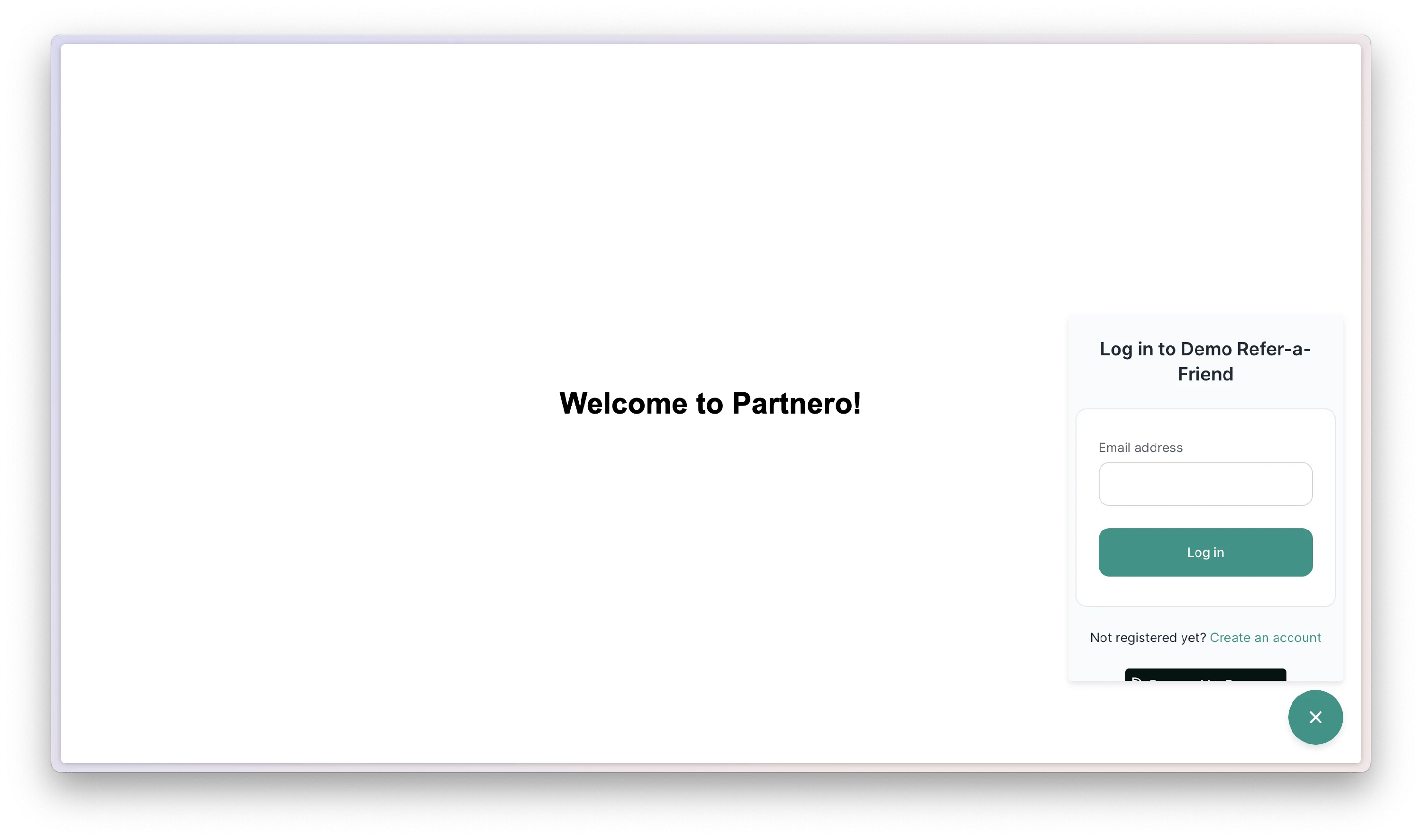
What is a referral portal?
The referral portal is part of the refer-a-friend program. It is a customer-facing page where customers can access their referral link and track their progress. Each customer has a unique referral portal URL, which displays their data only. The referral portal is optional and needs to be enabled.How to enable the referral portal
To enable the referral portal:- Go to Settings under Program.
- Toggle Enable the referral portal:
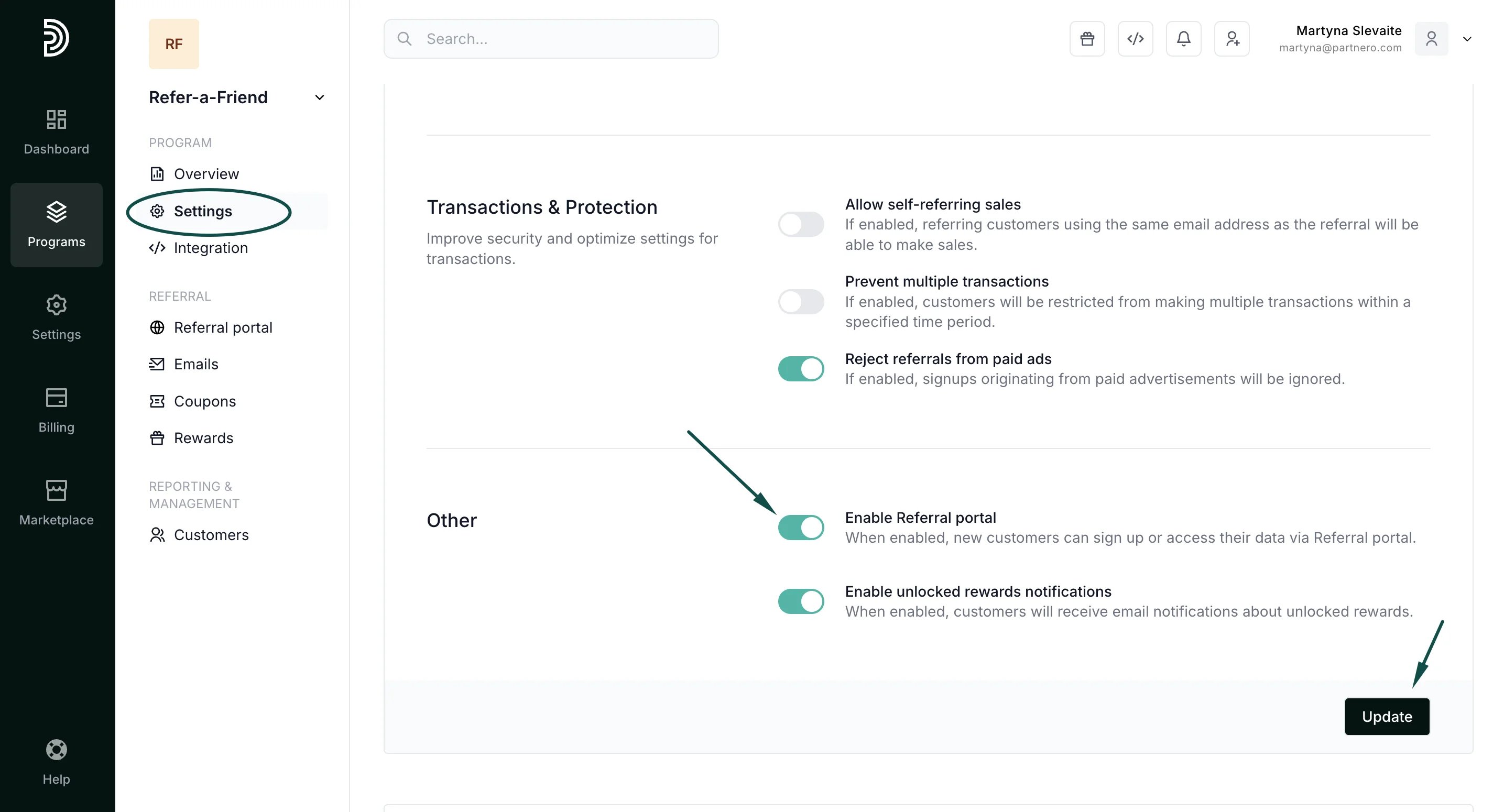
- Click Update.
Referral portal access
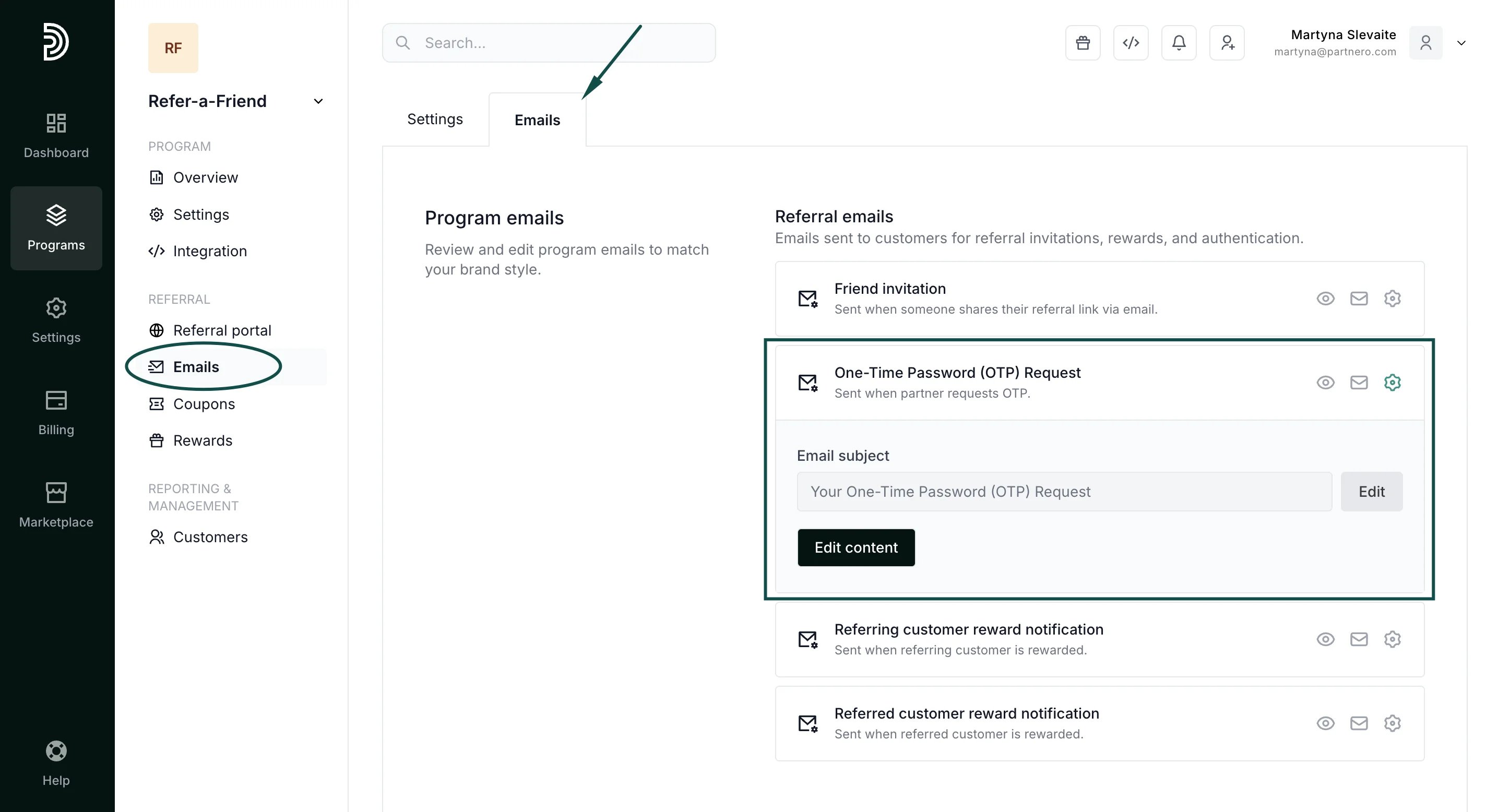
A one-time password is sent to the customer when they need to access the portal. To customize the OTP email:- Go to Emails under Referral, then select the Emails tab.
- Click on the gear icon and click Edit content next to the One-Time Password (OTP) Request email:
Embed an in-site referral widget
Click here to read how to embed a Referral Portal widget on your website or application that your customers can access directly.