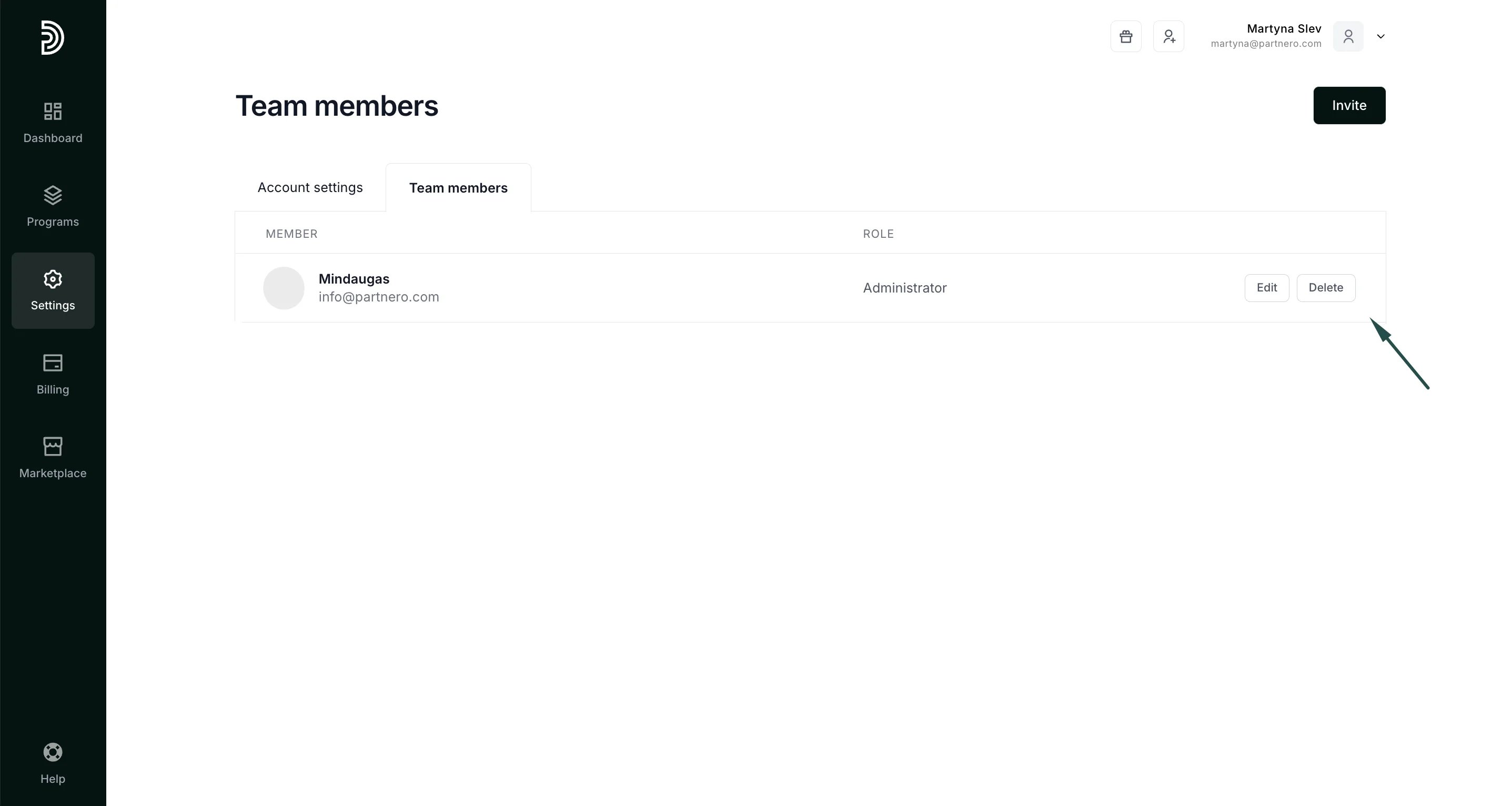
- Log in to Partnero.
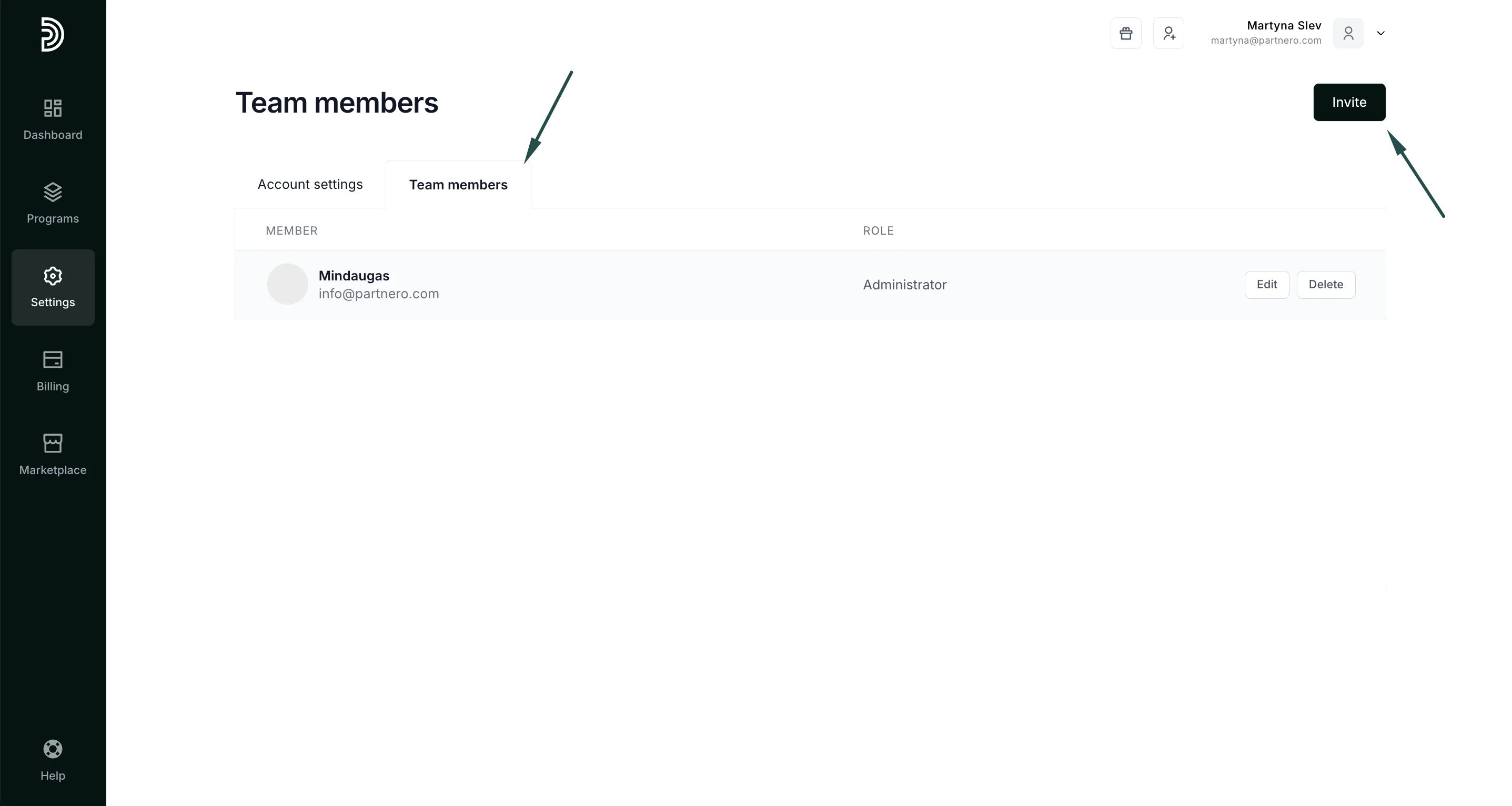
- In the sidebar, click Settings and select the Team Members tab.
- Click Invite in the top rigth.
- In the Email address field, enter the user’s email address to add to your account. Select the user type (Admin or General) and select which programs this user should access:
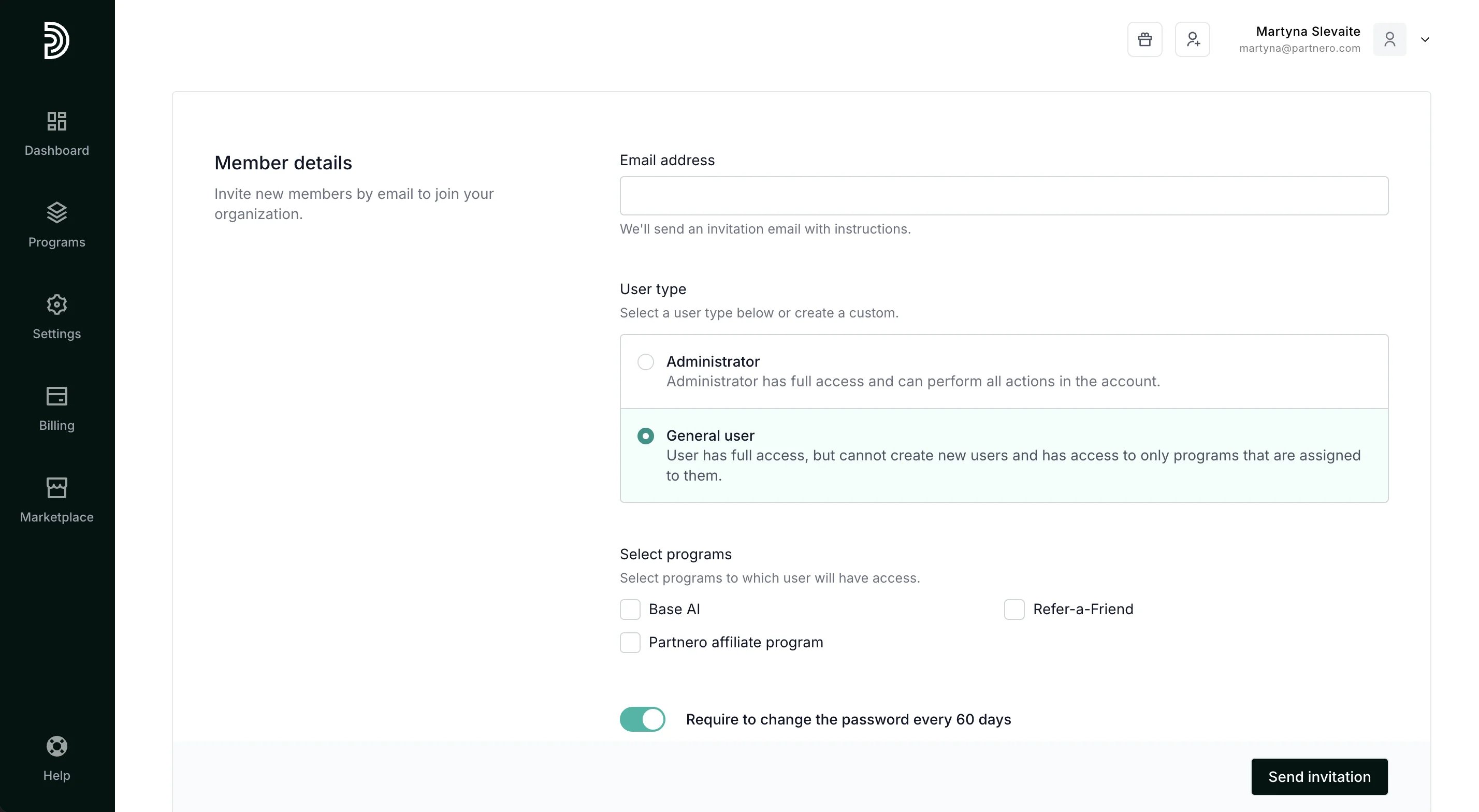
- Select whether you’d like to prompt them to change their password every 60 days.
- Click Send invitation.
How to delete a user
To delete a user from your account:- On your Partnero account, navigate to Settings and select the Team members tab.
- Find the user you want to delete and click the Delete button next to their email address.