

Create a custom email
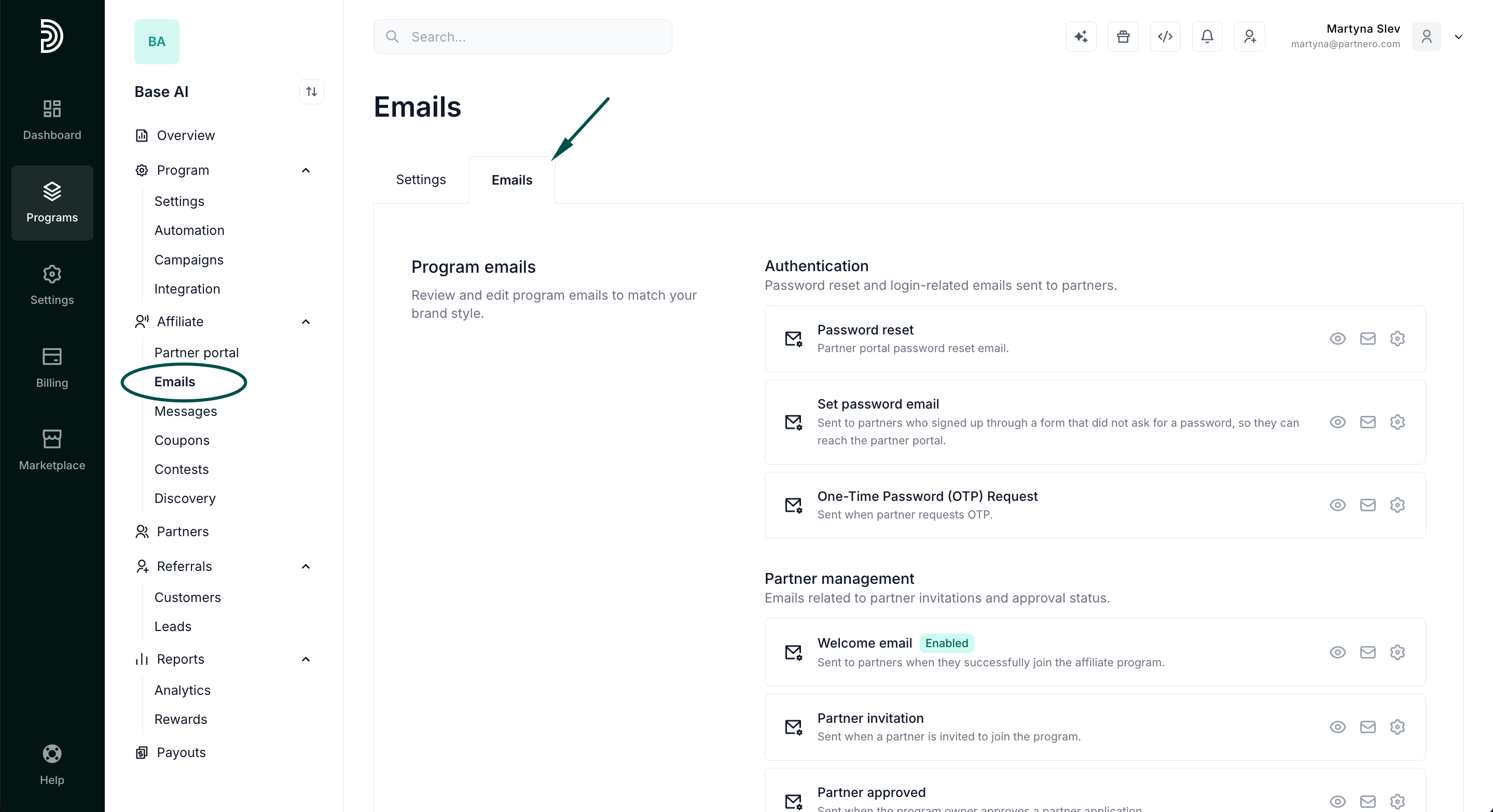
- Go to the Emails page for your affiliate program and open the Emails tab.
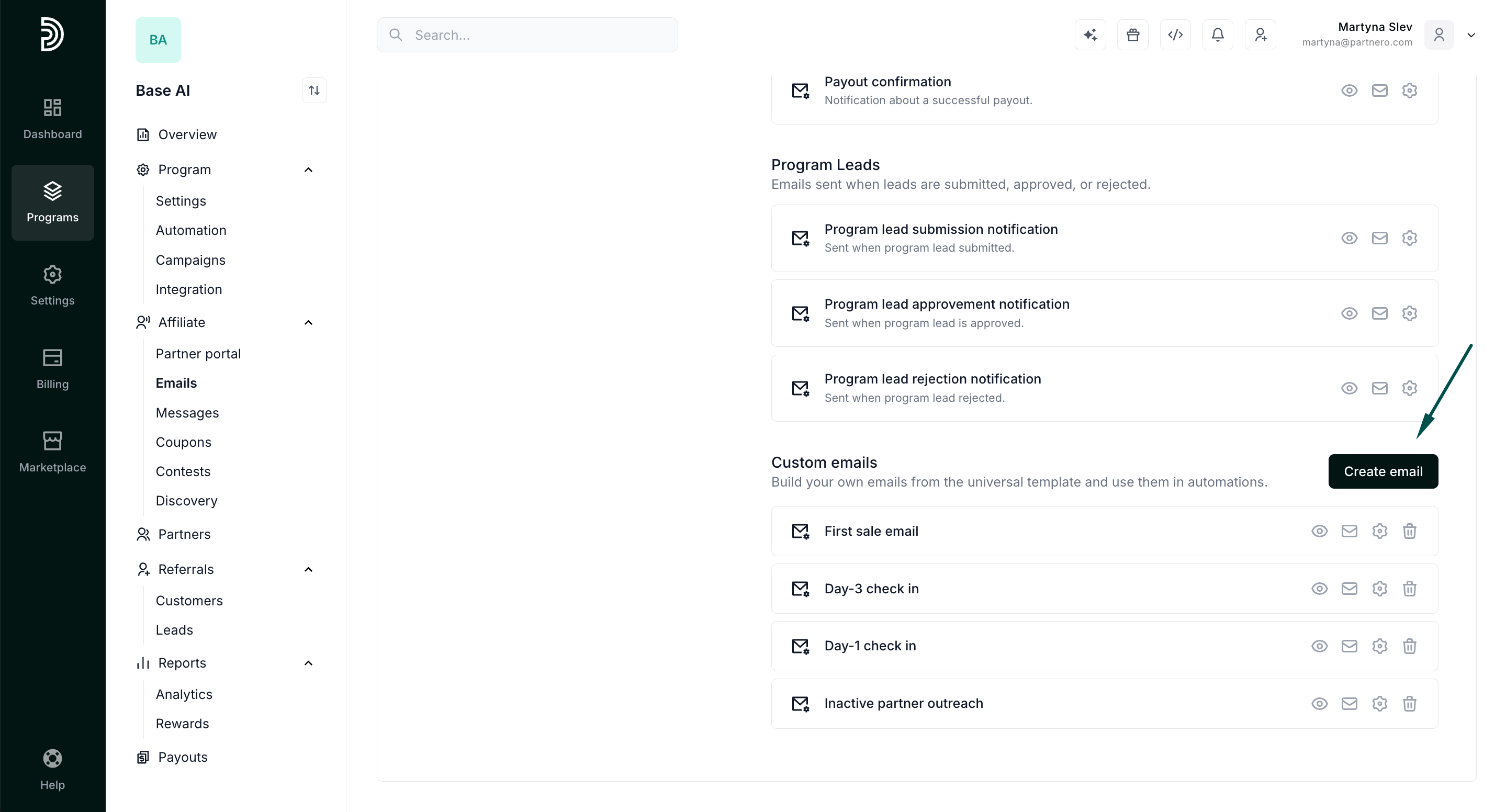
- Scroll down to the Custom emails section and click Create email.
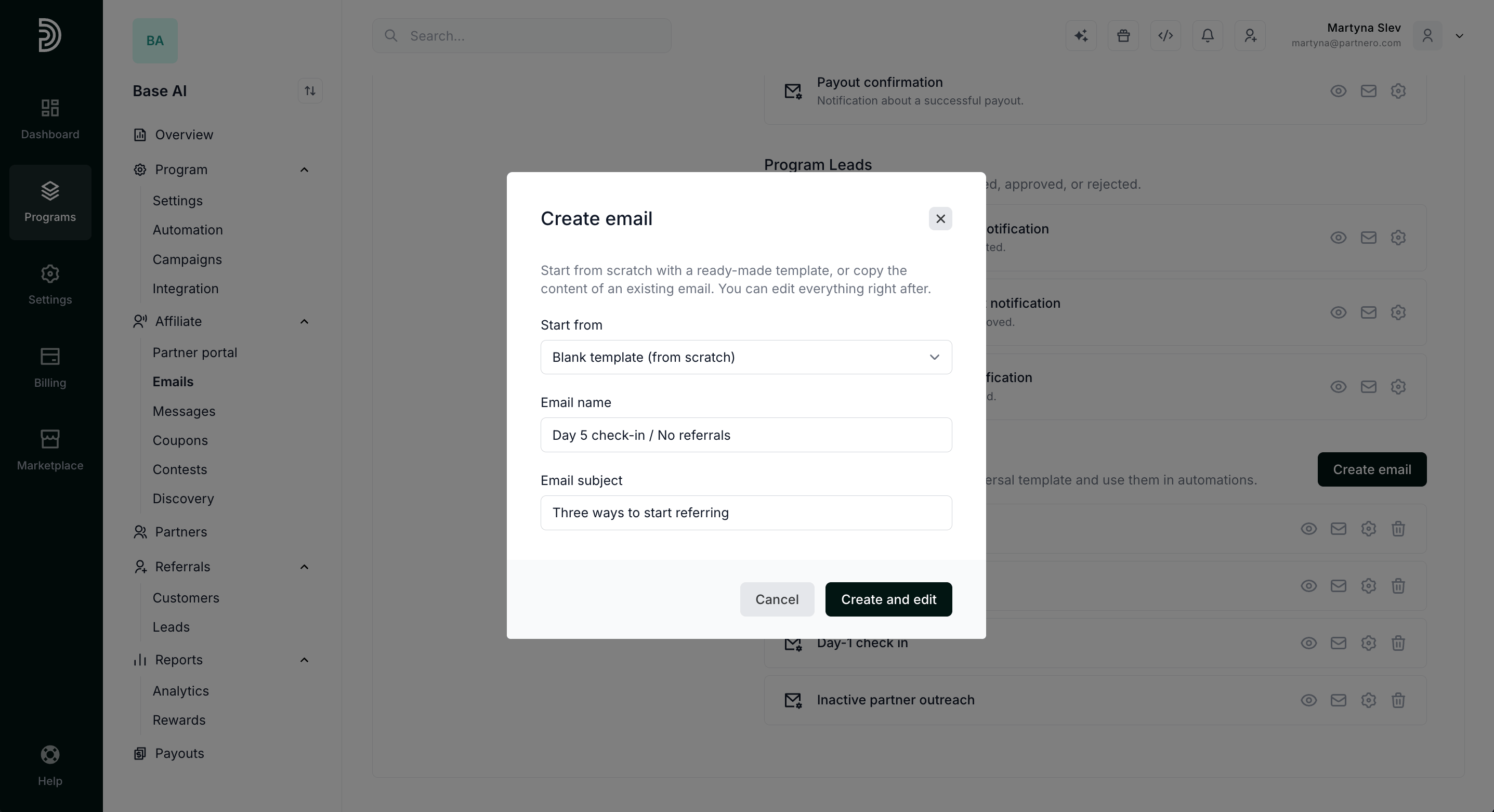
- Start from a blank template, or copy one of the existing program emails and edit it.
- Add the email name and subject, and click Create and Edit. The email name is for you. The subject is what partners see in their inbox.
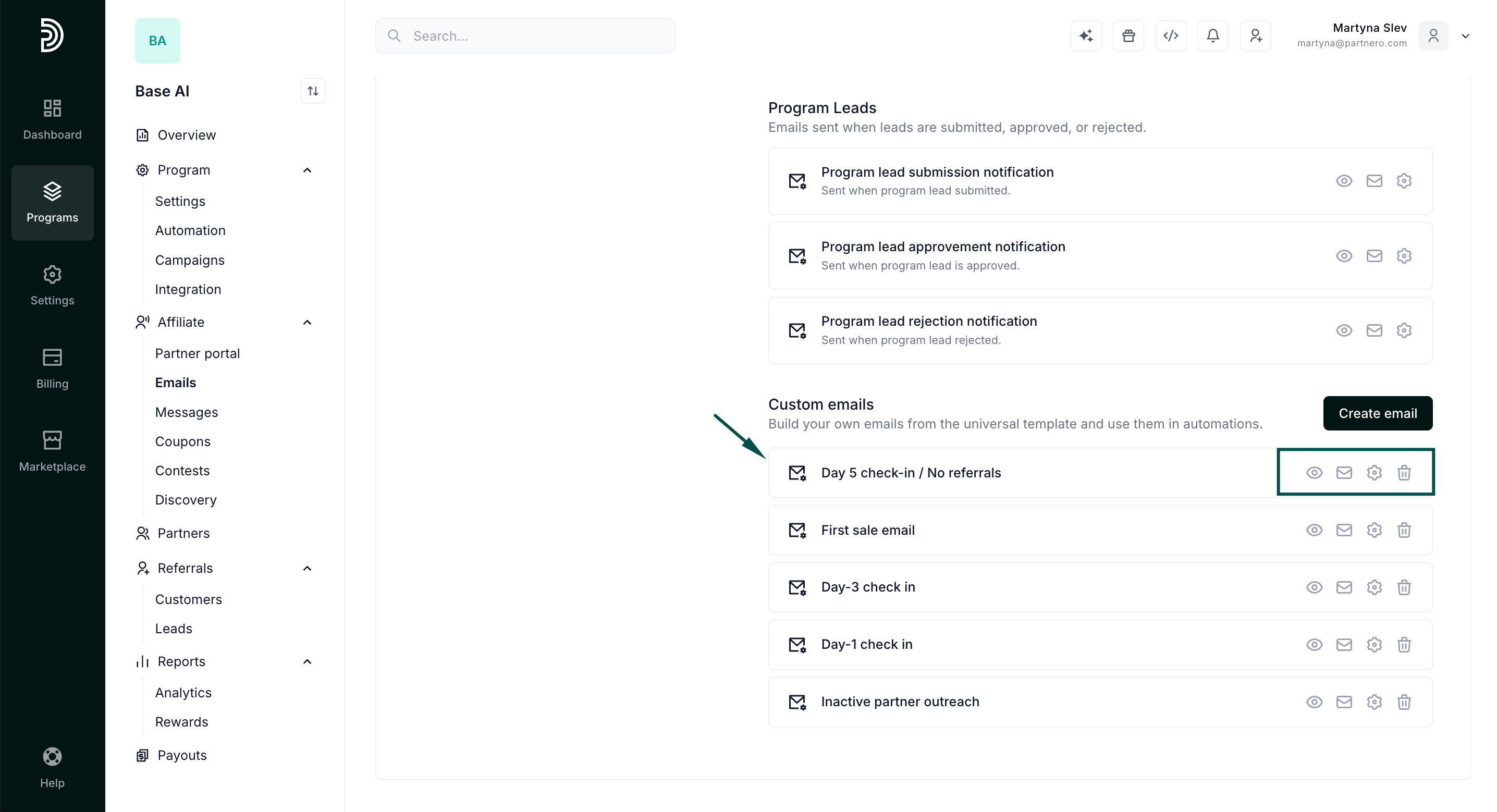
- Edit the content using the same editor you use for your other program emails.
- Click the eye icon to preview the email, and the envelope icon to send yourself a test email and check the formatting.
Create a custom email from an automation or campaign
You do not have to leave the builder to write an email.- In an automation, pick the Send email action and click Create new email.
- In a campaign, add a Send email step and click Create new email on the step.
Use a custom email
In an automation. Select the custom email in the Send email action picker. Custom emails appear in the same list as your other program emails. See Automatically send emails based on partner activity for the full setup. In a campaign. Select the custom email in a Send email step. The picker lists only custom emails, so the built-in program emails are not available in campaigns. See How to create a campaign for the full setup.Personalize with tags
Use tags (variables) to insert program or partner details when the email is sent.
See Email settings for where each value is taken from.
Sender details
Custom emails are sent with your program’s sender settings. The sender name, sender address, reply-to address, and email styling are the ones you configured on the Settings tab of the Emails page. There are no separate sender settings for individual custom emails. See Email settings.Edit, preview, or delete a custom email
You can edit, preview, test, or delete a custom email at any time from Emails → Custom emails.[!NOTE] If you delete an email that a campaign step still uses, that step is skipped and the reason is logged. Before deleting, check which campaigns use the email.