

Create a customer from the Customer list
To create a customer from the customer list:- On your program, navigate to Customers under Reporting and management.
- Click Create customer at the top right corner:
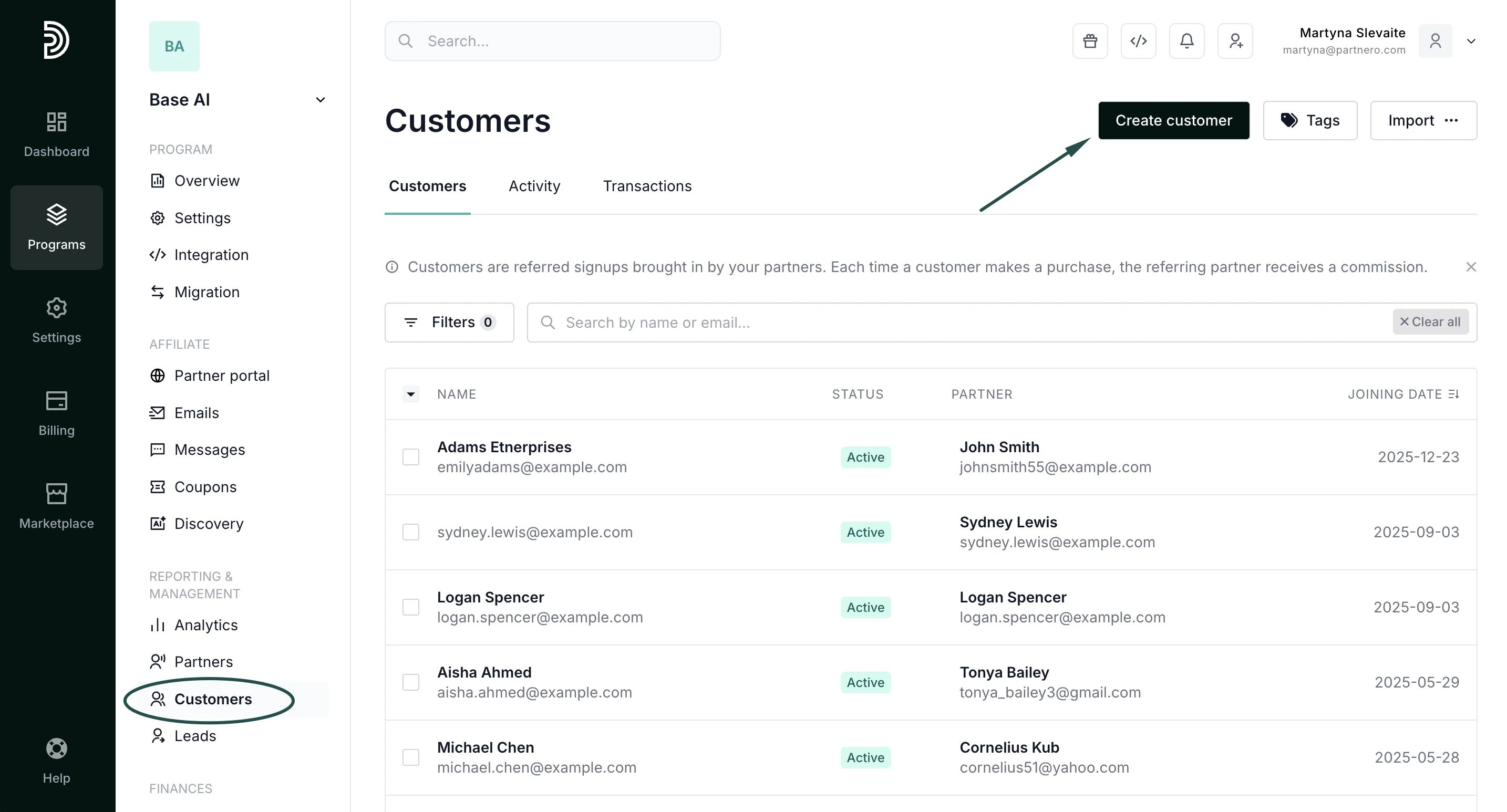
- Fill out the modal. The customer’s email address and the referring partner’s email address are mandatory. Additional information can be provided if needed:
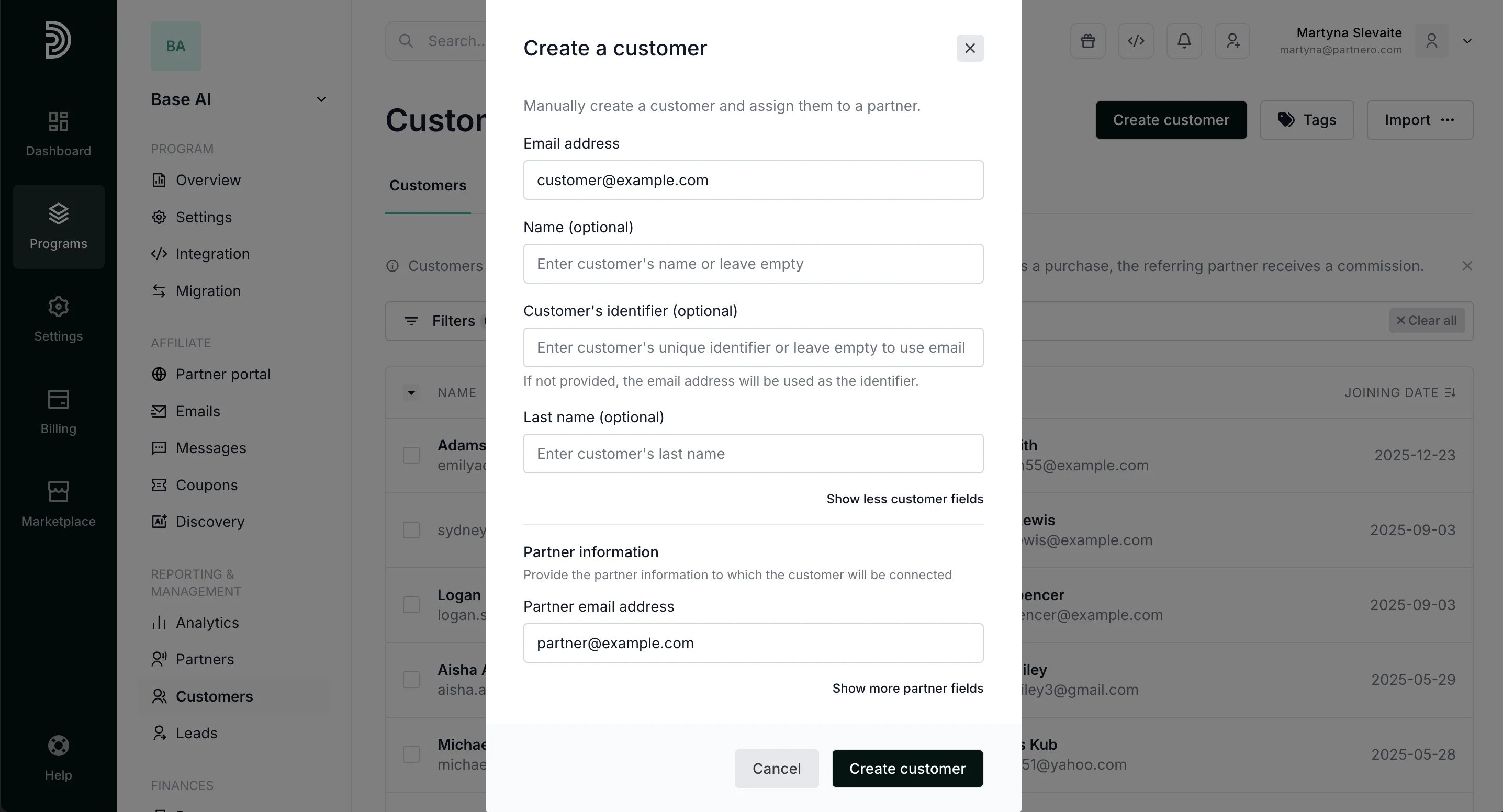
- Click Create customer.
Create a customer from a partner’s profile
To create a customer from a partner’s profile:-
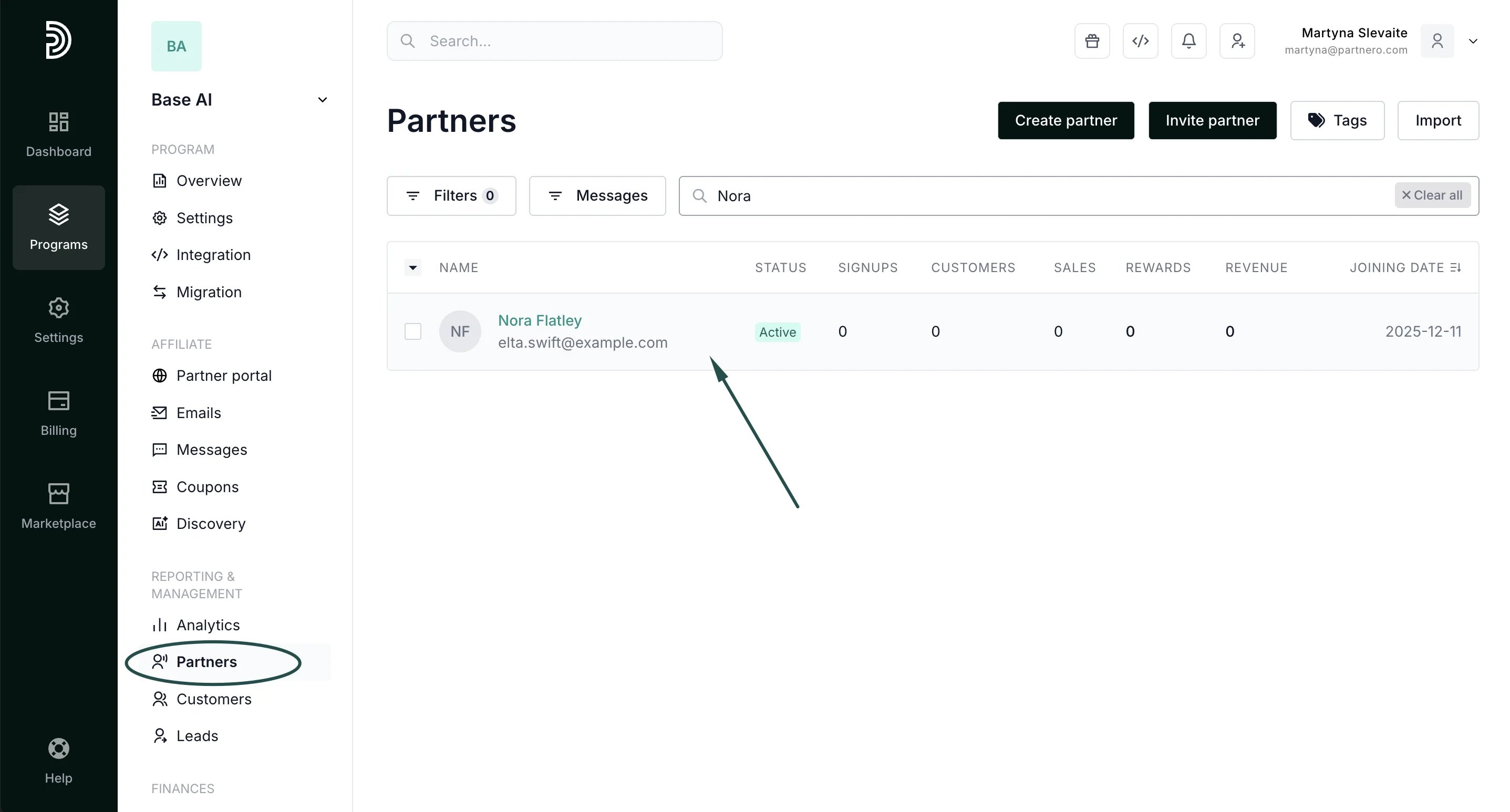
On your program, navigate to Partners under Reporting and management. Find the partner that the customer is associated with (you can search by name or email address):
-
In the partner’s profile, scroll down to Customer activity and click Create customer:
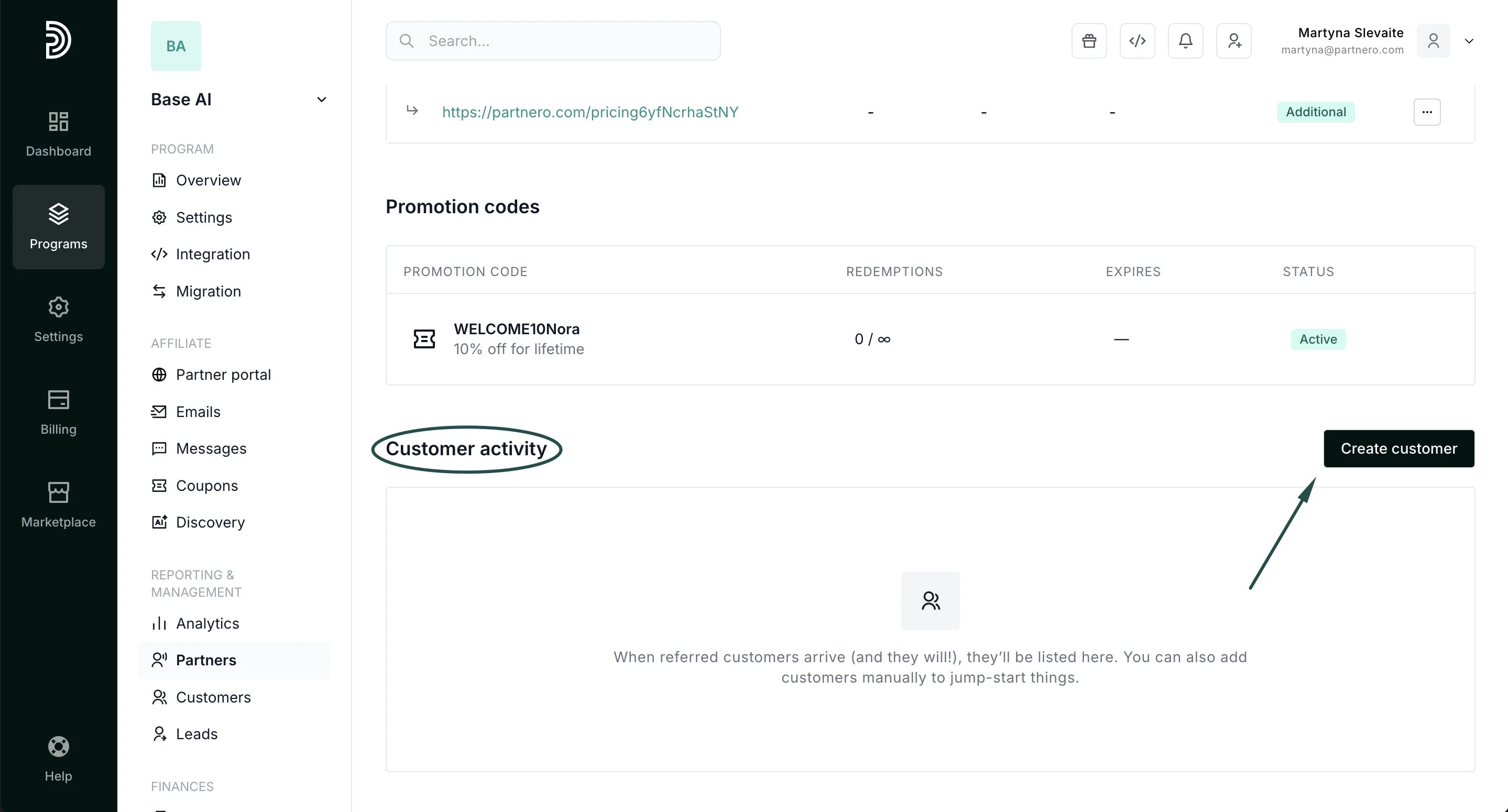
-
Fill out the modal:
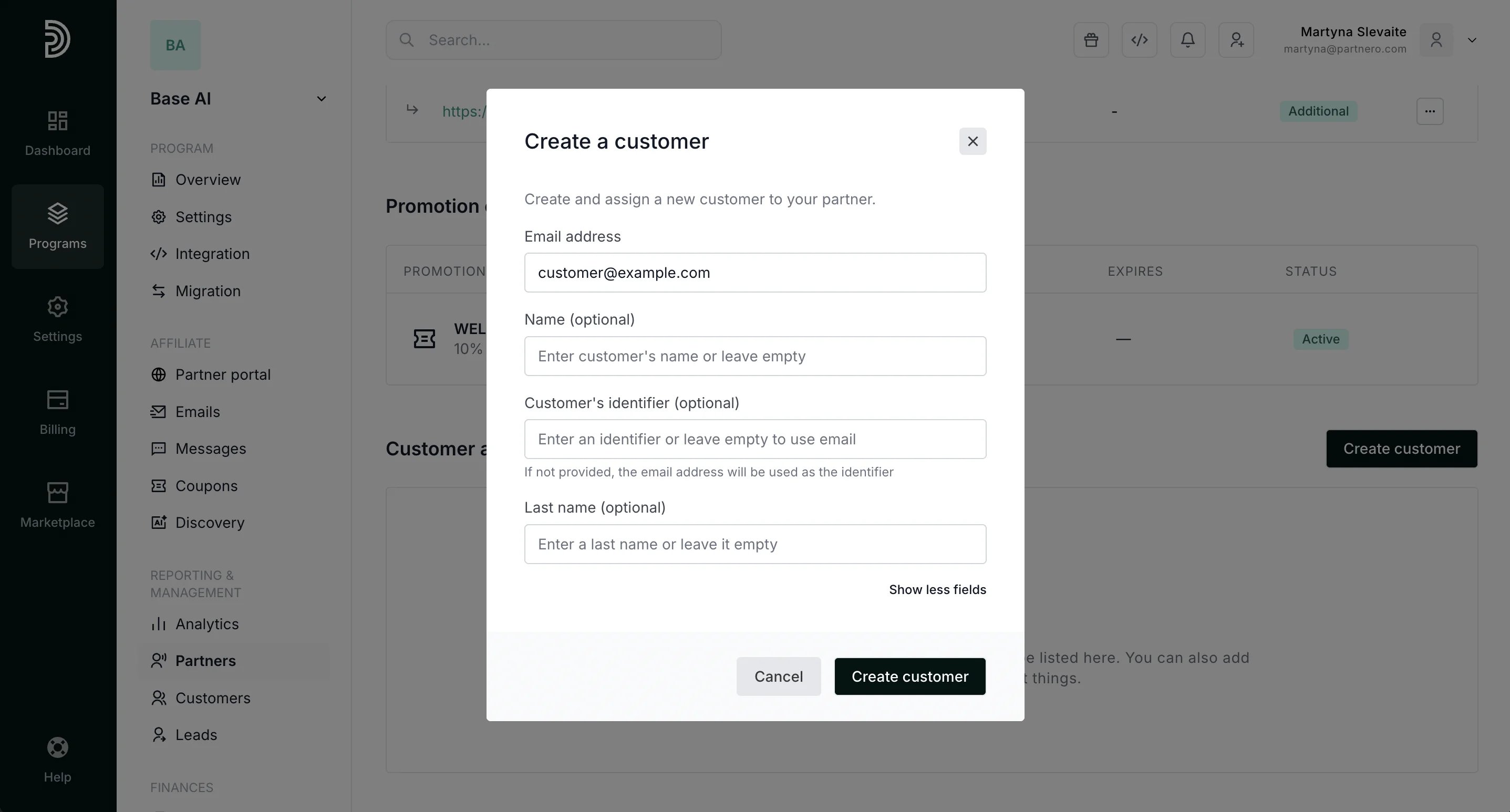
- Click Create customer.