

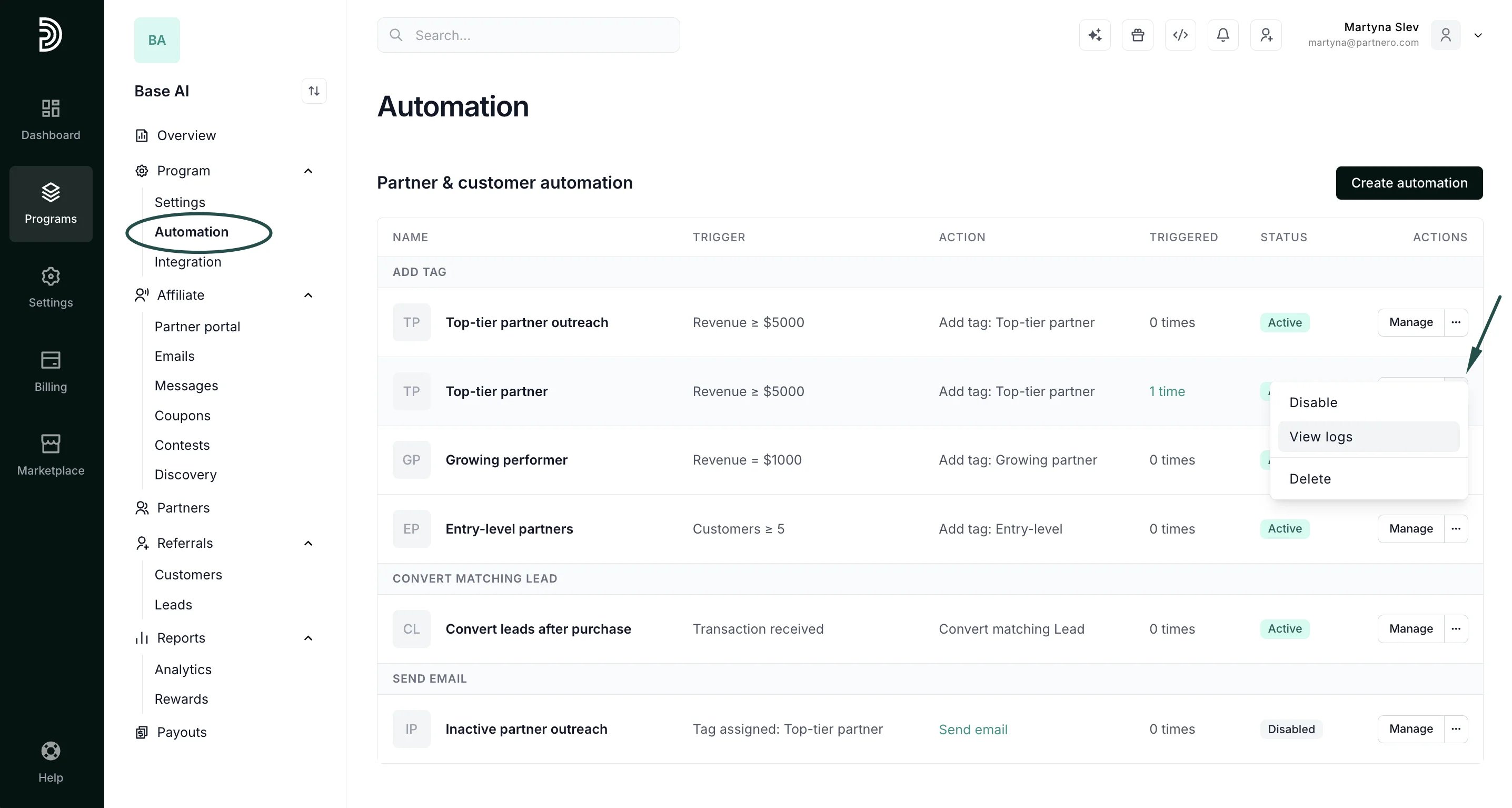
- Navigate to Automation under Program.
- Click the three dots next to Manage and click View logs:
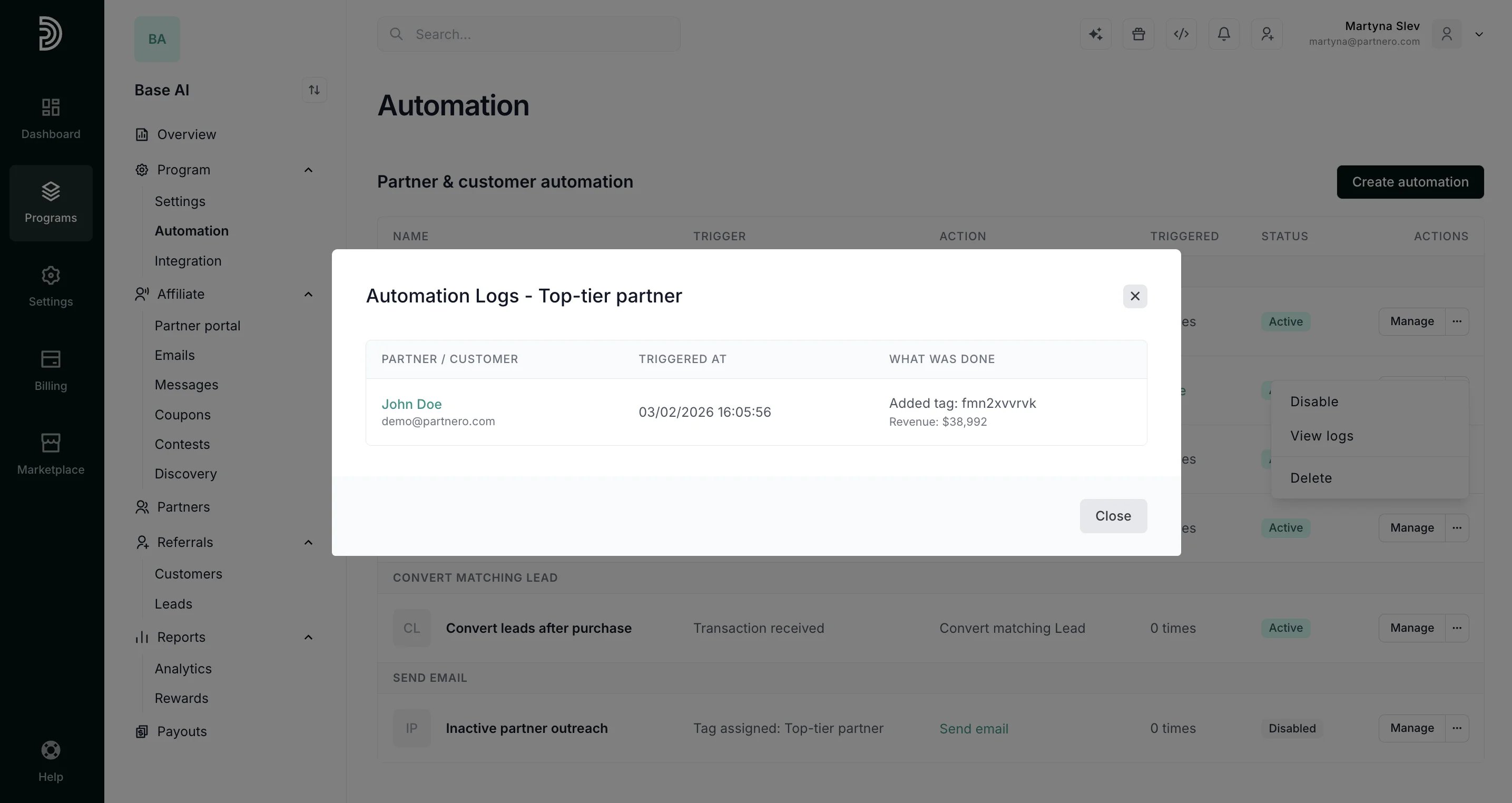
- You’ll be presented with the automation log:
Automation
Automation logs
Automation logs are per-automation records of exactly who was affected, when, and what action was taken, including tag additions and removals, email sends, lead conversions, and customer deletions.
To view automation logs:
Was this page helpful?