How to authorize Stripe
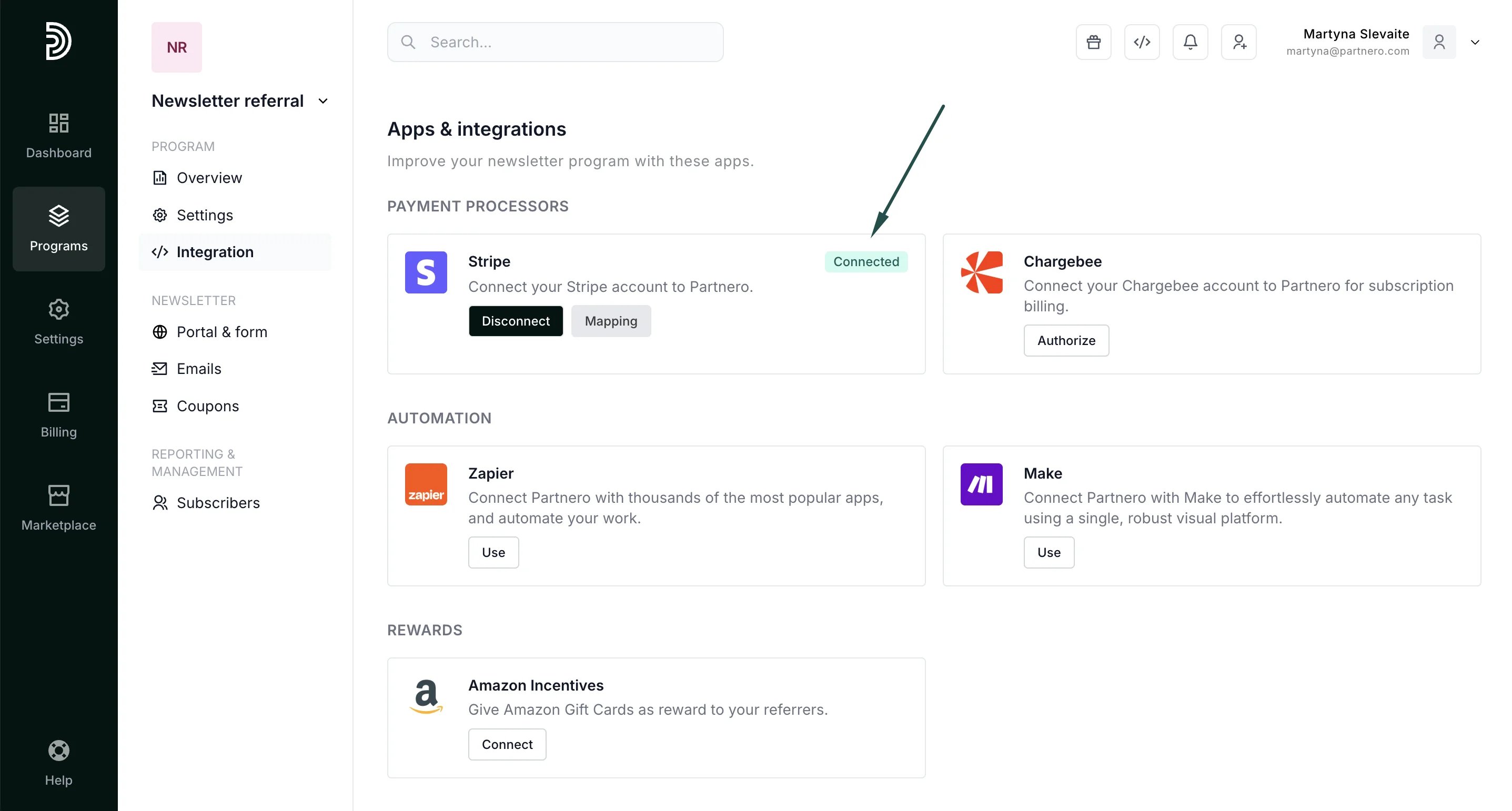
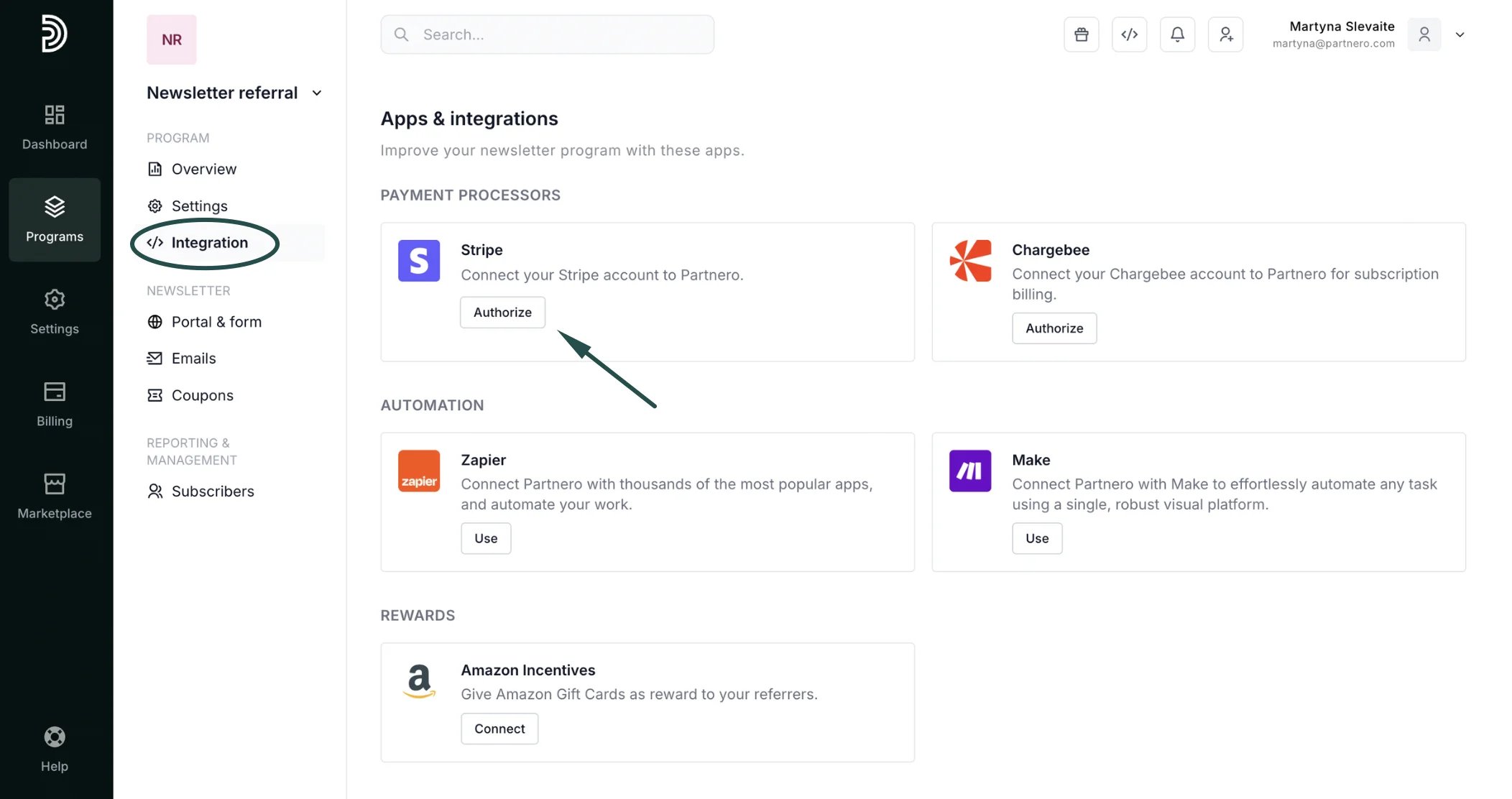
To authorize Stripe:- Open the program you’d like to work with.
- Navigate to Integration under Program and scroll down to Apps & Integrations.
-
Click Authorize next to Stripe:
-
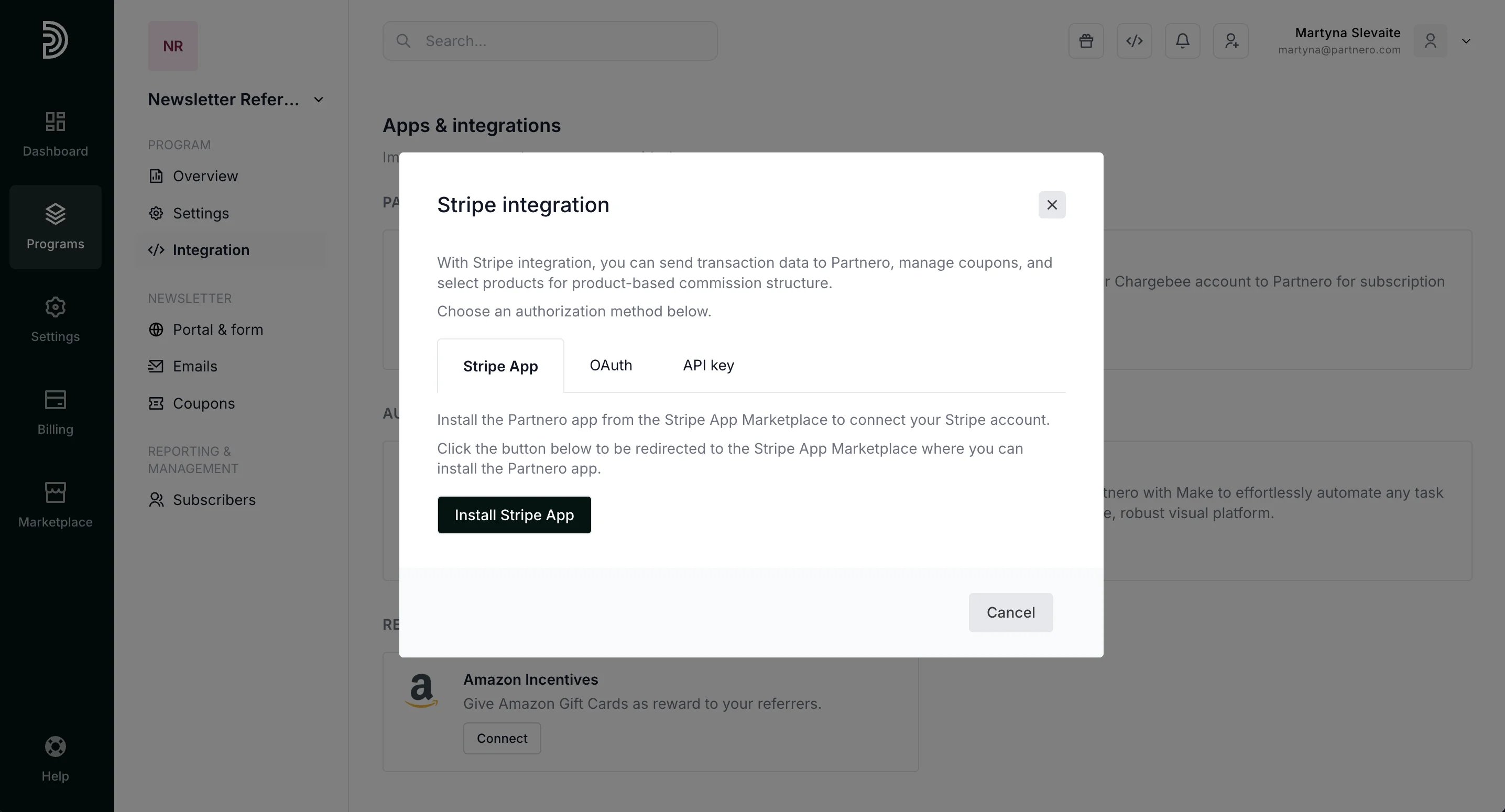
There are three authorization methods available:
Stripe App: install our official Stripe app (preferred method).
OAuth: click Authorize to be redirected to your Stripe account to grant Partnero access.
API key: authorize using your Stripe API key. Go to Developers > API keys in your Stripe dashboard. Copy the Secret key into the verification fiel.