

Enable bank transfer payouts for specific partners
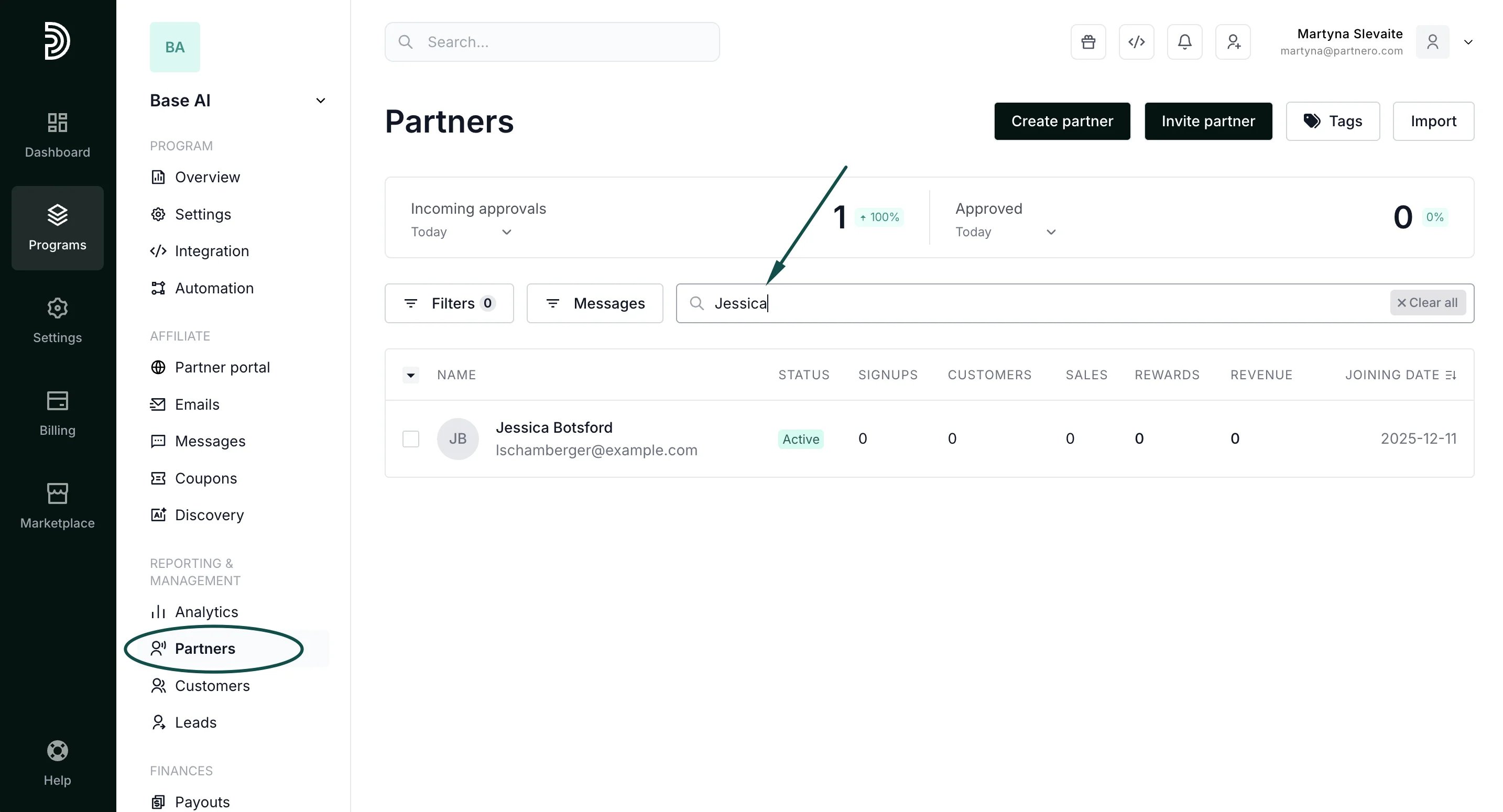
To enable bank-transfer requests for an individual partner:- In your program, go to Partners under Reporting & Management.
- Find the partner by using their name or email address:
- Click to open their profile.
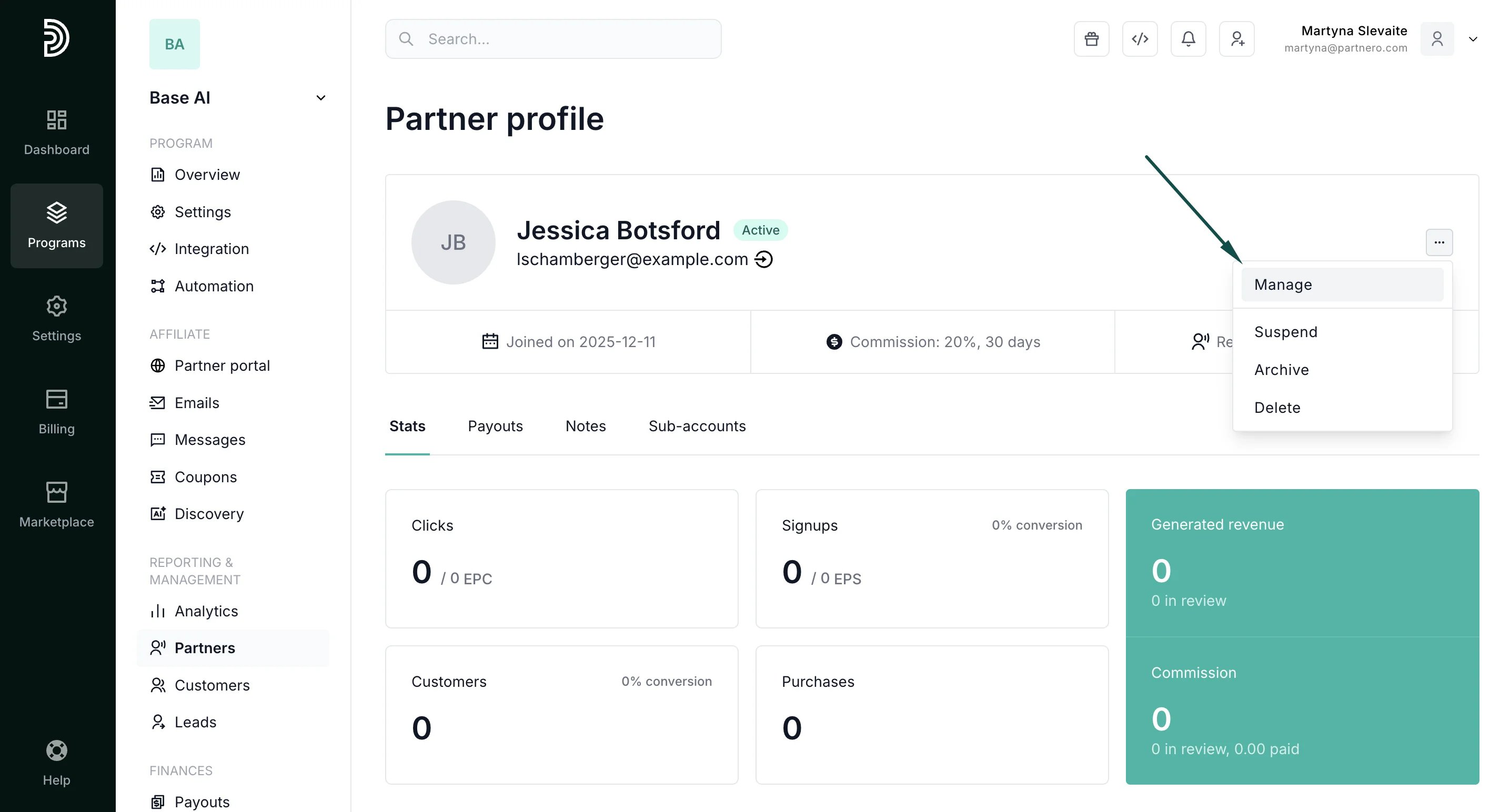
- Click on the three dots on the right-hand side and click Manage:
- In the Profile section, toggle Payout requests via bank transfer:
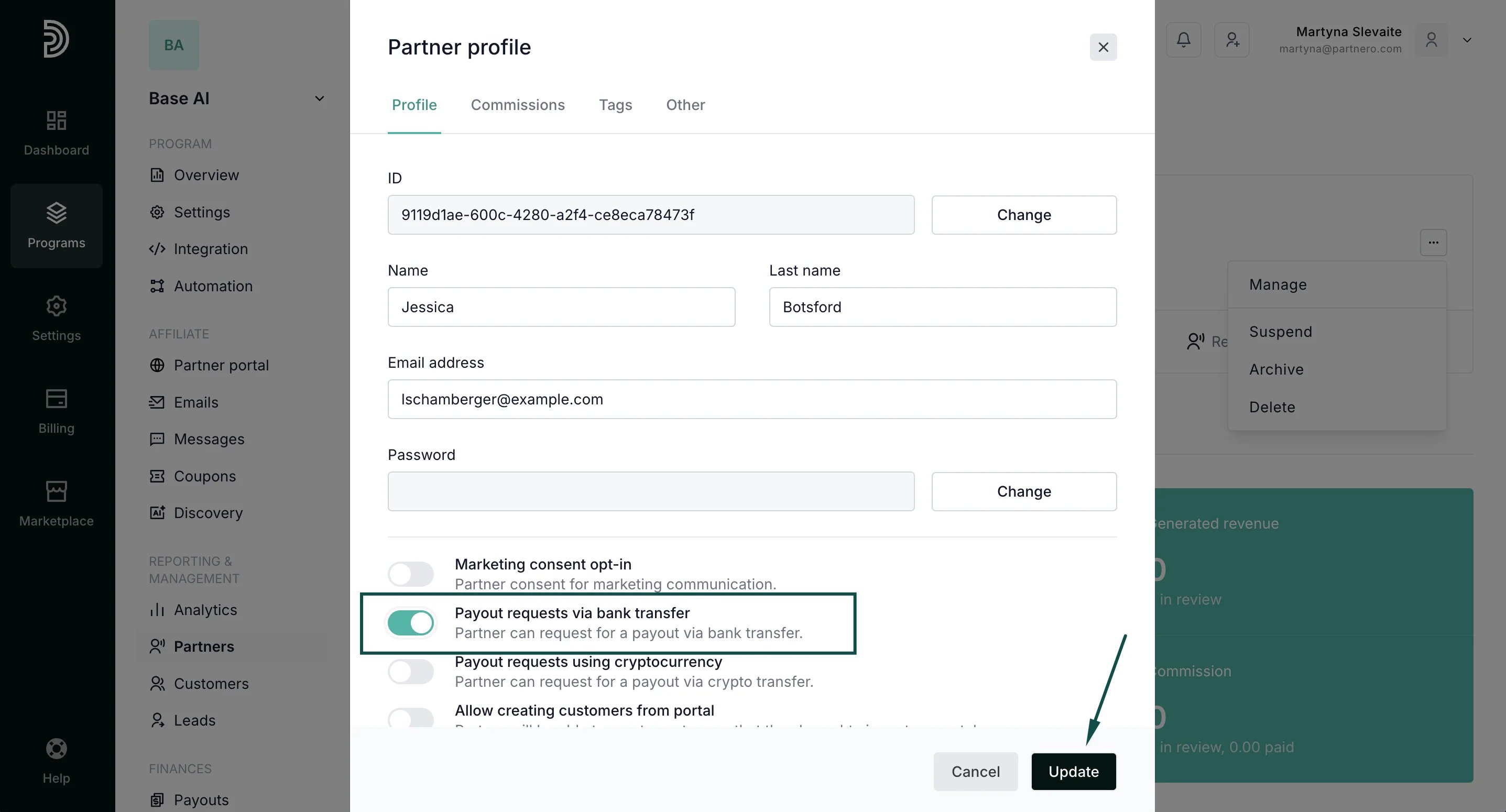
- Click Update.