

How to manage tags
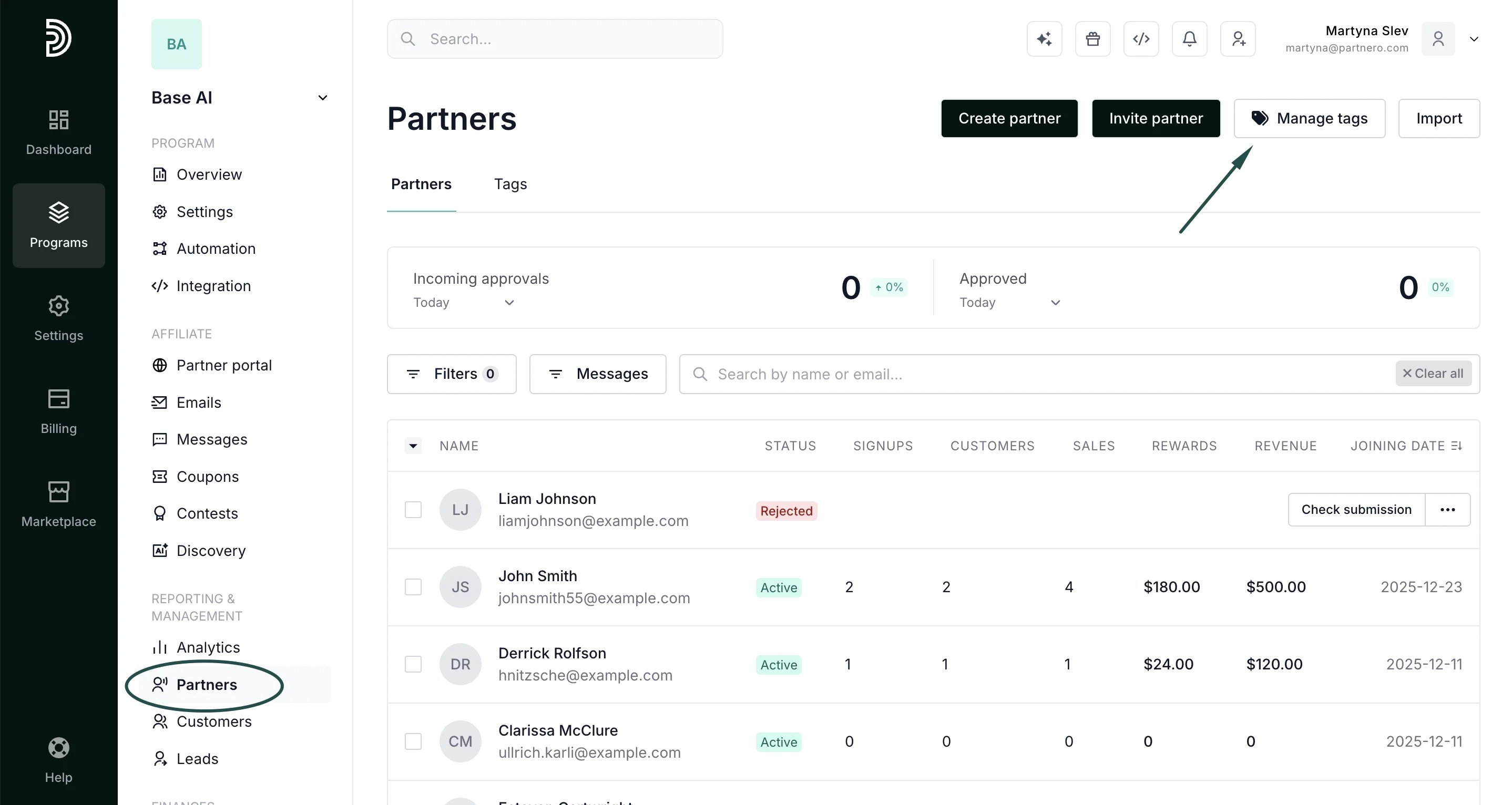
To create, view existing, or delete tags:- In your program, click on Partners in the left-hand side menu.
- Click Manage t****ags in the upper right-hand corner:
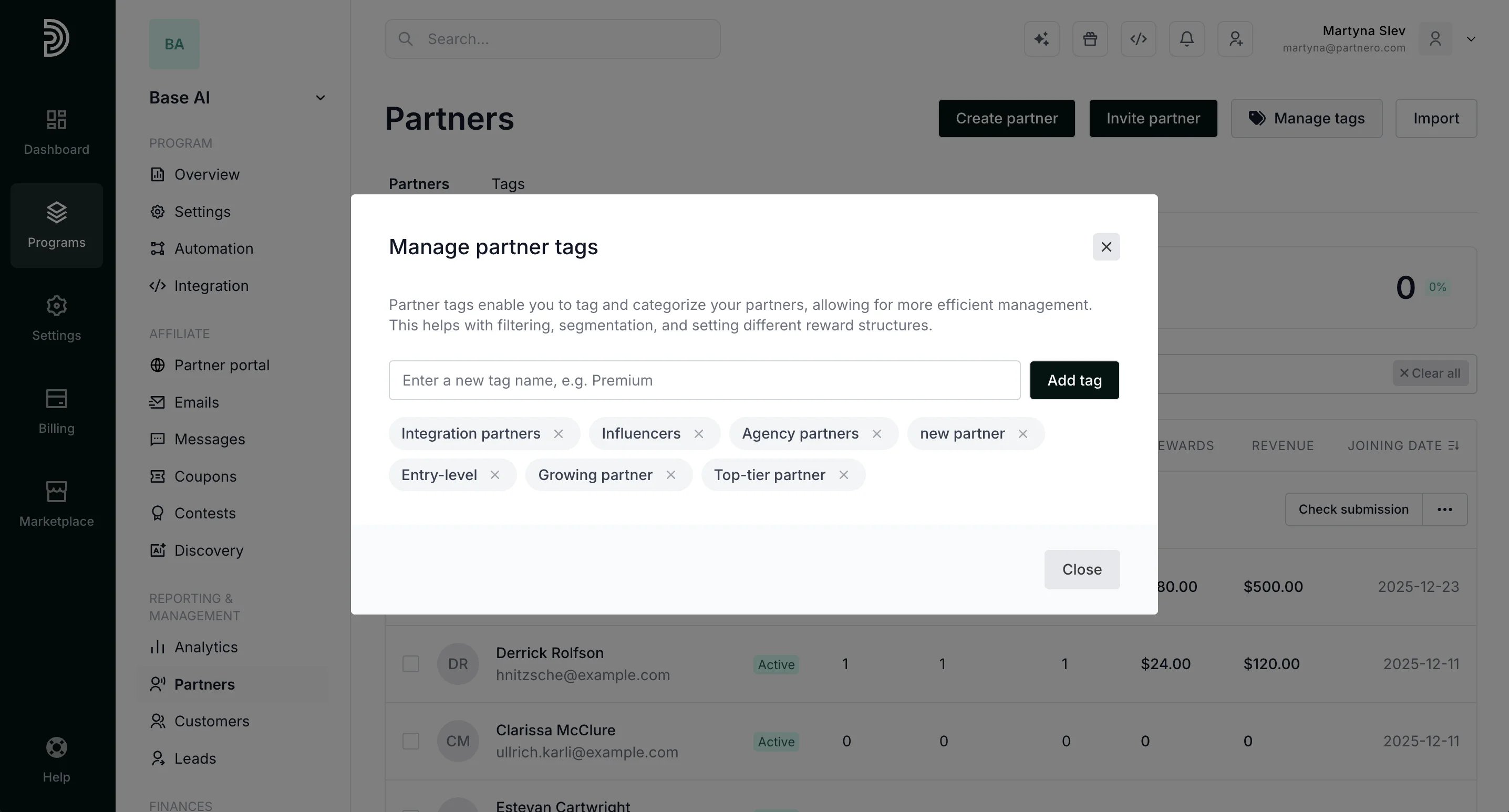
- Here, you can remove existing tags and create new ones:
How to assign partner tags
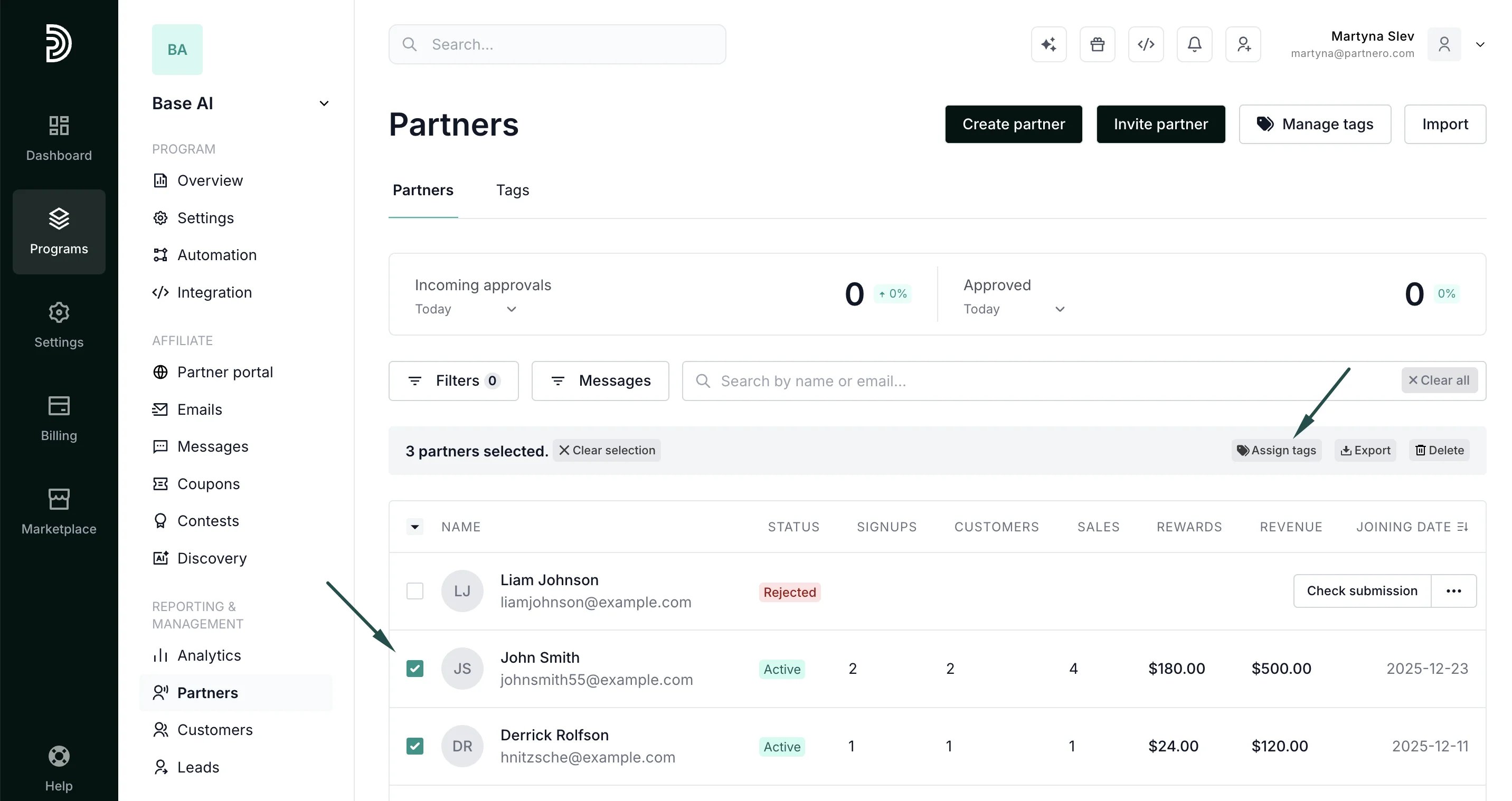
Tags can be assigned to a partner from their profile or from the Partners table. To assign tags from the Partners table:- In your program, click on Partners in the left-hand side menu.
- Find and select the partners you’d like to tag and click Assign tags:
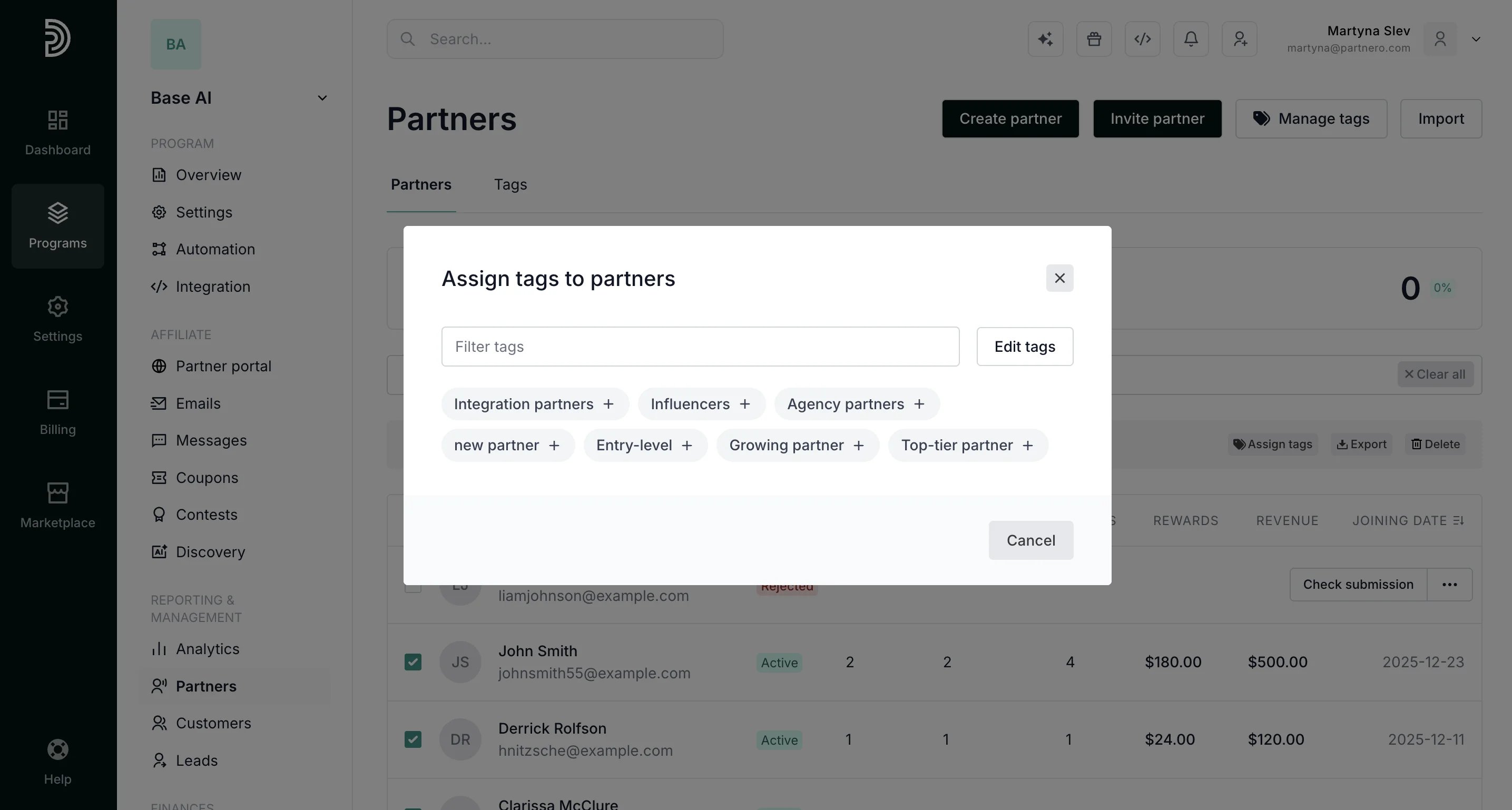
- Click on the existing tags you’d like to assign, or click Edit tags to create and assign new ones.
- In your program, click on Partners in the left-hand side menu.
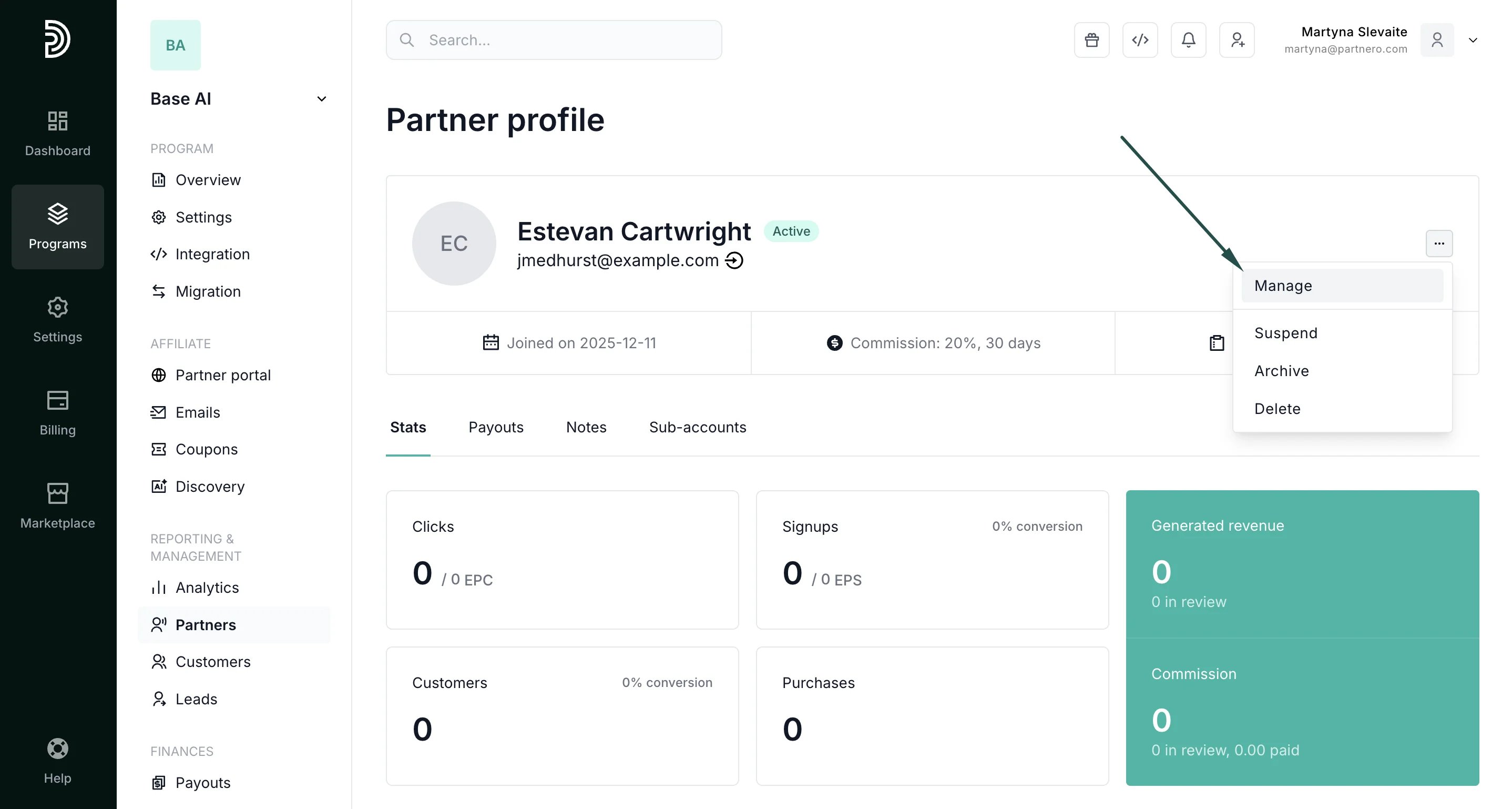
- Find a partner using their name or email and open their profile. Click Manage:
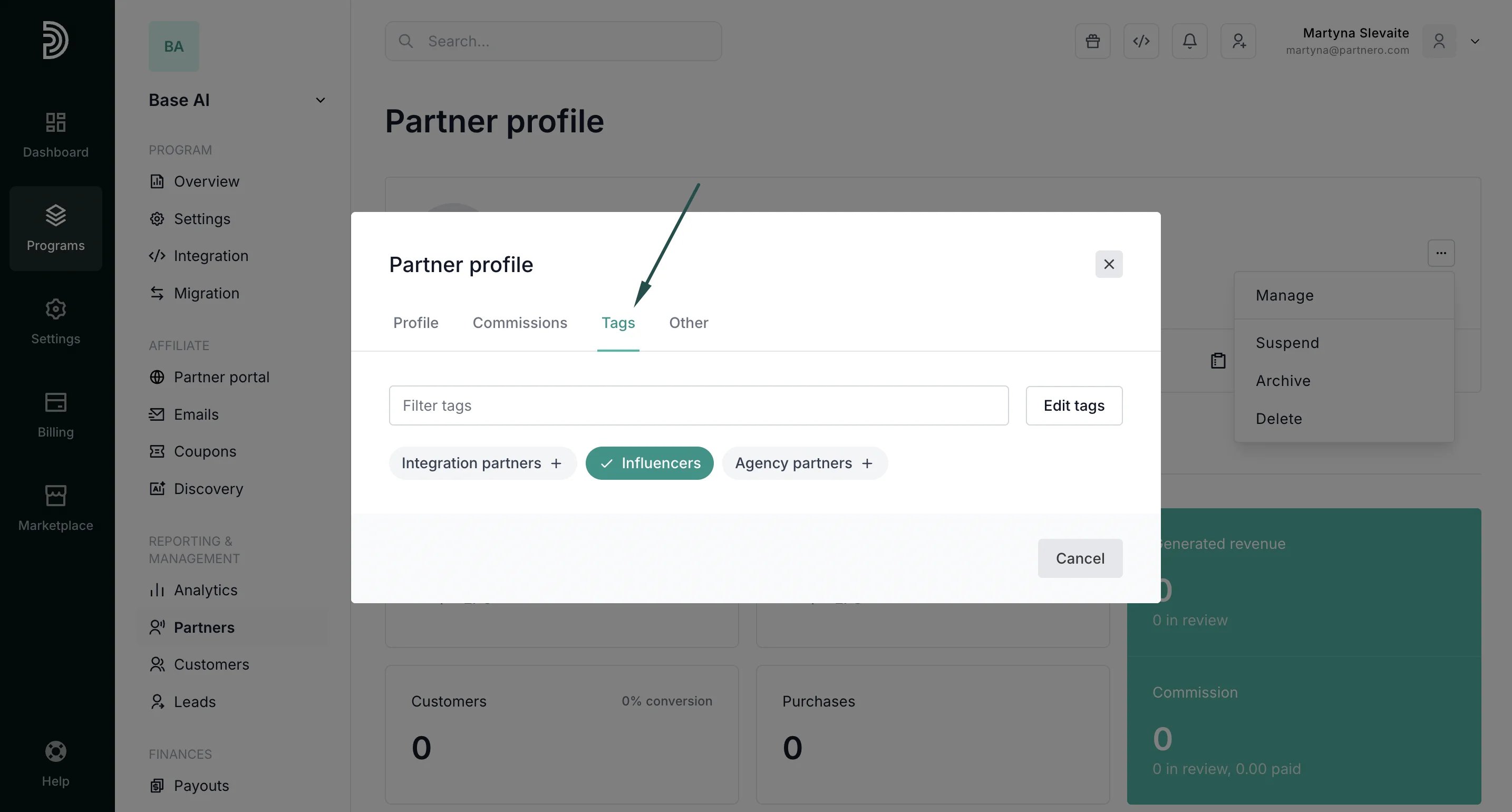
- Switch to the Tags tab. Click on existing tags to assign one, or click Edit tags to create a new tag:
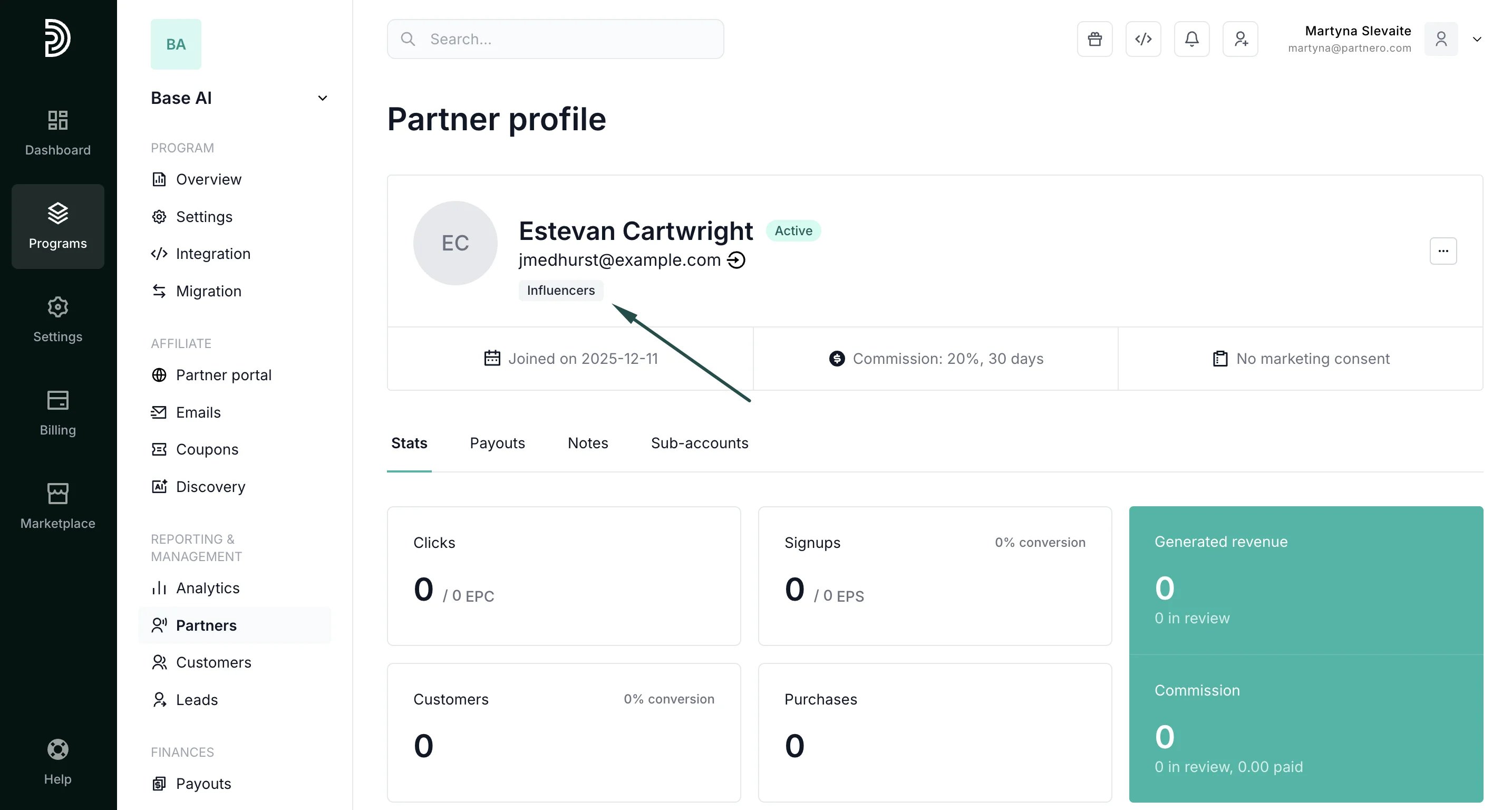
- You will see the assigned tag displayed in the partner’s profile:
How to set up commissions for specific tags
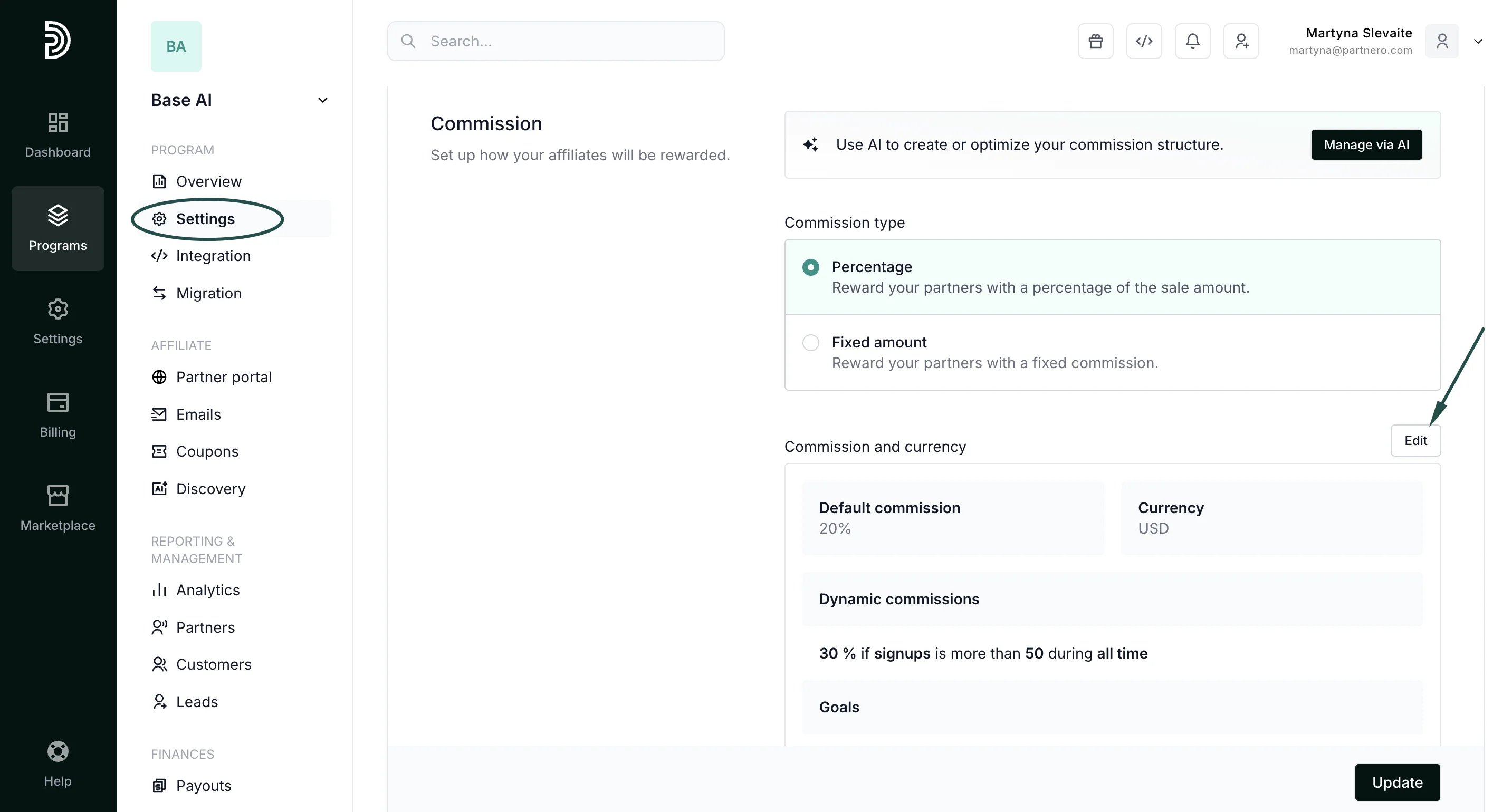
Each partner tag can have an individual commission structure. To set up rewards:- Go to Settings under Program and click Commission rules. If you already have other advanced commissions set up, click Edit:
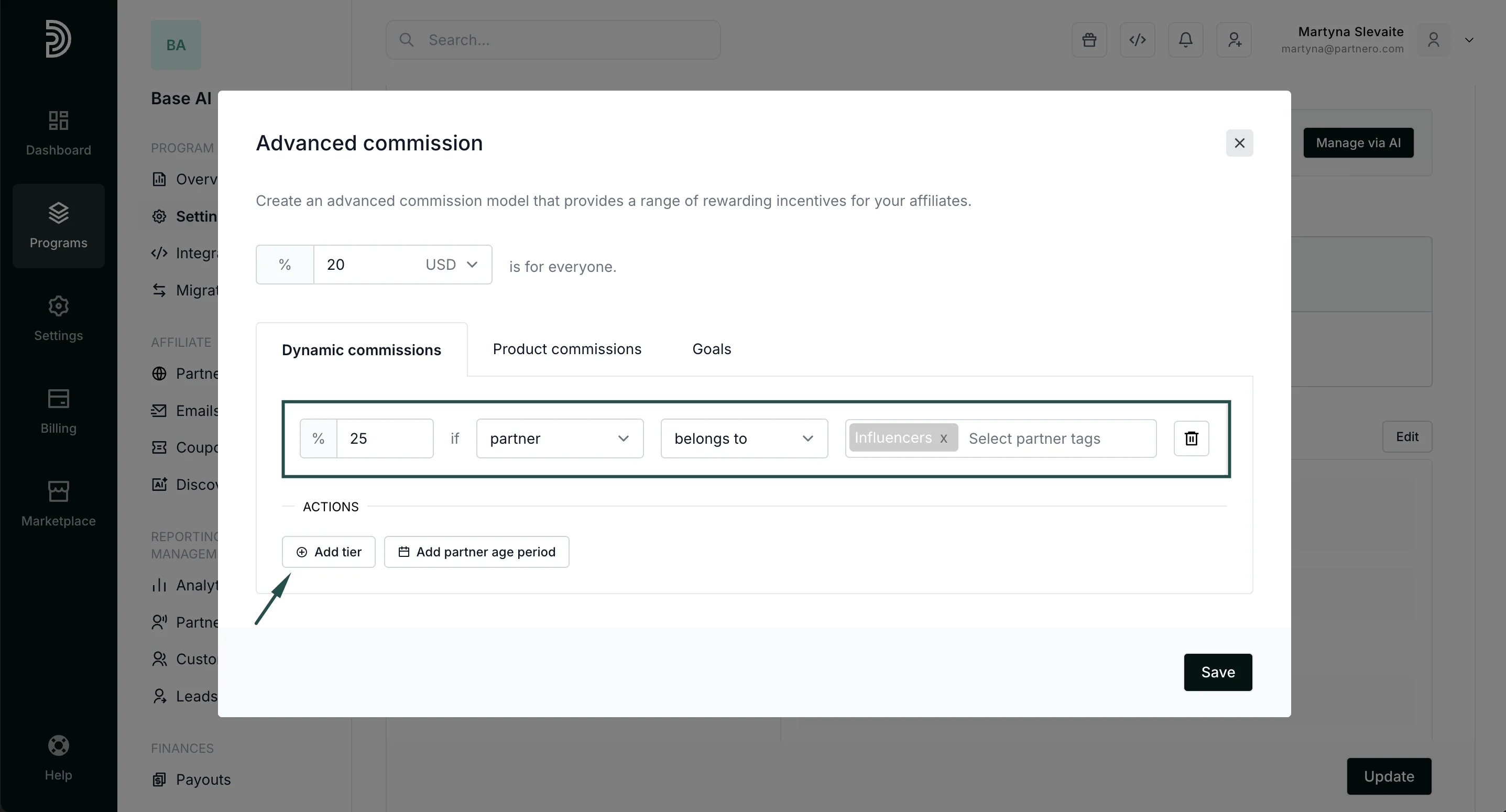
- In the Dynamic commissions tab, click +Add tier and set up the reward condition. In the example below, we’re offering 25% commission if a partner > belongs to > “Influencers”:
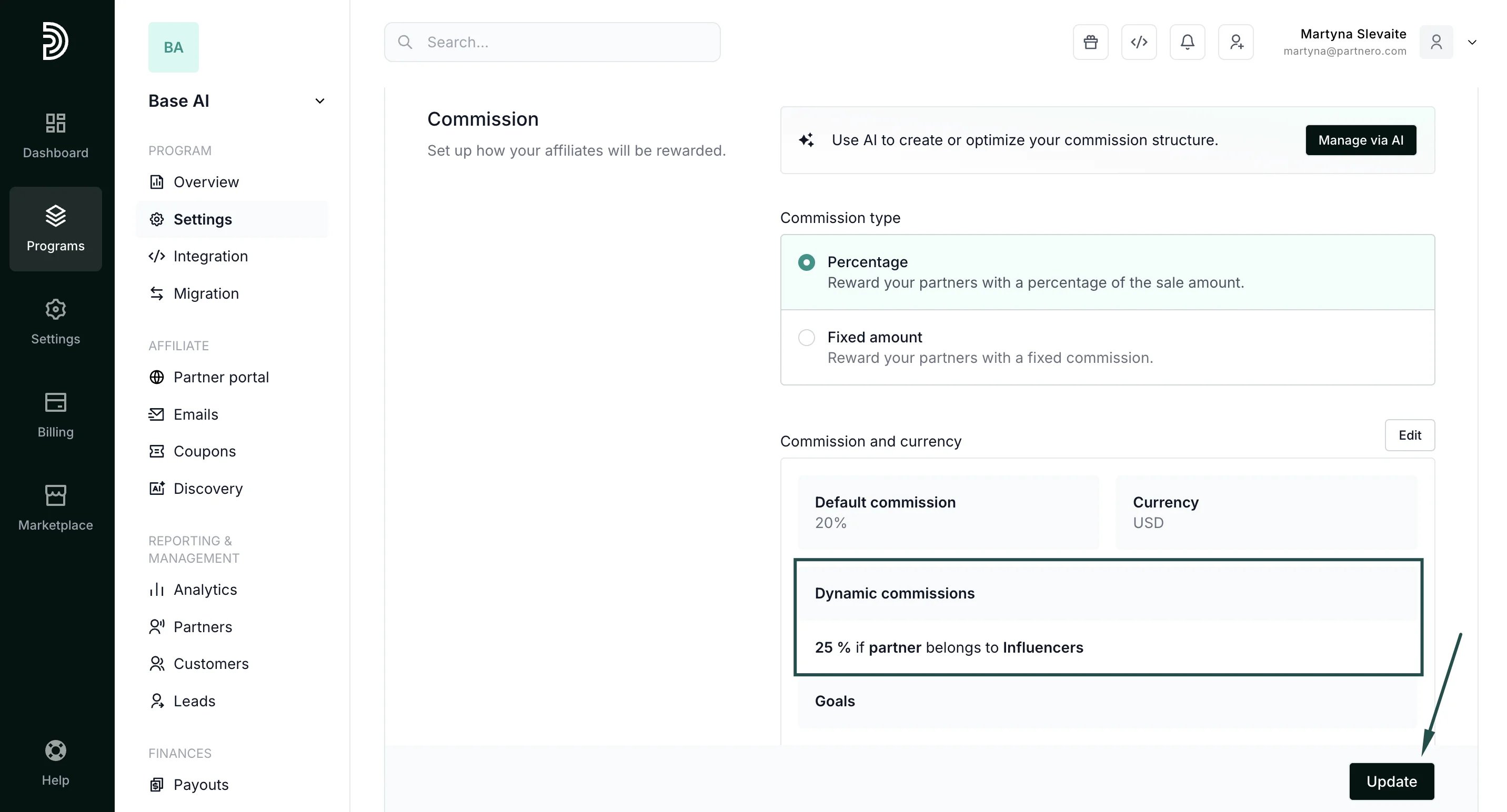
- Click Save to close the modal, and then Update to save the new settings:
Performance overview by tags
You can view all your existing tags and track performance by group under Partners → Tags tab: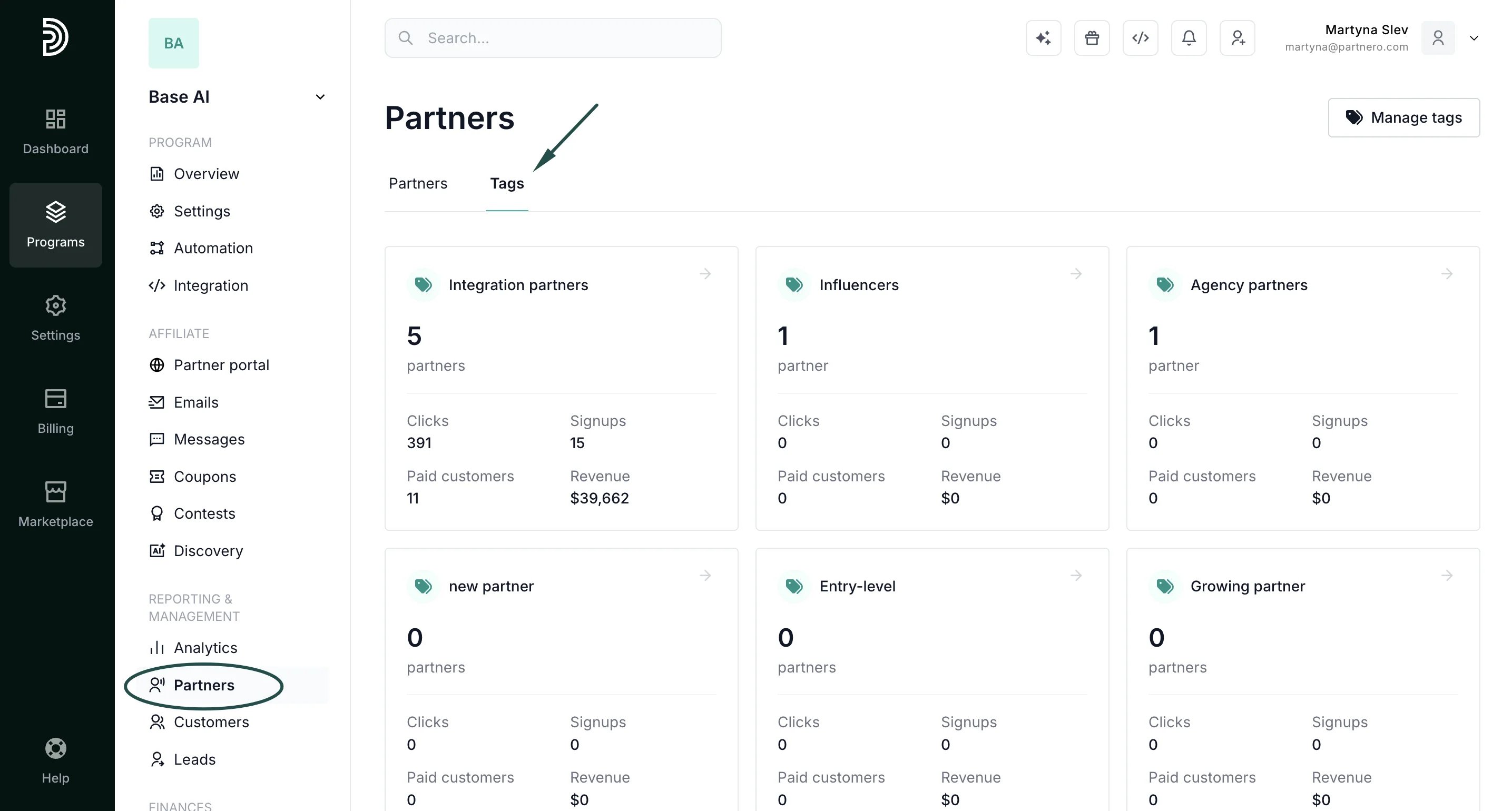
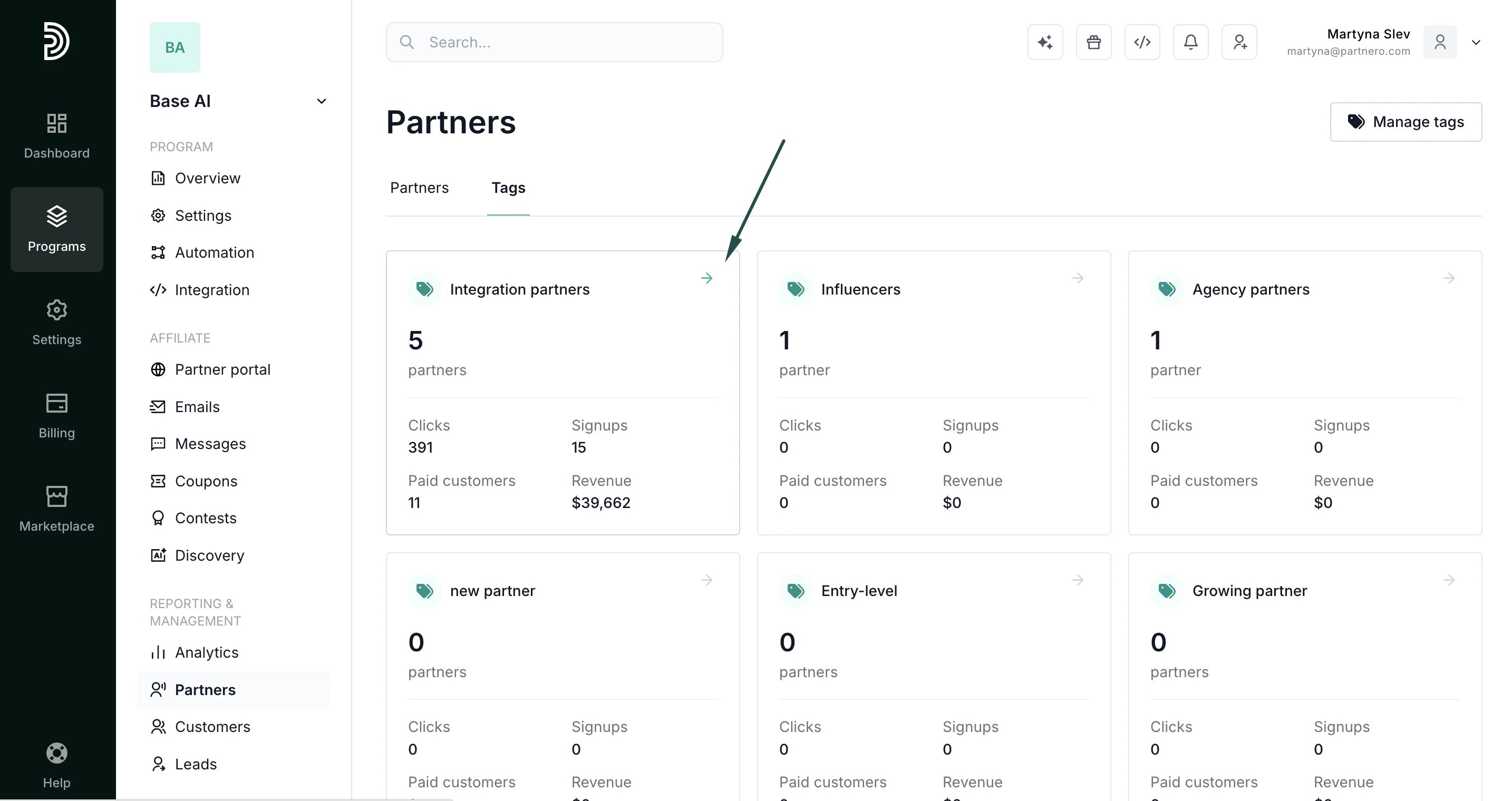
- Paid customers counts referred customers with at least one qualifying reward (the same definition as the partner list’s Customers column).
- Revenue is the reward-based revenue attributed to the partners, shown in your program’s reward currency (and per currency where applicable).