

- Default or tier-based commission rates
- Cookie duration
- Payout schedule, methods, and threshold
- Collapsible content sections (Product overview, Who it’s for, Why promote us, Program guidelines)
- A button linking to the Resources page
How to add program overview to partner dashboard
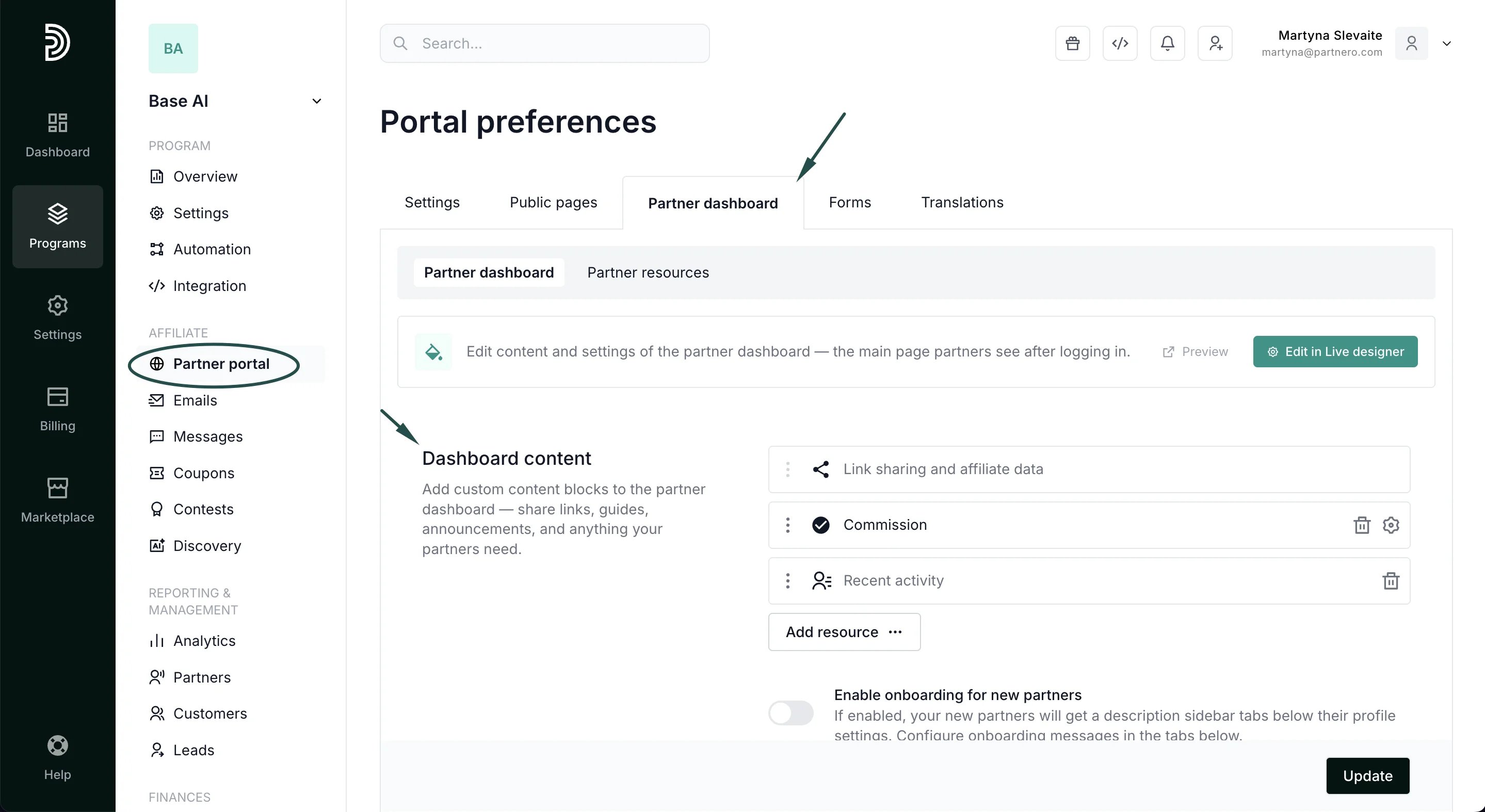
To add a program overview block to the affiliates’ partner dashboard:- Open your program and navigate to Partner portal under Affiliate.
- Select the Partner dashboard tab, Dashboard content section:
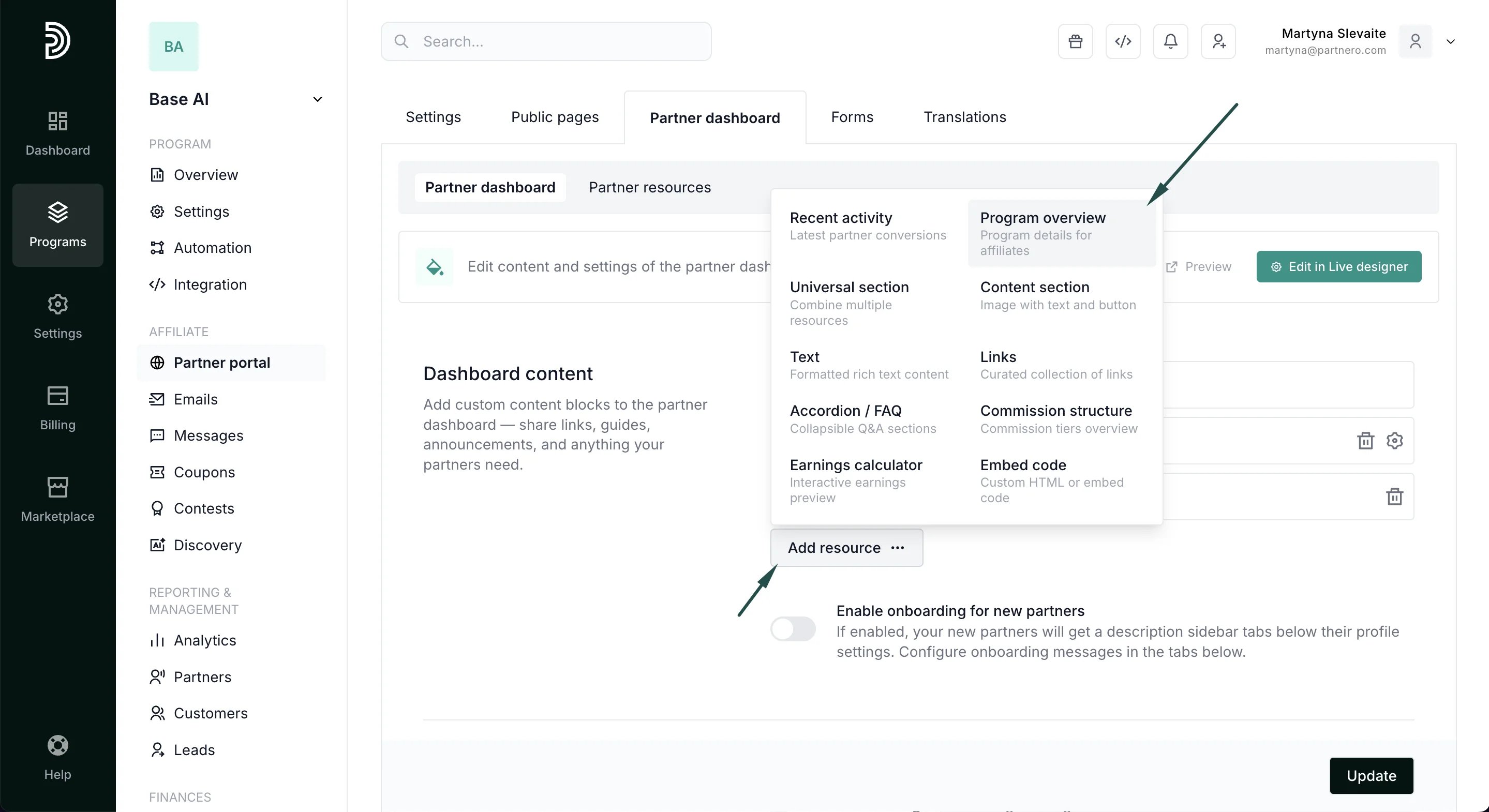
- Click Add resource and select Program overview.
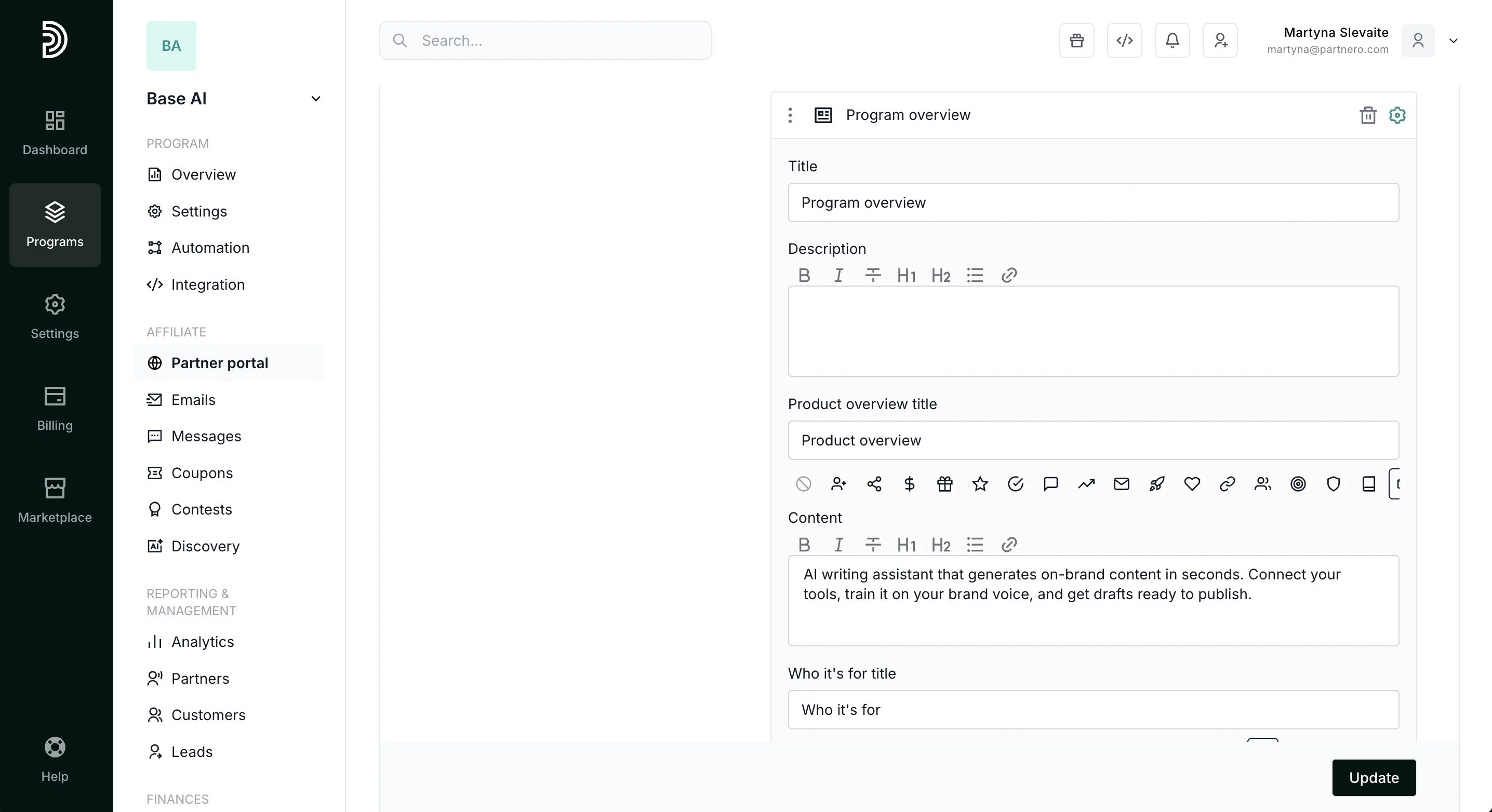
- Configure the block:
- Add a title and description.
- Fill in any of the four optional content sections — Product overview, Who it’s for, Why promote us, and Program guidelines. Each section supports rich text and an optional icon.
- Toggle the information you want to display:
- Show commission summary — displays the commission structure from program settings.
- Show cookie duration — displays the referral cookie lifetime.
- Show payout info — displays payout schedule and available methods.
- Show additional tiers — displays tiers, bonuses, product and goal commissions when available.
- Show Resources button — displays a button linking to the Resources page in the header.
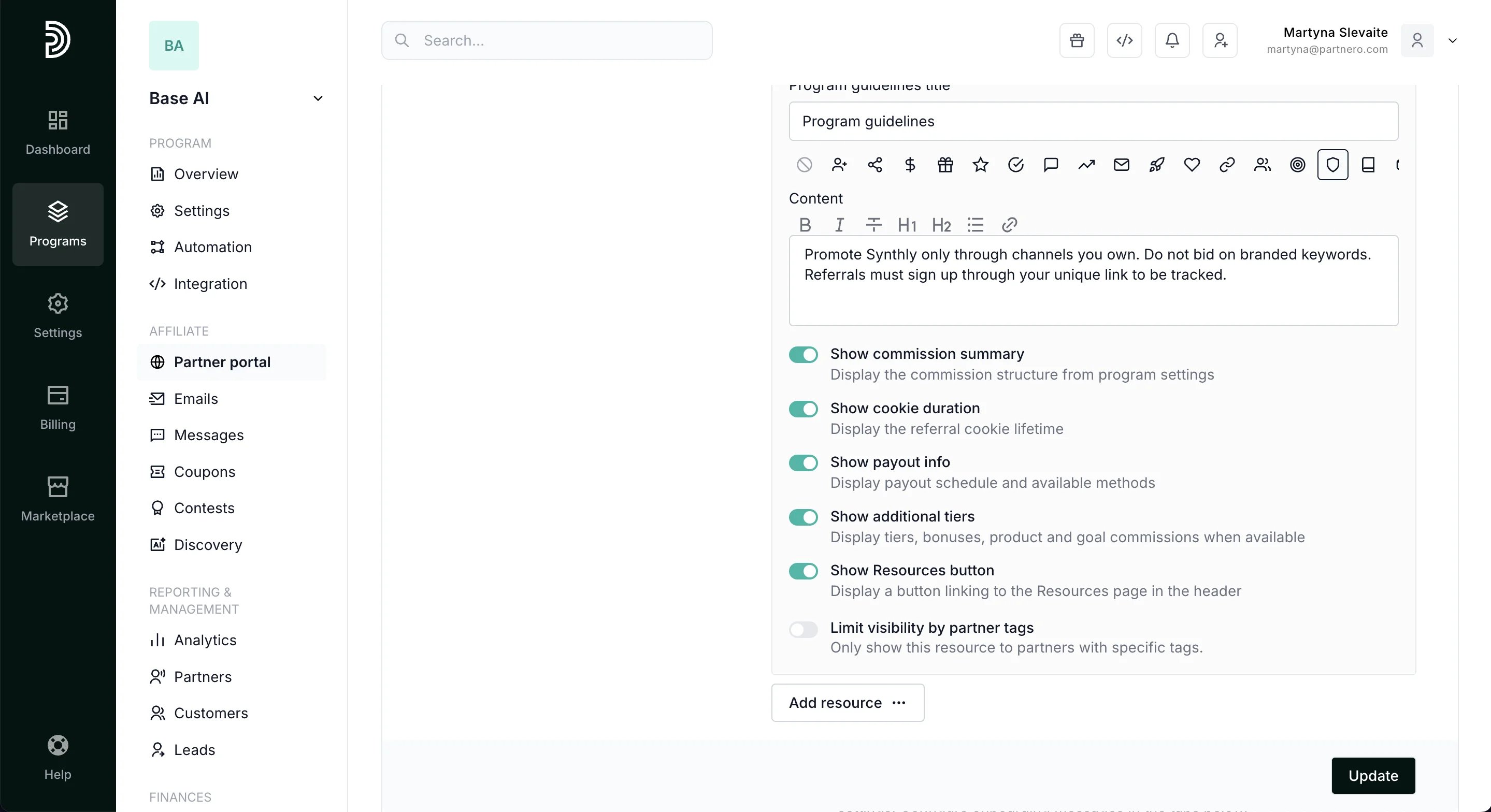
- Click Update to publish.
Partner portal view
When added, affiliates will see the program overview block on their dashboard.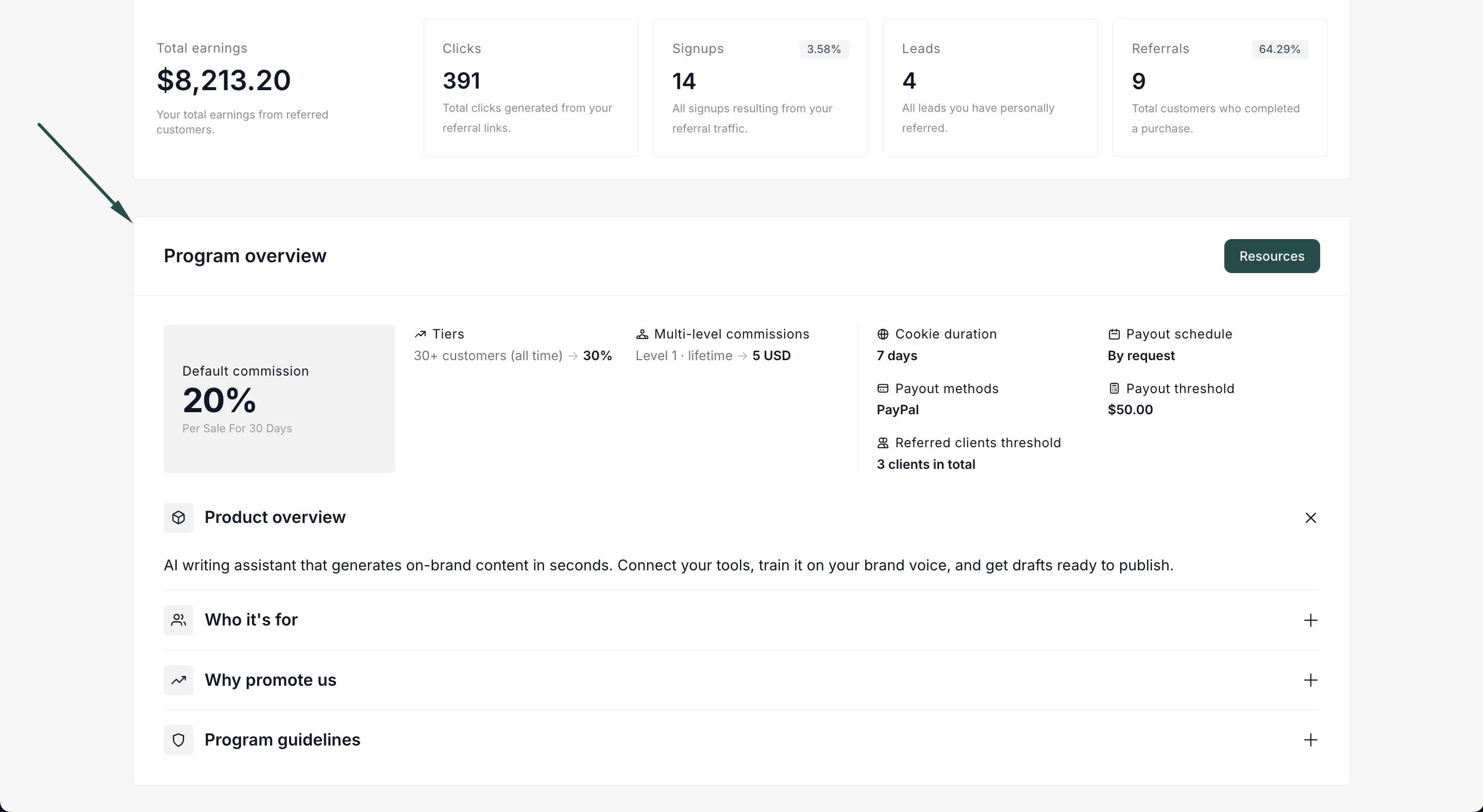
- Commission summary at a glance — the partner’s current or default commission rate, prominently displayed.
- Additional commission details — tiers, per-sale bonuses, product-based commissions, goals, period-based commissions, and multi-level commissions (when available and enabled).
- Program details — cookie duration, payout schedule, payout methods, payout threshold, and referred clients threshold.
- Content sections — collapsible accordion-style sections where partners can read about the product, target audience, selling points, and program guidelines.
- Resources button — a quick link to the Resources page for additional materials.