

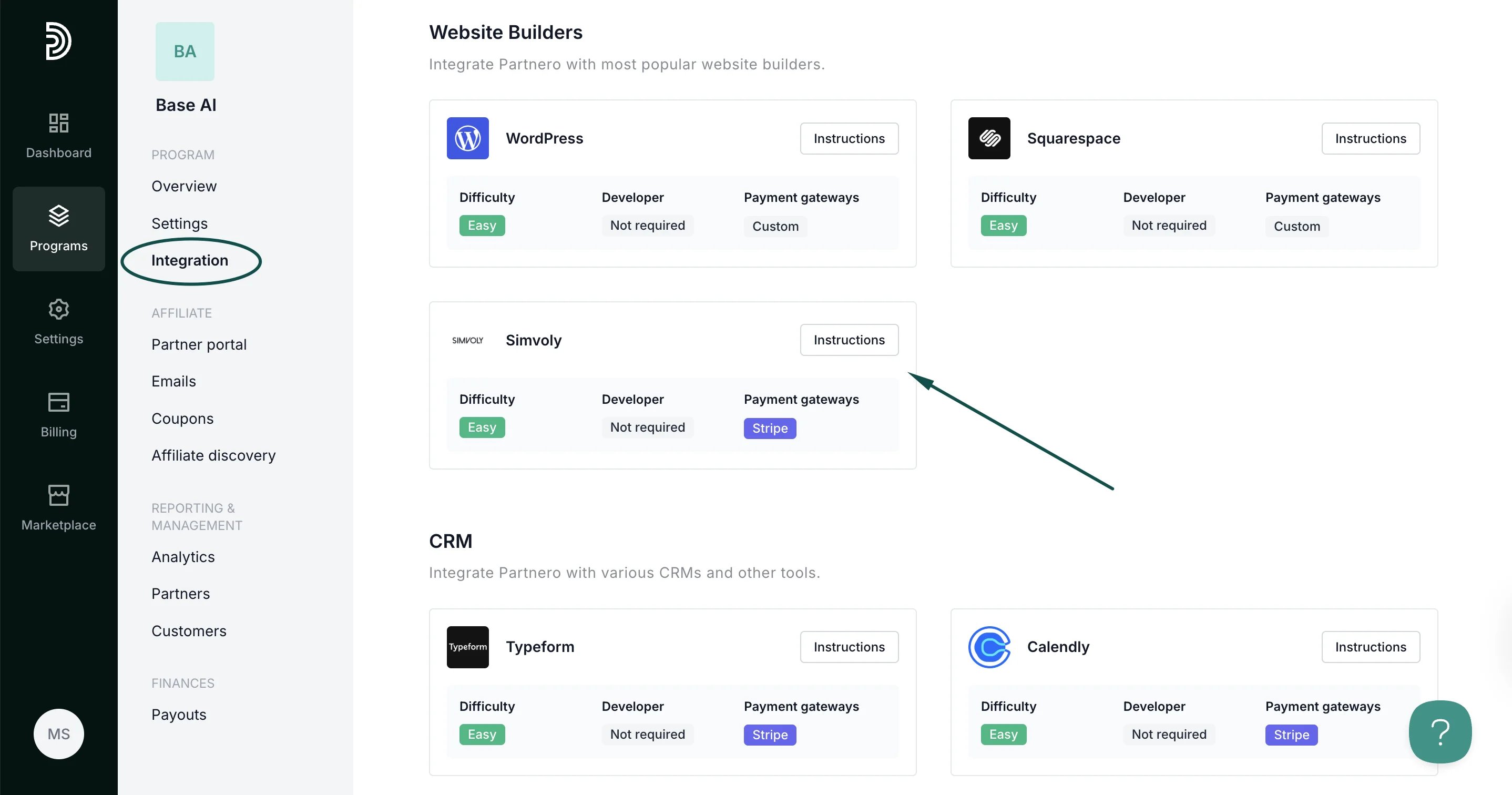
Step 1: Start tracking website visitors
To track visitors on your website, you need to install the PartneroJS snippet as custom code.Install the PartneroJS Snippet
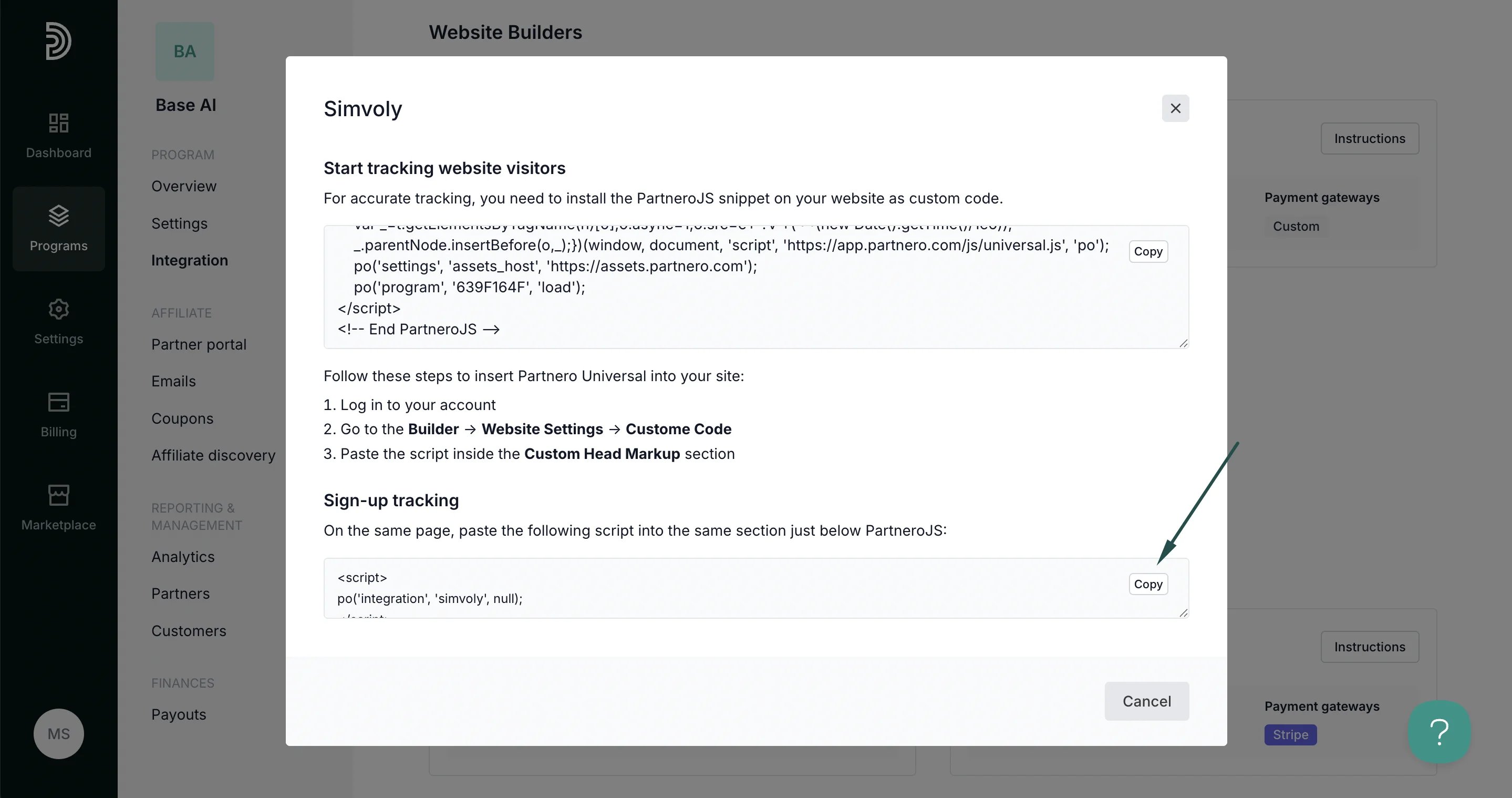
- On Partnero, go to Integration > Guides tab > Simvoly. Click Instructions.
- Copy the PartneroJS snippet:
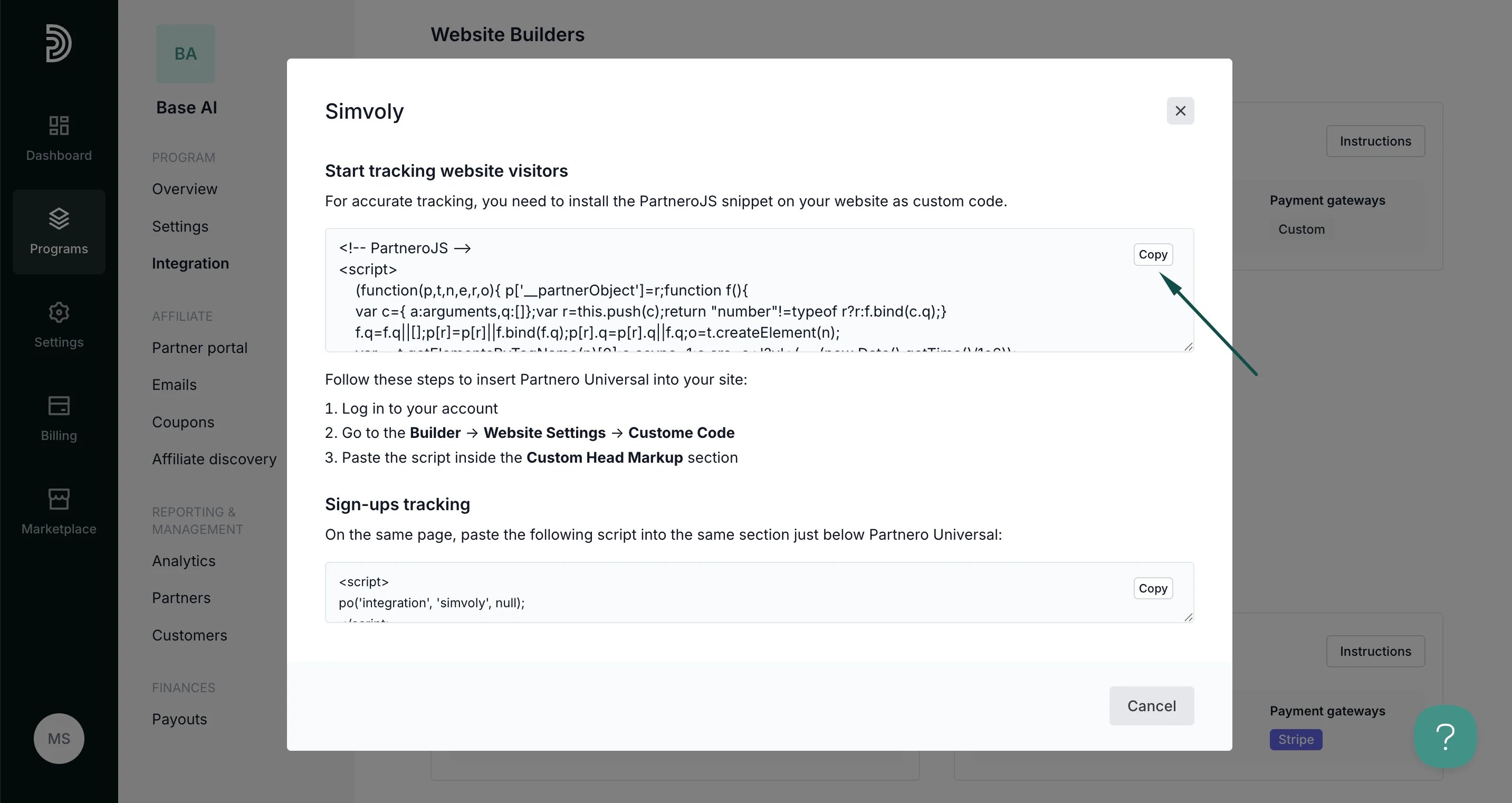
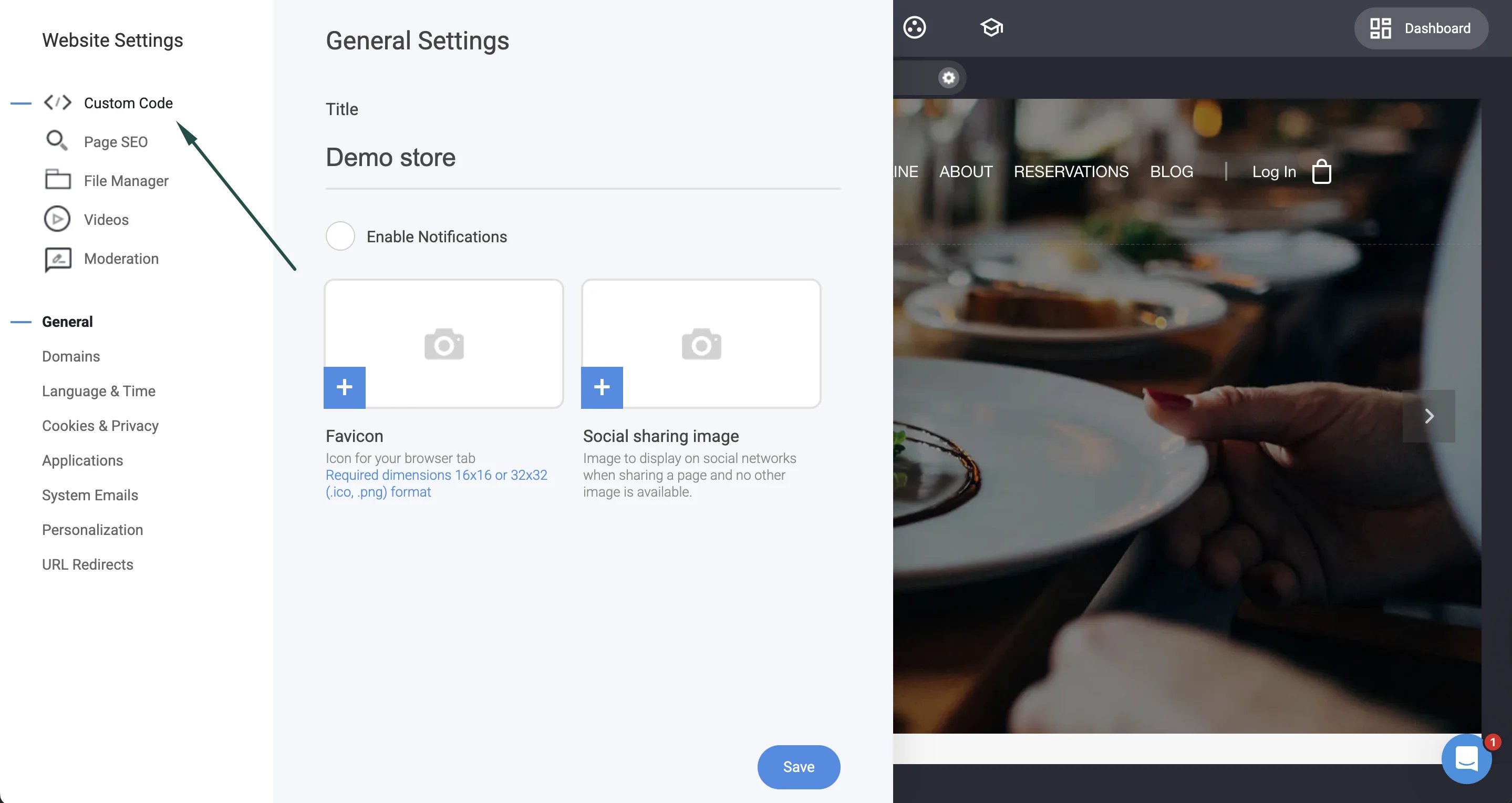
- Next, go to your Simvoly account. Navigate to Builder > Website settings:

- Click Custom code:
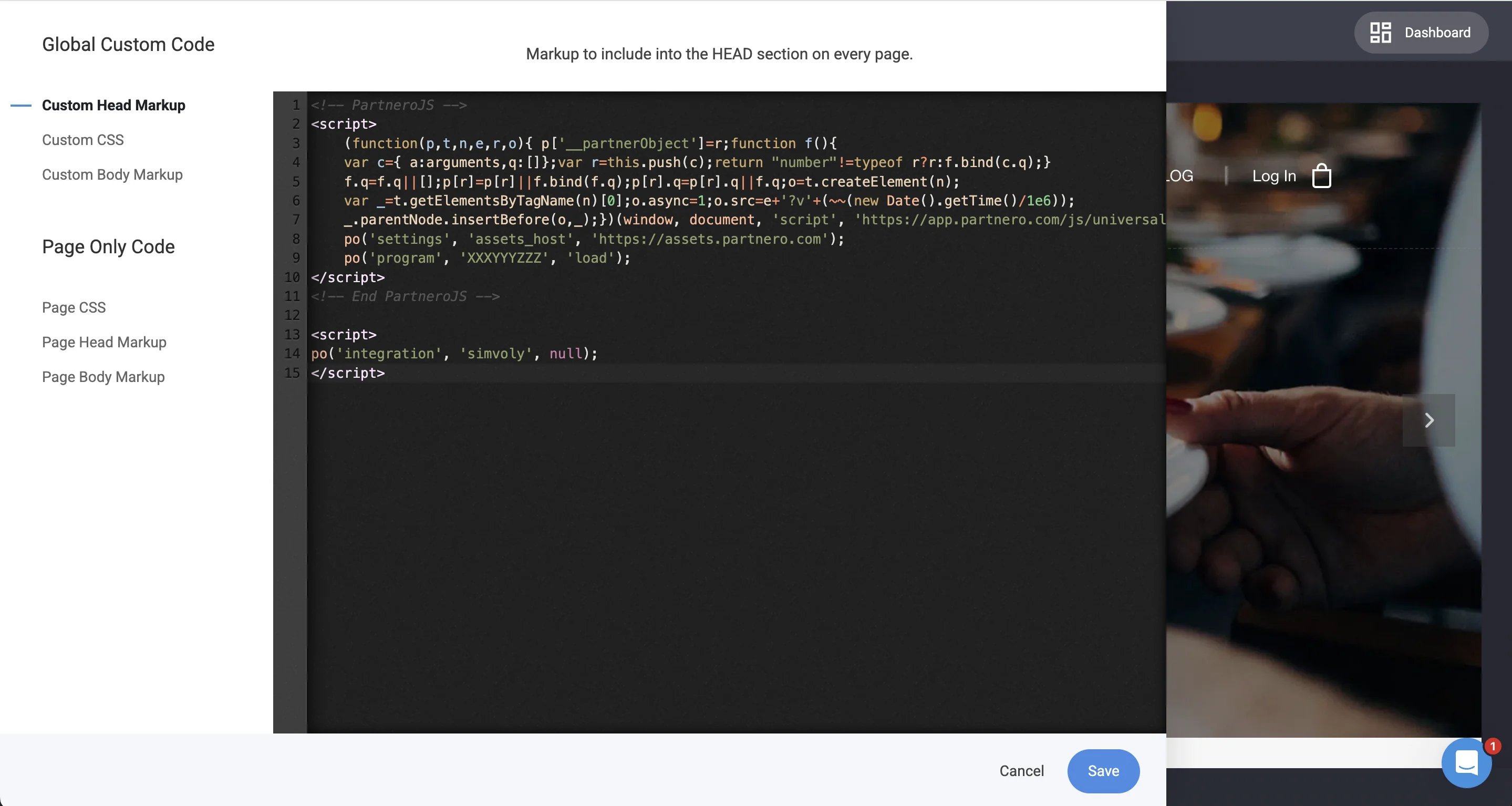
- Paste the script inside the Custom Head Markup section:
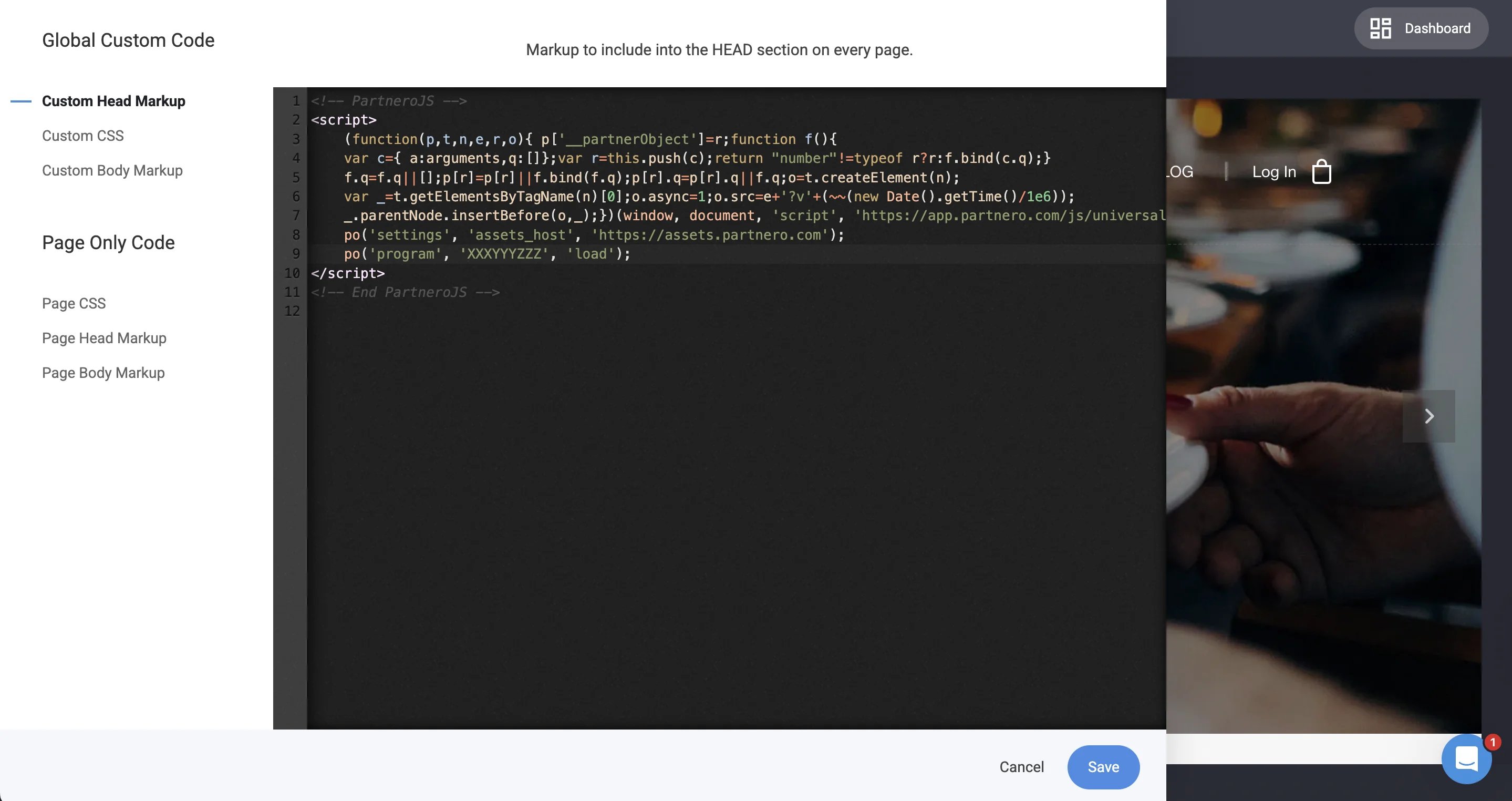
- Click Save.
Step 2: Sign-up tracking
To track signups:- On Partnero, copy the snippet provided under the Sign-up tracking section:
- On Simvoly, return to the Custom code section. Paste the script into the Custom Head Markup section, just below PartneroJS:
- Click Save.
Step 3: Sales tracking
To complete the integration, you need to share details of successful sales with Partnero. You can do that by authorizing your Stripe account:-
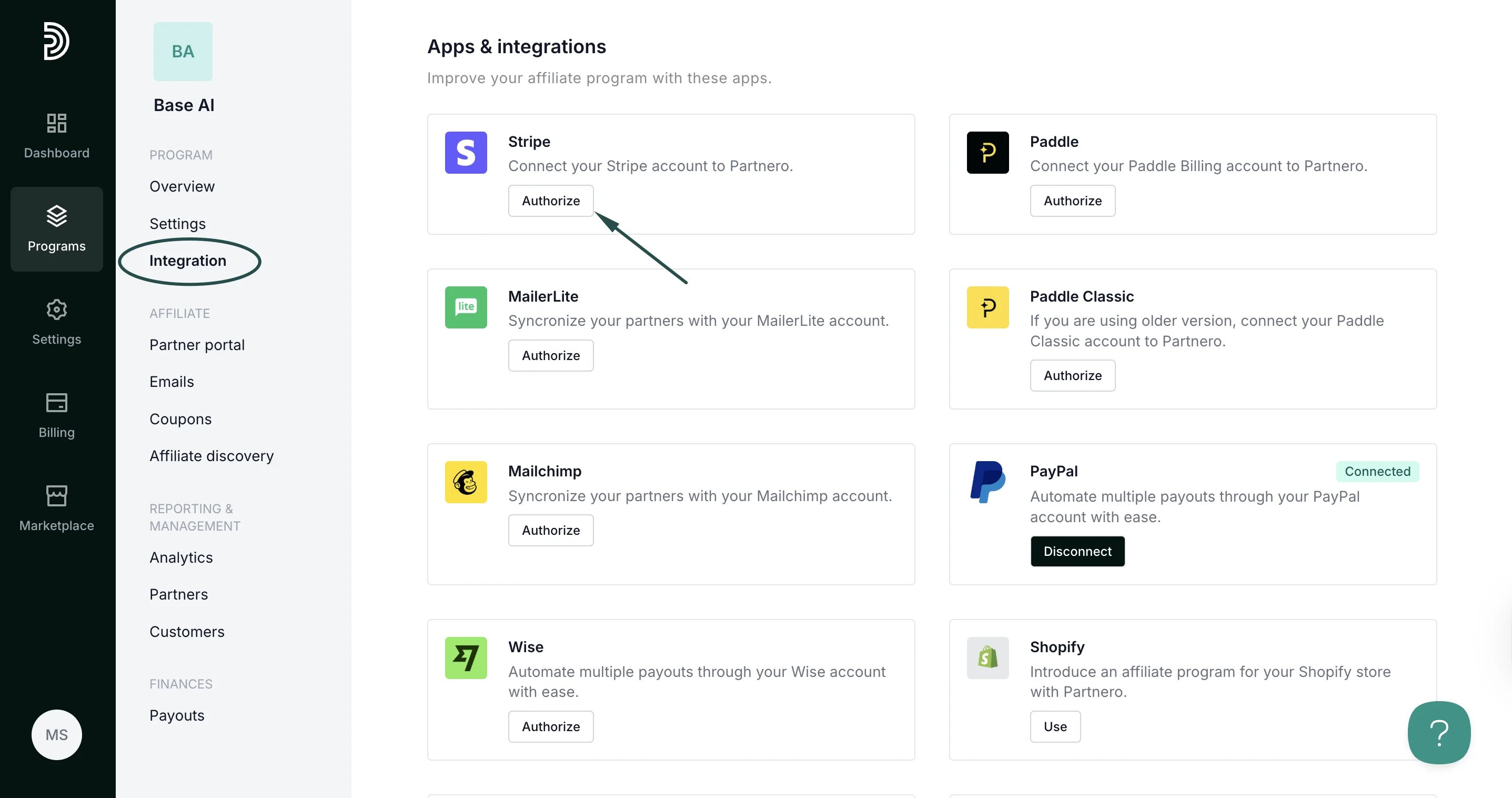
Go to Integration > scroll down to Apps & integrations > click Authorize next to Stripe:
-
There are two authorization methods available: OAauth or API key.
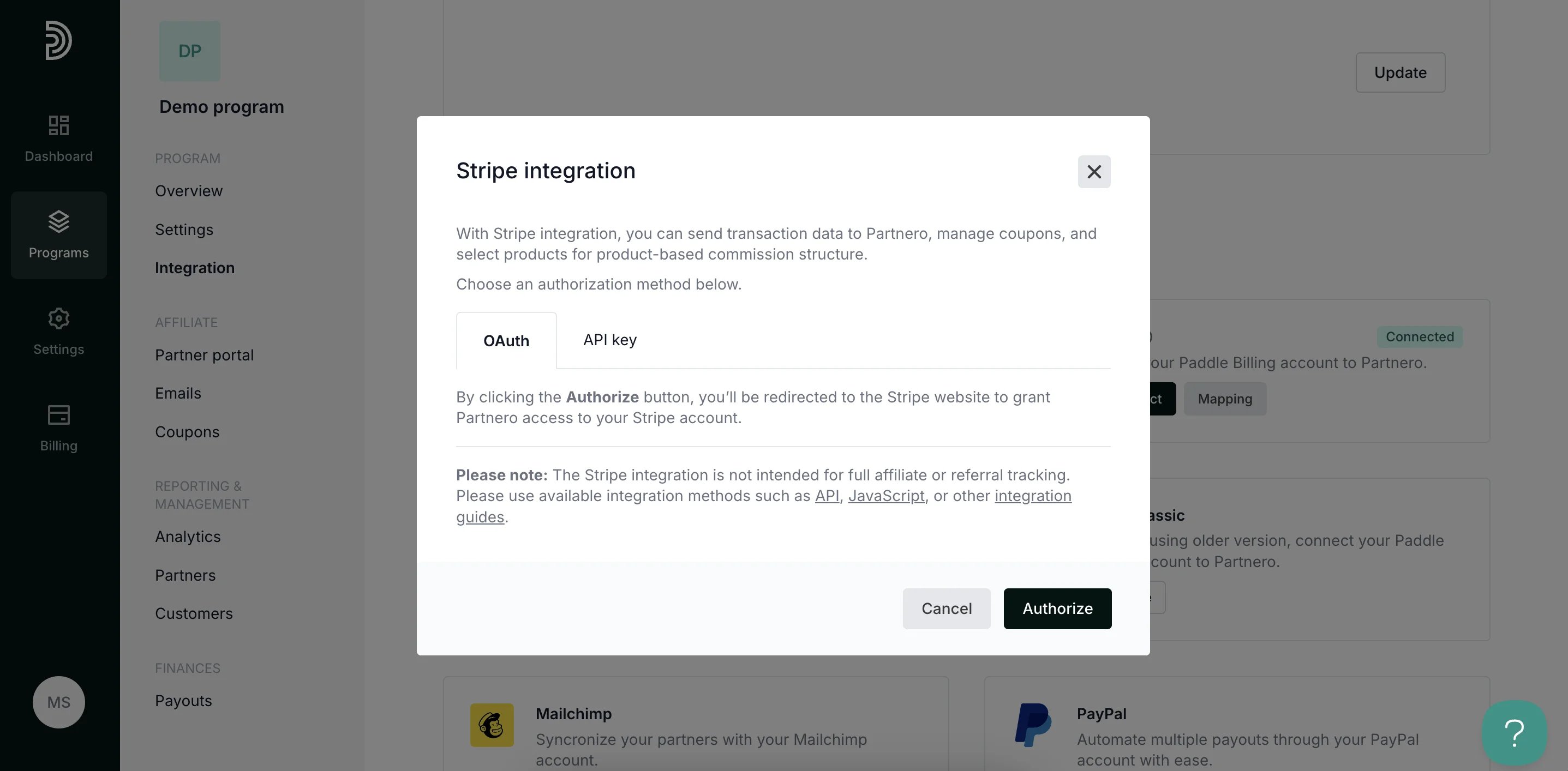
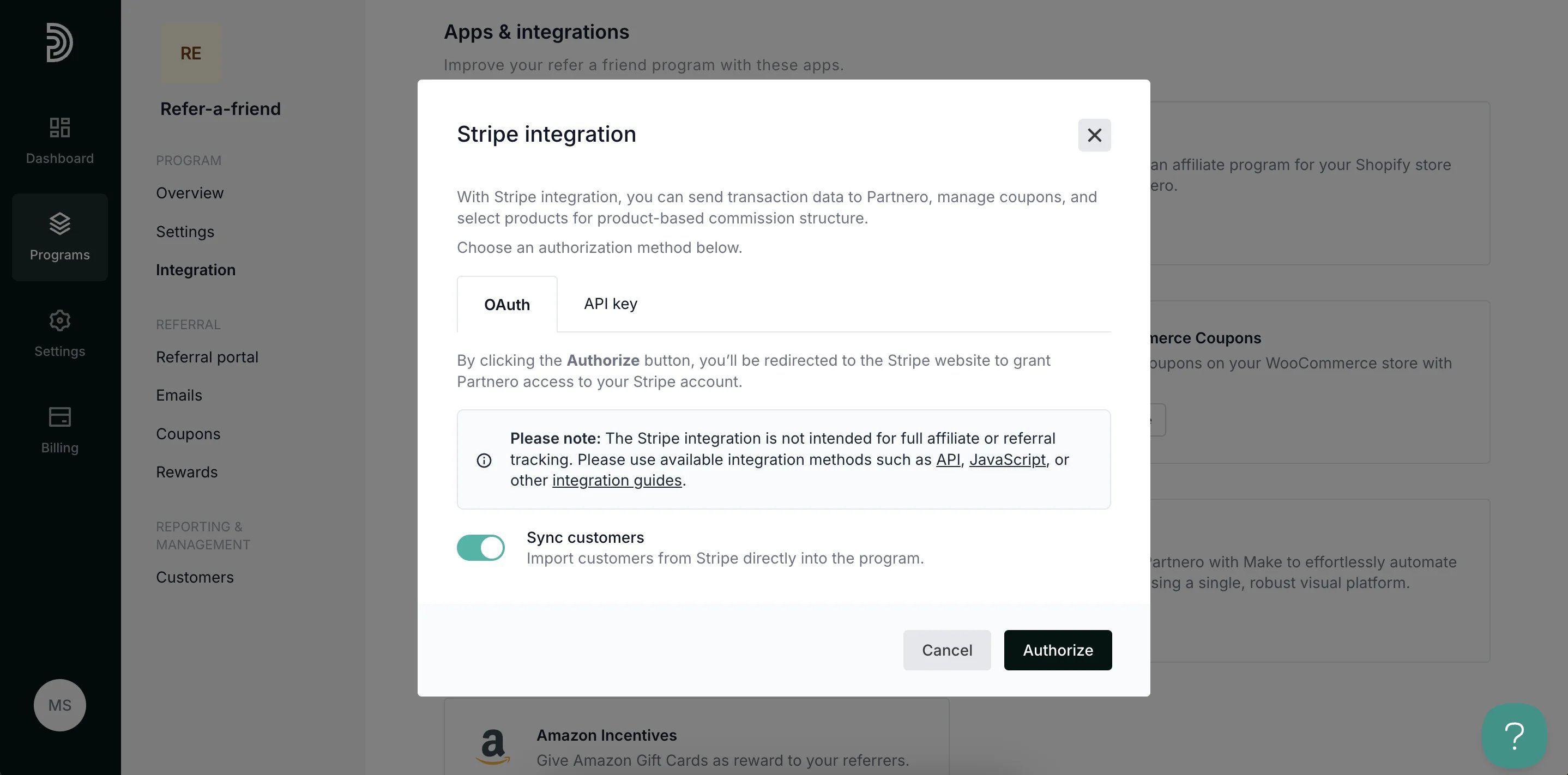
- Click Authorize.
Your integration with Simvoly is now complete! We strongly recommend testing the integration by purchasing through an affiliate link.