

- Direct form link
- From linked from website
- Embedded form.
Method 1: Direct form link
Choose this method when partners share a direct link to your Typeform with their referral key in the URL. For example:https://form.typeform.com/to/YOUR_FORM_ID#aff=PARTNER_KEY
Typeform automatically captures URL parameters into hidden fields, no scripts needed.
Step 1: Add a hidden field to your Typeform
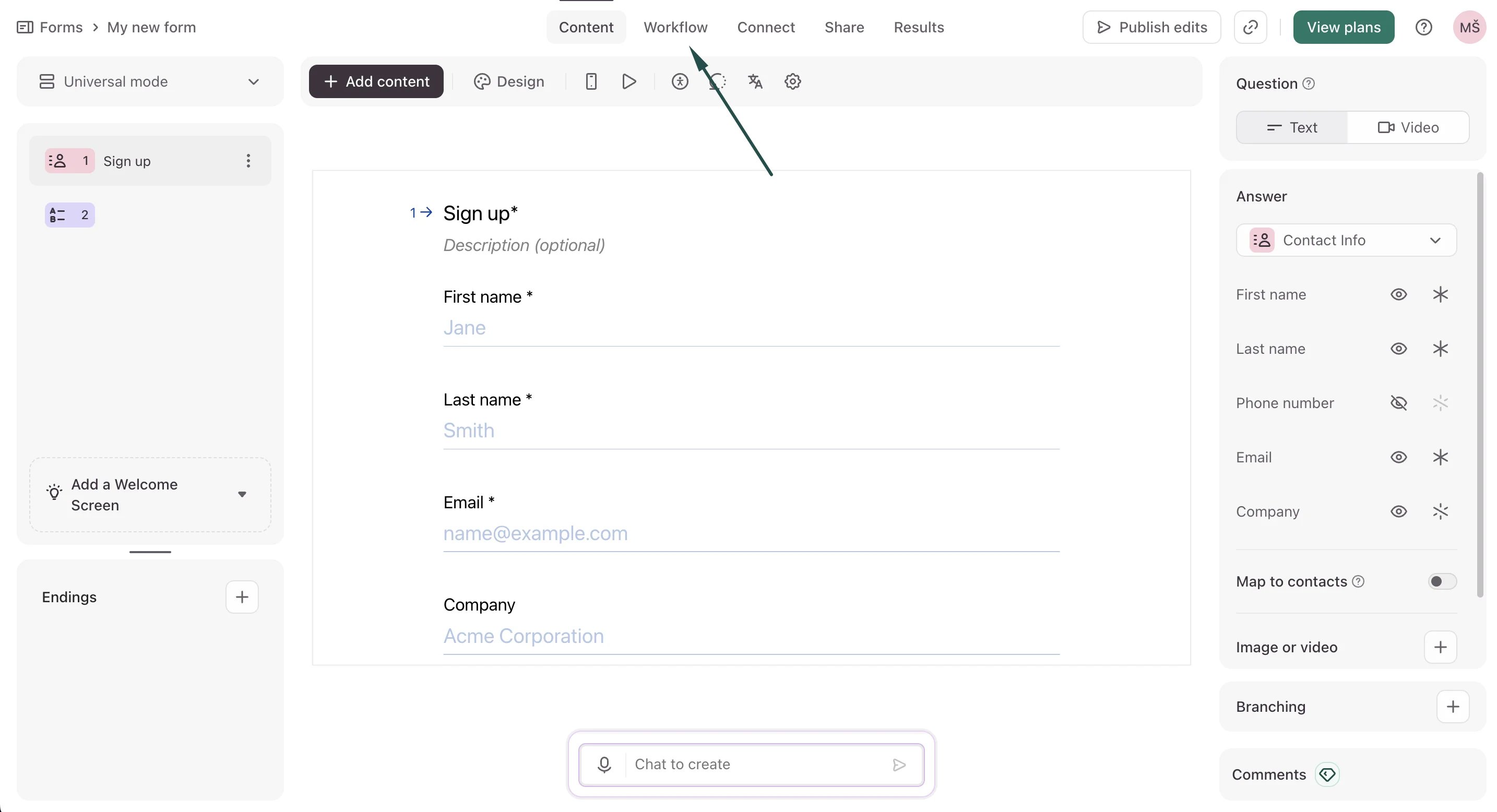
- Open your form in the Typeform editor and open the Workflow tab:
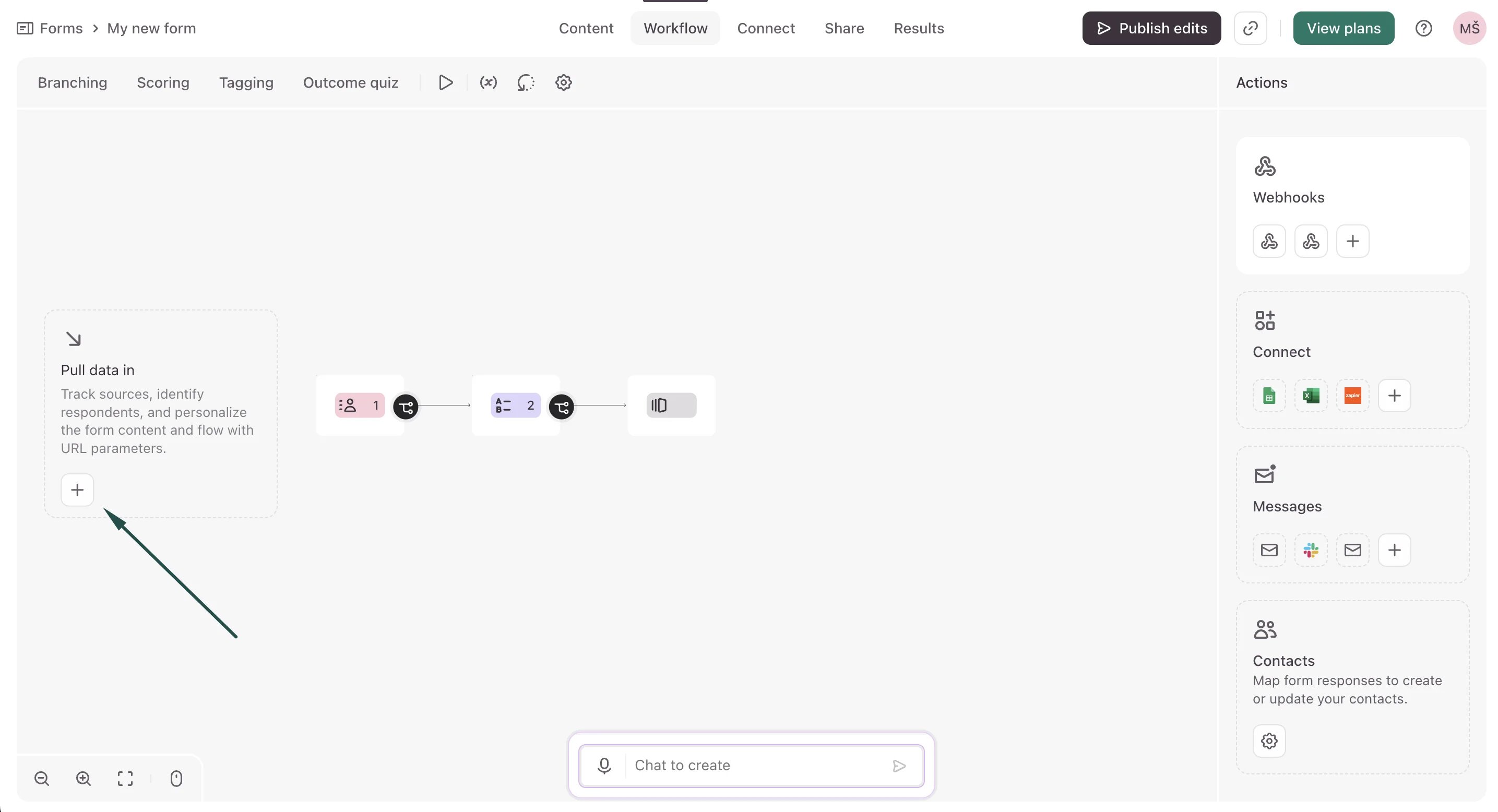
- Click the + sign next to the Pull data in option:
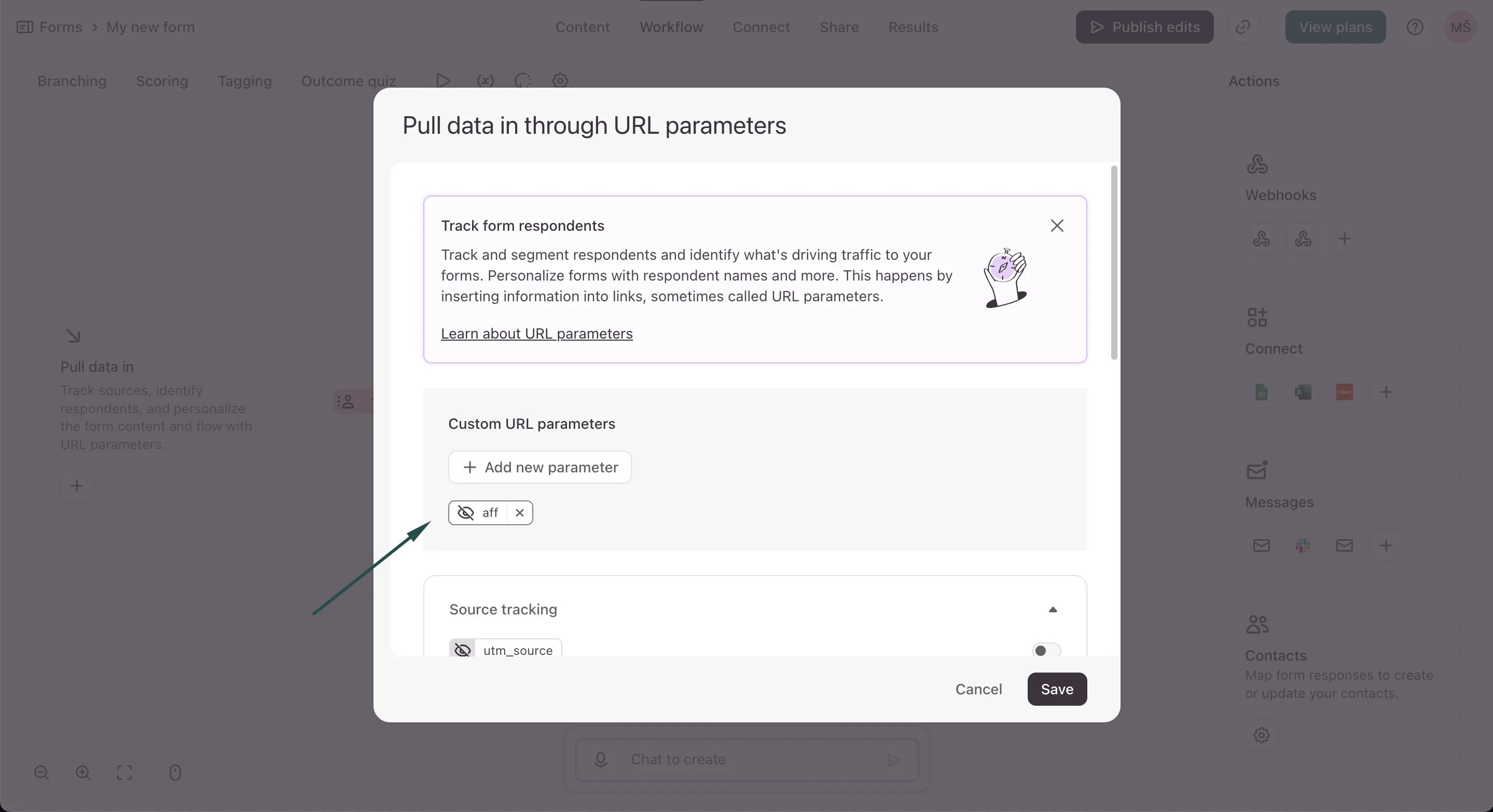
- Click + Add new parameter and create a hidden field named aff:
- Save and publish your form
Step 2: Connect Typeform in Partnero
- Go to Integrations in your Partnero dashboard.
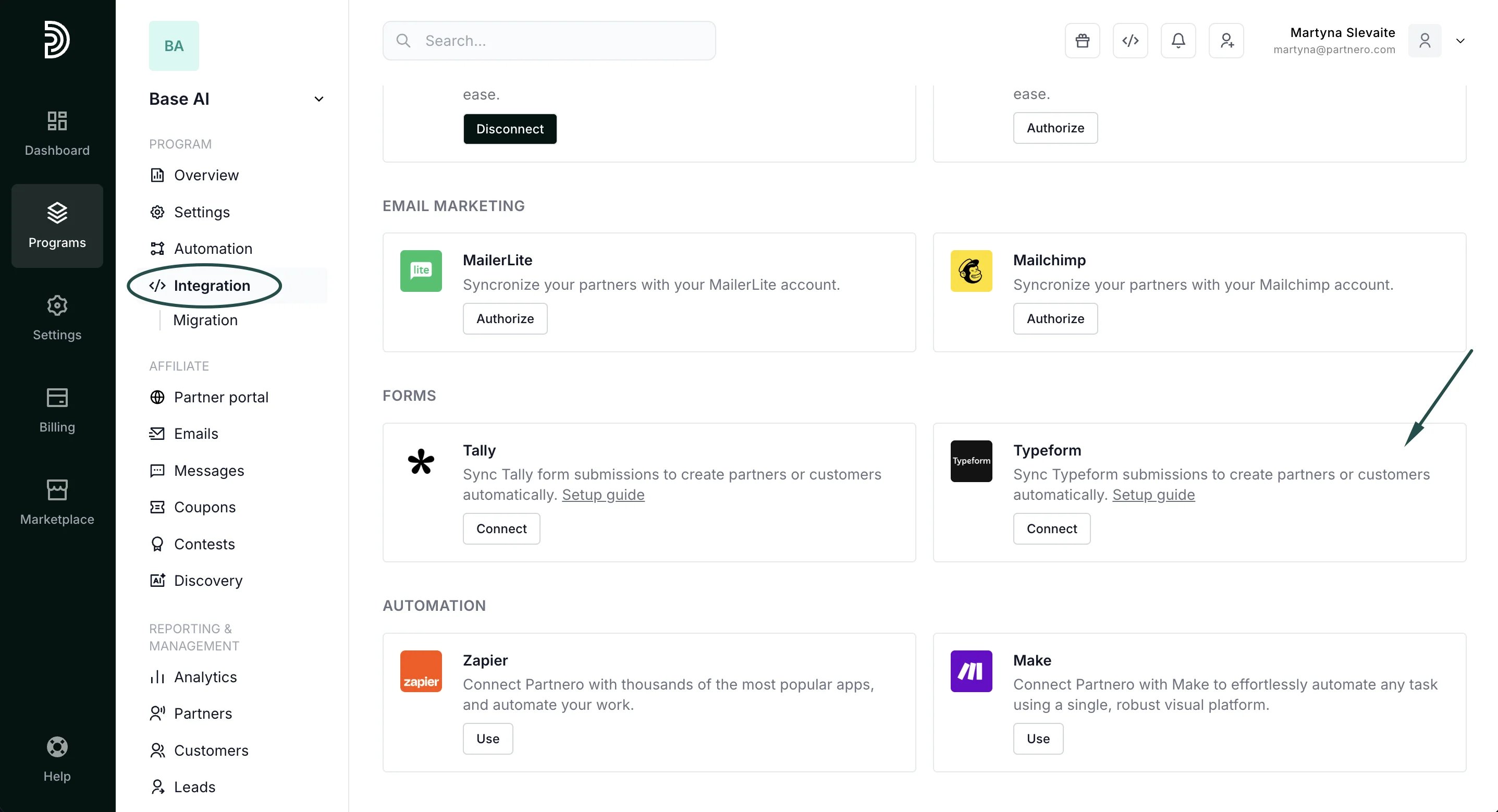
- Find Typeform under Forms and click Connect:
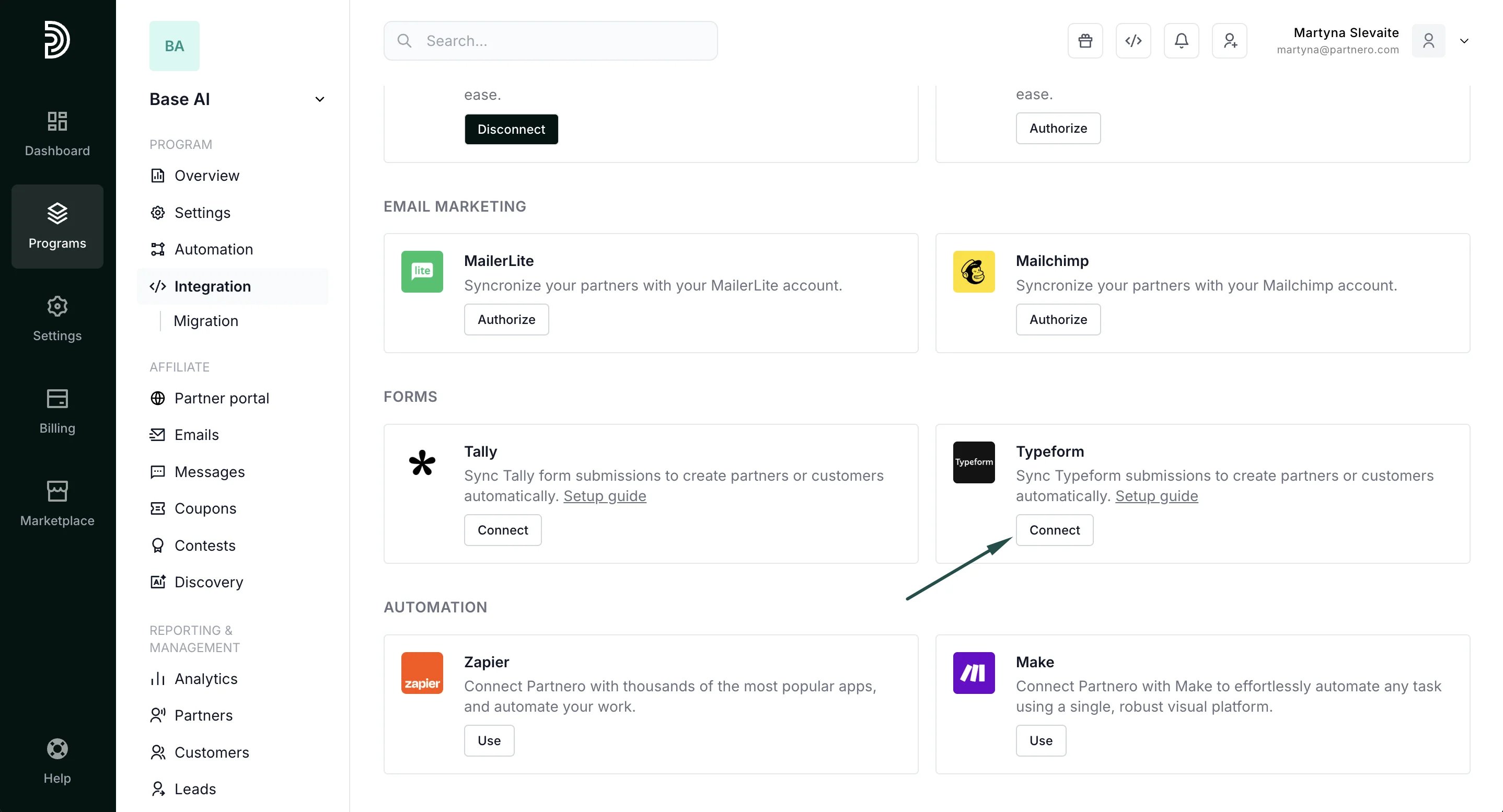
- On Typeform, go to your Account Settings → Personal tokens. Click Generate a new token:
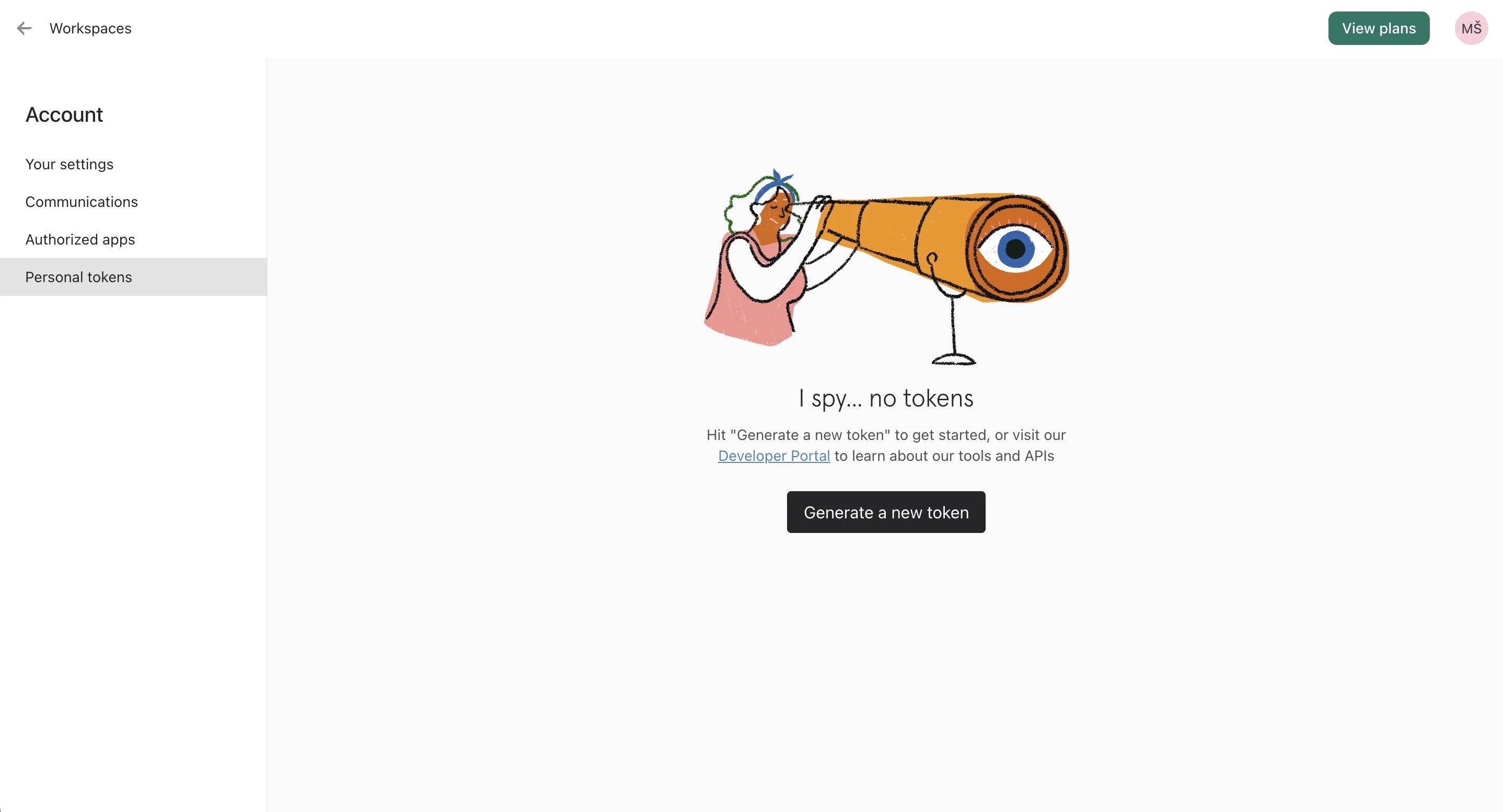
- Copy and paste the token to Partnero and click Connect:
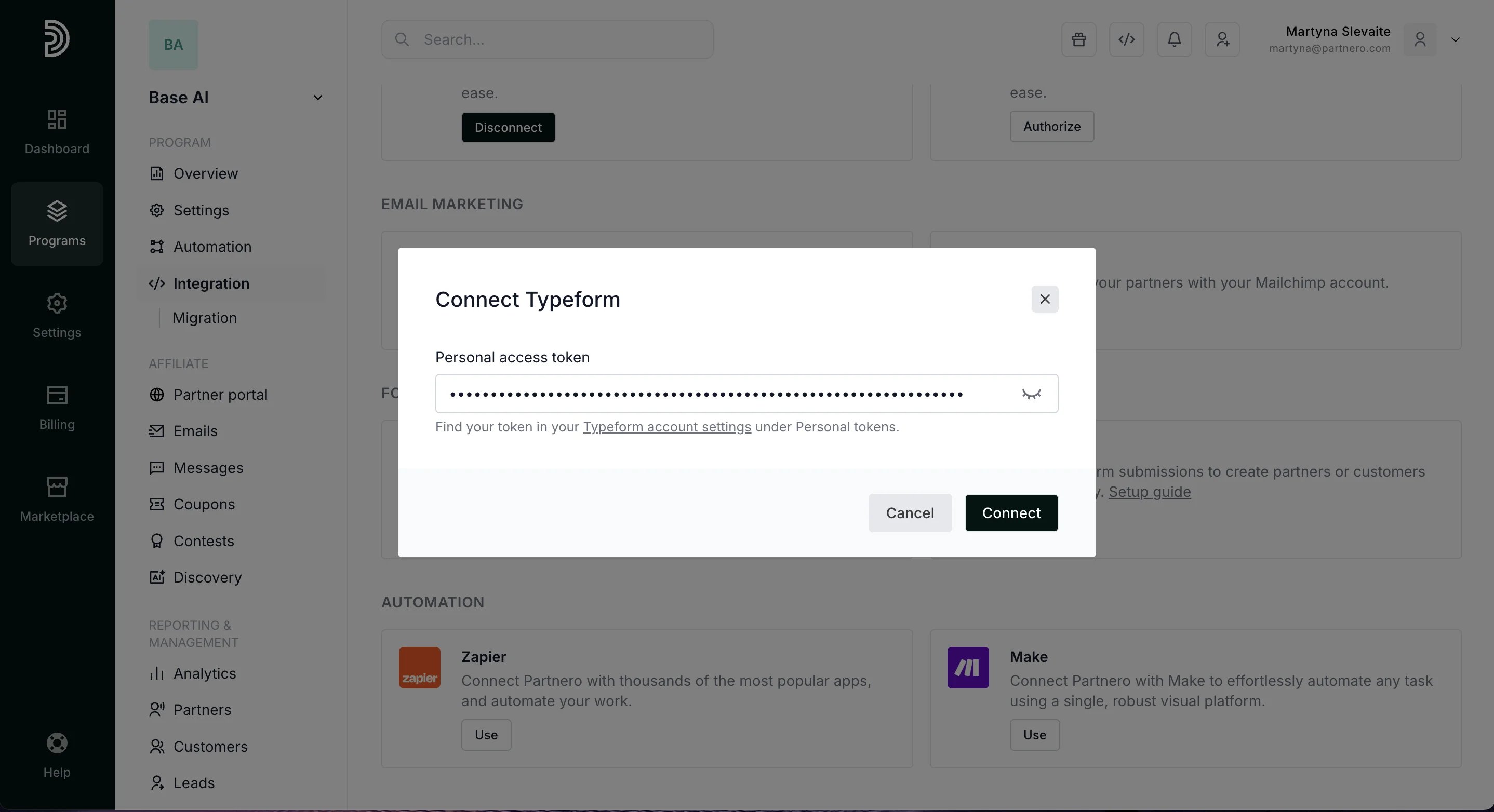
- Select your form, choose an action (create partner or customer), and map the fields.
- Make sure to map the hidden field to the Partner key:
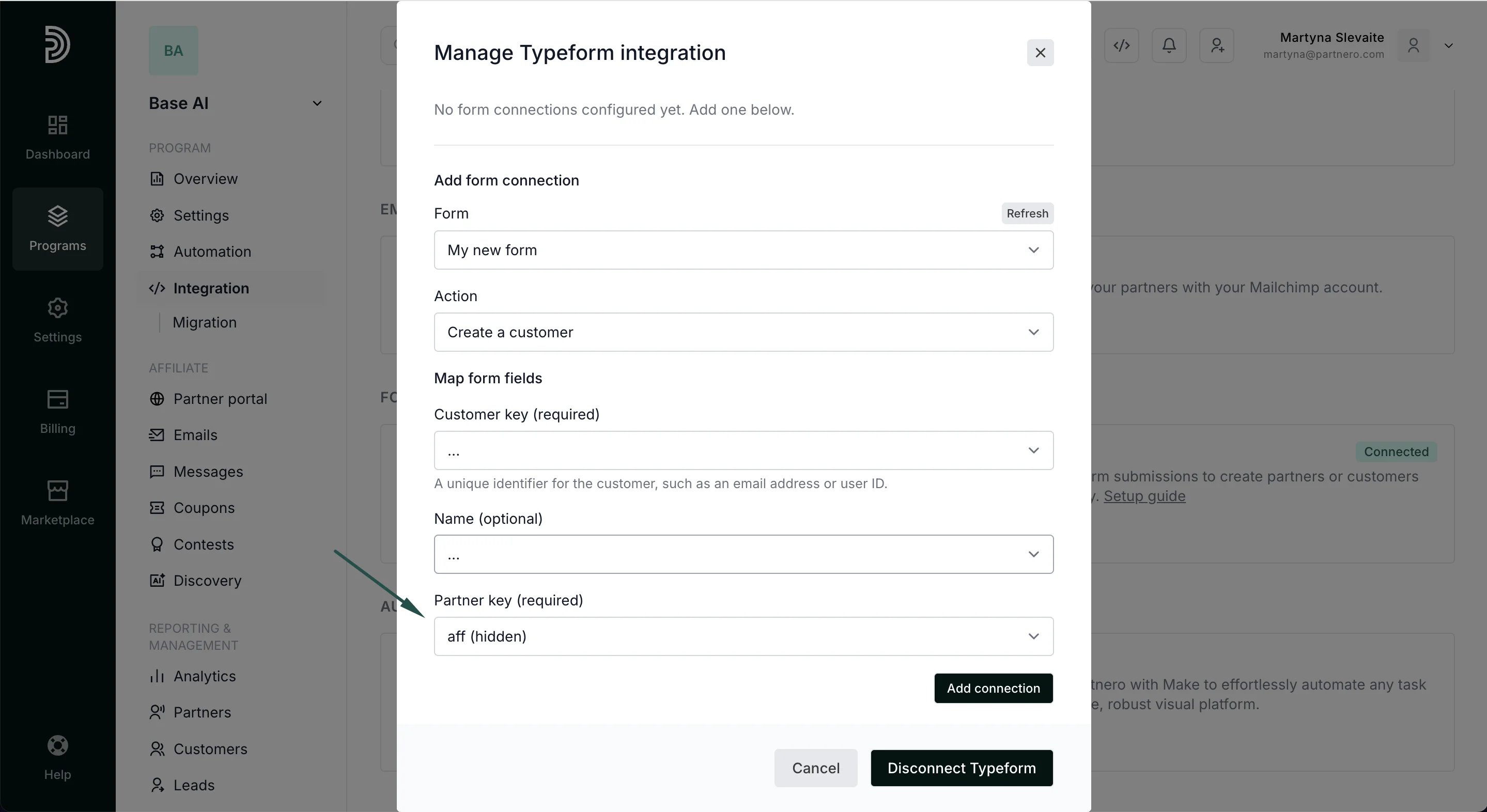
- Click Add Connection.
Sales tracking
To complete the integration, you need to share details of successful sales with Partnero. You can do this in a few ways:- Use Stripe or Paddle Billing integrations
- Implementing tracking through the Partnero API
- Implementing tracking through the Partnero JS
- Use Zapier or Make to connect everything.
Method 2: Form linked on website
Choose this when your website has Partnero tracking installed and contains a link to a Typeform. A small script will read the referral key from the tracking cookie and append it to your Typeform links automatically.
Step 1: Install the tracking script on your website
Add the PartneroJS snippet to your website to track visitors and store the referral key in a cookie. The PartneroJS snippet can be found under Integration → Program details: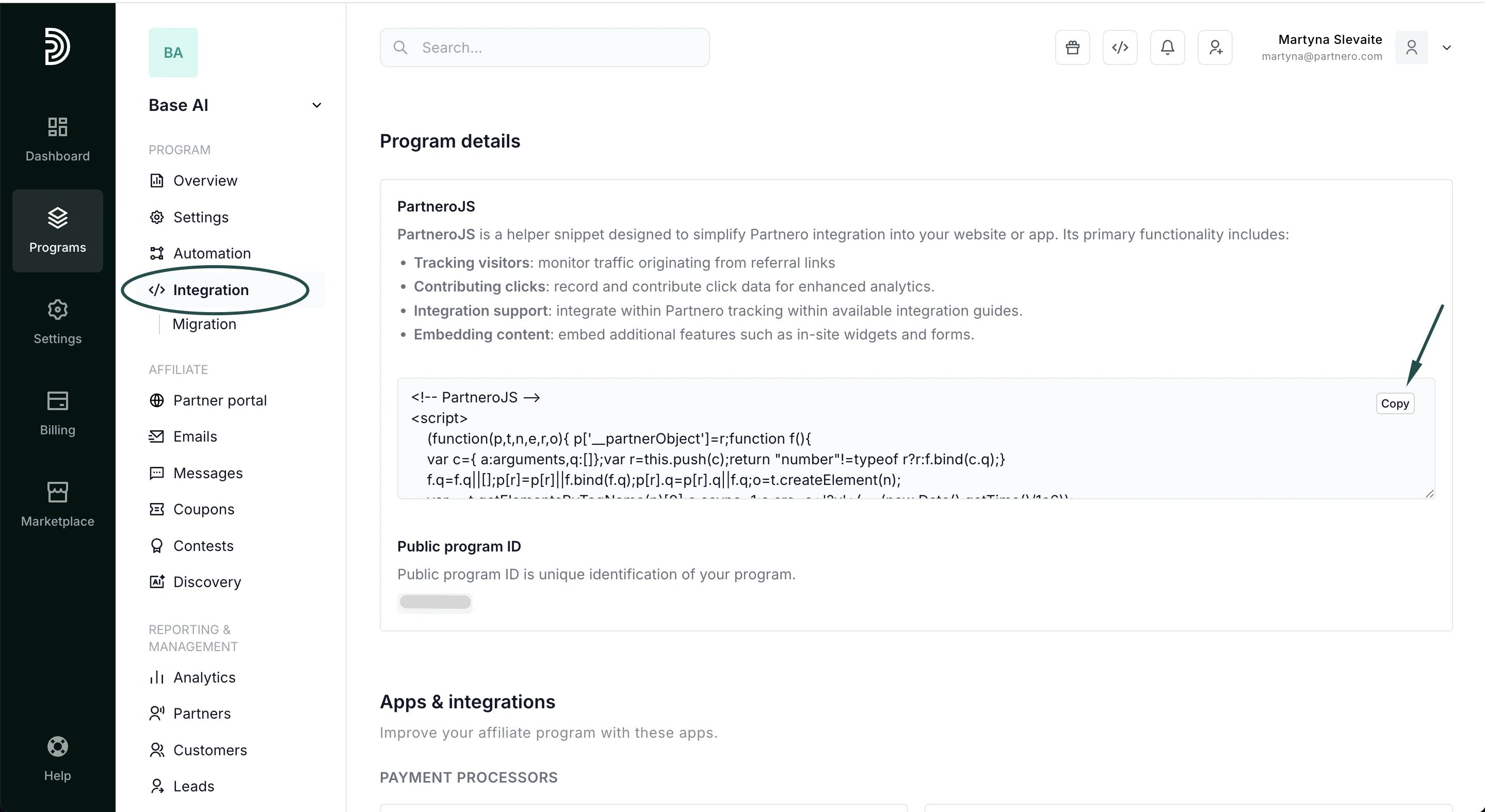
Step 2: Add a hidden field to your Typeform
- Open your form in the Typeform editor and open the Workflow tab.
- Click the + sign next to the Pull data in option.
- Click + Add new parameter and create a hidden field named aff.
- Save and publish your form.
Step 3: Add the link script to your website
Open the Typeform setup guide on your Partnero account. Switch to the “Form linked on website” tab. If you use a custom domain for your Typeform forms (e.g., forms.yourcompany.com), add it to the Typeform domain field. Otherwise, leave the default. Copy the provided script. Add it to the pages that contain a link to your Typeform: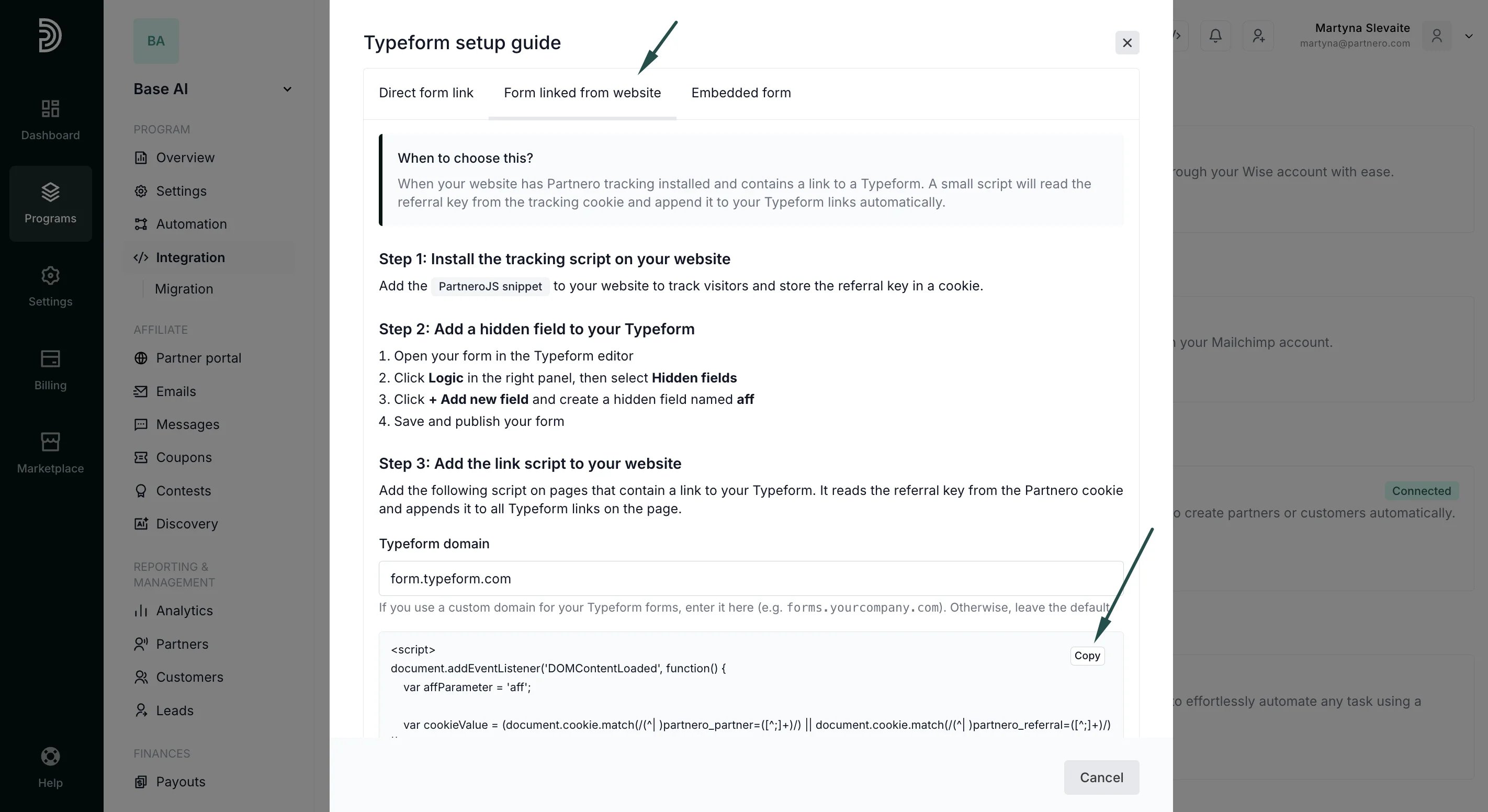
Step 4: Connect Typeform in Partnero
- Go to Integrations in your Partnero dashboard
- Find Typeform under Forms and click Connect.
- Enter your Typeform personal access token (from Typeform account settings)
- Select your form, choose an action (create partner or customer), and map the fields
- Make sure to map the hidden field to the Partner key.
Sales tracking
To complete the integration, you need to share details of successful sales with Partnero. You can do this in a few ways:- Use Stripe or Paddle Billing integrations
- Implementing tracking through the Partnero API
- Implementing tracking through the Partnero JS
- Use Zapier or Make to connect everything.
Method 3: Embedded form
Use this when your Typeform is embedded directly on your website (using a standard, pop-up, slider, or other embed type). A small script will read the referral key from the tracking cookie and pass it to the embedded form via the data-tf-hidden attribute.
Step 1: Install the tracking script on your website
Add the PartneroJS snippet to your website to track visitors and store the referral key in a cookie. The PartneroJS snippet can be found under Integration → Program details:- Open your form in the Typeform editor and open the Workflow tab.
- Click the + sign next to the Pull data in option.
- Click + Add new parameter and create a hidden field named aff.
- Save and publish your form.
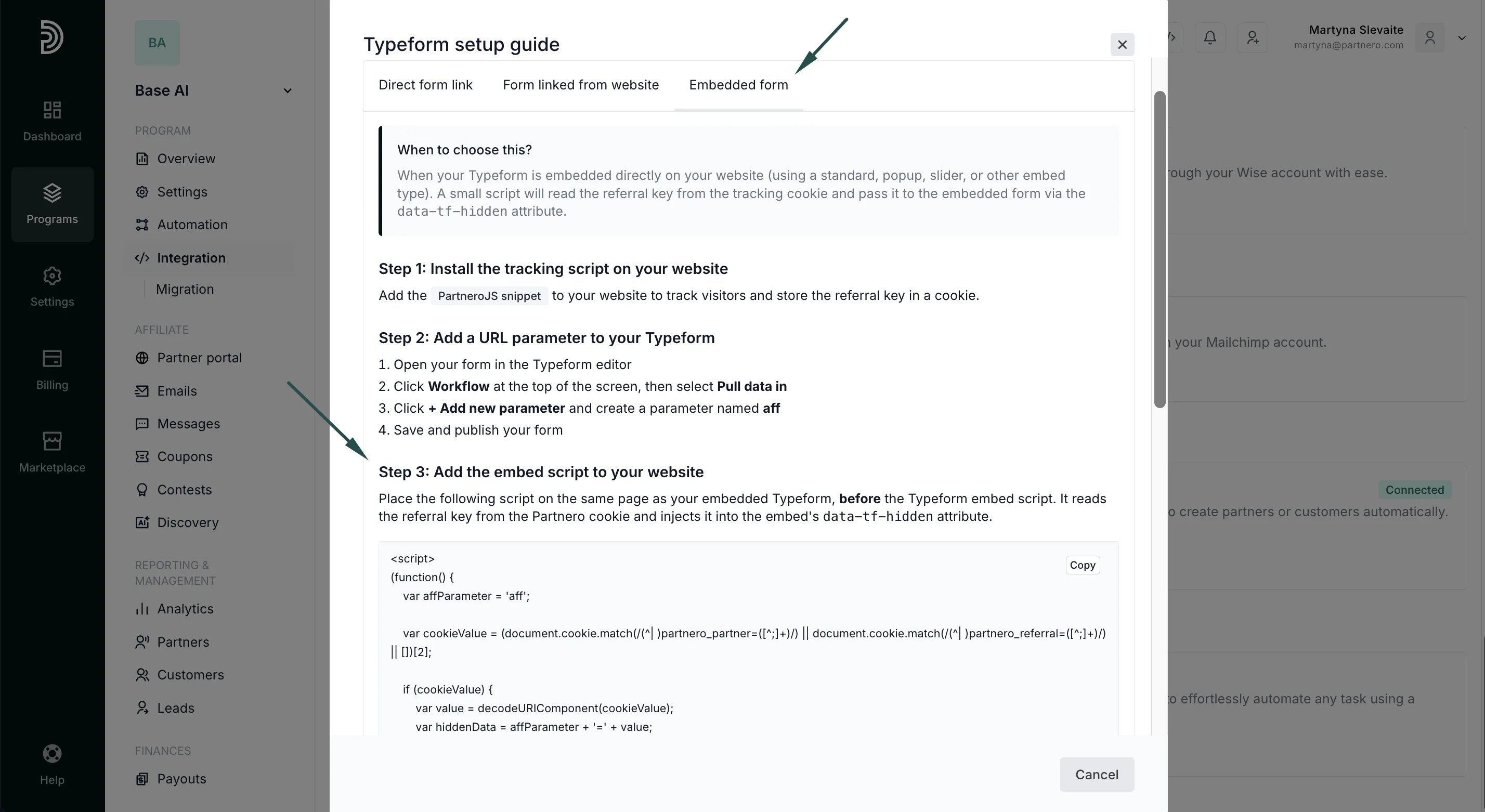
Step 3: Add the embed script to your website
Open the Typeform setup guide on your Partnero account. Switch to the Embedded form tab. Copy the provided script on the same page as your embedded Typeform, before the Typeform embed script. It reads the referral key from the Partnero cookie and injects it into the embed’sdata-tf-hidden attribute.
Step 4: Connect Typeform in Partnero
- Go to Integrations in your Partnero dashboard
- Find Typeform under Forms and click Connect
- Enter your Typeform personal access token (from Typeform account settings)
- Select your form, choose an action (create partner or customer), and map the fields
- Make sure to map the URL parameter to the Partner key.
Sales tracking
To complete the integration, you need to share details of successful sales with Partnero. You can do this in a few ways:- Use Stripe or Paddle Billing integrations
- Implementing tracking through the Partnero API
- Implementing tracking through the Partnero JS
- Use Zapier or Make to connect everything.