

Prerequisites: Installing a plugin to add custom code
To integrate Partnero, you’ll need to insert a code snippet into your WordPress website. The easiest way to do this is by installing a dedicated plugin that simplifies the process. You can choose any plugin that allows you to add scripts to the header, body, and footer of your site. However, we recommend using the WPCode Lite plugin for its ease of use and reliability.Step 1: Start tracking website visitors
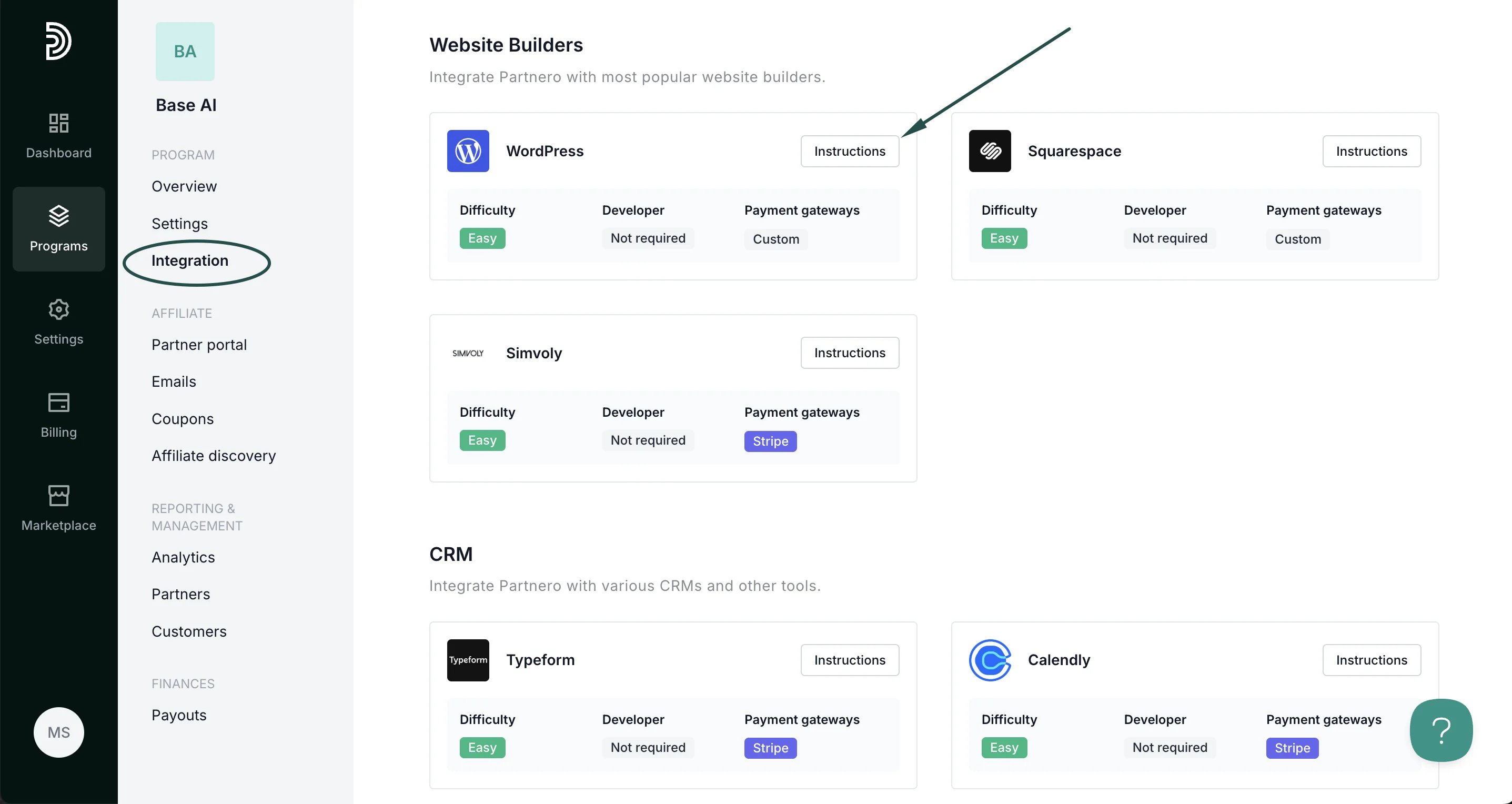
To track referred visitors on your website, you need to install the PartneroJS snippet on your website as custom code.- Go to Integration > Guides tab > WordPress. Click Instructions.
- Copy the PartneroJS snippet:
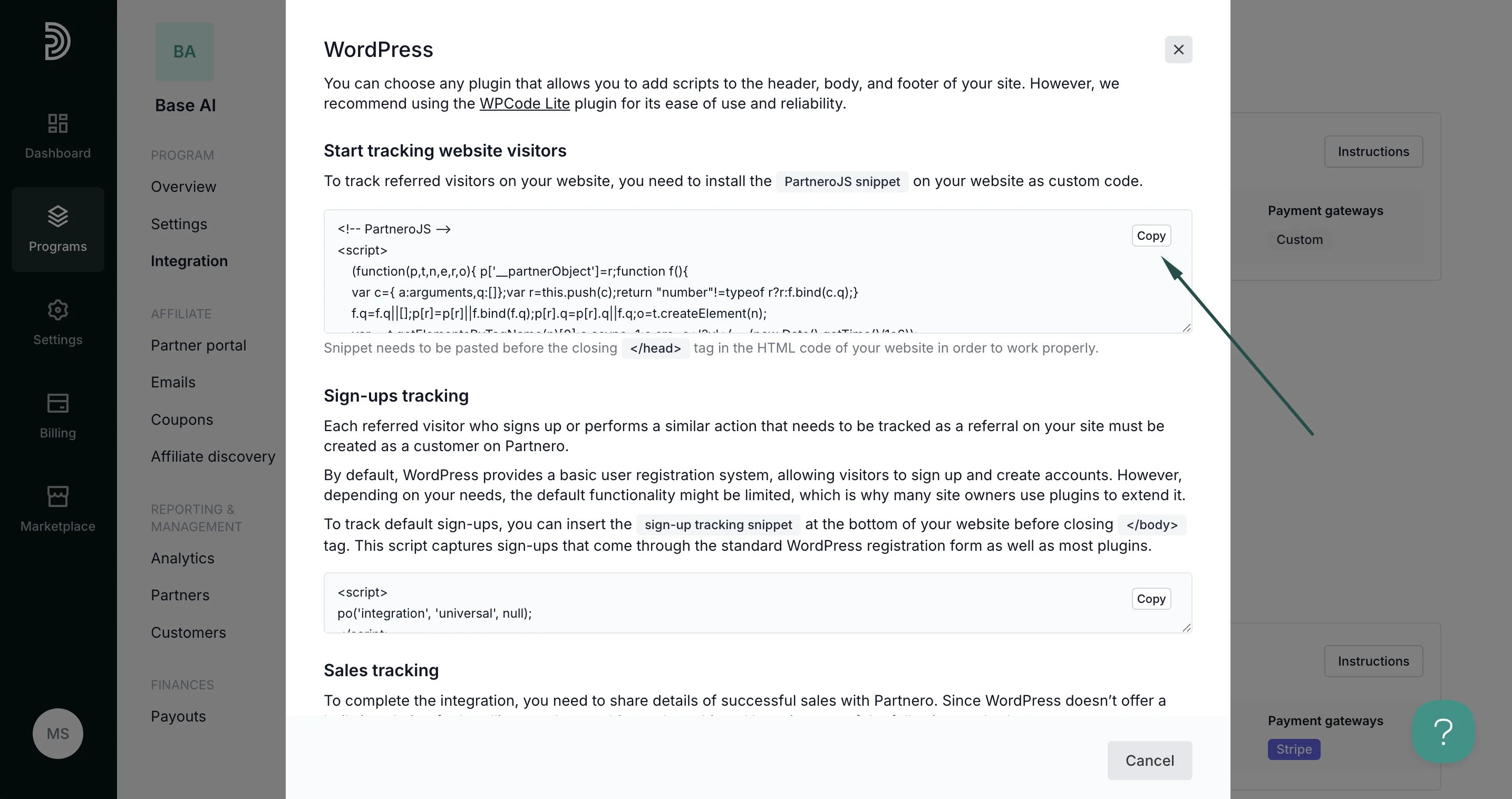
- Paste this snippet into the HTML code of your website, just before the closing
</head>tag. This step is crucial for ensuring that Partnero can start tracking visitors on your website as soon as they land on any page.
Step 2: Sign up tracking
Each referred visitor who signs up or performs a similar action that needs to be tracked as a referral on your site must be created as a customer on Partnero. By default, WordPress provides a basic user registration system, allowing visitors to sign up and create accounts. However, depending on your needs, the default functionality might be limited, which is why many site owners use plugins to extend it. To track default sign-ups:- Copy the sign-up tracking snippet from the Partnero integration guide:
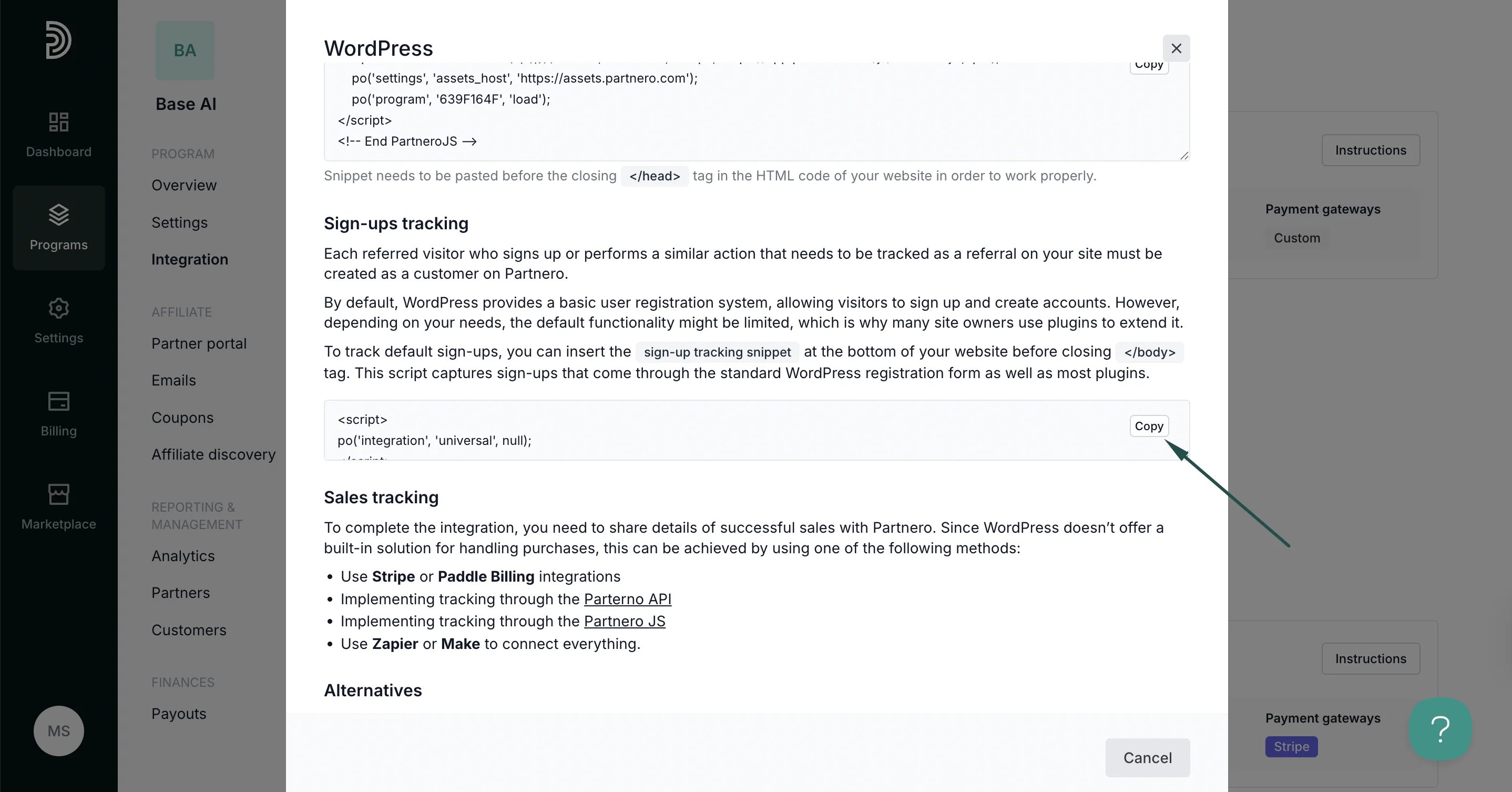
- Insert the sign-up tracking snippet at the bottom of your website before closing the
</body>tag. This script captures sign-ups that come through the standard WordPress registration form as well as most plugins.
Step 3: Sales tracking
To complete the integration, you need to share details of successful sales with Partnero. Since WordPress doesn’t offer a built-in solution for handling purchases, this can be achieved by using one of the following methods:- Use Stripe or Paddle Billing integrations
- Implementing tracking through the Parterno API
- Implementing tracking through the Partnero JS
- Use Zapier or Make to connect everything.