

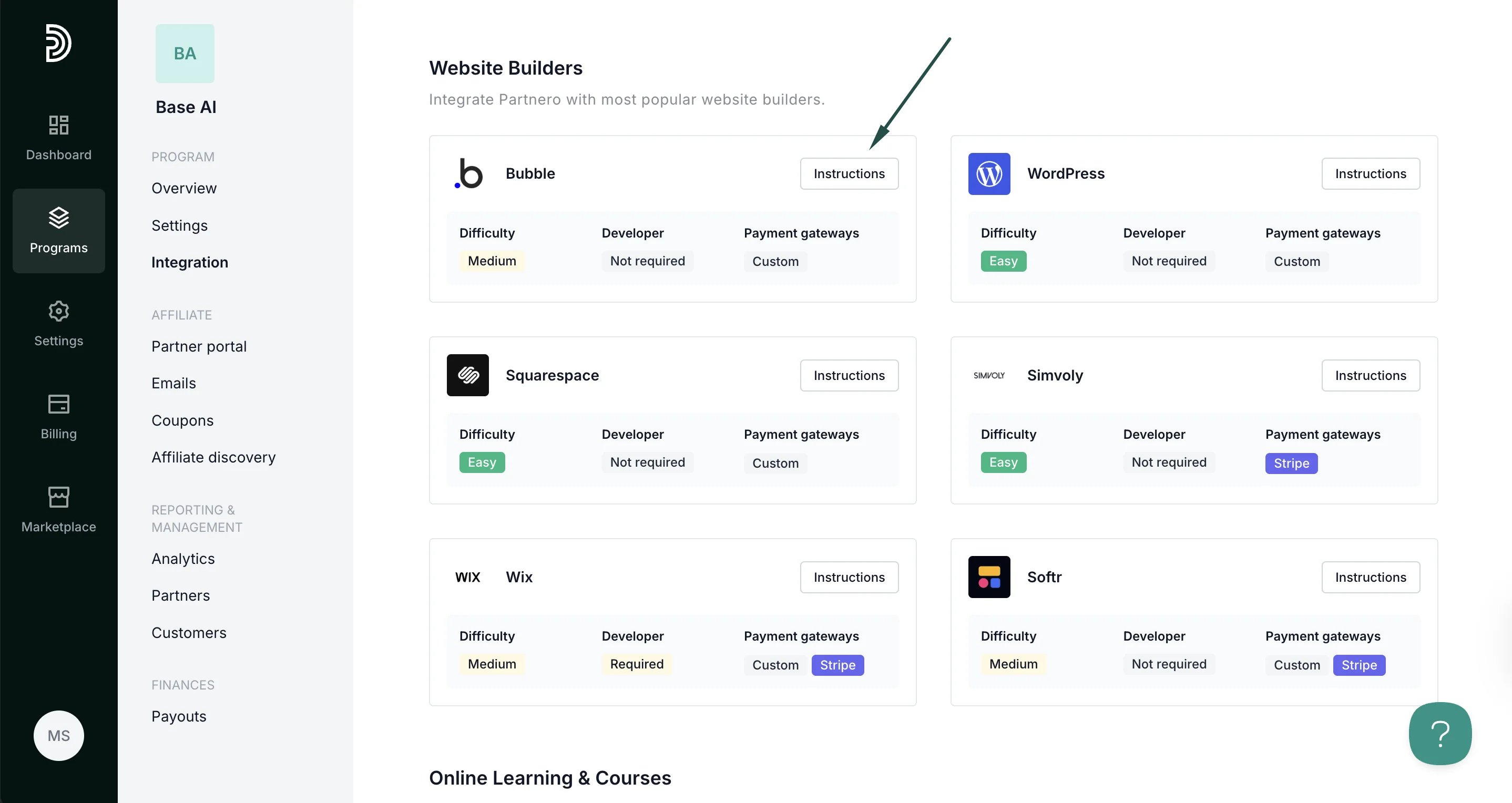
Step 1: Start tracking website visitors
To track visitors on your website, you need to install the PartneroJS snippet as custom code.Install the PartneroJS Snippet
- Go to Integration > Guides tab > Bubble. Click Instructions.
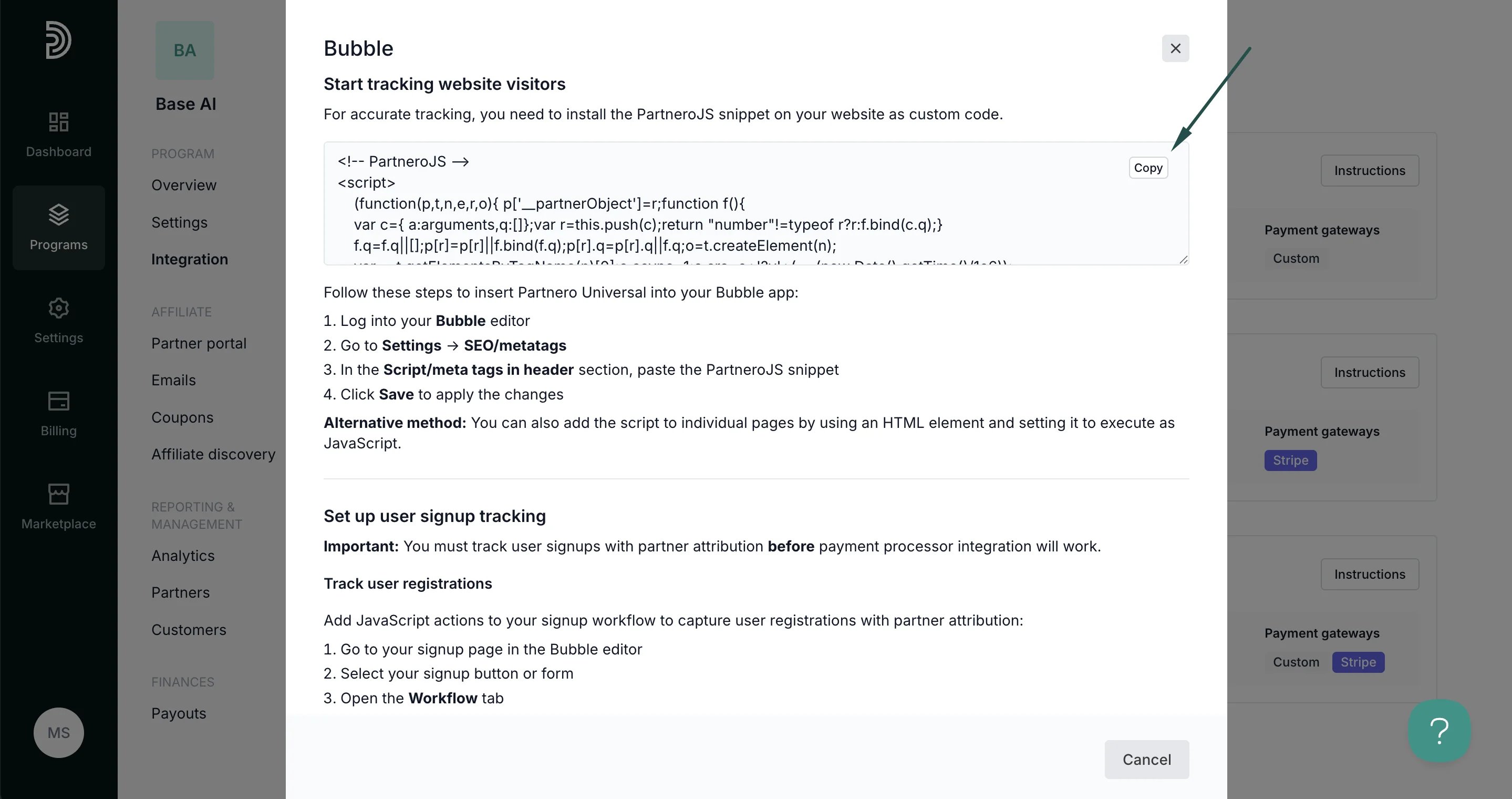
- Copy the PartneroJS snippet:
- Log in to your Bubble editor.
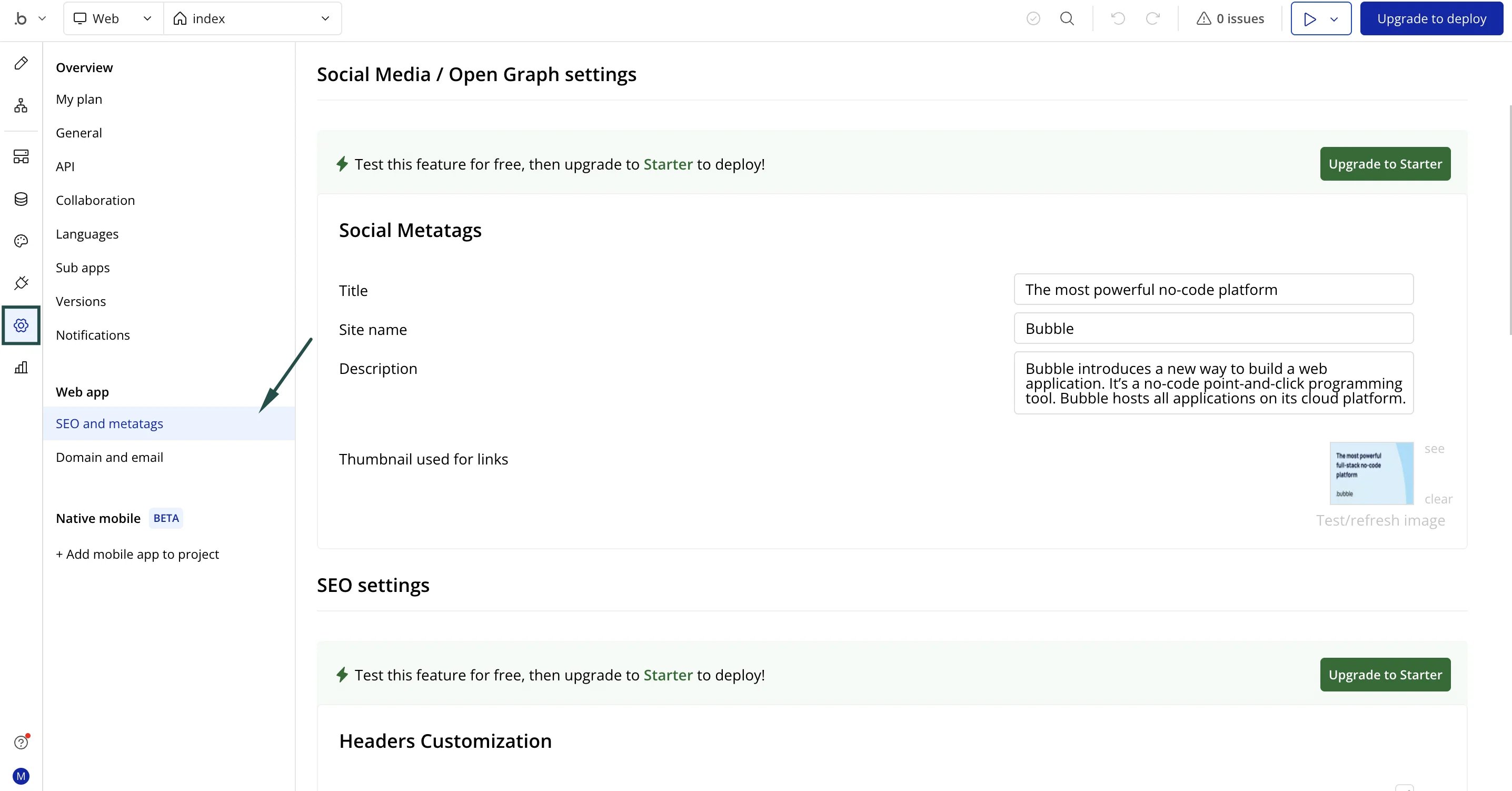
- Go to Settings → SEO and metatags:
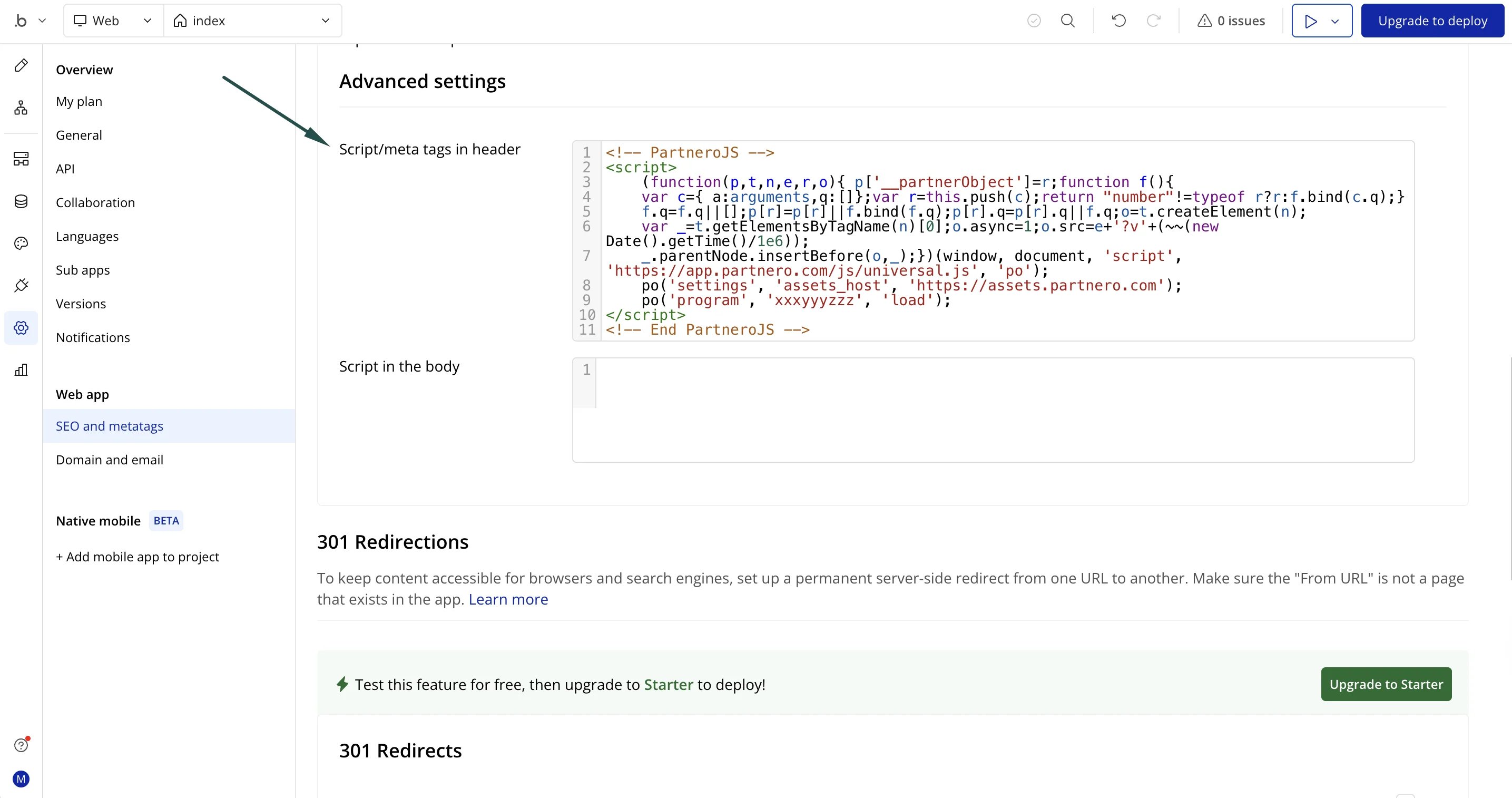
- In the Script/meta tags in header section, paste the PartneroJS snippet:
- Click Save.
Step 2: Customer sign-up tracking
⚠️ Important: You must track user signups with partner attribution before payment processor integration will work. Add JavaScript actions to your signup workflow to capture user registrations with partner attribution:- On the Partnero integration guide, copy the customer signup tracking script:
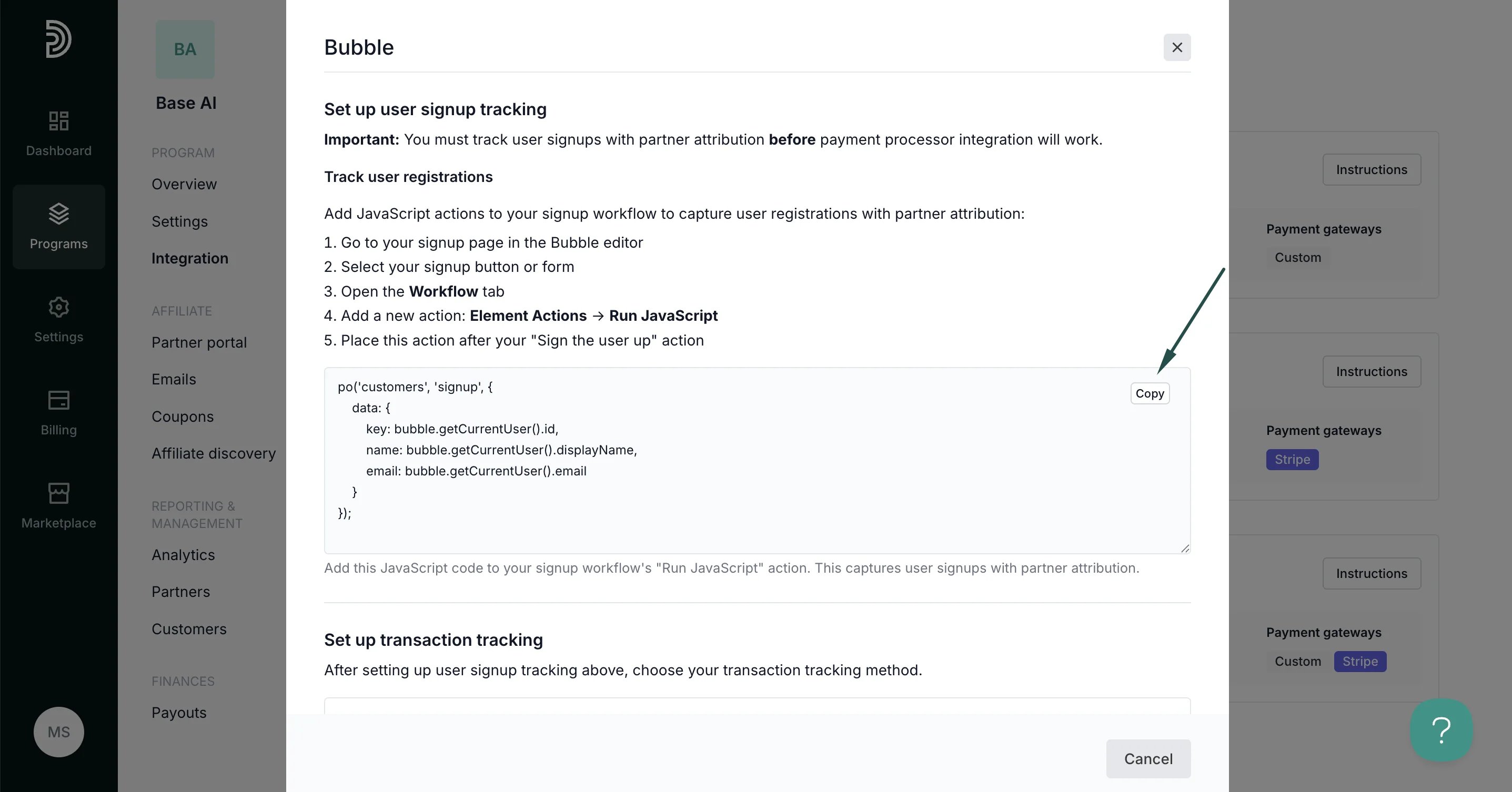
- Go to your signup page in the Bubble editor and select your signup button or form
- Open the Workflow tab.
- Add a new action: Plugins → Run JavaScript. You might need tn Install the Toolbox plugin if you haven’t yet to have this action available:
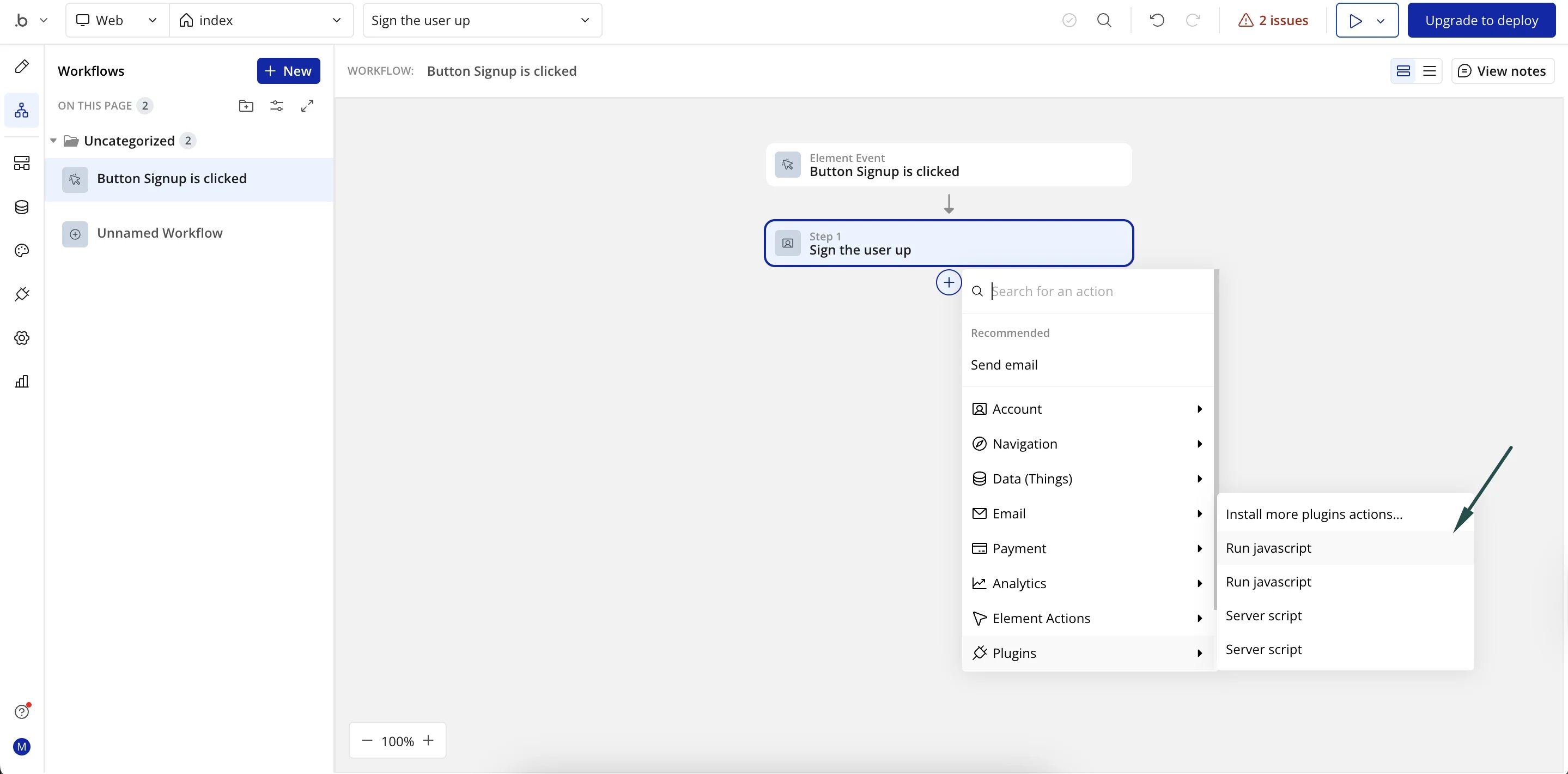
- Place this action after your “Sign the user up” action.
- Paste the signup tracking script and save.
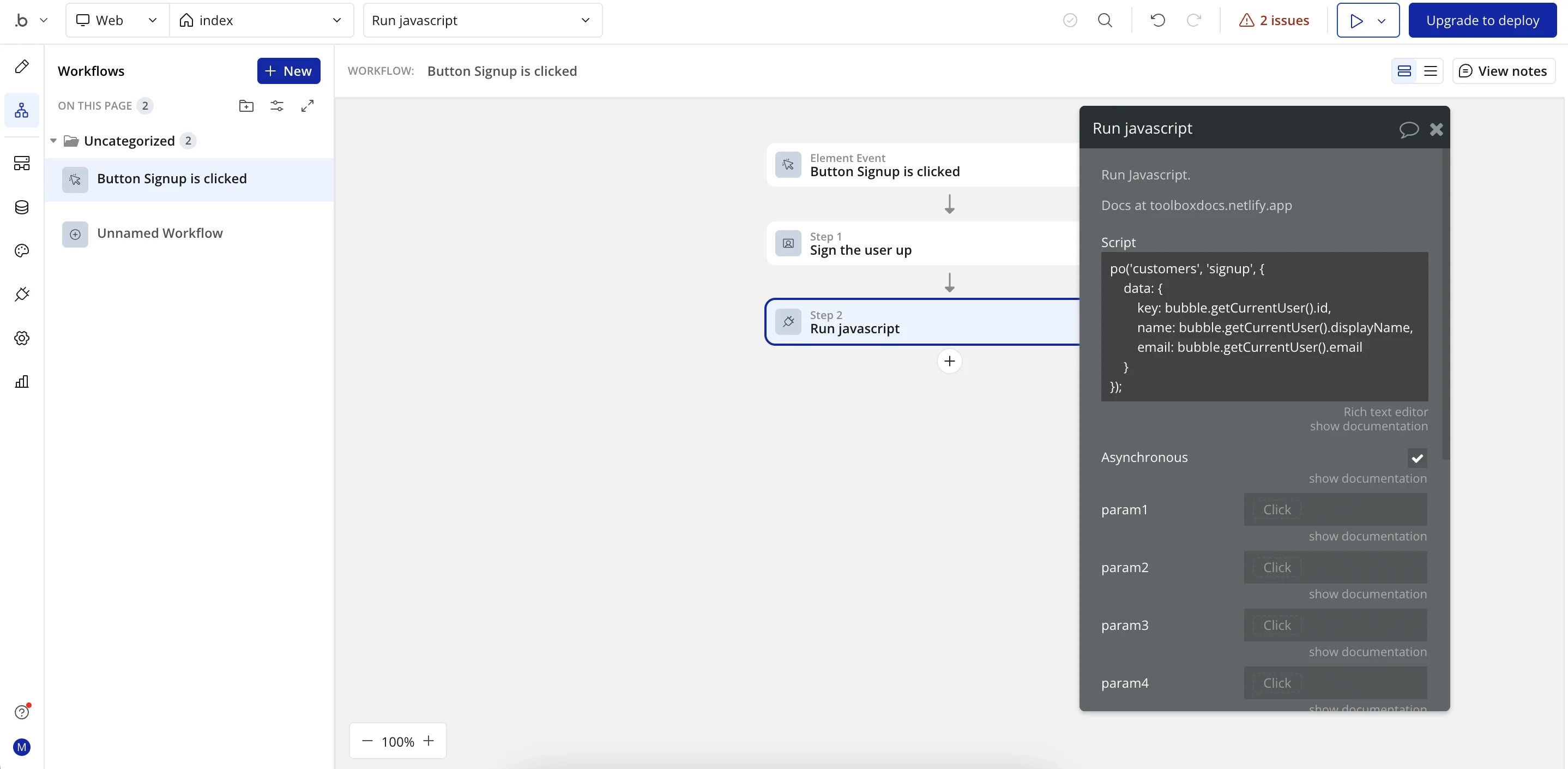
Step 3: Transaction tracking
Partnero offers three transaction tracking methods, each with unique instructions. Select one that works best for your setup and follow the instructions provided in the Bubble integration guide under Integration > Guides tab > Bubble.Method 1: Payment processor integration
Recommended: If your Bubble app uses Stripe for payment processing, connecting your Stripe account directly to Partnero provides the most reliable tracking. Prerequisite: User signup tracking (above) must be implemented first.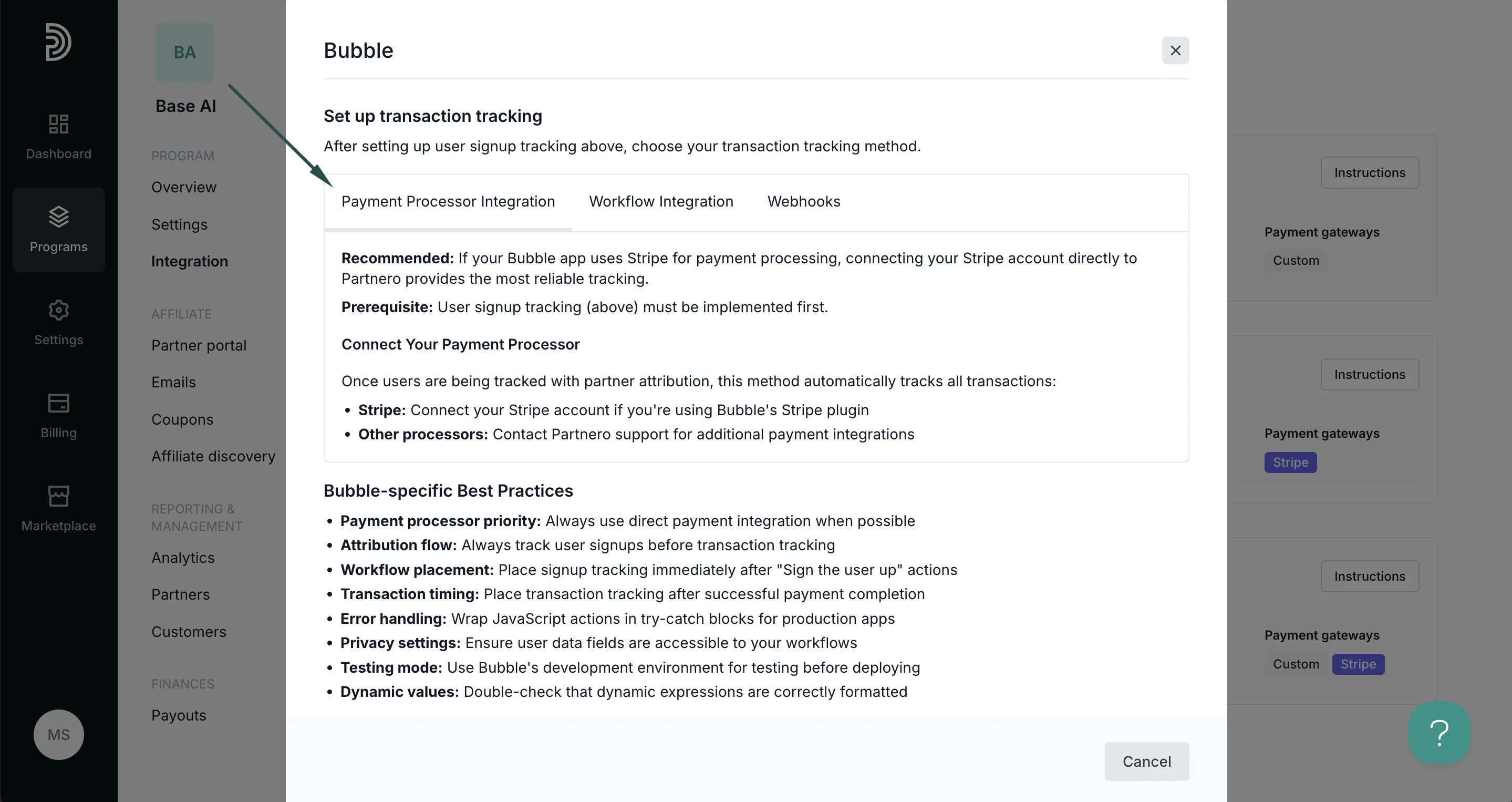
Method 2: Workflow Tracking
Use Bubble’s visual workflow system to track transactions with JavaScript actions when payment processor integration is not available.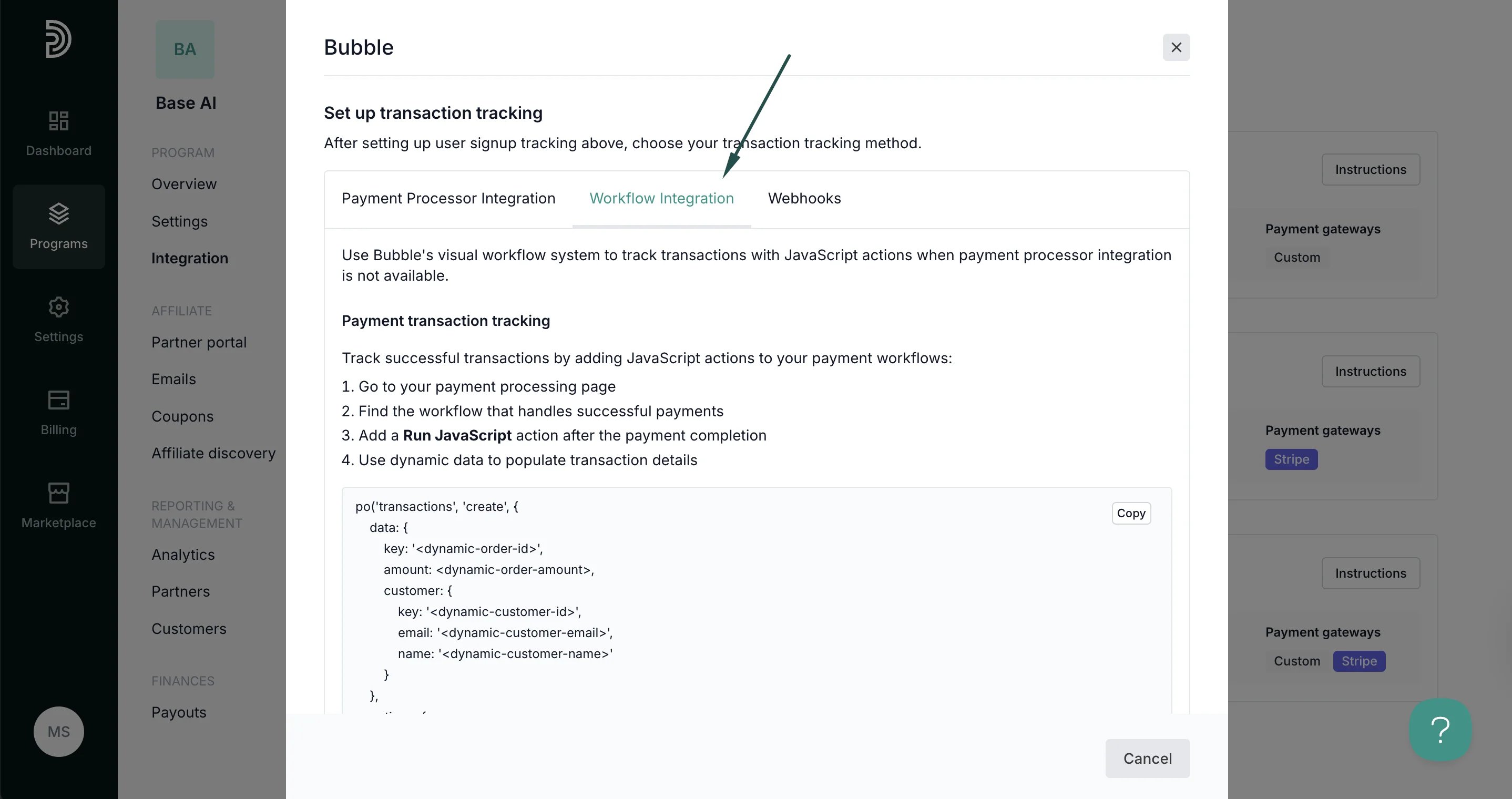
Method 3: Webhooks
For the most reliable tracking, use webhooks to automatically send data when specific events occur in your Bubble app.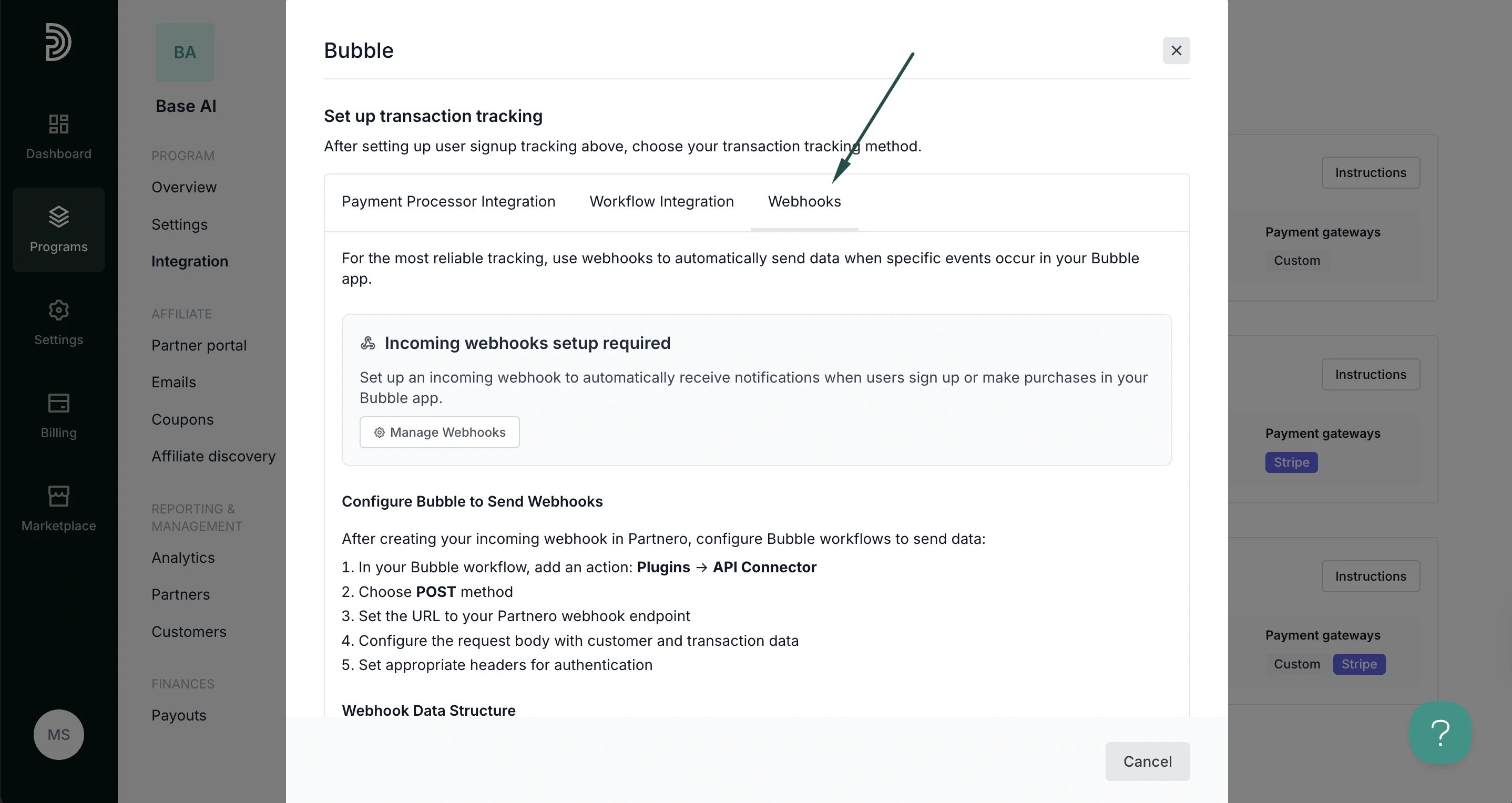
Your integration with Bubble is now complete! We strongly recommend testing the integration by purchasing through an affiliate link.